Paste a share link to show videos, demos and documents inside the room.
foyai rooms embed content by link from 22 tools: videos (Loom, YouTube, Vimeo, Wistia, Vidyard, Descript, Tella), interactive demos (Supademo, Navattic, Storylane, Arcade), designs and boards (Figma, Canva, Miro), Google Docs, Slides, Sheets and Forms, Typeform, booking pages (Calendly, HubSpot Meetings) and DocuSign. Once you publish, buyers watch, click and read without leaving the room or creating a foyai account, as long as each tool's sharing settings allow it. You see who opened each section and for how long.
Updated
Let the committee click through it themselves.
Some of the people who decide won't have joined your demo call. Put a Supademo, Navattic, Storylane or Arcade walkthrough in the room and the CFO, the security lead and the end users can each try the product on their own time.
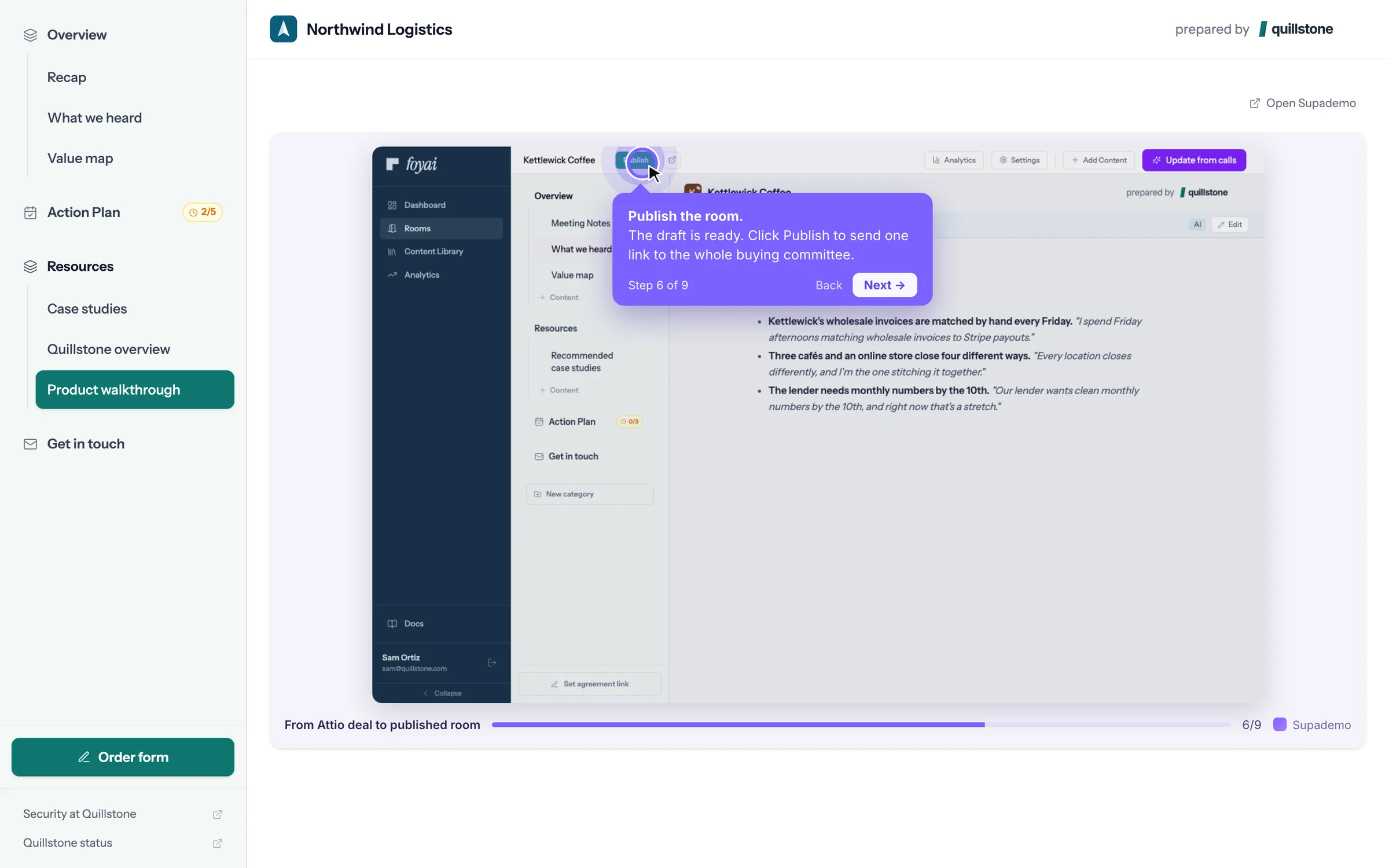
Use the link you already share.
No plugins to install and nothing to configure per tool. foyai recognises the link and switches it to the tool's embeddable player for you.
Paste the share link
Add it as its own full-screen page, put it on a resources page, drop it into a written section, or save it to your content library to reuse in every room.
foyai makes it embeddable
Share links become the right embed automatically. A Storylane or Supademo share link becomes the demo view, a Google Doc opens in preview, a Figma link uses Figma's embed viewer, and YouTube plays in its privacy-enhanced player.
Buyers use it in place
Buyers open it in the room without downloading anything. Links you add appear to buyers after you publish the room.
You see who opened it
Room analytics show which people opened each section and how long they spent there. That rolls into the engagement score on the Attio deal.
-
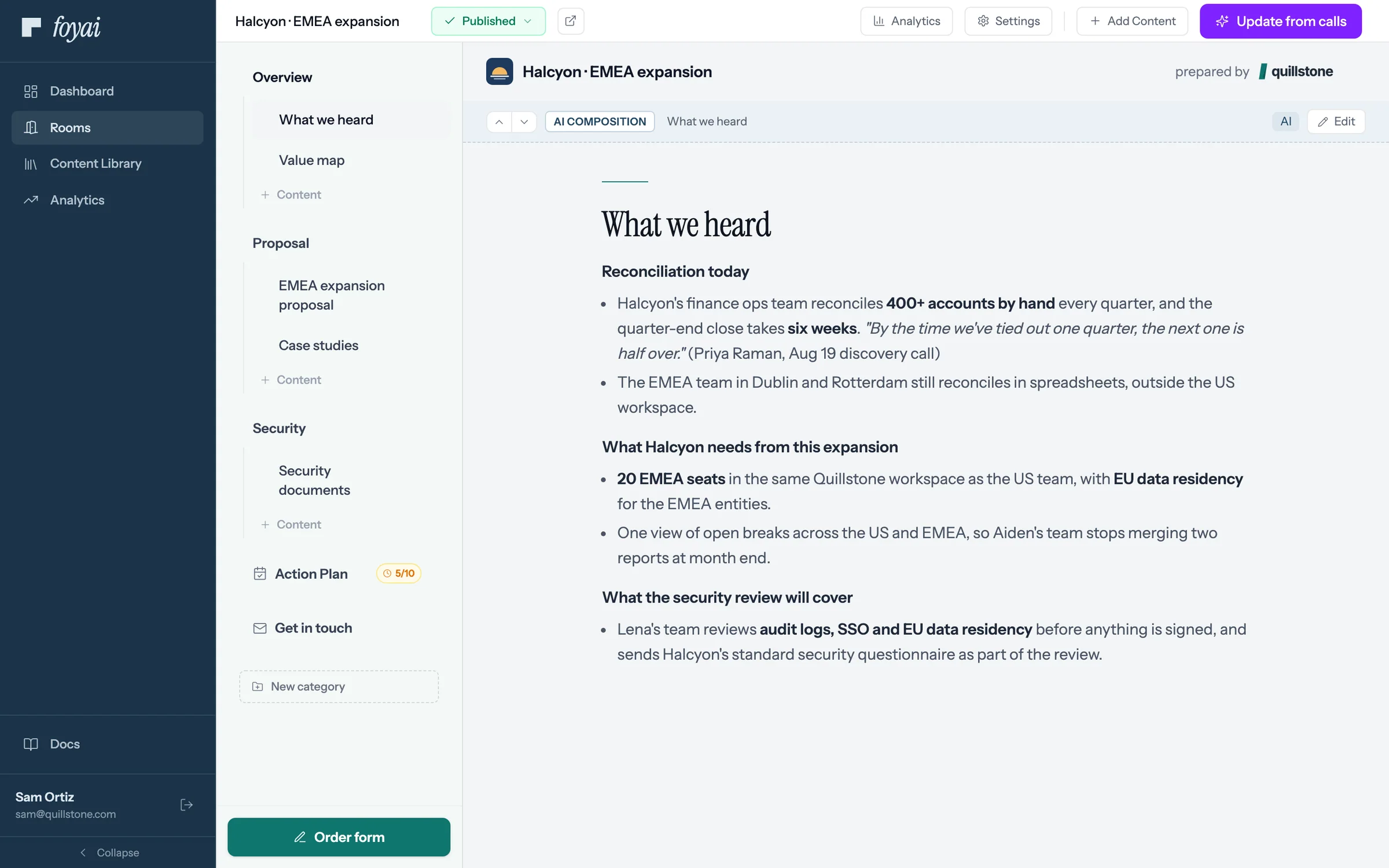
Step 1 of 5 Open Add Content In the Halcyon room's editor, Add Content lists every kind of page you can add.
-
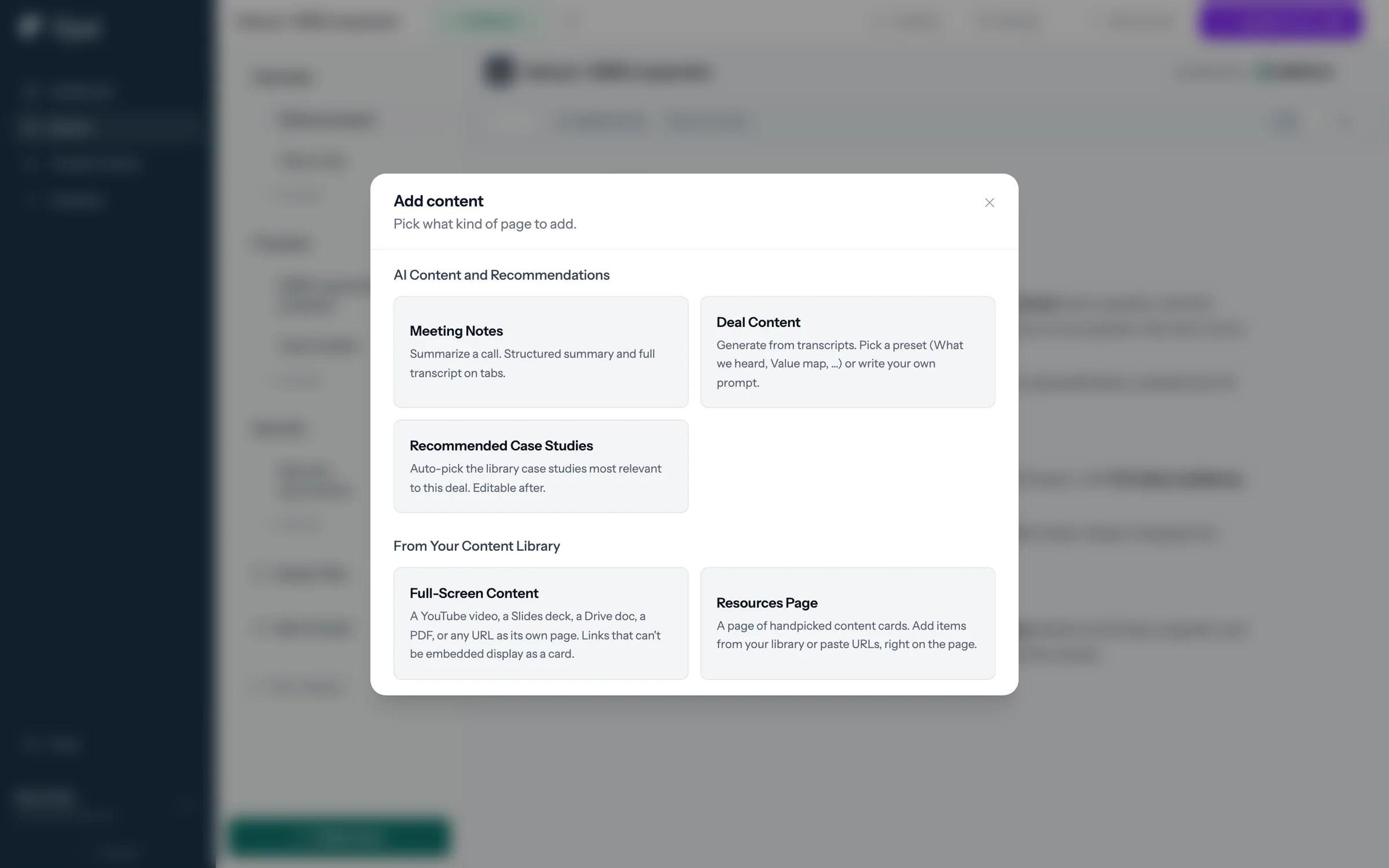
Step 2 of 5 Choose Full-Screen Content Full-Screen Content gives one link its own page in the room: a demo, video, deck, or doc.
-
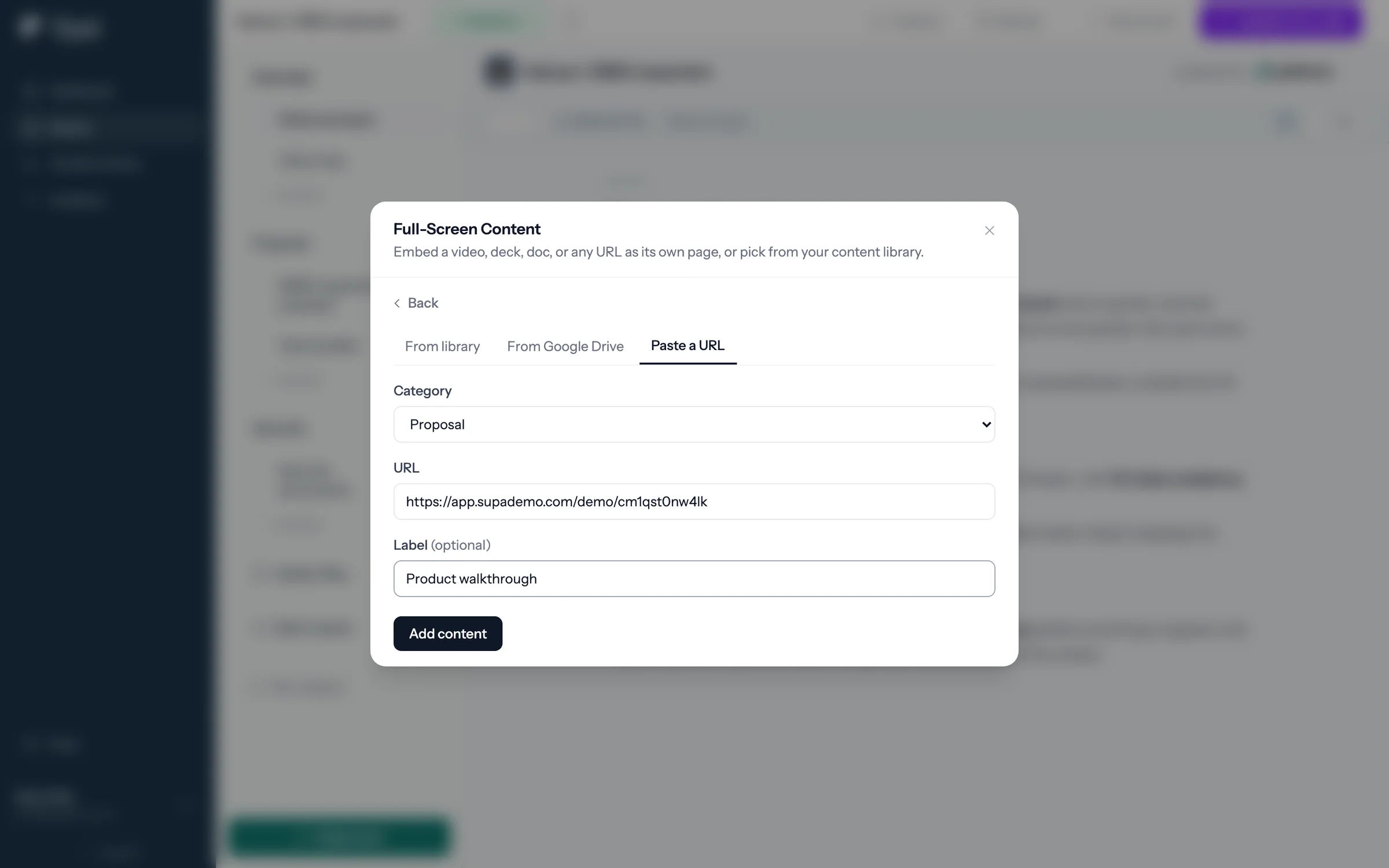
Step 3 of 5 Paste the share link Paste the Supademo share link, give the page a label, and click Add content.
-
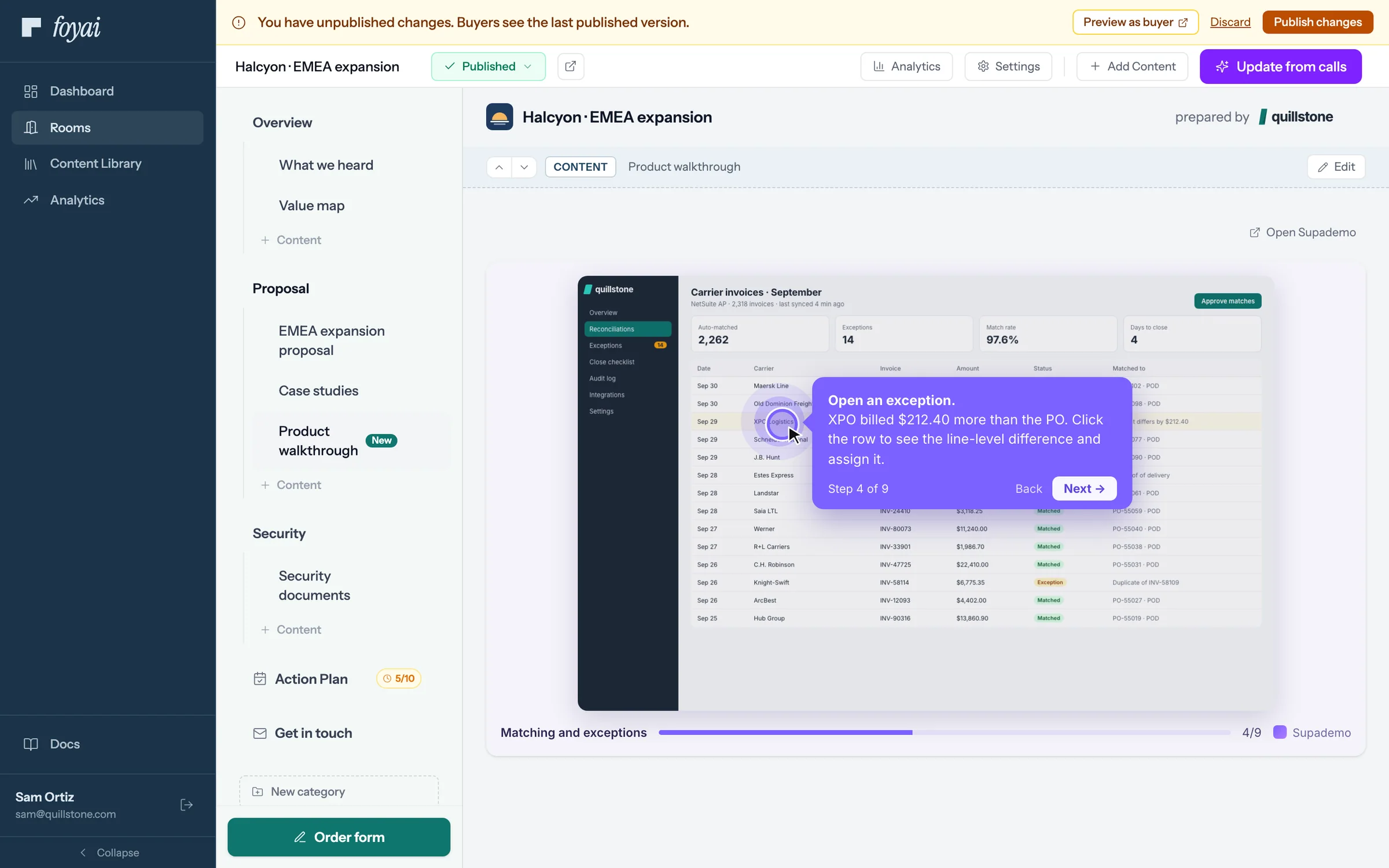
Step 4 of 5 Click through it first The demo plays inside the room, so you can click through it before any buyer sees it.
-
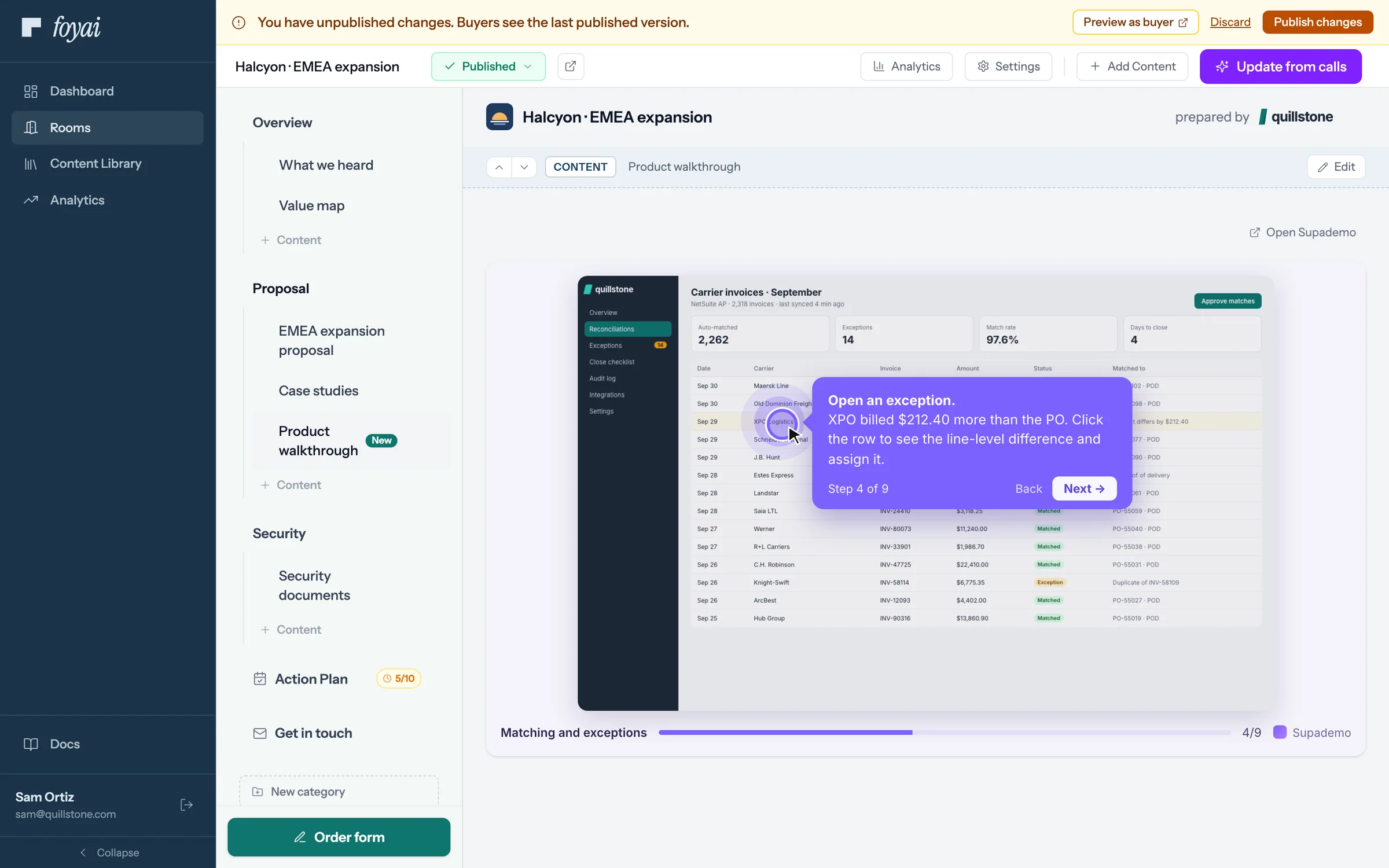
Step 5 of 5 Publish the change Buyers keep seeing the last published version until you click Publish changes.
Put your demos in every room.
Supademo, Storylane, Loom, Figma, YouTube, and Google Drive files play inside the room.
22 tools that embed in a room
| Tool | Type | Good for in a room | What to paste |
|---|---|---|---|
 Loom Loom | Video | Personal walkthroughs and async recaps | A Loom share link |
 YouTube YouTube | Video | Product videos, webinars, customer stories | A video link (plays in YouTube's privacy-enhanced player) |
 Vimeo Vimeo | Video | Polished hosted videos | A Vimeo video link |
 Wistia Wistia | Video | Marketing and product videos | A Wistia media link |
 Vidyard Vidyard | Video | Sales videos your team already records | A Vidyard watch link |
 Descript Descript | Video | Edited walkthroughs | A Descript share link |
 Tella Tella | Video | Screen recordings and demos | A Tella video link |
 Supademo Supademo | Interactive demo | Click-through product tours | A Supademo demo link |
 Navattic Navattic | Interactive demo | Guided product walkthroughs | A Navattic demo link |
 Storylane Storylane | Interactive demo | Interactive demos, including on your own Storylane subdomain | A Storylane share or demo link |
 Arcade Arcade | Interactive demo | Short interactive feature tours | An Arcade share link |
 Figma Figma | Design | Prototypes, mockups and design reviews | A Figma file, prototype or board link |
 Canva Canva | Design | Presentations and one-pagers made in Canva | A public Canva view link |
 Miro Miro | Whiteboard | Rollout plans and architecture diagrams | A Miro board link (shown read-only) |
 Google Docs Google Docs | Document | Proposals, plans and written collateral | A Google Doc link |
 Google Slides Google Slides | Document | Pitch decks and implementation plans | A Google Slides link |
 Google Sheets Google Sheets | Document | Pricing sheets, ROI models, anything tabular | A Google Sheets link |
 Google Forms Google Forms | Form | Intake details and buyer feedback | A Google Form link |
 Typeform Typeform | Form | Qualification, onboarding questionnaires, surveys | A Typeform link |
 Calendly Calendly | Booking | Follow-ups and implementation sessions | A Calendly booking link |
 HubSpot Meetings HubSpot Meetings | Booking | Booking pages your team already uses | A HubSpot meetings link |
 DocuSign DocuSign | Agreement | Pointing buyers to the contract envelope | An envelope link; signing happens in DocuSign |
Also in every room: PDFs up to 50MB with page-by-page views, Google Drive files shared with the right buyers through the Google Drive integration, and most other web pages as a full-screen section when the site allows embedding.
The tool's own sharing settings still apply.
- Make the link viewable. A private Loom, an unlisted-only video, or a Google Doc shared with no one won't play for buyers. Use the tool's public or link-sharing option.
- Google Drive files are easier. Connect Google Drive and files you add are shared with buyers who pass the room's access check, then unshared when you unpublish or archive the room.
- Agreements stay in your e-signature tool. foyai doesn't collect signatures; link the envelope or order form and pin it to the room's navigation.