



Newfoyai now builds each buyer their own deck from your Google Slides template.A deck for every buyer.

See how it worksSee how
Integrations

foyai drafts each buyer room from your calls and content.

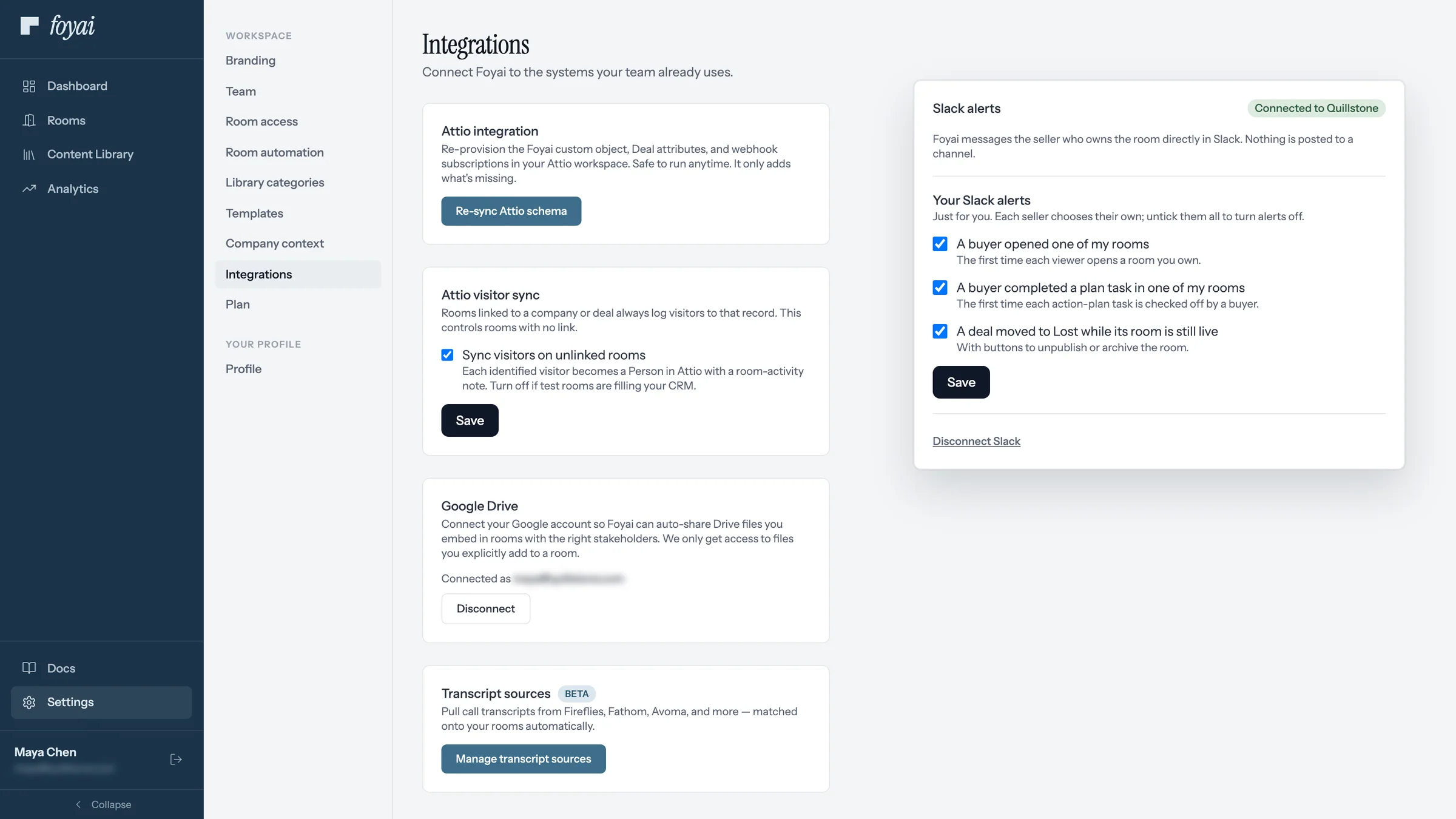
foyai is a digital sales room for Attio. It connects to Attio, to the call recorder your team already uses (Attio's own call recordings, Fathom, Fireflies.ai, Avoma, tl;dv, Grain or Granola), to Google Drive and to Slack. foyai drafts each deal's buyer room from those calls and your content, you review and publish it, and what buyers do in the room is written back to the Attio deal.

Updated

How it fits together

foyai drafts from your calls and writes buyer activity back to Attio.

Each integration does one of three jobs: it supplies what the room is drafted from, shows content inside the room once you publish it, or tells you what buyers did.

What goes in
  • Call transcripts from Attio or your recorder
  • The Attio deal, company and stakeholders
  • Decks, docs and case studies from your library
→
The buyer room
  • Drafted by AI, reviewed and published by you
  • Slides, Docs, PDFs and videos open inline
  • A shared action plan both sides tick off
→
Where you hear about it
  • Engagement score and last view on the deal
  • Plan steps as Attio tasks, synced both ways
  • A Slack message when a buyer first opens it
Your call recorder

Draft rooms from Attio's call recordings or one of six recorders.

Attio's call recordings work with no setup. Six more recorders connect with an API key. Each call is matched to its Attio deal by who was on it, internal-only calls are ignored, and calls that could fit more than one deal wait for you to confirm.

Coming soon: Zoom, Google Meet, Microsoft Teams, Gong, Read.ai and Circleback. No recorder at all? Upload a call transcript by hand, or build the room from the Attio deal.

Your content

Decks and demos open inside the room.

Buyers watch, page through and click without downloading anything. You see which slides and sections they spent time on.

Connect Attio first, then add your recorder, Drive and Slack.

Start free with Attio
Questions

About integrations

Which CRM does foyai work with?
foyai works only with Attio. It doesn't connect to HubSpot, Salesforce or Pipedrive. In Attio, foyai creates room drafts when deals reach stages you choose, syncs plan steps with Attio tasks, and writes buyer activity to the deal as fields you can report on. How the Attio integration works.
Which call recorders does foyai support?
Attio's own call recordings work with no setup. You can also connect Fathom, Fireflies.ai, Avoma, tl;dv, Grain or Granola with an API key from that tool; those six connections are in Beta. Zoom, Google Meet, Microsoft Teams, Gong, Read.ai and Circleback are coming soon.
Do I need a call recorder to use foyai?
No. If your team records calls in Attio, foyai already has them. You can also upload a call transcript by hand, create a room straight from the Attio deal or company, or start from a blank room or a template.
Does foyai copy my call transcripts?
Only when you ask it to. For connected recorders, foyai keeps each call's title, date, and participants, and reads the transcript from your recorder when it drafts. A transcript is stored in foyai when you upload one yourself, or when you add a Meeting Notes section to a room, which keeps that call's summary and full transcript for buyers to open. Recorder API keys and Attio, Google and Slack tokens are encrypted at rest, and your content is not used to train AI models. More on security.
How does foyai know which deal a call belongs to?
By who was on it. If a participant is a stakeholder in one of your rooms, the call goes to that room. Otherwise, a participant's company email domain is matched to the Attio company. Calls with only your own team are ignored, and calls that could belong to more than one deal wait in an Unmatched inbox with a suggested match for you to confirm.