 +
+
Match Grain calls to Attio deals by the people on them.
Connect Grain to foyai and each recorded sales call is matched to its Attio deal by the people on it. foyai then drafts that deal's buyer room: the stakeholders, their goals, the next steps and matching case studies. You review the draft and publish it. Setup is one API key, for the whole workspace or just you. The integration is in Beta.
Updated
Six things you'd otherwise write up by hand.
Connect Grain with one API key.
There's nothing to paste back into Grain. New calls arrive when Grain finishes processing them, and each new call on a deal is checked against its room, with suggested updates for you to approve.
foyai matches calls by who was on them and asks you to confirm the uncertain ones.
If anyone on a Grain call is a stakeholder in one of your rooms, the call goes to that room. If not, foyai matches a participant's company email domain to the company in Attio. Calls with only your own team are ignored, so internal conversations aren't used in buyer material.
When a call could belong to more than one deal, it waits in Unmatched calls with a suggested match. Confirm it in one click, attach it somewhere else, or ignore it. Hover any match badge to see exactly why a call landed where it did.
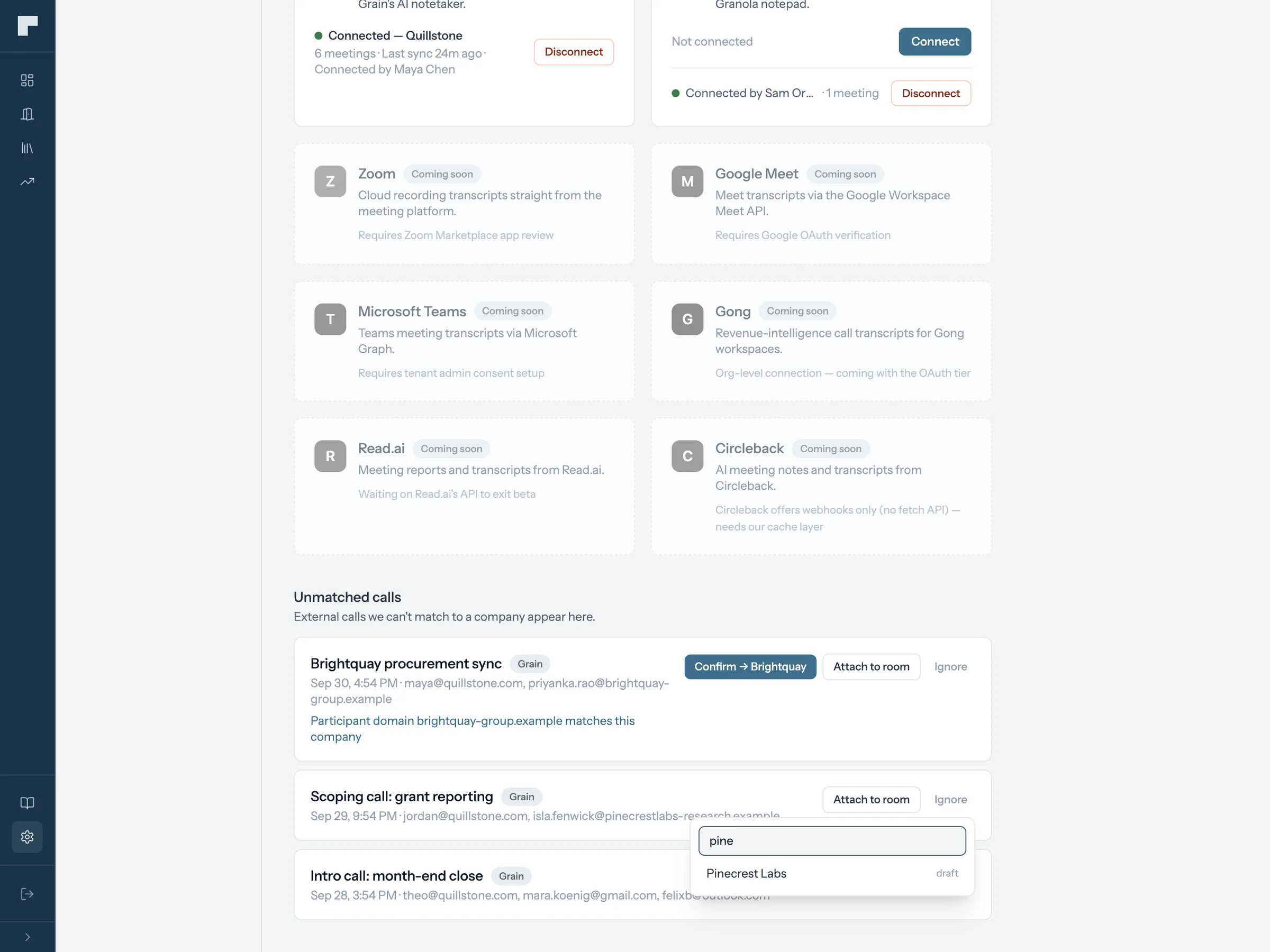
Connect Grain in three steps.
Open transcript sources
In foyai, go to Settings → Integrations → Manage transcript sources, and click Connect on Grain.
Paste your Grain API key
Follow the link in the connect window to the page in Grain where you create a key, then paste it in.
Choose who it covers, then connect
Whole workspace imports the team's Grain calls under one connection (admins only). Just me imports your own. The card shows your account and starts importing recent calls.