Start each renewal 90 days before the renewal date.
For renewals and expansion, foyai creates a room when the deal enters your renewal stage in Attio, drafts a recap of the value delivered from your recent calls with the customer, and adds a Renewal / expansion plan dated back from the renewal date. Your account manager reviews and publishes it. If the customer stops opening the room for 30 days, it is flagged as quiet so you can follow up.
Updated
Every step is dated back from the renewal date.
Enter the renewal date and every step of the Renewal / expansion plan is dated back from it. This is the template as it ships; cut or add steps per account.
90 days out: health review
Your team reviews account health and usage before the customer hears the word "renewal", while there's still time to fix problems.
75 days: business review
Outcomes achieved against the goals they bought for, reviewed together. The recap section foyai drafts in the room gives you a starting point for the prep.
60 days: who signs this year
The customer confirms the renewal stakeholders and any procurement changes, so you hear about a new CFO or a new buying process two months ahead.
45 days: proposal and expansion options
Renewal terms and the expansion case, delivered in the room next to the value recap.
30 to 10 days: approvals
Commercial review, budget approval, then legal and procurement, each owned by a named person on their side.
Signed, then the next plan
Renewal signed five days out, and a success plan for the next period agreed a week after.
Choose the Attio stage that starts a renewal draft.
Save a renewal room once, with the Renewal / expansion plan and the content you always send, then map your Attio renewal stage to it. When a deal enters that stage, foyai creates the room and drafts it from the account's calls.
foyai doesn't publish anything on its own: your account manager reviews the draft, edits it and publishes it. Each deal gets one automatic room, so a deal moving back and forth between stages won't pile up duplicates.
And if a renewal is marked Lost in Attio, the owner gets a Slack message asking whether to unpublish or archive the room.
Stage and template names are examples. Yours come from your Attio pipeline and the rooms you save. Set up room automation.
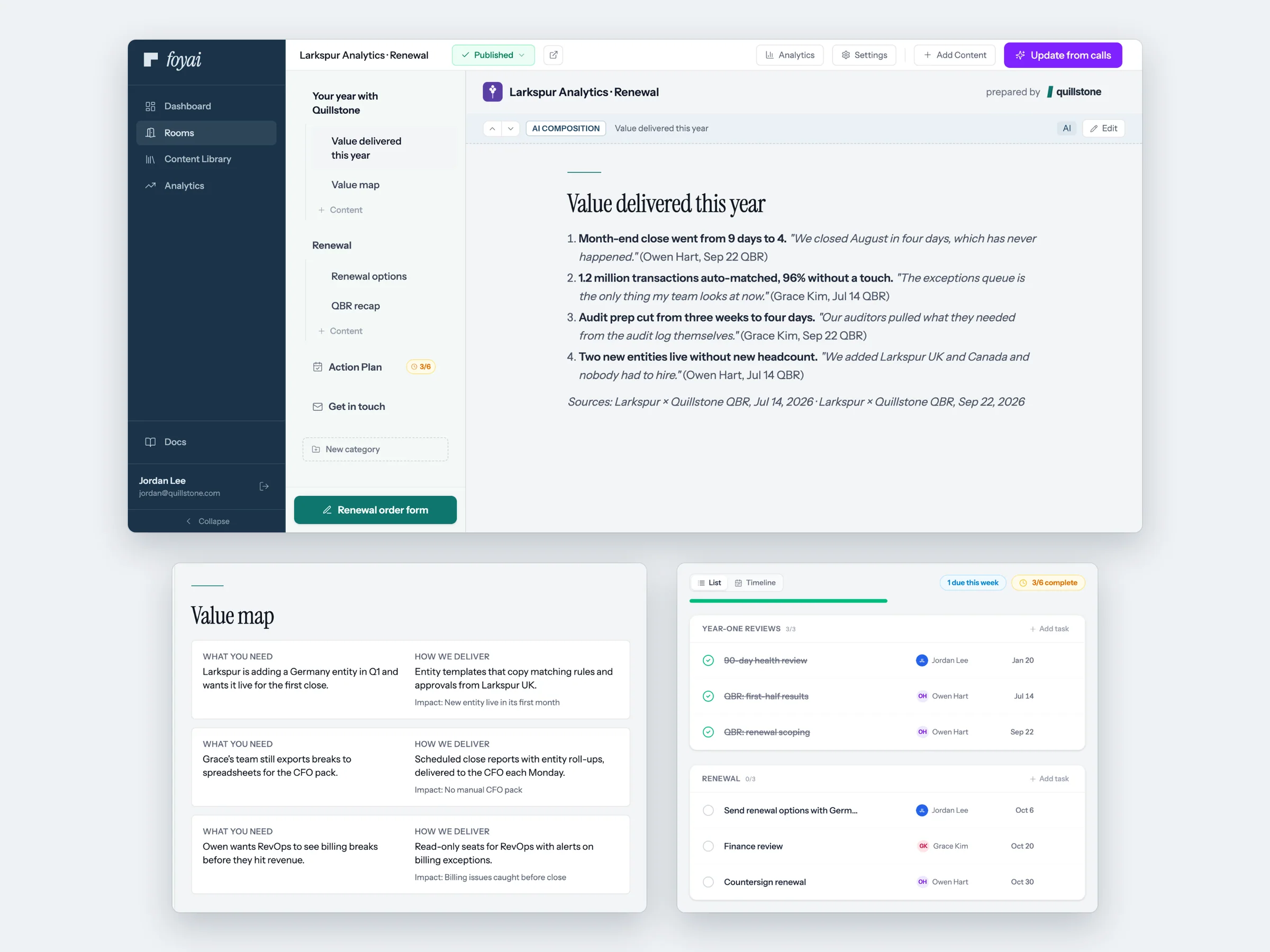
Show the customer what they've achieved in their own words.
A renewal goes better when the customer walks in remembering what changed since they signed. Add a section with your own prompt, for example "What has this customer achieved since go-live?", and foyai drafts it from the QBRs and check-ins already recorded on the account.
Add a "Value map" section to tie each result to a problem they raised on those calls, and let foyai suggest up to four case studies for the expansion conversation, each with a reason it fits.
When the next check-in is recorded, foyai suggests updates from it. You approve them; the customer sees the new version when you publish.
Find quiet renewal accounts and draft rooms for the whole list at once.
A published room with no buyer activity in 30 days moves to the Quiet lane, and the dashboard lists it under rooms needing attention. In Attio, sort your renewal pipeline by last buyer view and engagement score.
Say an account stopped opening its room 60 days before renewal. Call the customer this week to find out why.
Select the deals or companies renewing next quarter in Attio and run Create Foyai Rooms. Each record without a room gets a draft, built from the template mapped to its stage and drafted from its own calls.
Say 40 accounts renew next quarter: one run creates 40 drafts for your team to review and publish.
-
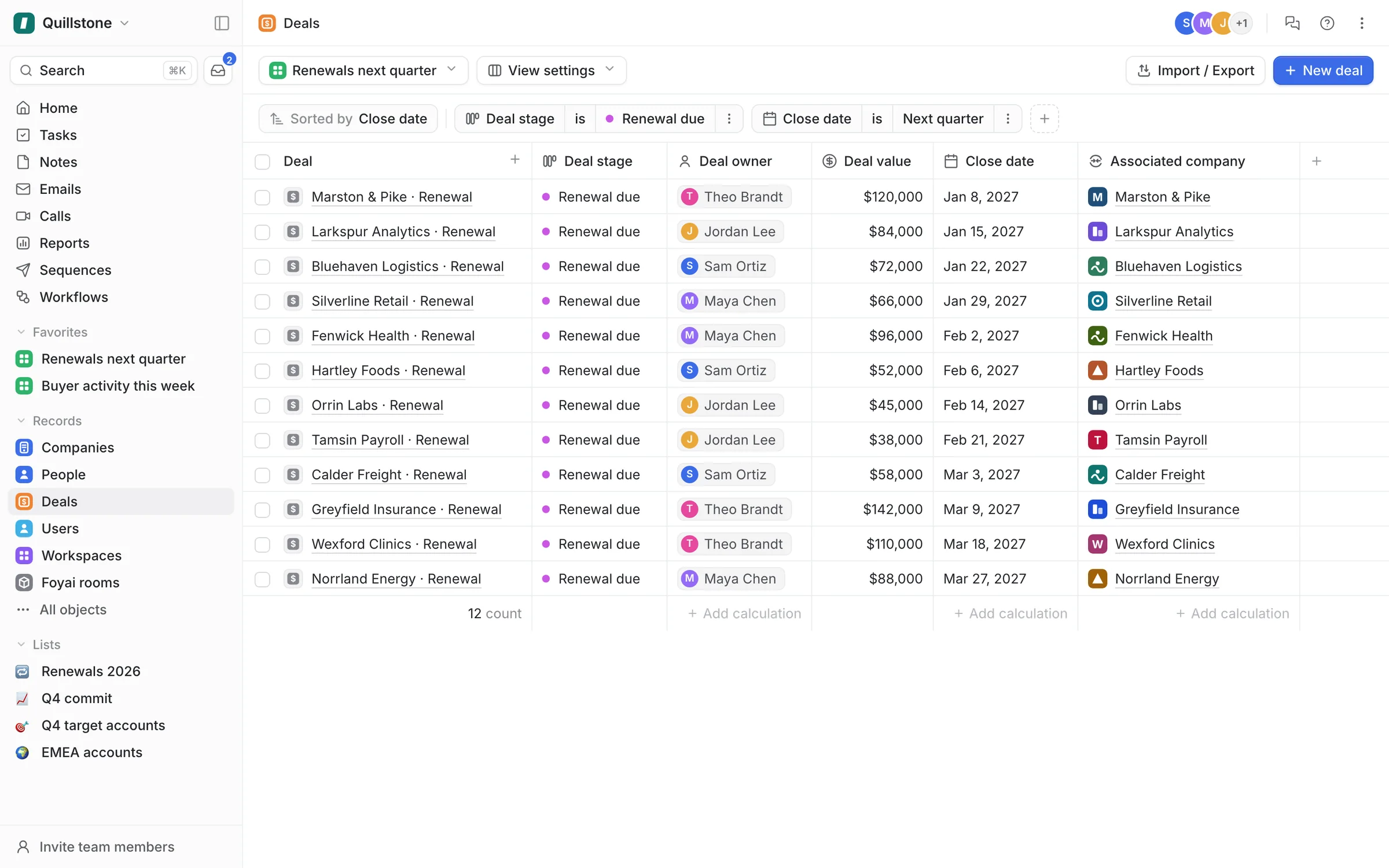
Step 1 of 7 Open next quarter's renewals Start from any Attio view. This one lists the 12 deals in Renewal due that close next quarter.
-
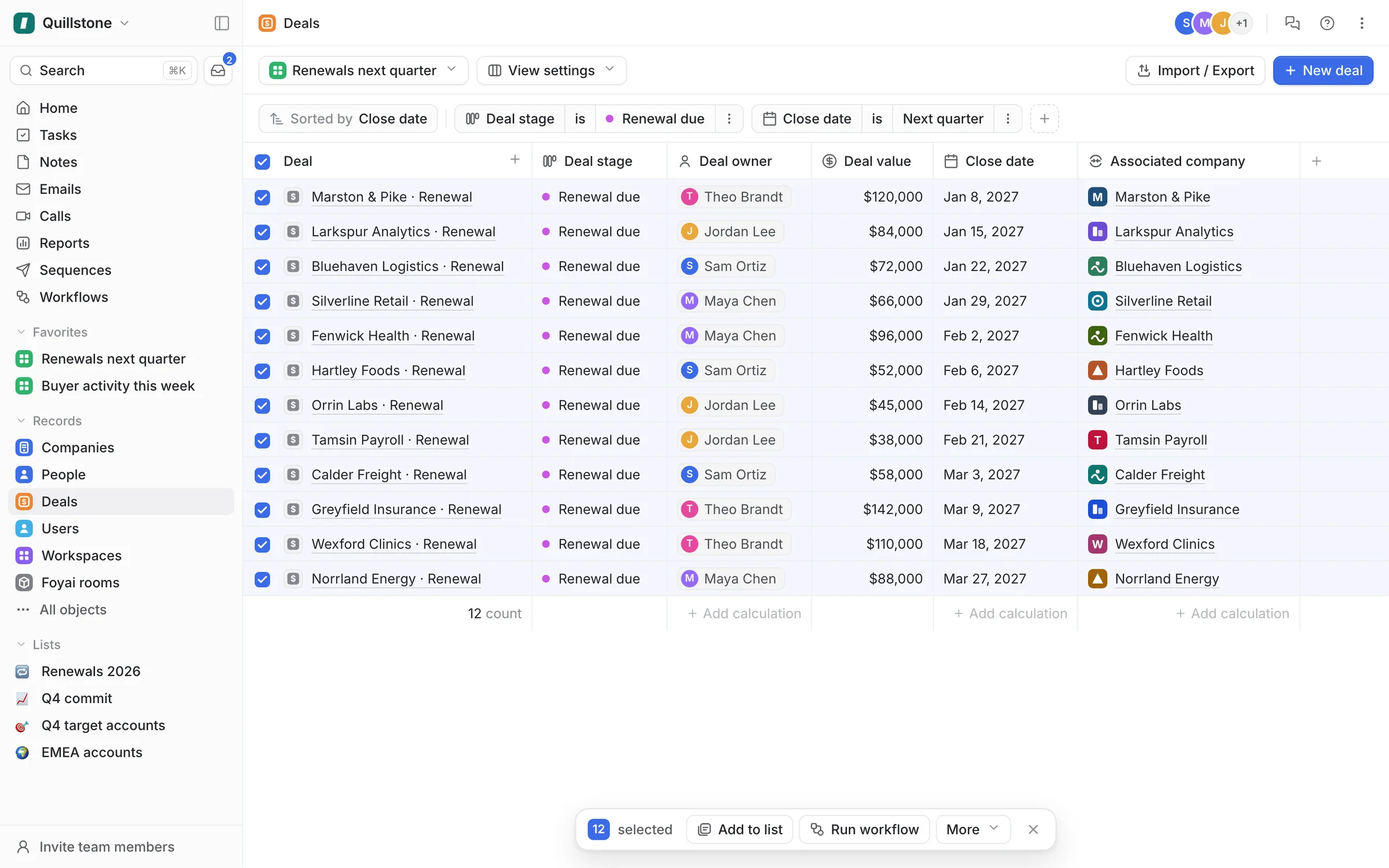
Step 2 of 7 Select all 12 deals Tick the header checkbox, and Attio selects every deal in the view.
-
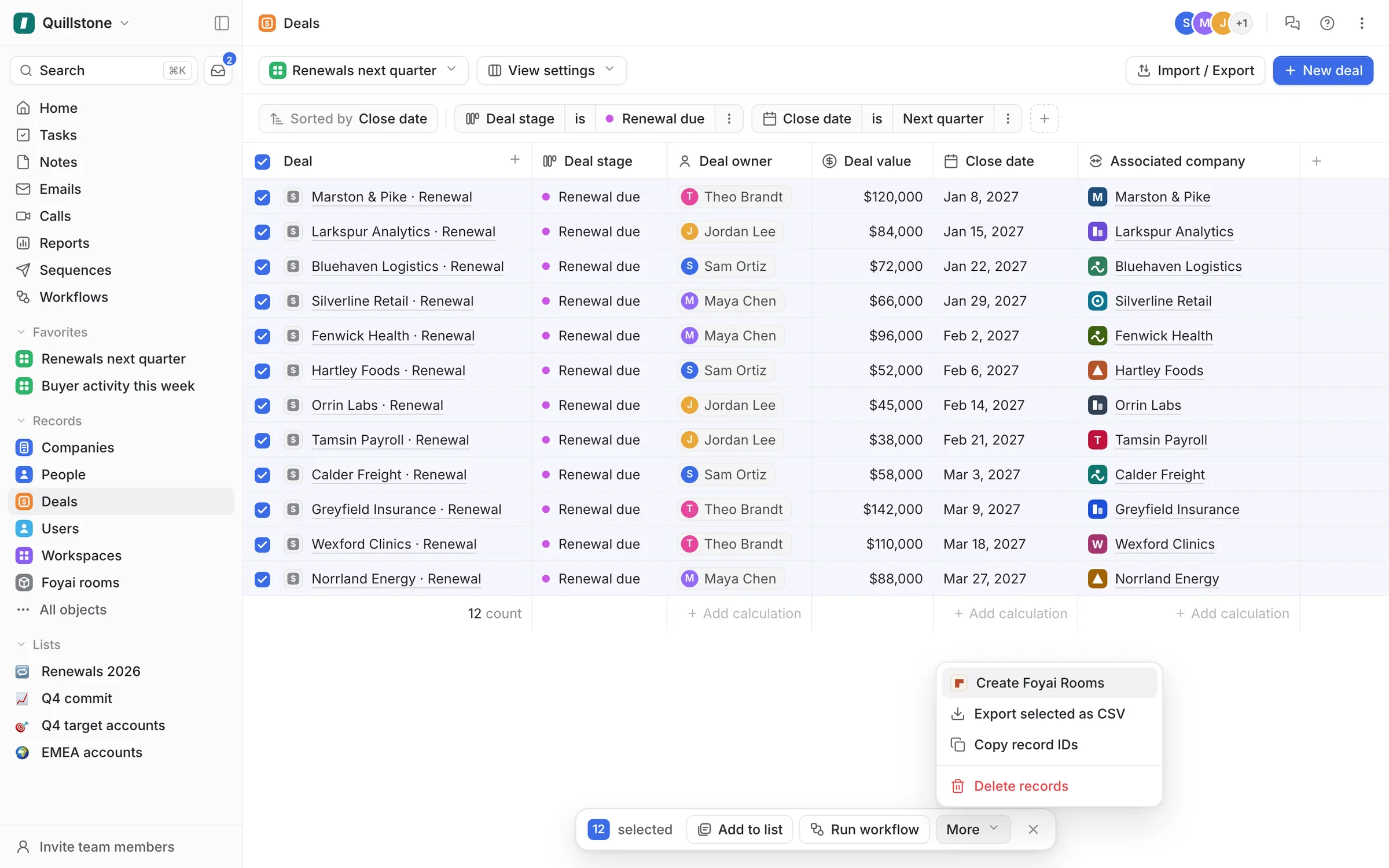
Step 3 of 7 Choose Create Foyai Rooms On the Platform plan, Create Foyai Rooms sits under More in Attio's bulk actions.
-
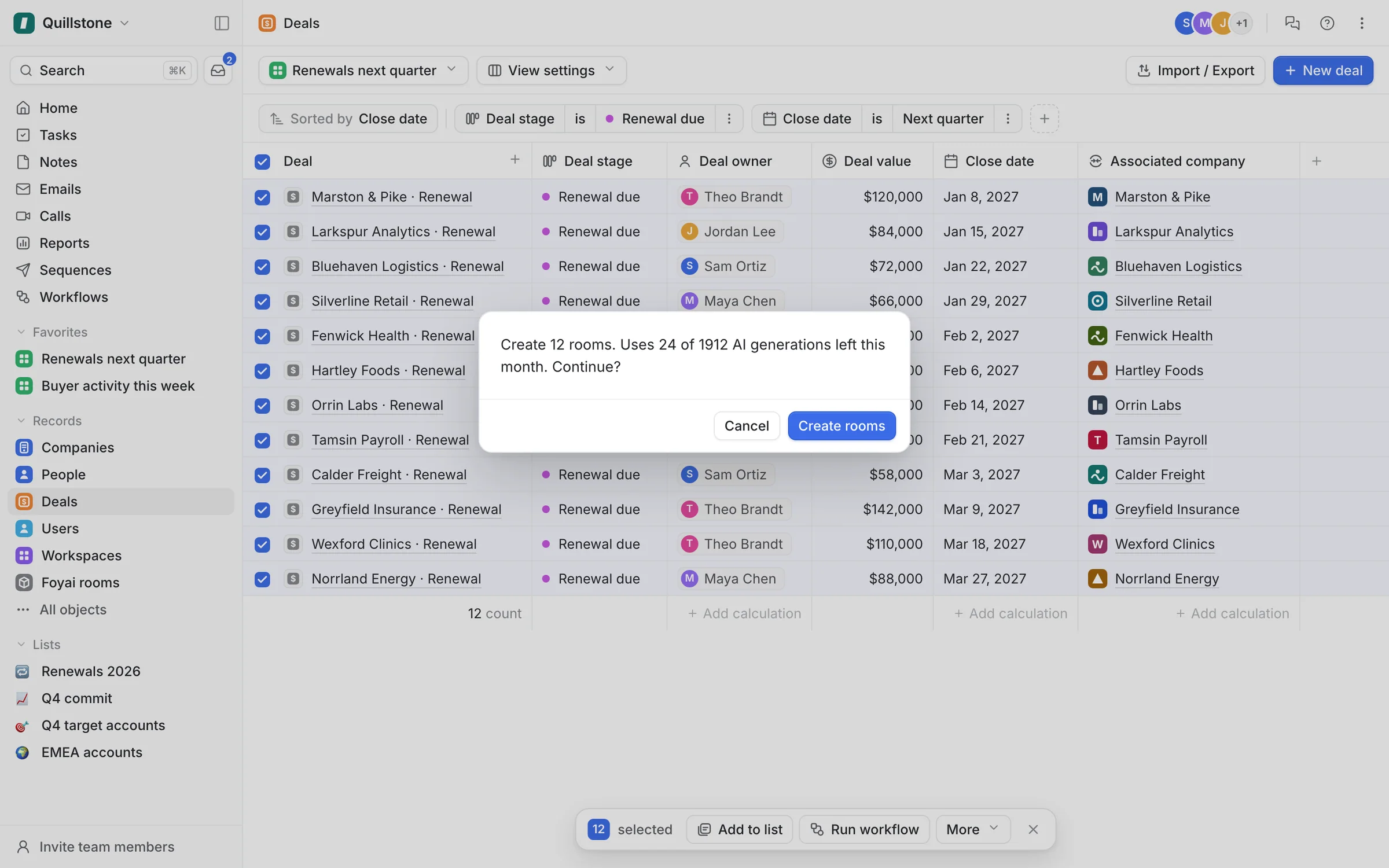
Step 4 of 7 Confirm the run Before anything starts, Attio shows the run's cost: 12 new rooms and 24 of this month's AI generations.
-
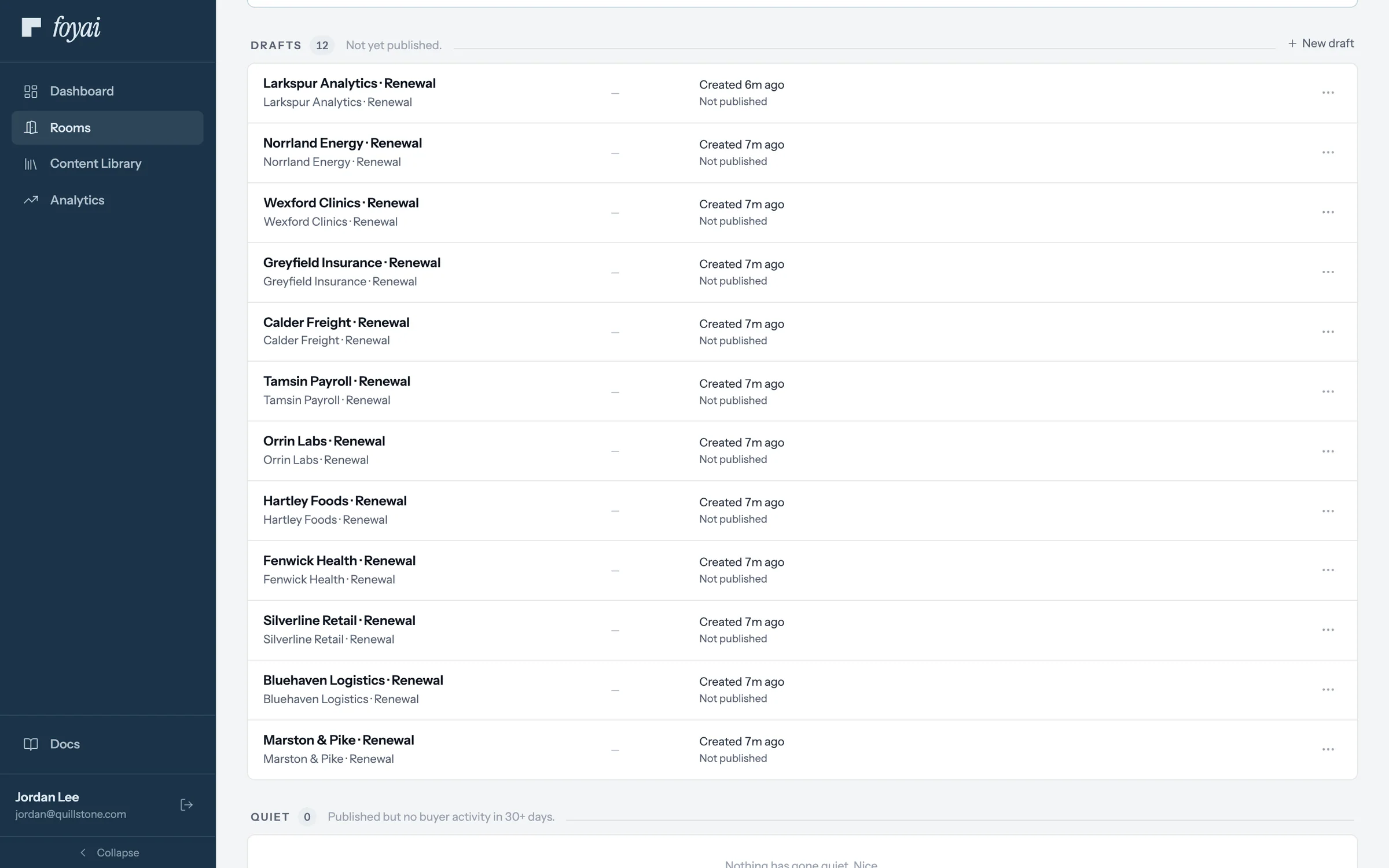
Step 5 of 7 Twelve drafts to review Each renewal now has a draft on the rooms board. Nothing reaches a customer until someone publishes it.
-
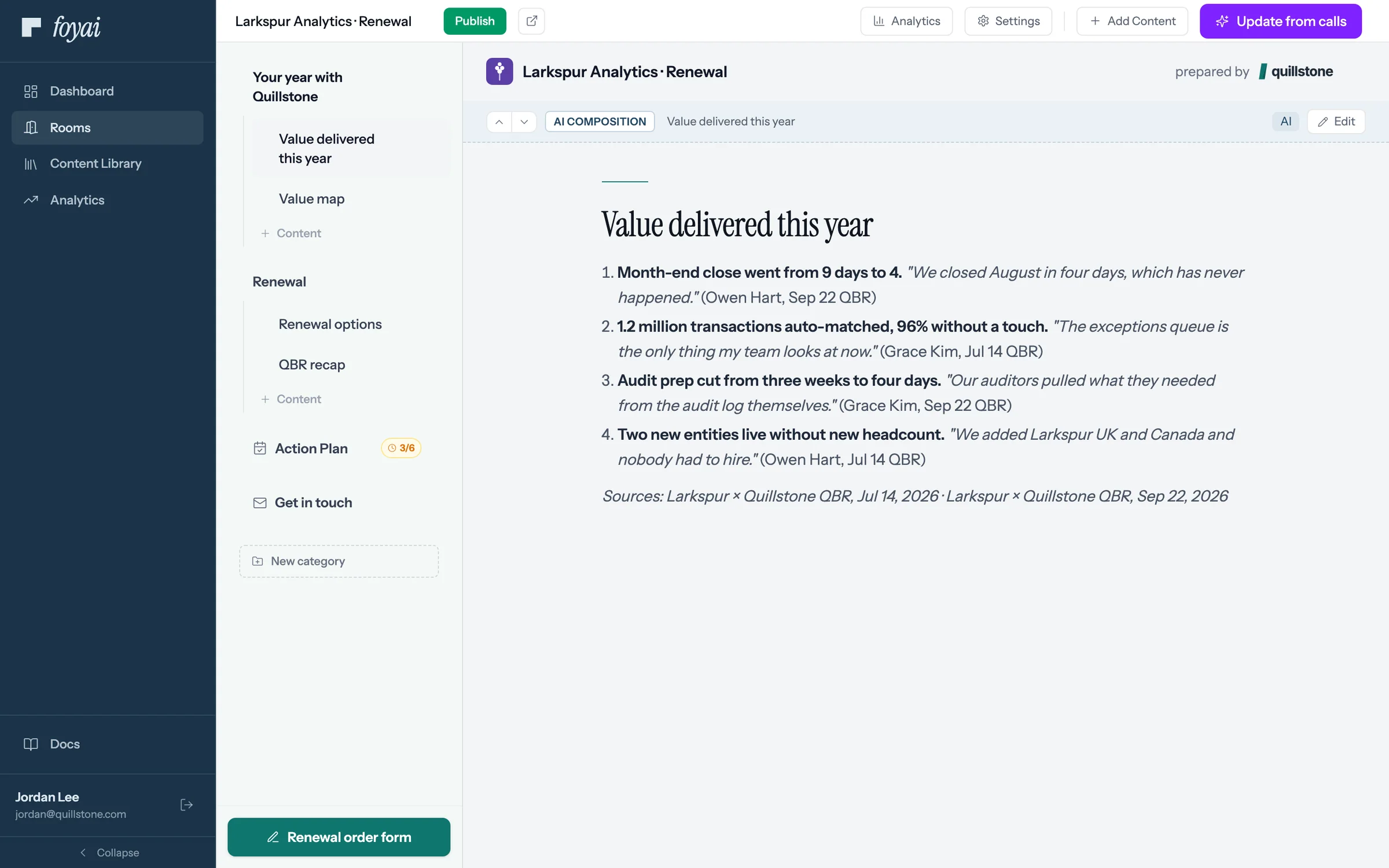
Step 6 of 7 Value delivered, drafted foyai drafted Larkspur's year from its July and September QBR calls, with quotes. Jordan checks them before publishing.
-
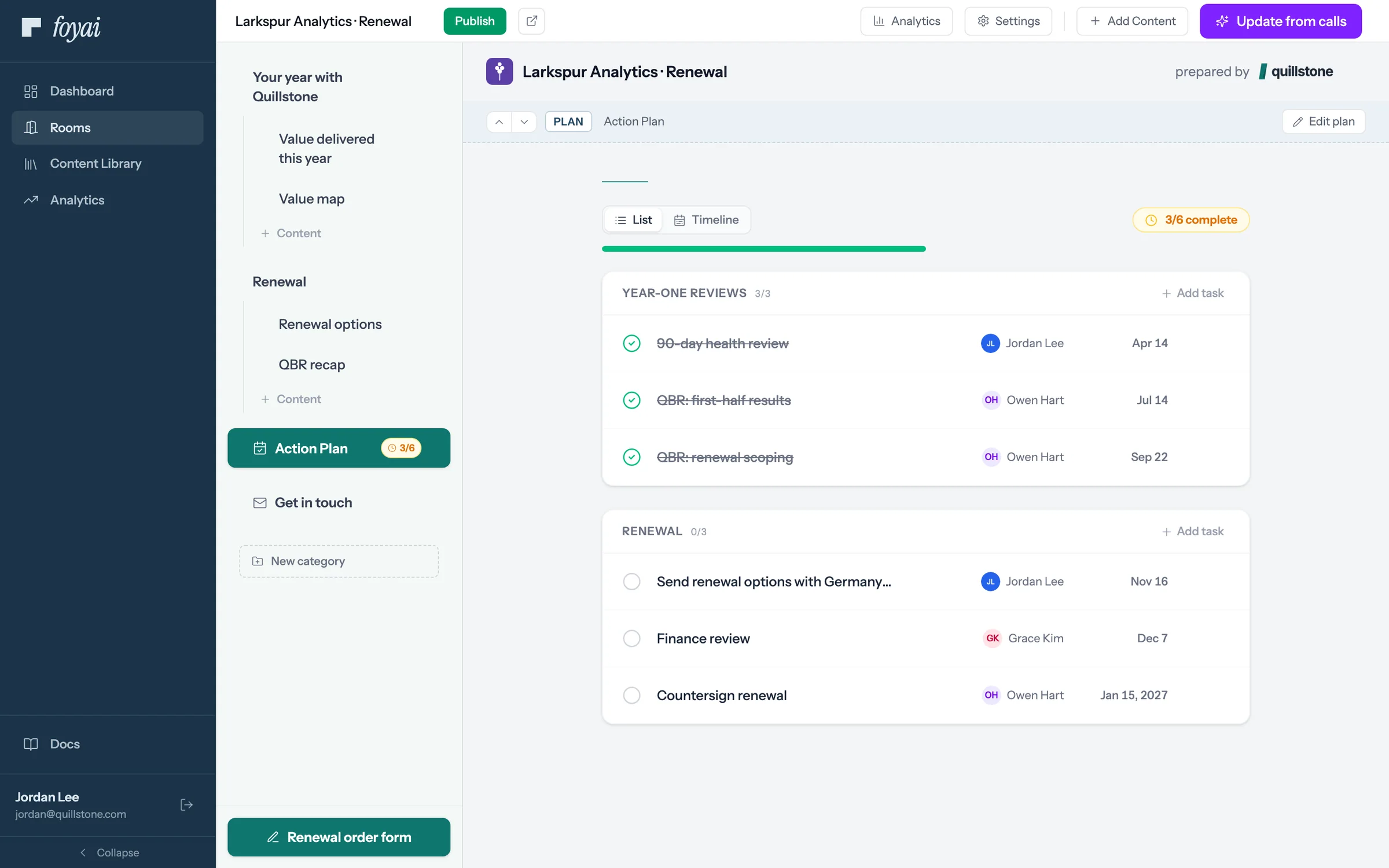
Step 7 of 7 The renewal plan The plan lays out the year's reviews and the steps to signature, with owners on both sides.
Draft rooms for your whole renewal list.
Bulk room creation from any Attio list is part of the Platform plan.
Questions about renewals and expansion
When should a renewal room go out?
Can rooms be created automatically for renewals?
Where does the value recap come from?
How do I know a renewal is at risk?
Can I use the same room the customer had during the sale?
Put next quarter's renewals on a plan this week.