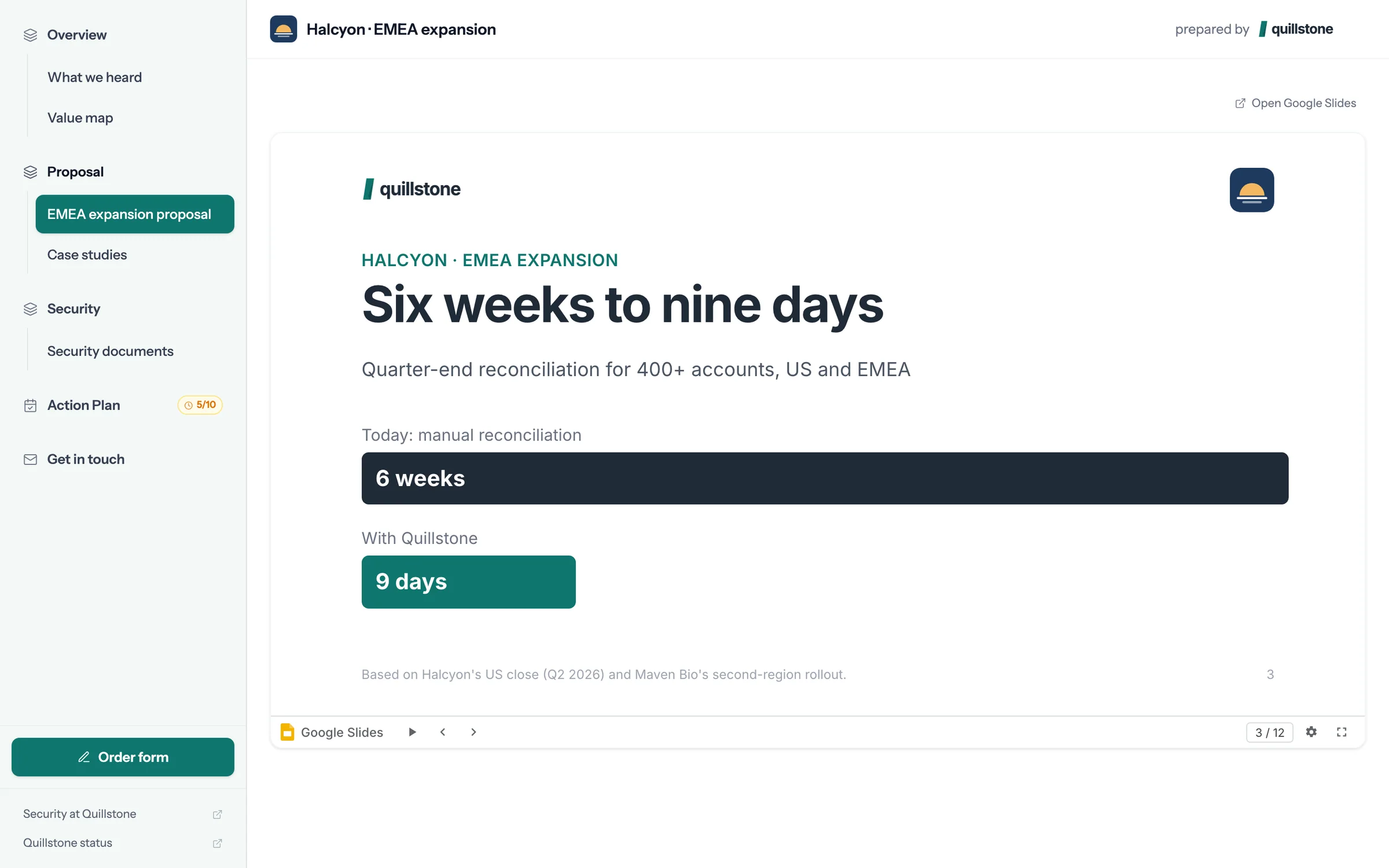
+
+
Show your Drive files inside the buyer's room.
foyai connects to your Google Workspace account so the Slides, Docs and PDFs you already keep in Drive open inline in each buyer room. Private files are shared automatically with buyers who pass the room's access check, and that access is removed when the room is unpublished or archived. foyai only accesses the files you pick. It can also fill a Slides template with each buyer's details, and you can edit the copy before you publish.
Updated
How sharing a deck through the room compares with an attachment.
| Attachment or Drive link | In a foyai room | |
|---|---|---|
| How the buyer opens it | Downloads it, or hits "request access" | Flips through it inline, no download |
| File sharing | "Anyone with the link", for good | Stays private, shared with each buyer who passes the room's access check |
| When the deal ends | Access stays until someone removes it | Removed when the room is unpublished or archived |
| Seeing who opened it | Not tracked | Who viewed it, with time spent on each slide |
| Tailoring it per buyer | Copy, rename, edit by hand | A personalized copy filled in from the deal and its calls, which you can edit |
Files stay private in Drive and are shared only with buyers the room lets in.
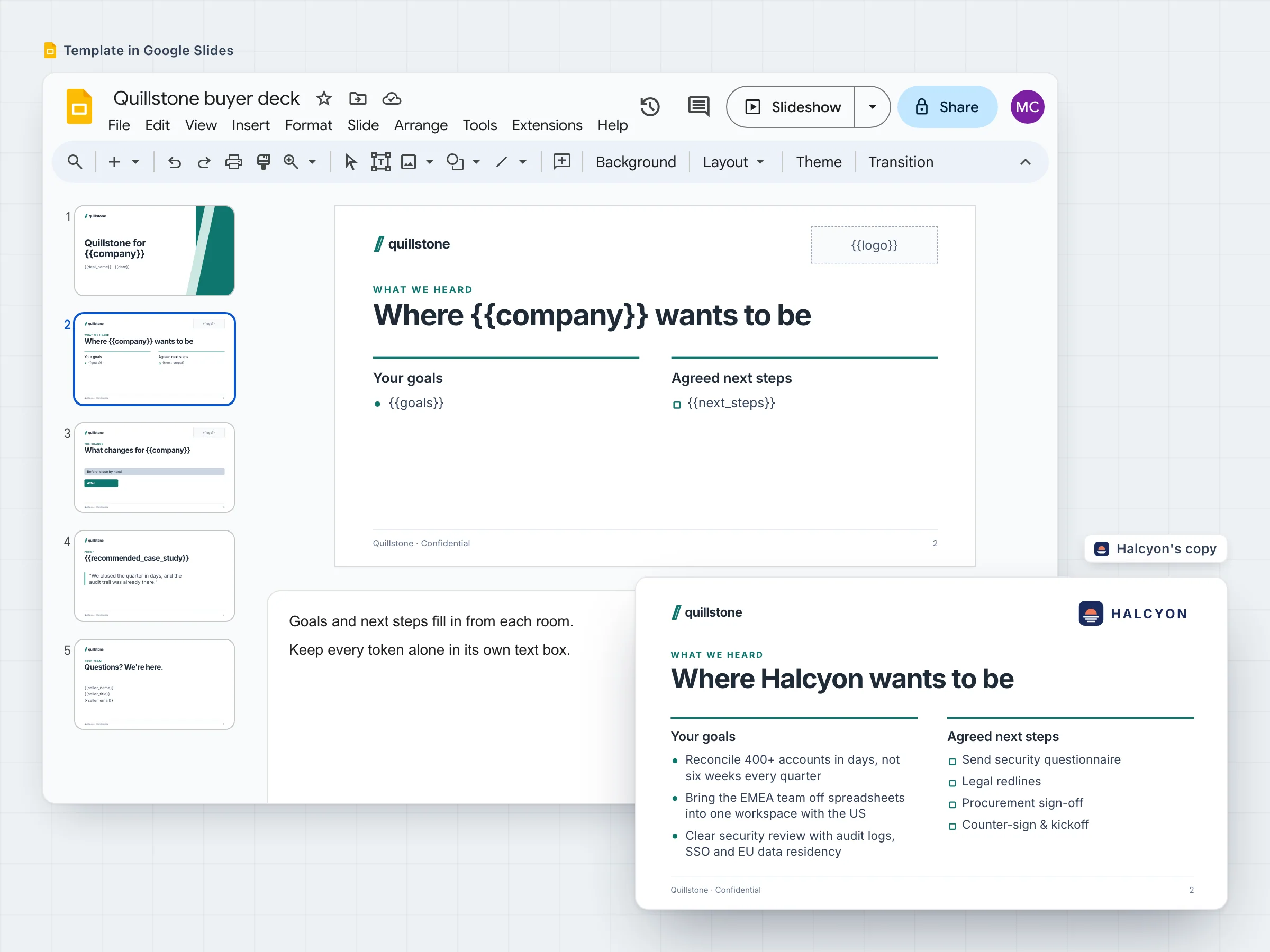
Fill one Slides template with each buyer's details.
Put tokens like {{company}}, {{goals}} and {{next_steps}} into any Google Slides deck and register it as a template. Each room gets its own copy, filled in from the Attio deal and the buyer's calls: their name and logo, what they said they want, the plan you agreed.
The copy is a normal Slides file you can edit before publishing, and buyers reach it privately through the room's access. Every token you can use.
foyai can open only the files you add to a room or your library.
- Files you choose. The ones you add to a room or your content library, one by one or a whole folder at a time.
- Your own connection. Each teammate connects their own Google account, because the files being shared are theirs.
- Slides, Docs, Sheets, Forms and PDFs. Shown inline, with page and slide-level tracking on decks and PDFs.
- No browsing your Drive. Connecting doesn't let foyai look through your files.
- No personal Gmail accounts. It has to be a Google Workspace account, because the sharing controls are a Workspace feature.
- No sharing with buyers who fail the room's check. Private files are shared only with buyers the room lets in.
Connect Google Drive in three steps.
Open Settings → Integrations
Find the Google Drive card in foyai and click Connect.
Sign in with your work account
Use your Google Workspace account. Personal accounts are declined.
Add a file to a room
Pick it from Drive. When a buyer opens it without an access request, it's working.