Rooms drafted at the Attio stages you choose.
Room automation creates and drafts a buyer room when an Attio deal reaches a stage you mapped, using that stage's template and the deal's call recordings. Each automatic room is a draft on your dashboard, and a person reviews and publishes it before any buyer can open it.
Updated
The rules your settings create.
An example setup in Settings → Room automation. Your stage names load from Attio, and "Proposal room" stands for a room template your team saved.
Three ways a room is created from your Attio pipeline.
Deals already in a mapped stage. Automation runs when a deal enters a stage, so deals already sitting there don't get a room on their own. On Platform, select them in Attio and run Create Foyai Rooms. On other plans, create them one at a time with Create Foyai Room.
Every automatic room follows the same four rules.
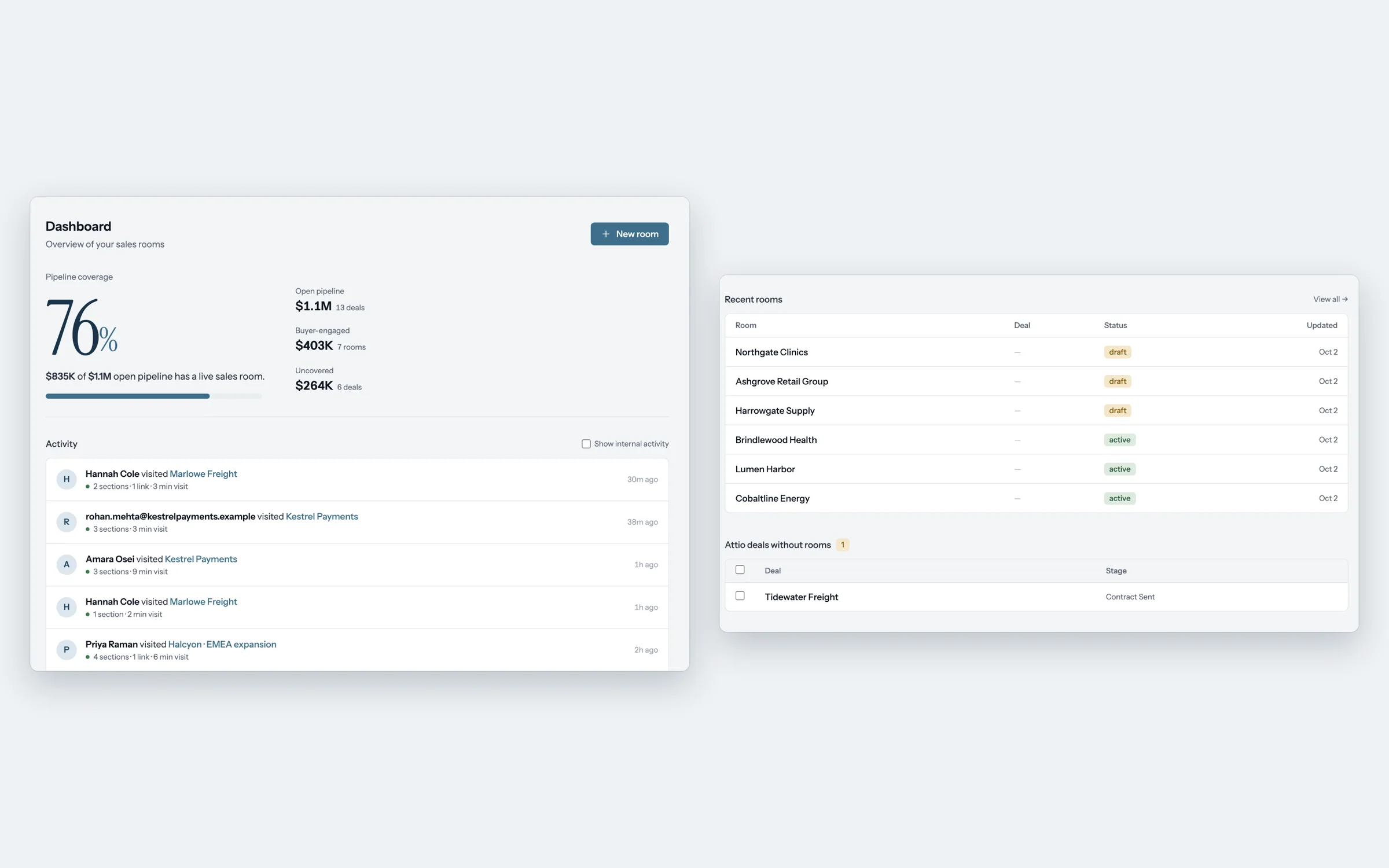
Automatic drafts wait on your dashboard with the deal's context in them.
An automatic room looks like one you made yourself: built from the stage's template, drafted from the deal's calls, with the steps heard on those calls waiting for you to keep or dismiss. If the deal has no calls yet, the room gets its template content and no call-based draft.
When the template includes a personalized deck, foyai fills it for the deal's owner. Rooms from a bulk run on Platform show up on the dashboard the same way, as drafts to check and publish one deal at a time.