Newfoyai now builds each buyer their own deck from your Google Slides template.A deck for every buyer.

See how it worksSee how
foyai logo+Fathom logo
Call recorder · Beta

Draft Attio buyer rooms from your Fathom calls.

Connect Fathom to foyai and your recorded sales calls are matched to their Attio deals by who was on them. foyai drafts the buyer room from what the buyer said and suggests updates after later calls. You review the draft and each suggestion before anything is published. Setup is one API key per seller. The Fathom connection is in Beta.

Updated

How it fits

How a Fathom call reaches the room and the Attio deal.

Fathom logo
Fathom
  • The recording finishes processing
  • Fathom lets foyai know it's ready
  • Title, date and participants come across
→
foyai logo
The room
  • Matched to the deal by who was on the call
  • Drafted from the transcript
  • Reviewed and published by you
→
Attio logo
The Attio deal
  • Room link on the deal
  • Engagement score and last buyer view
  • Plan progress as the buyer works it
What it powers

What foyai drafts from one Fathom call.

foyai uses the transcript to draft these for you to edit and approve:

  • Drafted sections such as "What we heard", a value map, goals, challenges, their stack, and who's involved. Or write your own prompt.
  • Up to four case studies from your library, each with the reason it fits this buyer.
  • Action items from the call, waiting for your approval before they join the plan.
  • Stakeholders named on the call, ready to add to the room.
  • Suggested updates after each new call, compared against what's already in the room.
Setup

Connect Fathom with one API key.

foyai sets up the link with Fathom for you, so there's nothing to copy back into Fathom. New calls arrive when Fathom finishes processing them.

  1. Open transcript sources

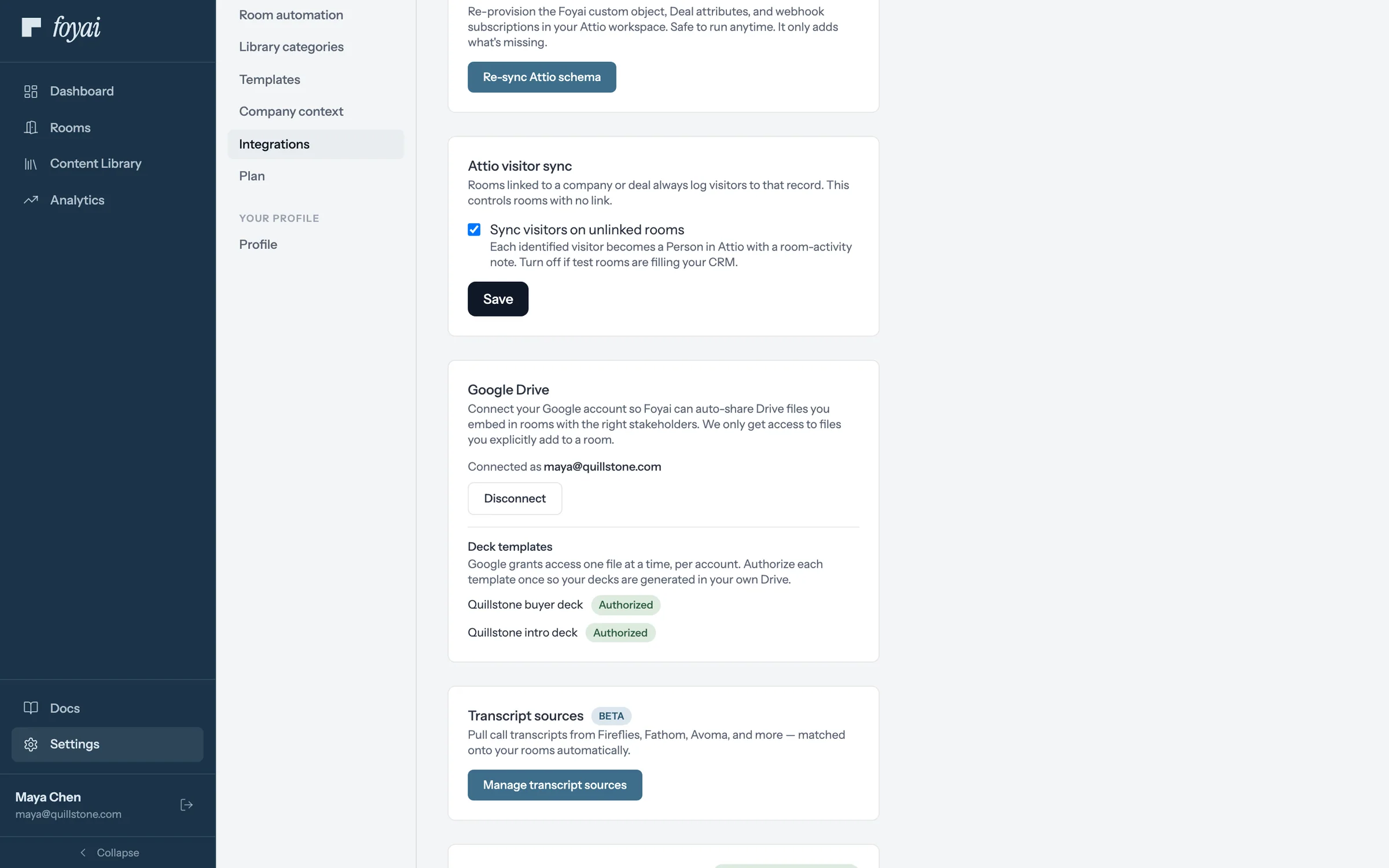
    In foyai, go to Settings → Integrations → Manage transcript sources, and click Connect on Fathom.

  2. Paste your Fathom API key

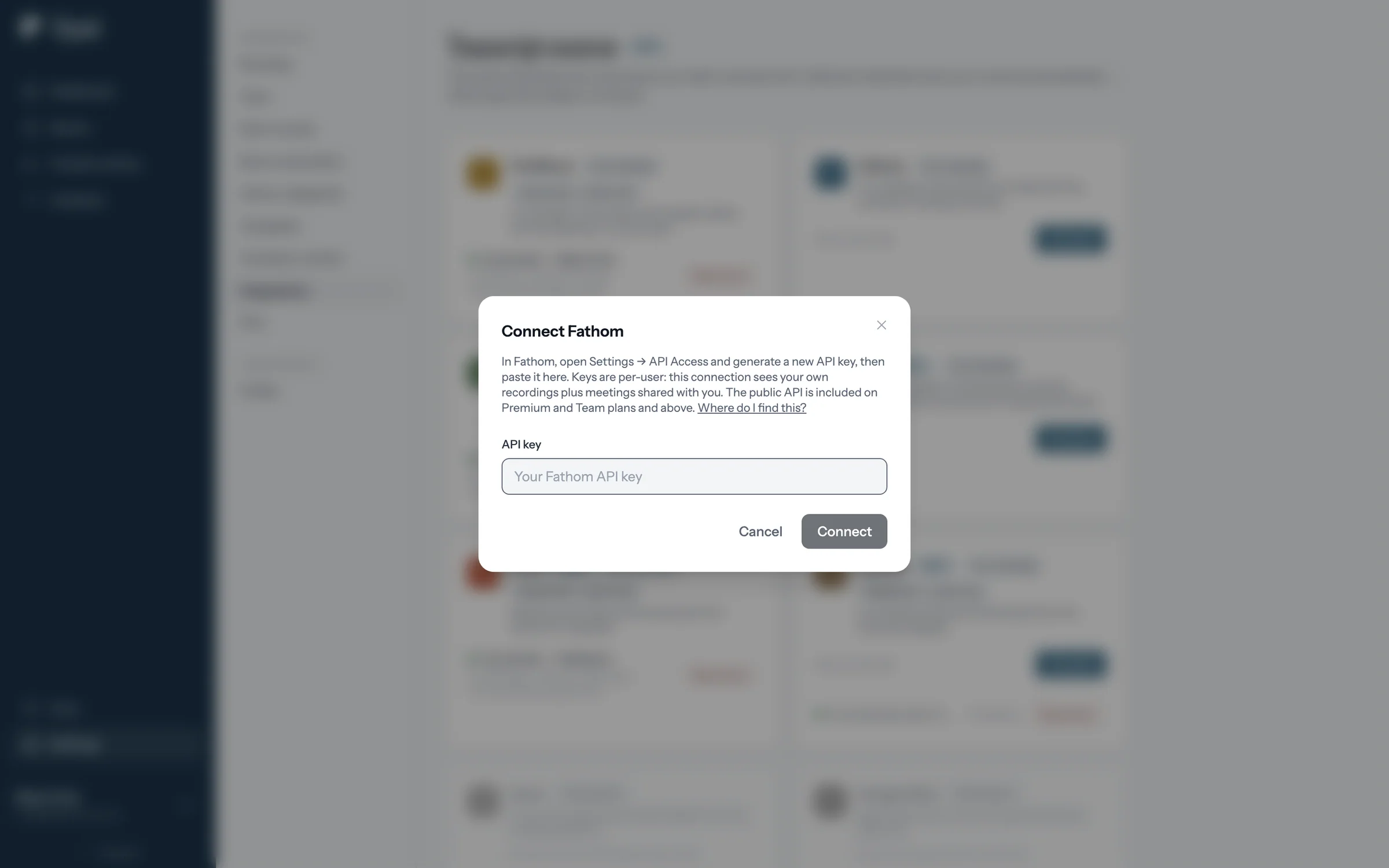
    The connect window links straight to the page in Fathom's settings where you create a key. Copy it and paste it in.

  3. Connect

    The card shows your Fathom account and starts importing your recent calls. That's it.

  1. foyai integration settings with the Manage transcript sources button

    Step 1 of 7 Open transcript sources In foyai's Settings, under Integrations, click Manage transcript sources.

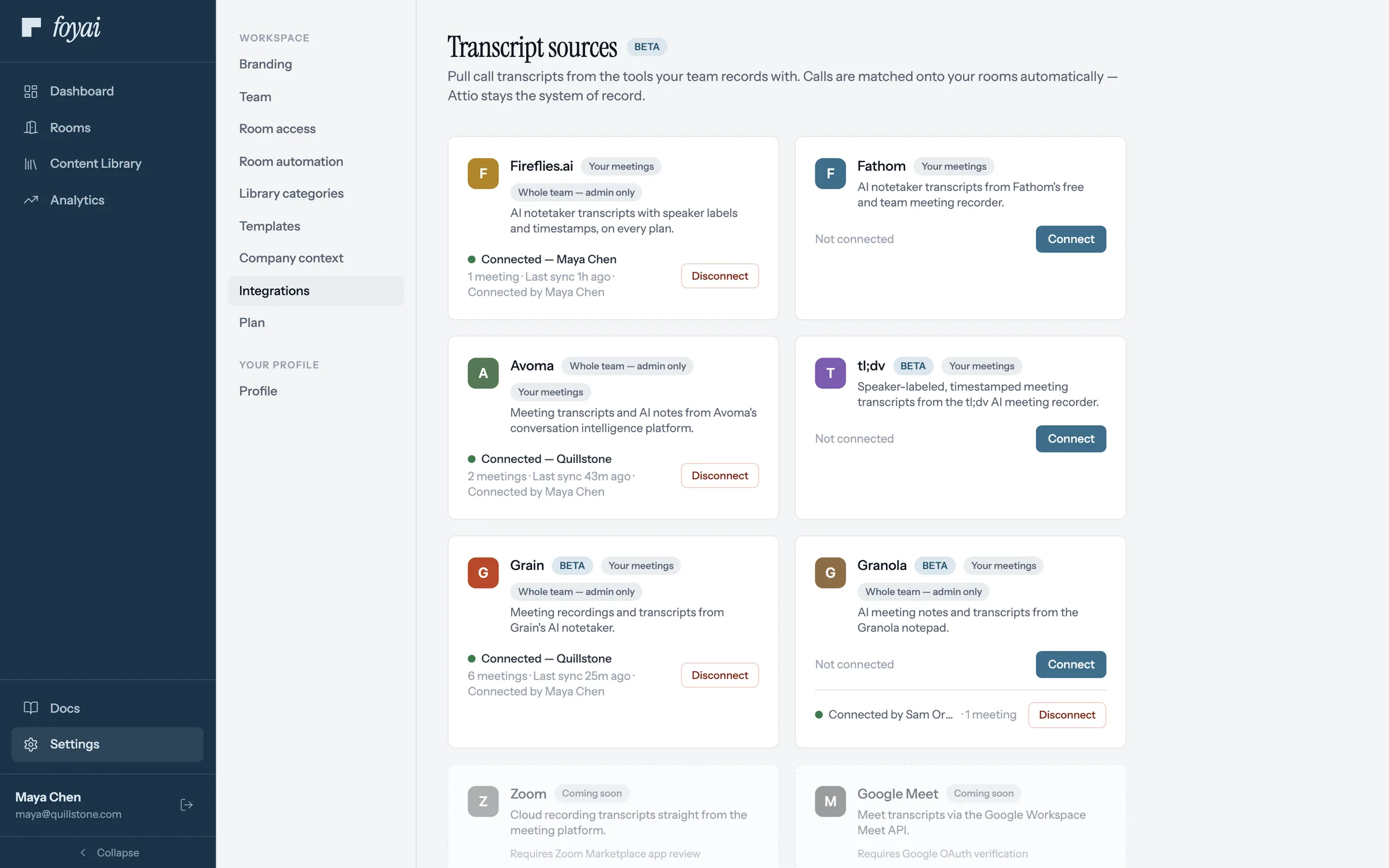
  2. Transcript sources page with Fathom not connected

    Step 2 of 7 Connect Fathom Fathom sits with the other call recorders. Click Connect on its card.

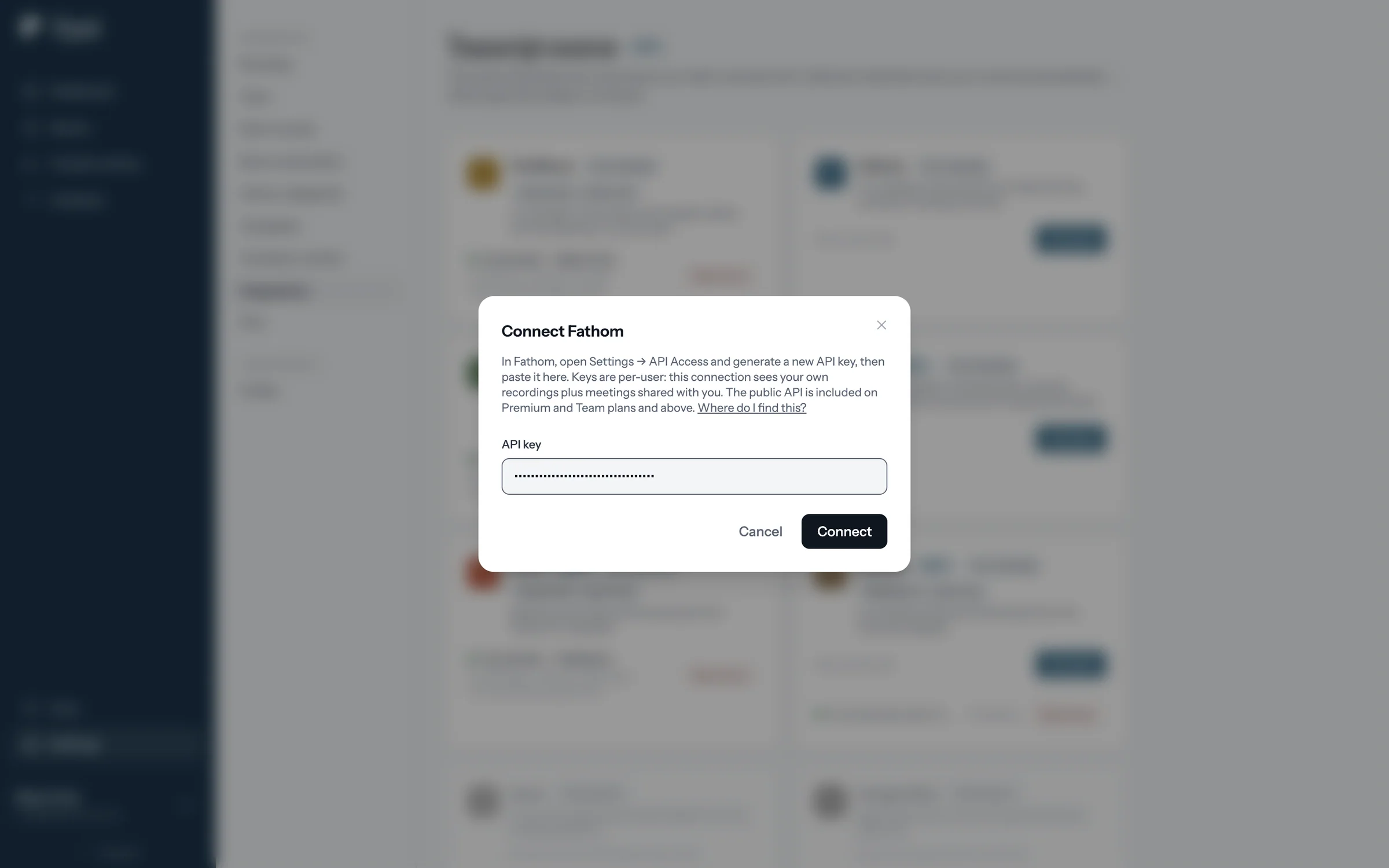
  3. The Connect Fathom window with instructions and a link to find the API key

    Step 3 of 7 Find the API key The window says where to create the key in Fathom, and links to Fathom's guide.

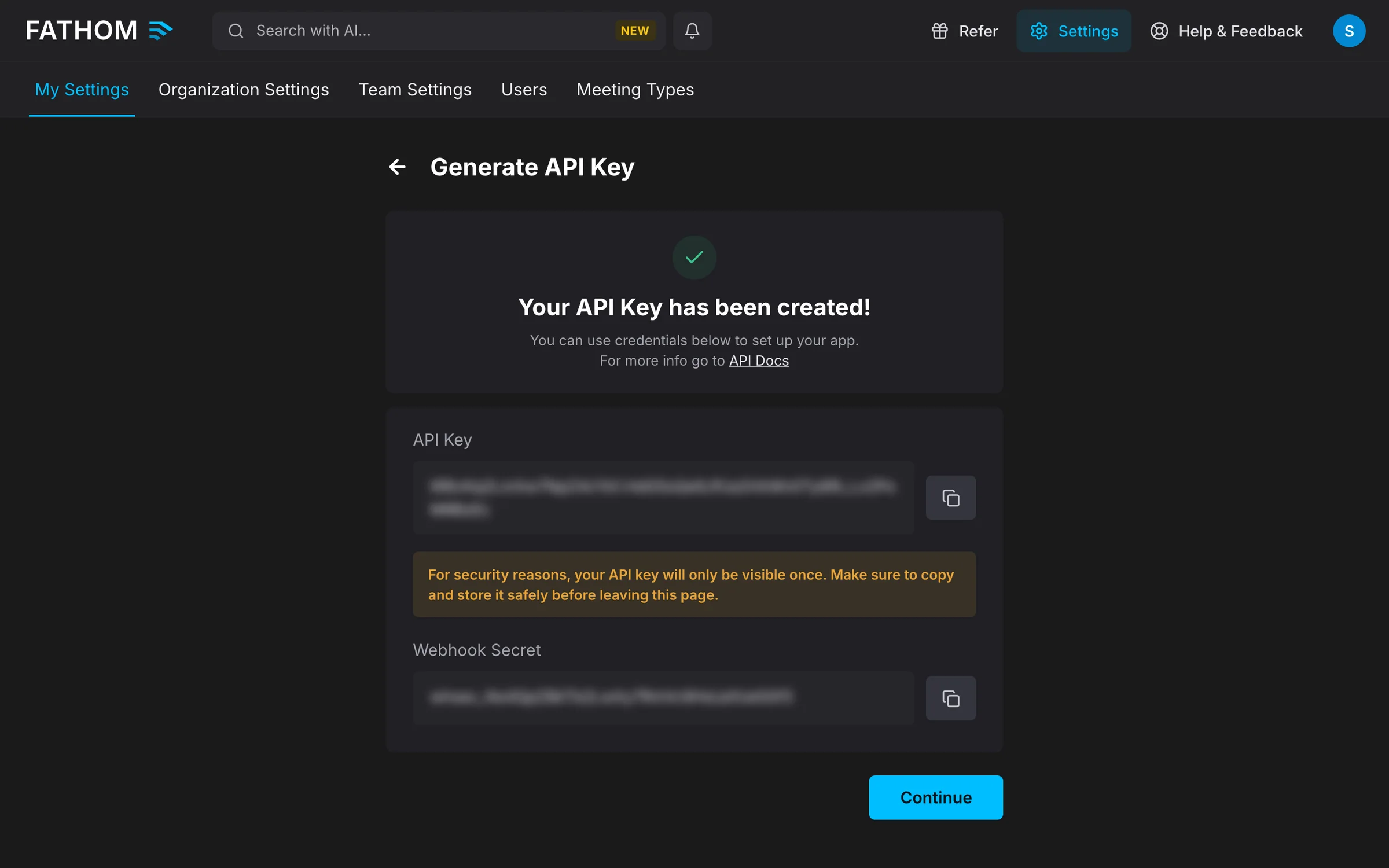
  4. Fathom API Access settings with a new key, masked, and its copy button

    Step 4 of 7 Copy your Fathom key In Fathom's API Access settings, generate a key and copy it. Fathom shows it only once.

  5. The Connect Fathom window with the API key pasted

    Step 5 of 7 Paste the key A Fathom key is personal: it covers your own recordings and meetings shared with you.

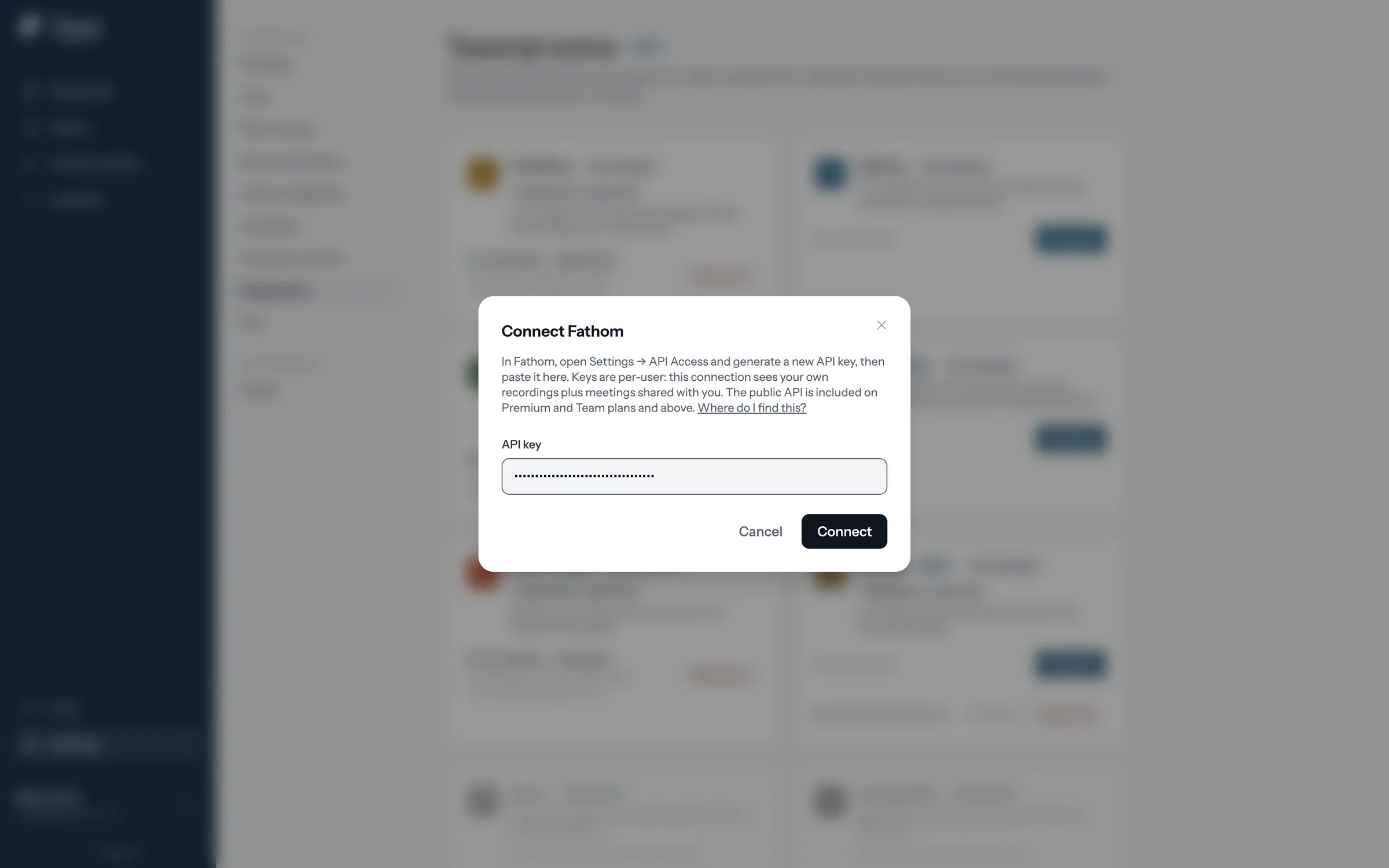
  6. The Connect button in the Connect Fathom window

    Step 6 of 7 Connect foyai checks the key and sets up the link with Fathom itself, so there's nothing to paste back.

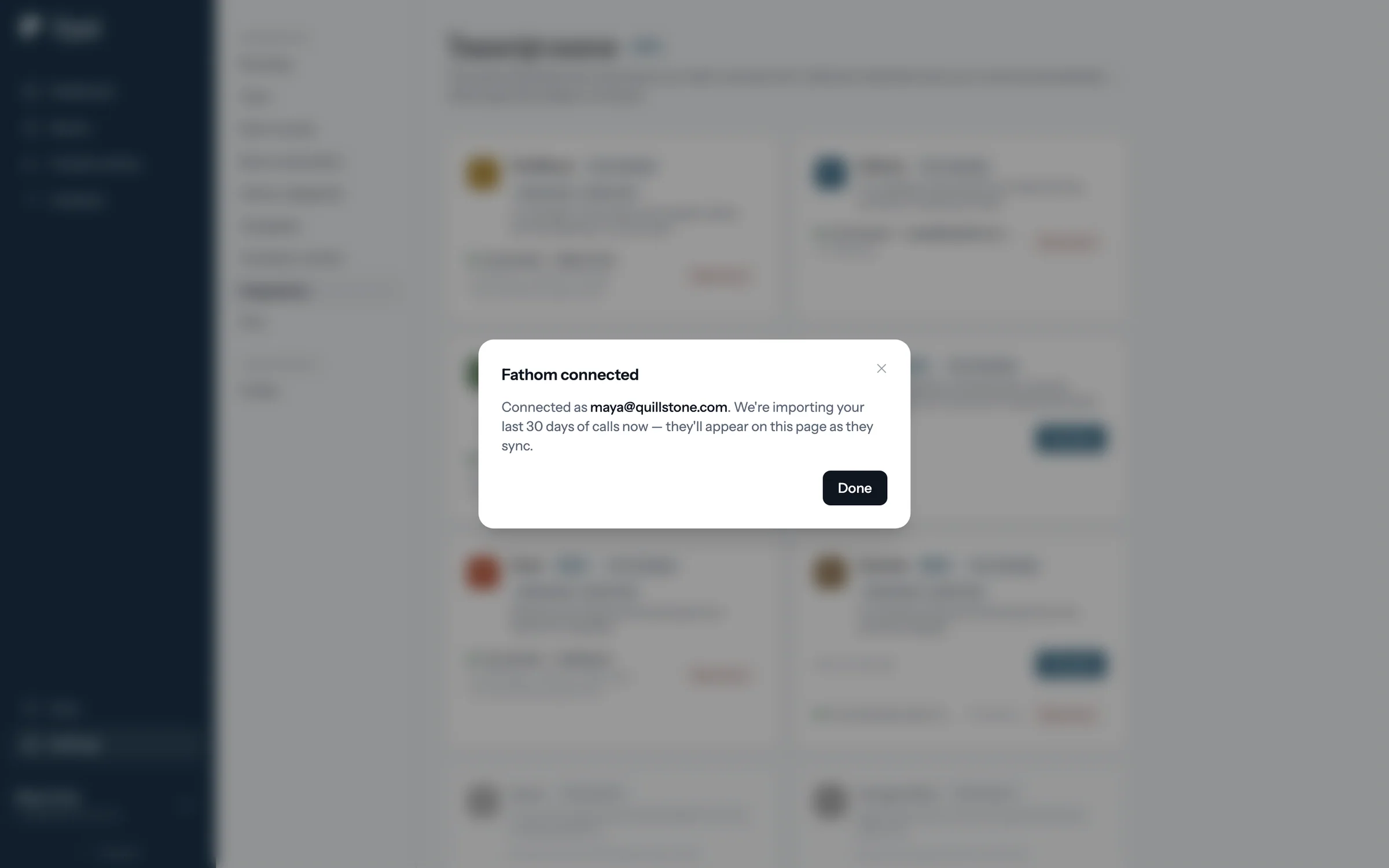
  7. Fathom connected: importing the last 30 days of calls

    Step 7 of 7 Calls start importing foyai imports your last 30 days of calls, and new ones arrive as Fathom finishes them.

Personal connection. A Fathom connection covers one person's calls, so each seller who records with Fathom connects their own key. Once a call is matched to a deal, everyone working that deal can use it. Full setup guide.
Matching

How foyai matches each call to the right deal.

Matching checks who was on the call, in this order. When a match is uncertain, the call waits for you to confirm it, so you decide before a transcript is used in a buyer's draft.

01
A room stakeholder was there
If someone on the call is a stakeholder in one of your rooms, the call attaches to that room.
02
Their company is in Attio
Otherwise, a participant's company email domain is matched to the Attio company, and the call attaches there.
03
Unclear, or just your team
Internal-only calls are ignored. Calls that could fit more than one deal wait in Unmatched calls with a suggested match.

Recorded the same meeting in Fathom and in Attio? foyai flags the duplicate, so a draft doesn't use the same call twice.

At a glance

How the Fathom connection works.

Connects with
Fathom, using an API key from your Fathom settings.
Setup time
About 2 minutes.
Connection
Personal. One per seller who records with Fathom.
New calls arrive
When Fathom finishes processing the recording, with a regular catch-up sync as a safety net.
What gets stored
Each call's title, date, and participants. The transcript is read from Fathom when foyai drafts, and kept only if you add a Meeting Notes section to a room.
Status
Beta Working today; matching and sync are still being refined.
Questions

About Fathom and foyai

Does every Fathom call end up in a buyer room?
No. Calls with only your own team are ignored, so internal calls aren't used in buyer-facing material. A call is used for a room only once it's matched to that deal, and calls foyai can't place confidently wait in Unmatched calls for you to attach or ignore. Nothing is published until you publish it.
Can my whole team share one Fathom connection?
No. Fathom connections are personal, so each seller who records with Fathom connects their own API key. Once a call is matched to a deal, teammates working that deal can use it too.
Does foyai store my Fathom transcripts?
foyai stores the call's title, date and participants, and reads the transcript from Fathom when it drafts. If you disconnect Fathom, foyai can no longer read those transcripts. Your API key is encrypted at rest, and your content is not used to train AI models.
Do I need Fathom if my team records calls in Attio?
No. Attio's call recordings work in foyai with no setup. Connect Fathom if that's what your sellers record with, and both sources appear in the same call list.
What does Beta mean for the Fathom integration?
The connection works and you can use it today. We're still refining how calls are matched and synced, so if a call is matched to the wrong deal, tell us at support@foyai.com.