 +
+
Get a Slack message when a buyer first opens your room.
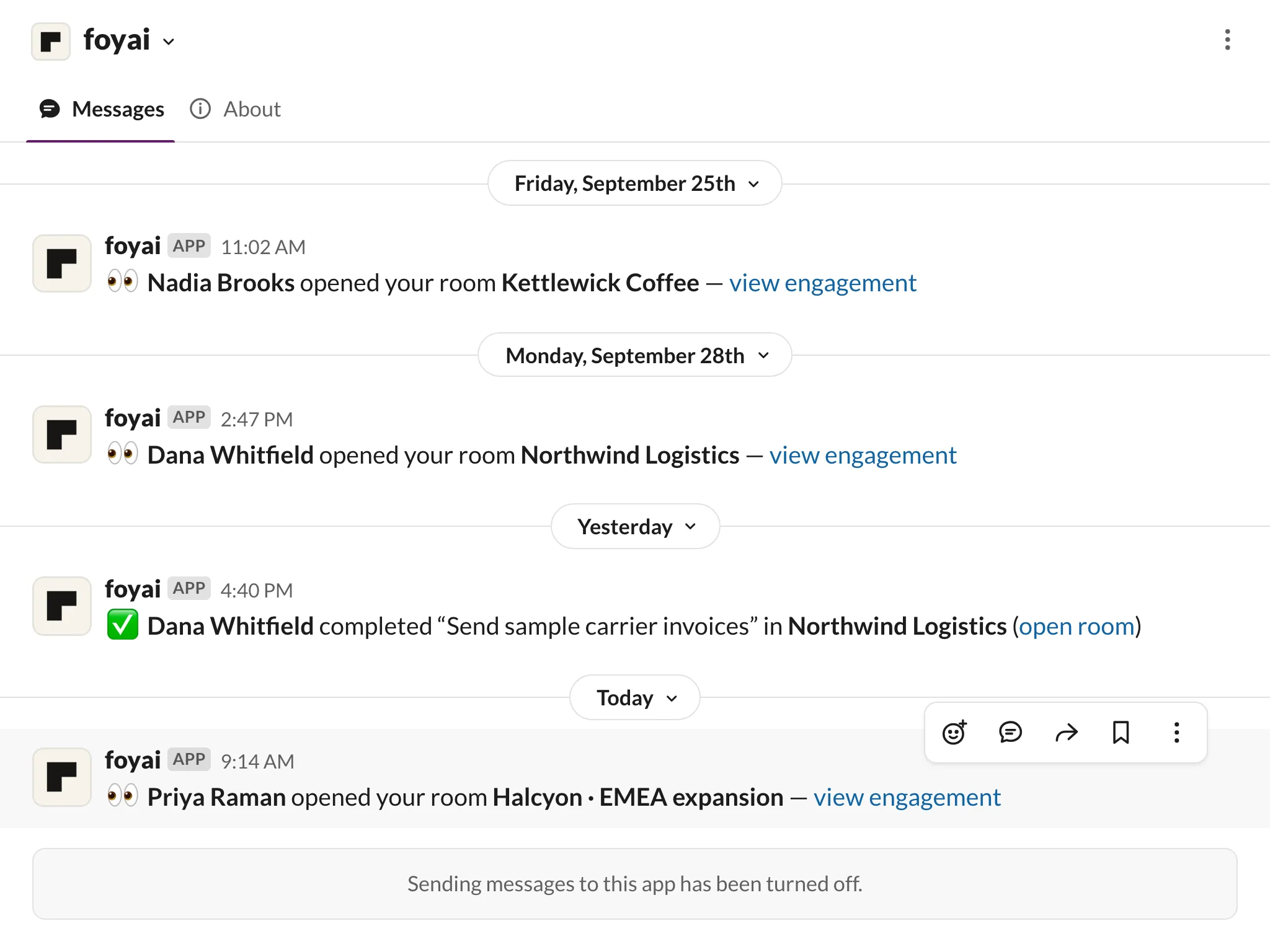
foyai sends each seller a Slack direct message when a buyer opens one of their rooms for the first time, when a buyer completes a step in the room's action plan, and when the Attio deal moves to Lost. Alerts go to the seller who owns the room, matched by email, never to a shared channel.
Updated
The three alerts a seller gets during one deal.
An example of the alerts a seller gets over the life of one deal. Each message links back to the room so you can see the activity.
- When: the first time each viewer opens a room you own. Not on every repeat visit.
- What it says: the viewer's name if they signed in, and a link to the room's engagement view.
- Your move: check what they opened and decide whether to follow up.
- When: a buyer completes a step in the room's action plan.
- What it says: who completed it, which step, and in which room.
- Your move: confirm the next step with the buyer.
- When: the deal linked to your room moves to Lost in Attio.
- What it says: a prompt to unpublish or archive the room.
- Your move: close the room so a dead deal's content isn't left open. You decide.
Each seller hears about their own buyers.
Matched by email. foyai finds each seller in Slack by the email address they use in foyai. If the two don't match, that seller won't get alerts until they do.
Their alerts, their choice. Each seller ticks the alerts they want. Turning yours off doesn't change anyone else's.
Direct messages only. Messages go to the room's owner as a direct message, so nobody wades through other people's deals.
One install covers the whole team.
Someone adds foyai to your Slack workspace once. Every seller then gets their own alerts with nothing else to set up.
Add to Slack
In foyai, go to Settings → Integrations and click Add to Slack on the Slack alerts card.
Allow
Slack asks which workspace to install into, and confirms that foyai can send messages and look up teammates by email so each alert reaches the right person.
Pick your alerts
The card shows "Connected" with your Slack workspace. Each seller chooses their alerts under Your Slack alerts; they start with the next buyer visit.
How the Slack integration works.
- A buyer opened one of your rooms (first time per viewer)
- A buyer completed a plan step
- The Attio deal moved to Lost