Onboard new customers in the room they already use.
For customer onboarding in foyai, you keep the room your buyer already knows and add what they need to go live: a Customer onboarding plan dated forward from the kickoff, steps the customer owns and ticks off themselves, and a resources page. You publish the changes at the same link, the customer doesn't need a new login, and the Attio deal shows how far along they are.
Updated
- Contract signed, ticked off on the plan
- Every stakeholder already has the link
- The deal holds the room's full history
- Close plan swapped for the Customer onboarding plan
- Onboarding resources page added
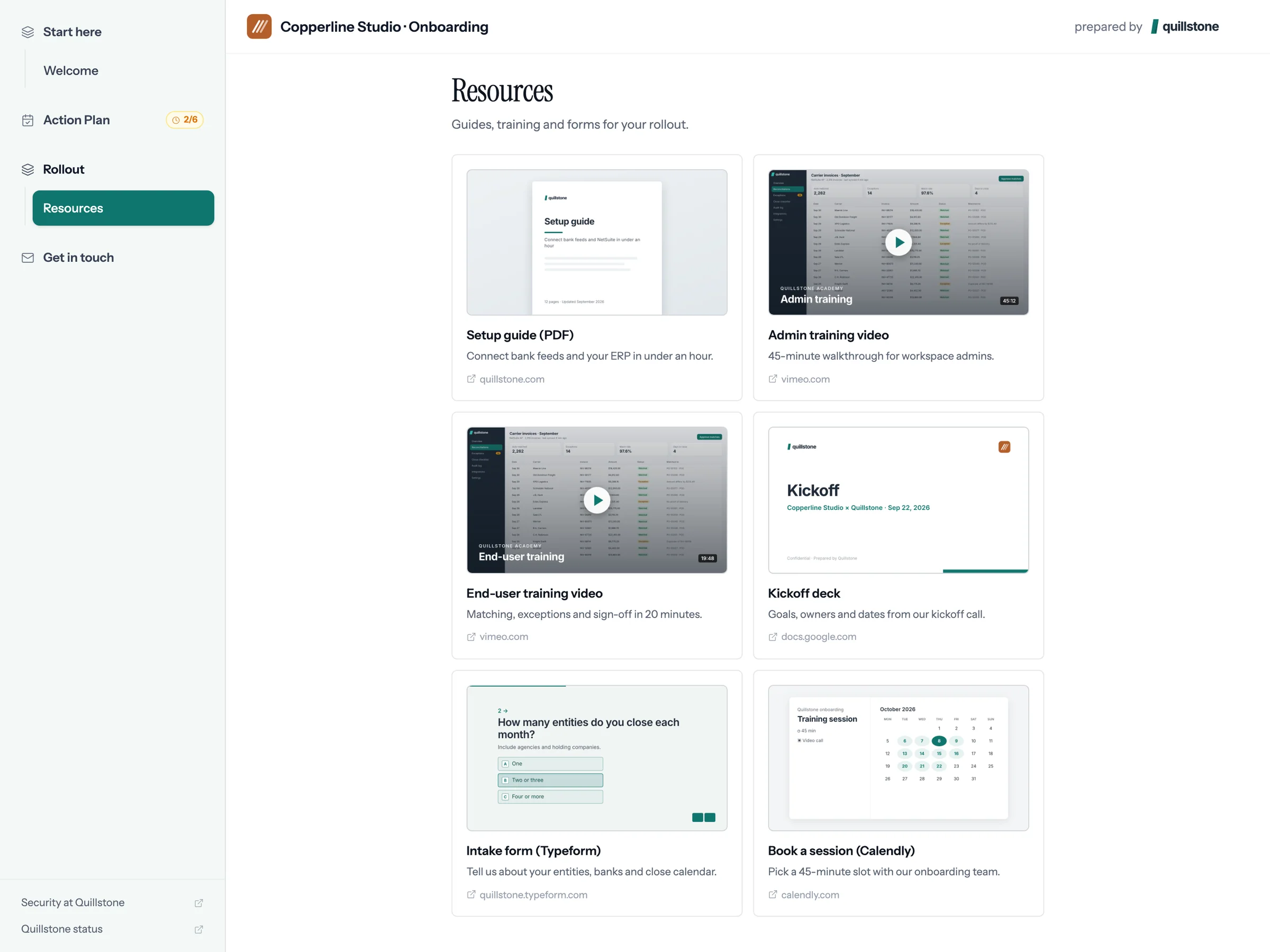
- Kickoff deck, training videos, intake form
- Customer ticks off their own steps
- Your team's steps arrive as Attio tasks
- Plan completion on the deal in Attio
Nine steps from kickoff to the 30-day review.
This is the Customer onboarding plan as it ships. Enter the kickoff date and every step is dated forward from it. Rename steps, add your own, put a named person on each, and attach instructions or files to any task.
| Step | Owner | Due |
|---|---|---|
| 1 · Kickoff | ||
| Kickoff call: confirm goals, roles and go-live date | Both teams | Day 0 |
| Intake form completed (users, data sources, requirements) | Customer | Day 3 |
| 2 · Setup and integration | ||
| Workspace configured to requirements | Your team | Day 7 |
| Integrations connected and data migrated | Both teams | Day 14 |
| 3 · Training | ||
| Admin training session | Your team | Day 16 |
| End-user training delivered | Your team | Day 22 |
| 4 · Rollout and go-live | ||
| Internal rollout announcement sent to end users | Customer | Day 20 |
| Go-live | Both teams | Day 30 |
| 5 · Success review | ||
| 30-day adoption review against success metrics | Both teams | Day 60 |
Hand the room from your AE to your CSM.
Swap the plan
Replace the close plan with the Customer onboarding plan and set the kickoff date. The customer's next steps are now onboarding steps.
Add the onboarding page
A resources page of handpicked cards: setup guide, training videos, the kickoff deck, your onboarding lead's booking page.
Publish changes
The customer keeps the link they already have. They see the new version once you publish it, and none of your edits before that.
Send your steps to Attio
Your team's steps become Attio tasks with the room link. Complete one in Attio and it's ticked off in the room.
 Admin training
 Kickoff deck
 Book onboarding
Give customers their own onboarding steps to tick off.
- They tick off their own steps. Intake form done, rollout email sent. When a step is theirs, the room shows it, and you can see it's late without asking.
- They add the steps you didn't know about. An internal security sign-off, a change freeze. The plan then matches their rollout.
- They find everything in one place. Guides, videos and the kickoff deck sit on the resources page, with embedded forms and booking pages from tools like Typeform, Google Forms and Calendly.
- You see who has opened what. Which admins watched the training, who opened the setup guide, and who hasn't been in since the kickoff.
Whoever created the room also gets a daily digest of plan steps that are overdue or coming due.