Click through foyai before you connect anything.
Each demo walks through one task in foyai, screen by screen, the way a seller or a buyer would do it. Click the dot or press Space for the next step, go back with the left arrow key, or let it play.
What your buyer sees
The room from the buyer's side: getting in, reading, ticking off a step, and booking time with you.
 A buyer's first visit
From the emailed sign-in link to ticking off a step and booking a call.
9 steps
A buyer's first visit
From the emailed sign-in link to ticking off a step and booking a call.
9 steps
-
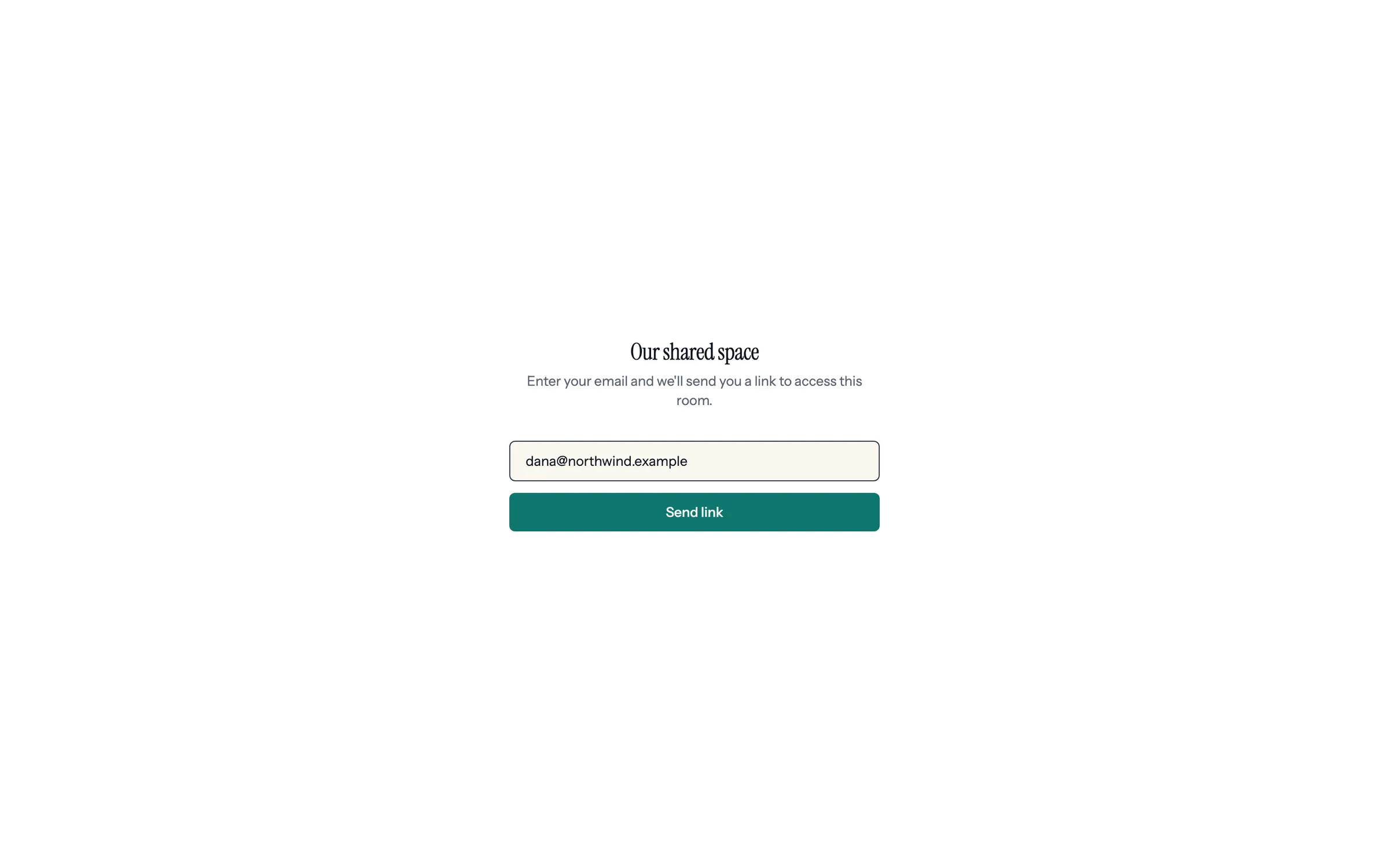
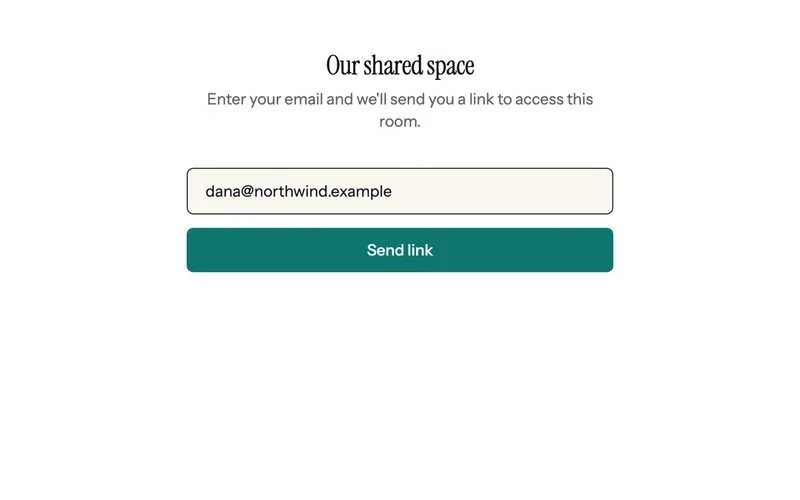
Step 1 of 9 Dana enters her email The room link opens on a plain screen with no company names. Dana types her work email and clicks Send link.
-
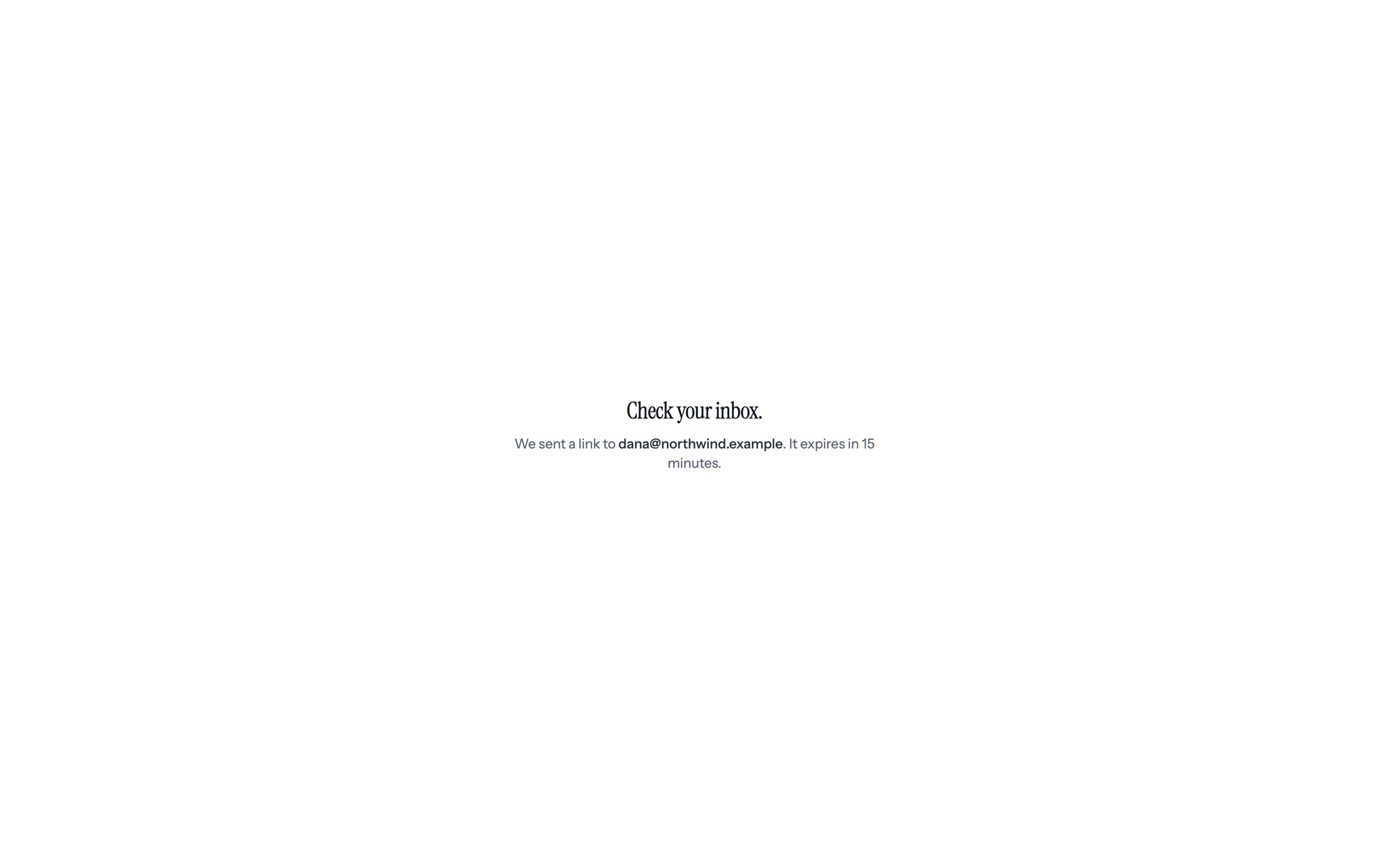
Step 2 of 9 Check your inbox A sign-in link goes to that address. It expires in 15 minutes.
-
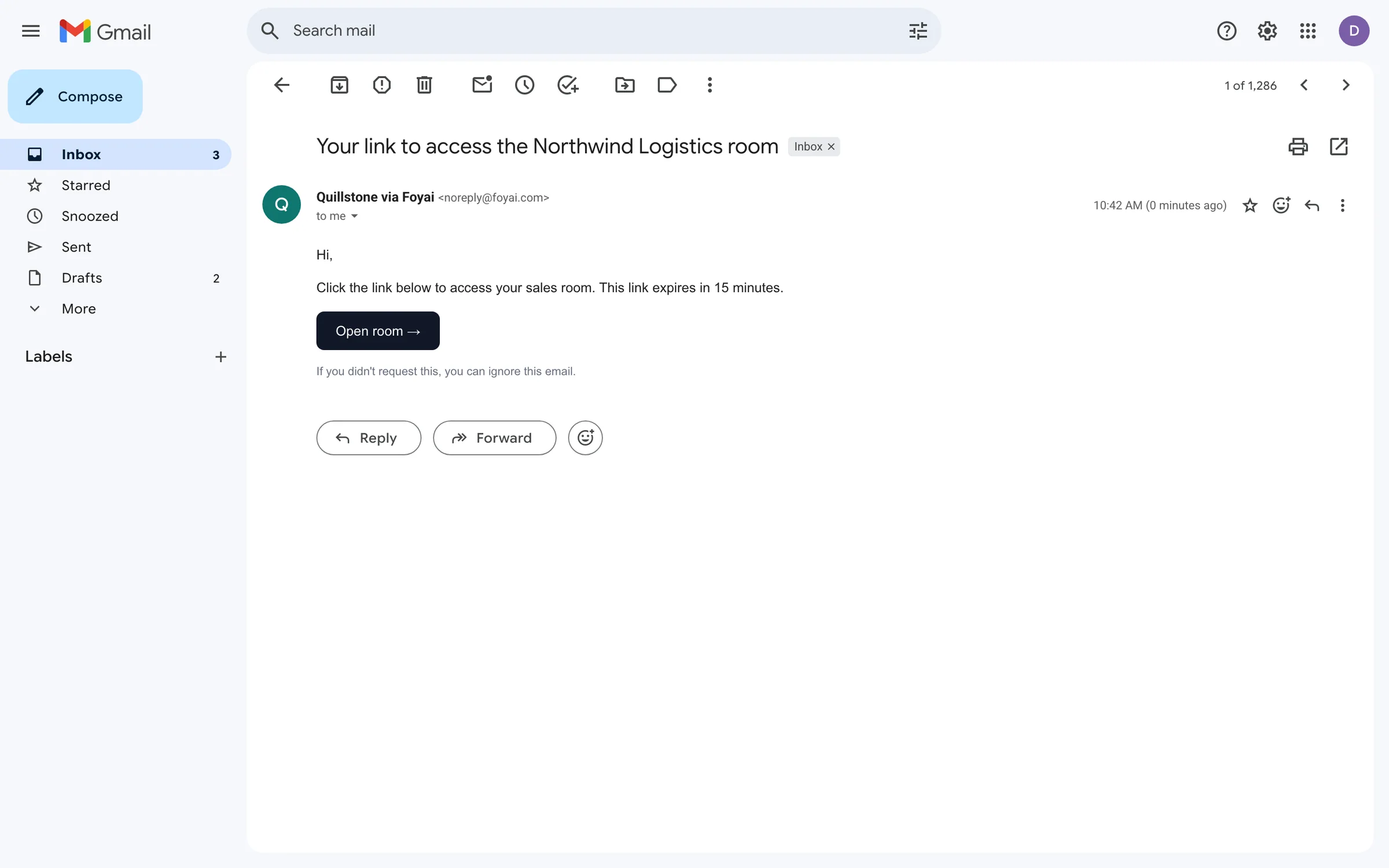
Step 3 of 9 Open the email The email comes from Quillstone via Foyai. Open room takes Dana back to the room.
-
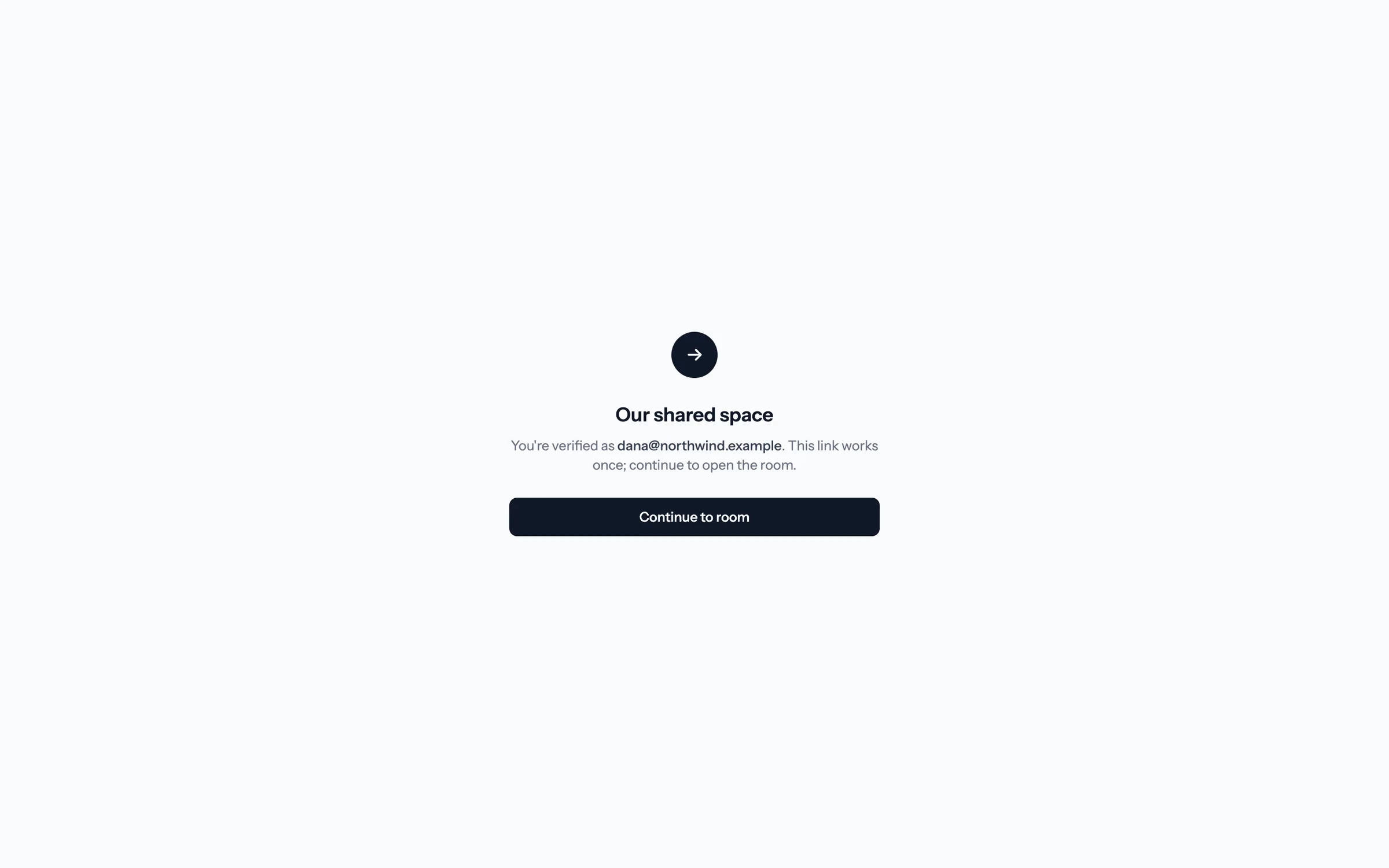
Step 4 of 9 Continue to the room The link works once. This extra click keeps email security scanners from using it up before Dana gets there.
-
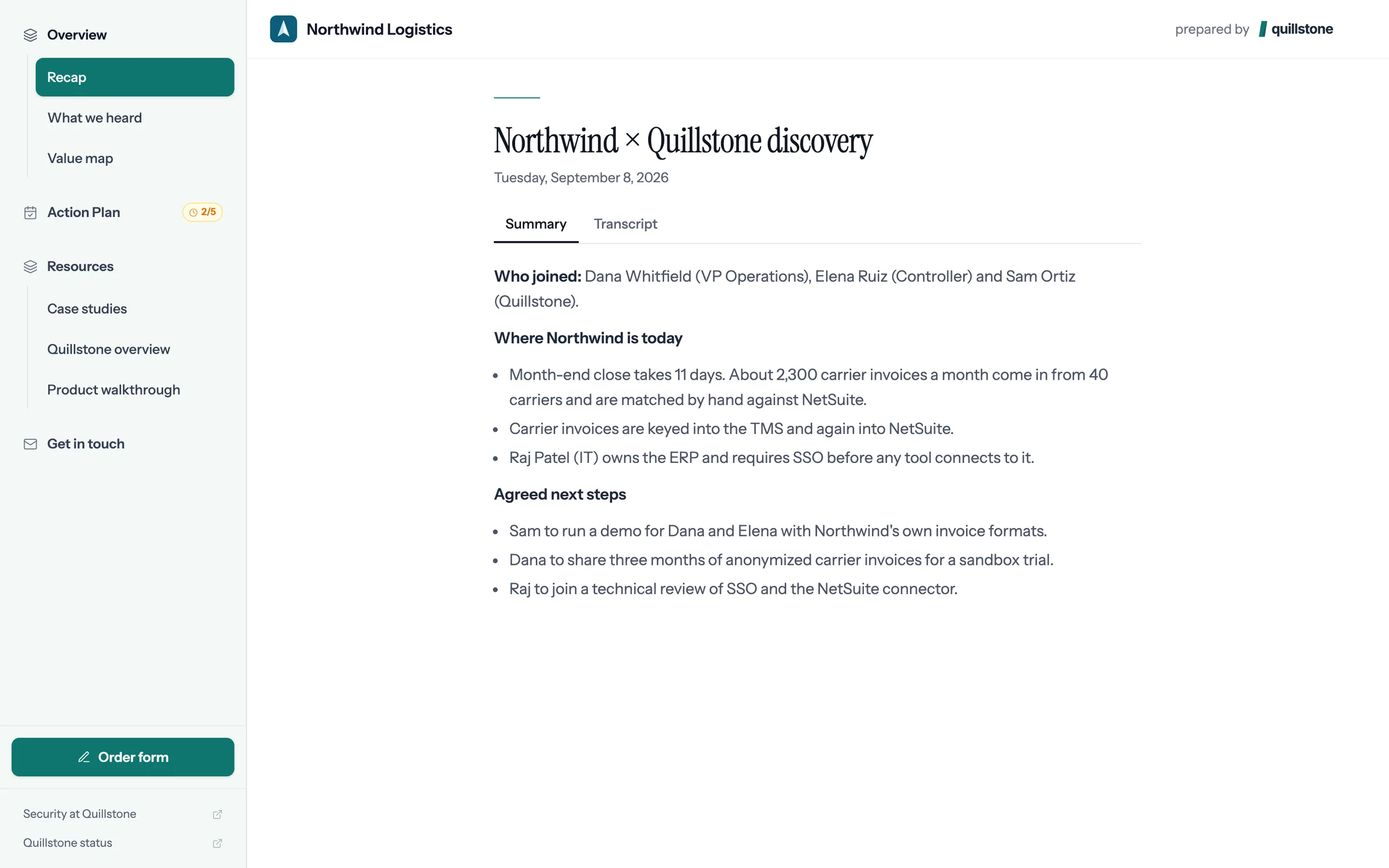
Step 5 of 9 Dana is in The room Quillstone made for Northwind Logistics opens on the discovery call recap.
-
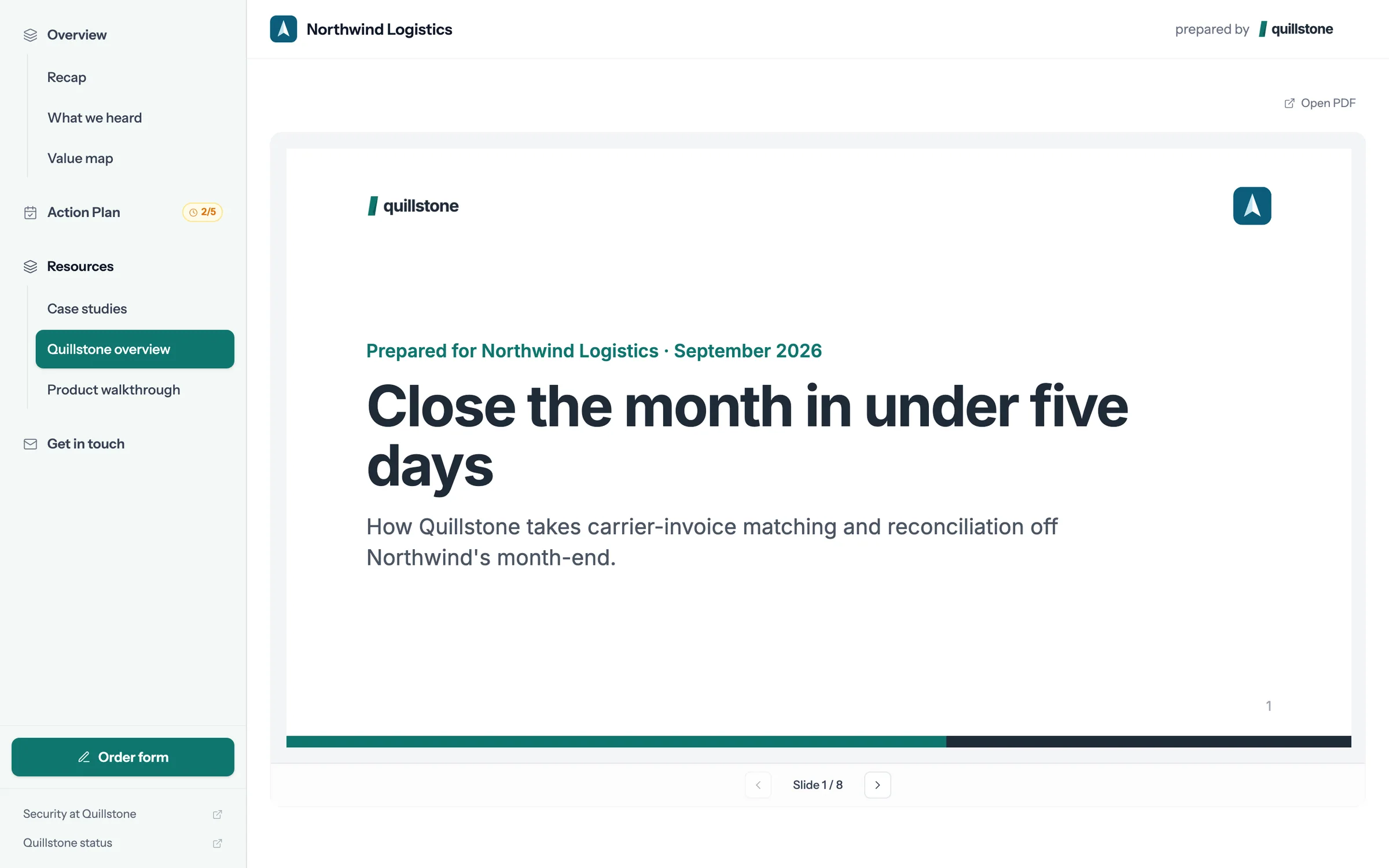
Step 6 of 9 Read the deck The deck opens inside the room, slide by slide, with nothing to download.
-
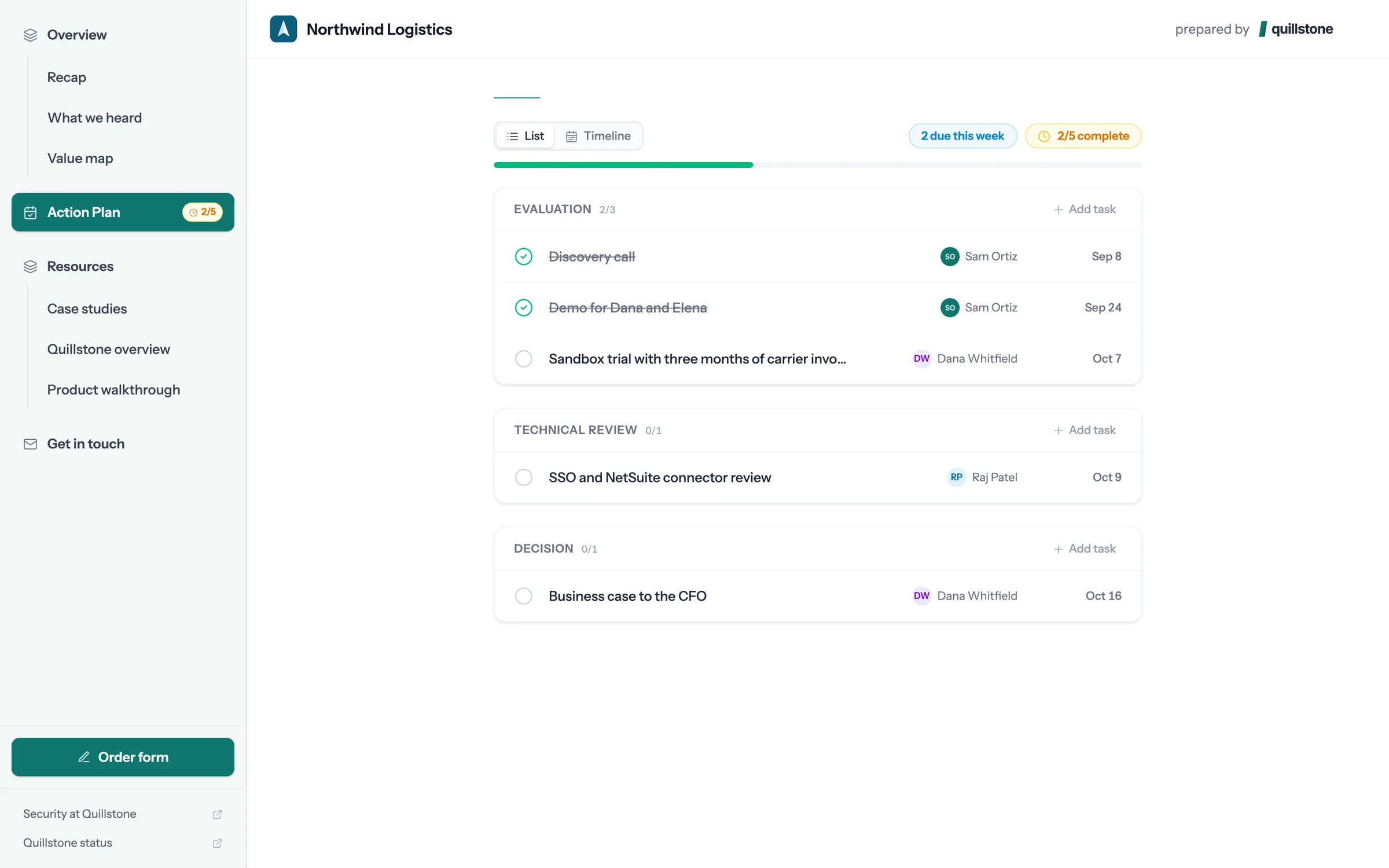
Step 7 of 9 Tick off a step Dana owns the sandbox trial in the action plan, so Dana can mark it done.
-
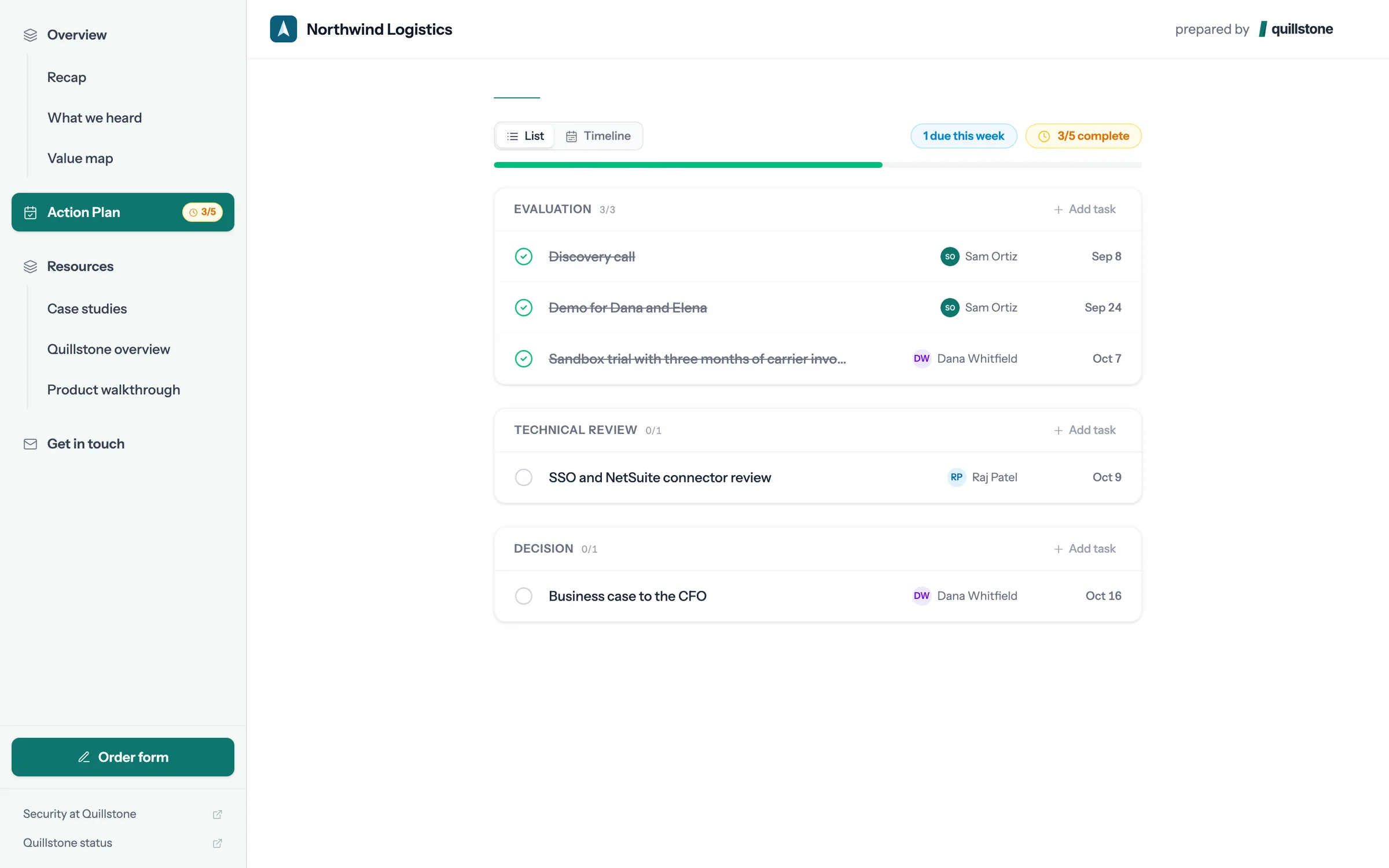
Step 8 of 9 Both sides see it The step shows as done and the plan moves to 3 of 5. Sam sees the same change.
-
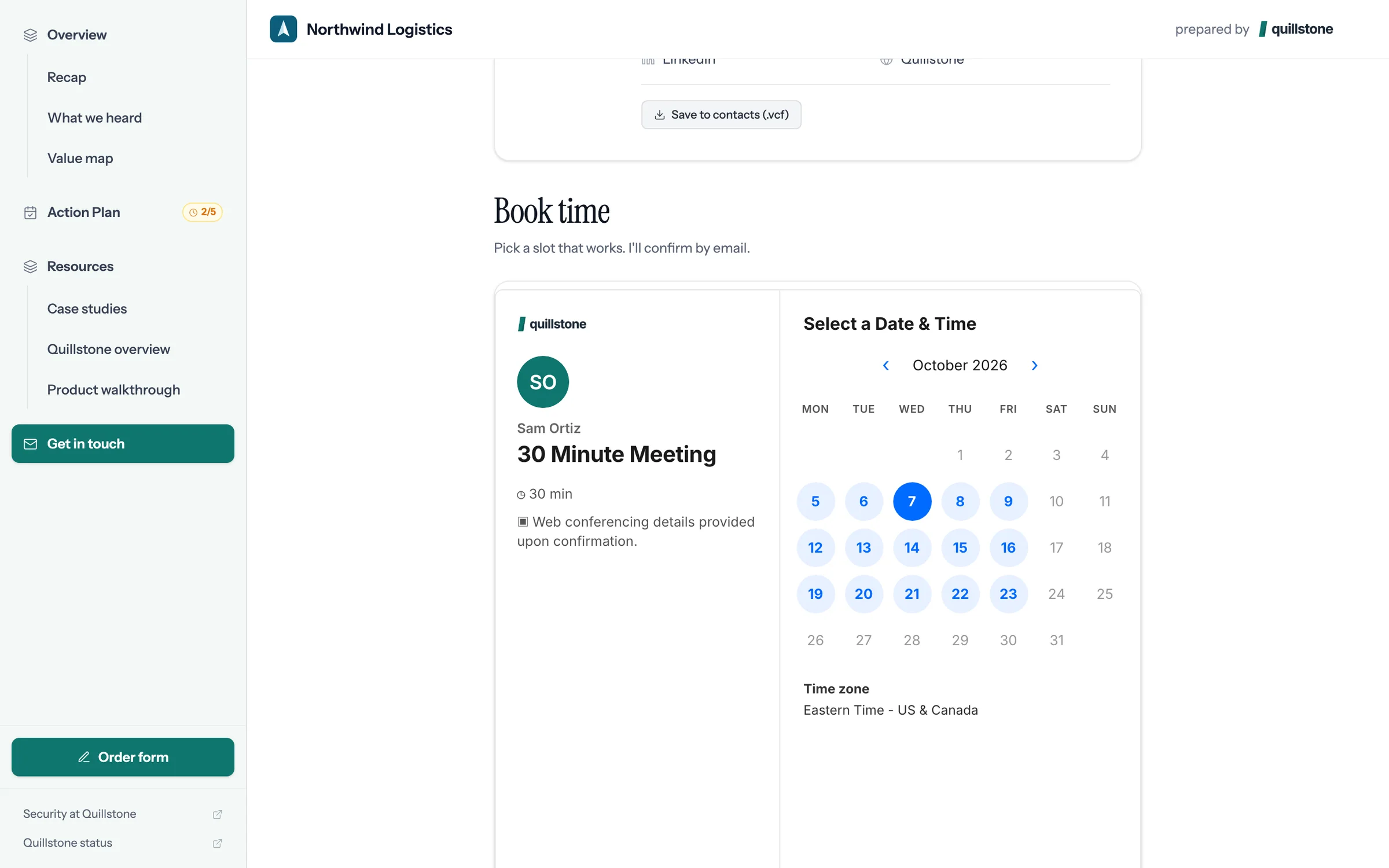
Step 9 of 9 Book the next call Sam's calendar is in the room, so Dana picks a time without the email back and forth.
Give your next buyer a room like this.
Connect Attio, pick a deal with a recorded call, and foyai drafts the room. You check it, then publish.
 A tour of the Northwind room
The recap, value map, action plan, case studies, deck, and booking calendar, as Dana sees them.
8 steps
A tour of the Northwind room
The recap, value map, action plan, case studies, deck, and booking calendar, as Dana sees them.
8 steps
-
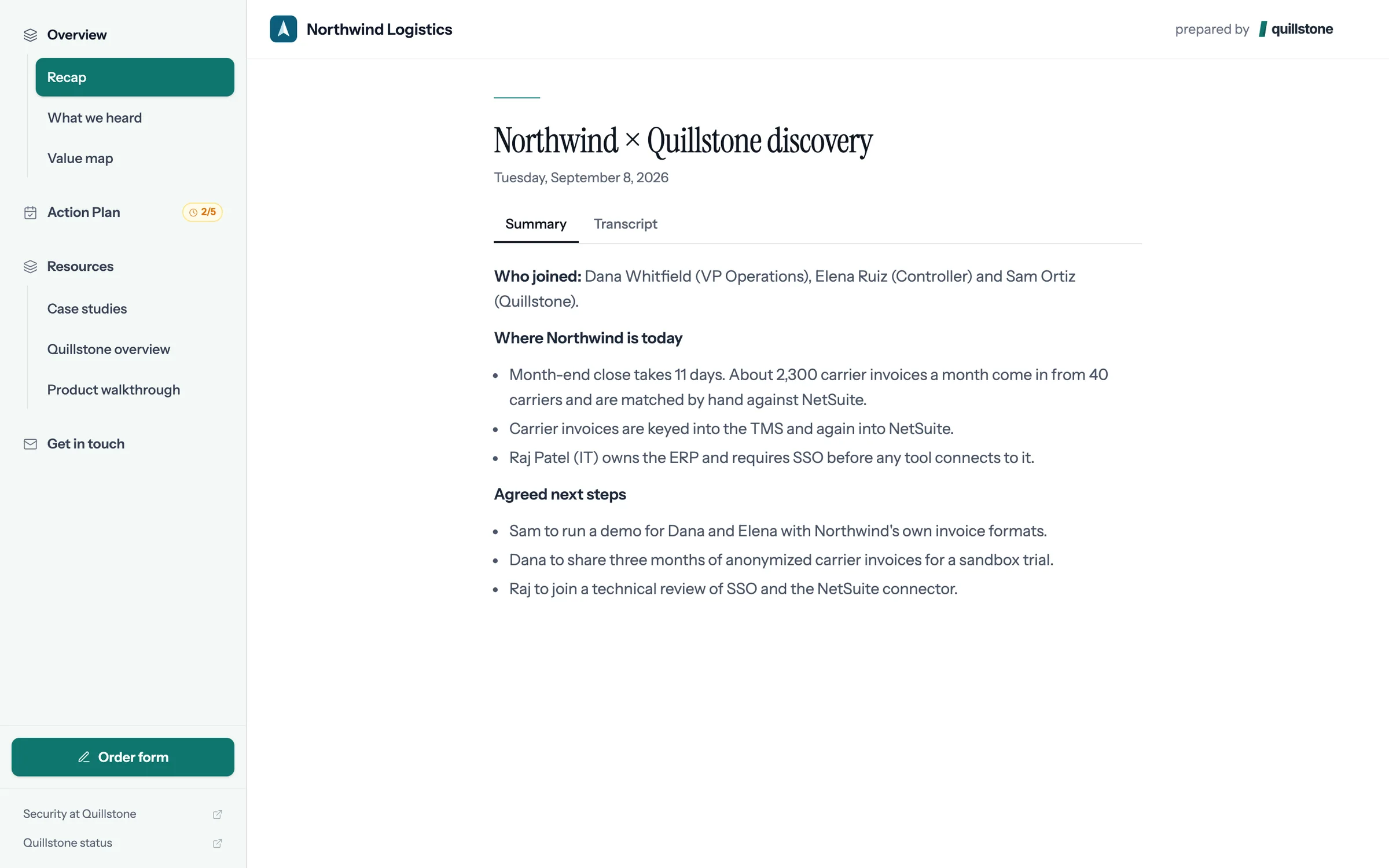
Step 1 of 8 Dana opens the room One link, with no account to create. Dana lands on a room made for Northwind Logistics.
-
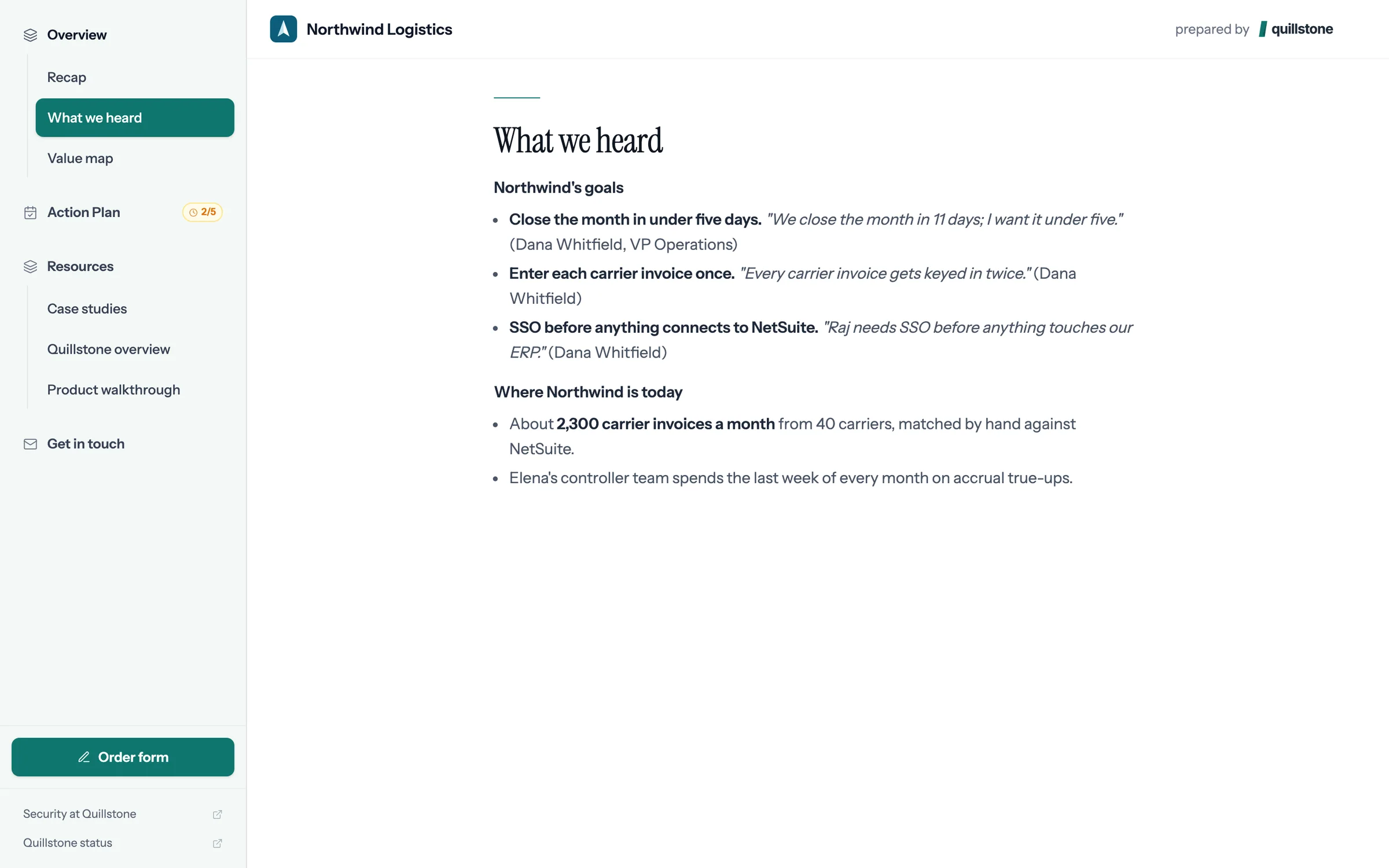
Step 2 of 8 What we heard Northwind's goals in Dana's own words, quoted from the discovery call, so anyone she forwards it to has the context.
-
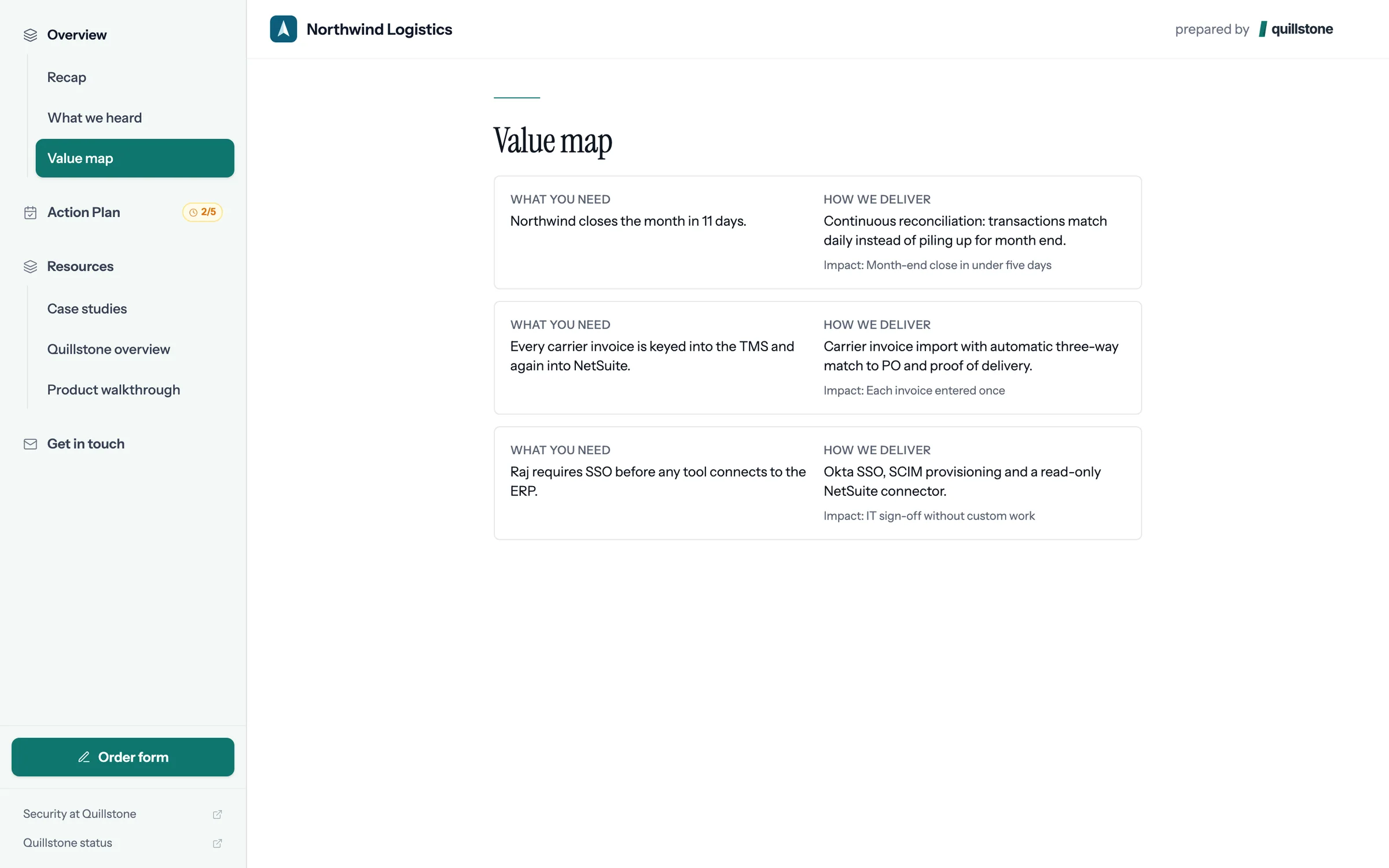
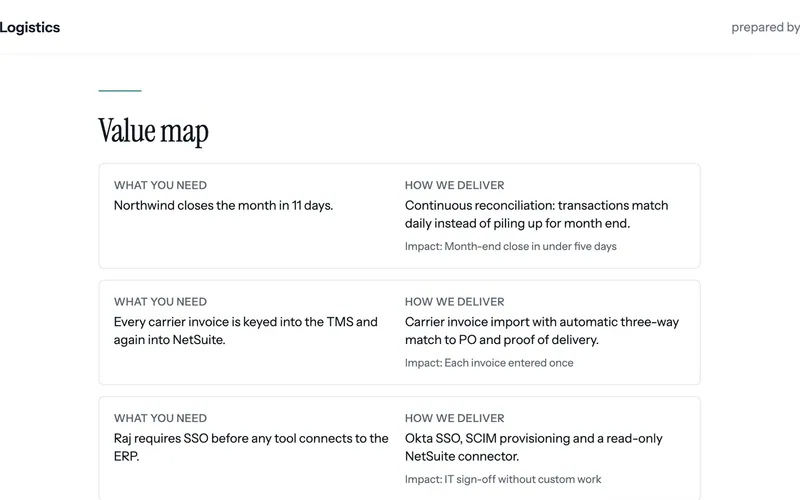
Step 3 of 8 The value map Each problem Northwind described sits beside what Quillstone will change and the result to expect.
-
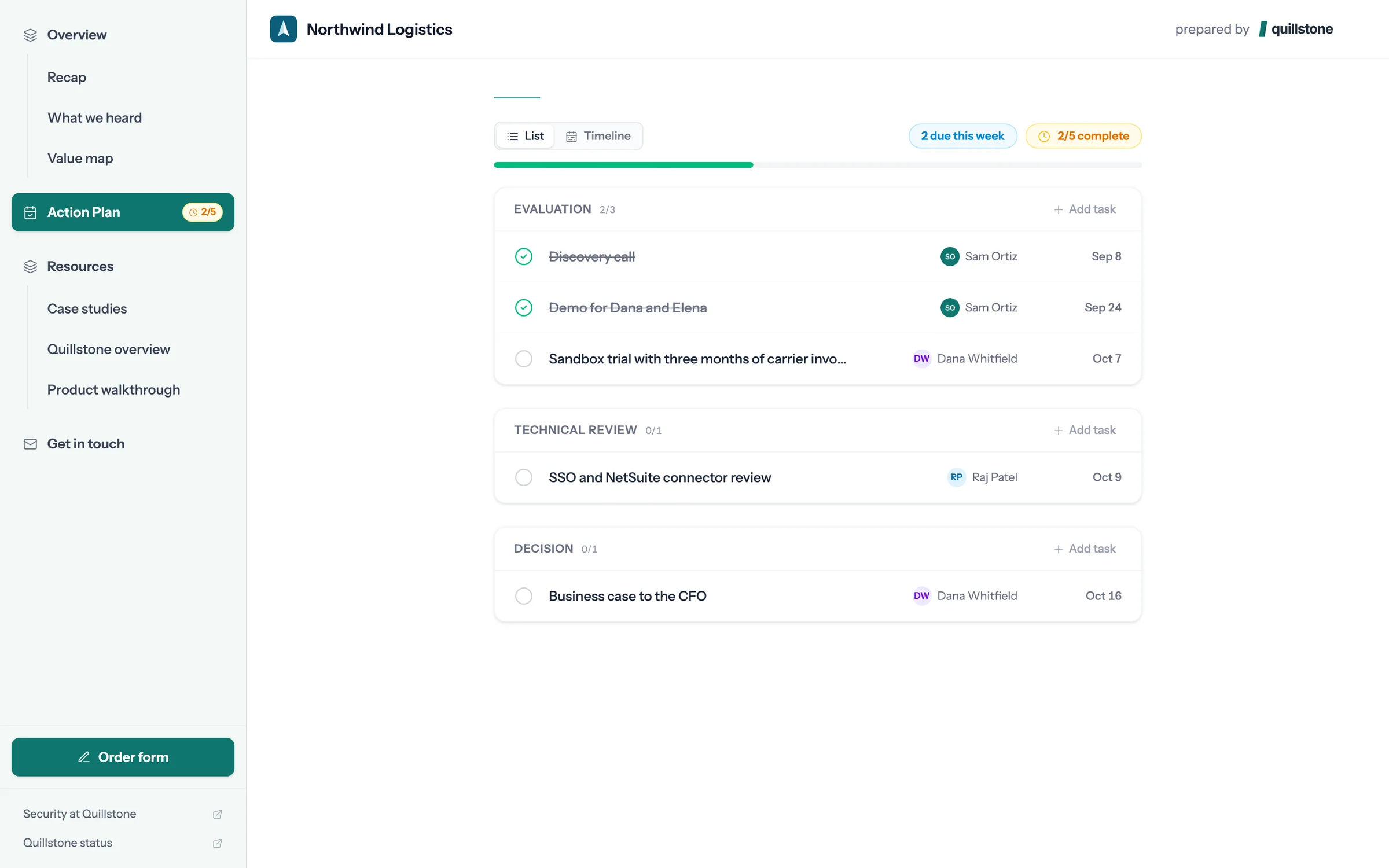
Step 4 of 8 The action plan Dated steps for both sides, through to signature. Dana owns the sandbox trial, so she ticks it off herself.
-
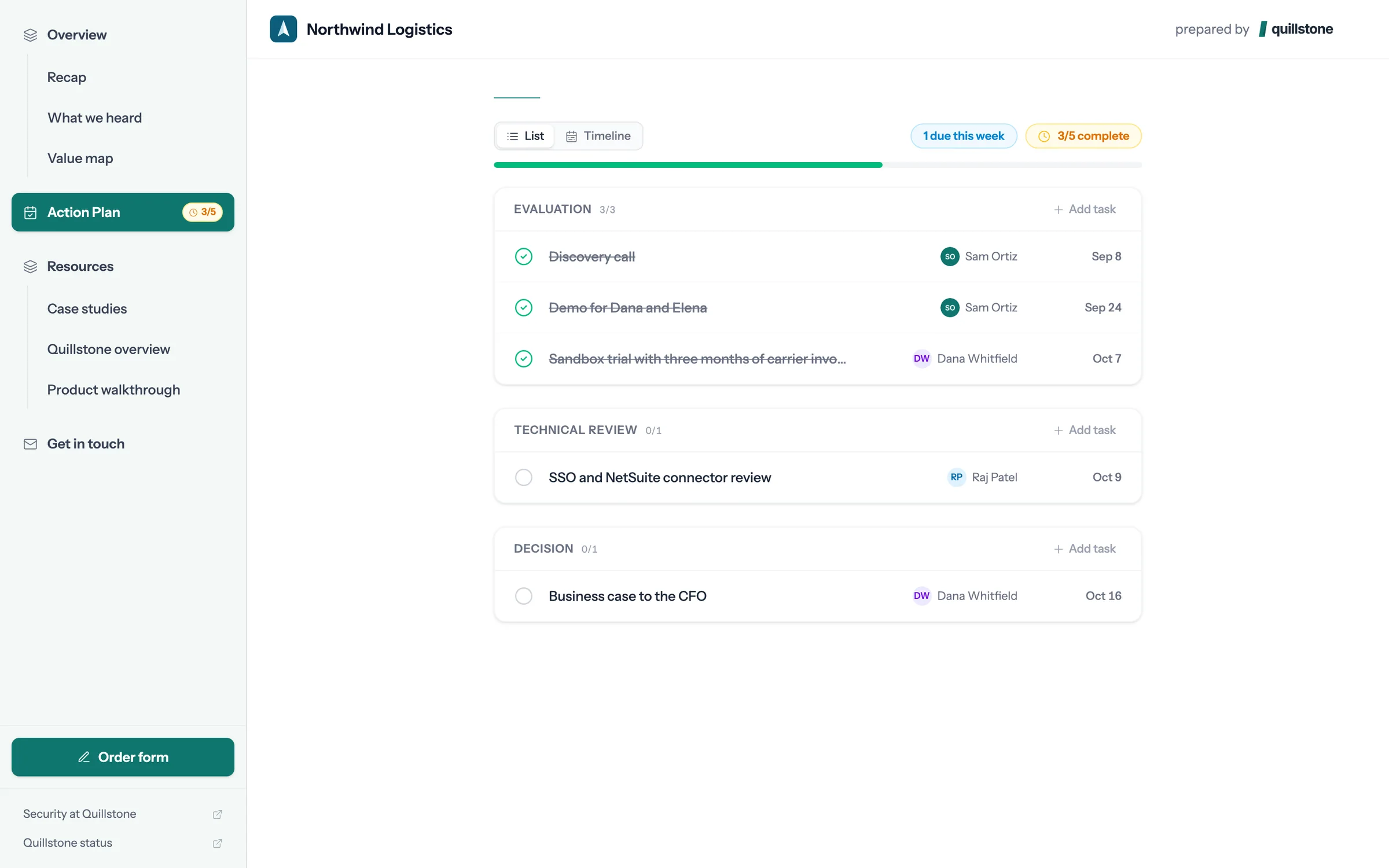
Step 5 of 8 Done, and the seller sees it The plan's progress moves, Sam gets a Slack message, and plan completion updates on the Attio deal.
-
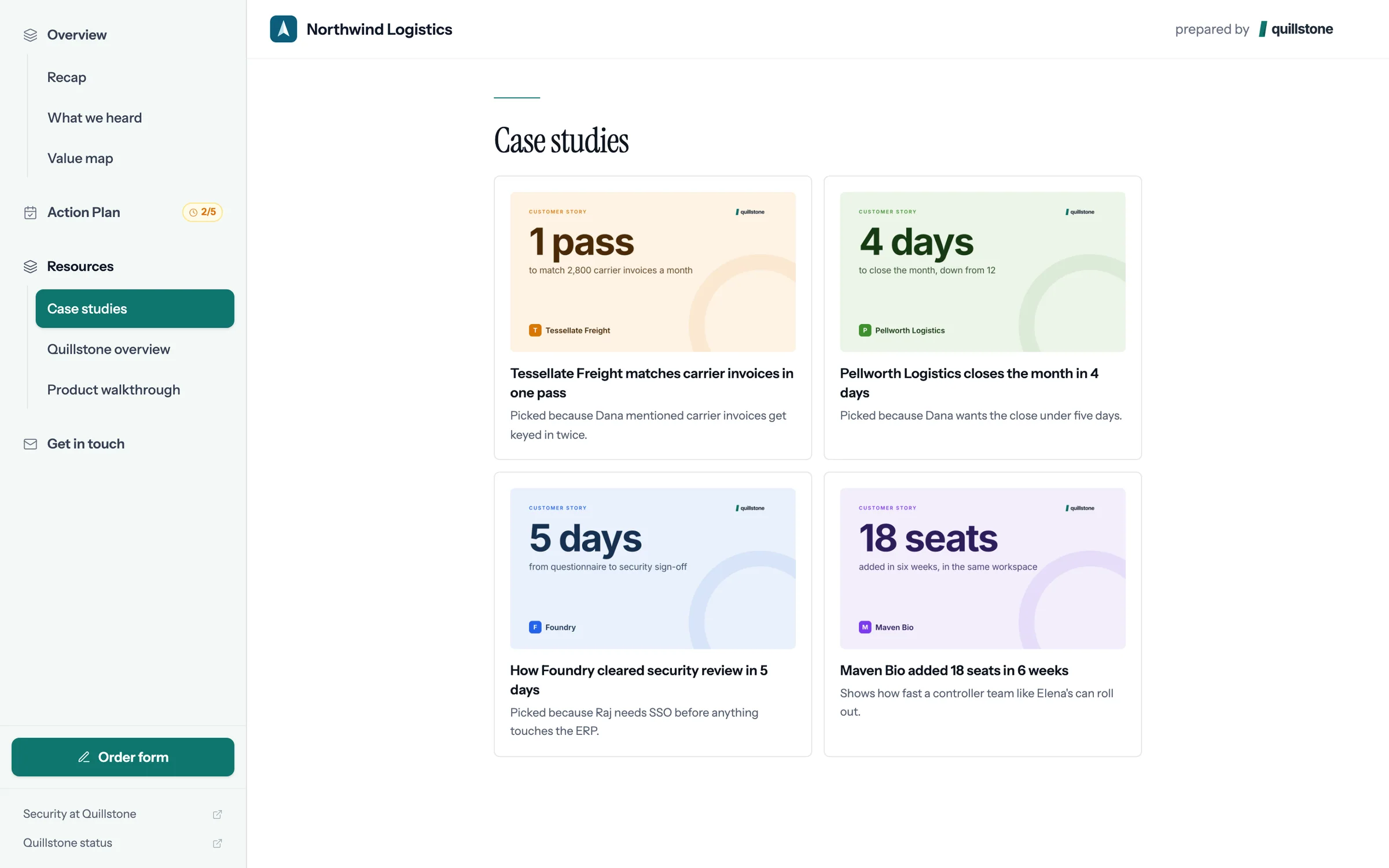
Step 6 of 8 Case studies picked for Northwind Each one says why it was chosen, citing what Dana said on the call.
-
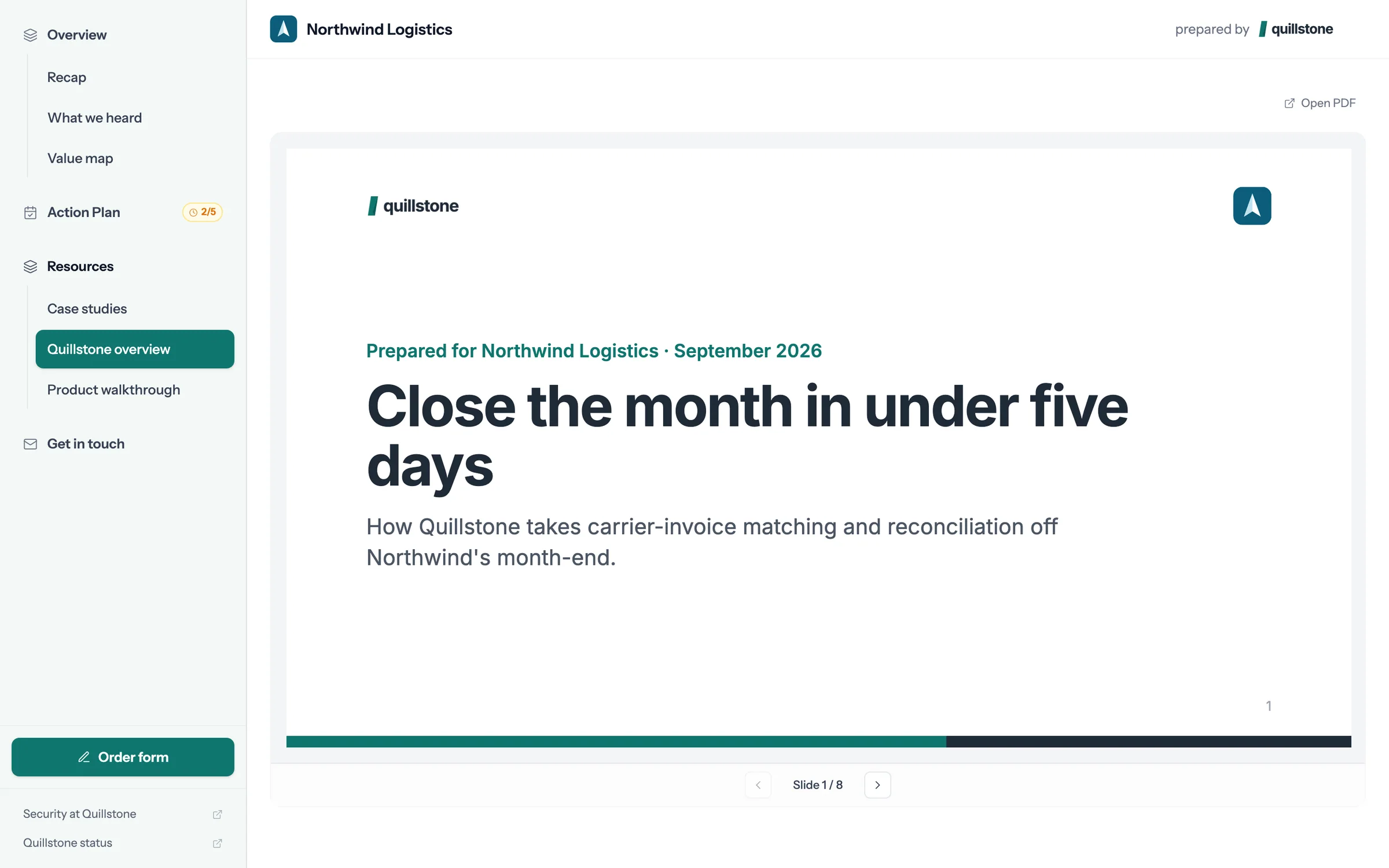
Step 7 of 8 The deck, slide by slide The deck opens inside the room, with nothing to download, and Sam can see which slides held attention.
-
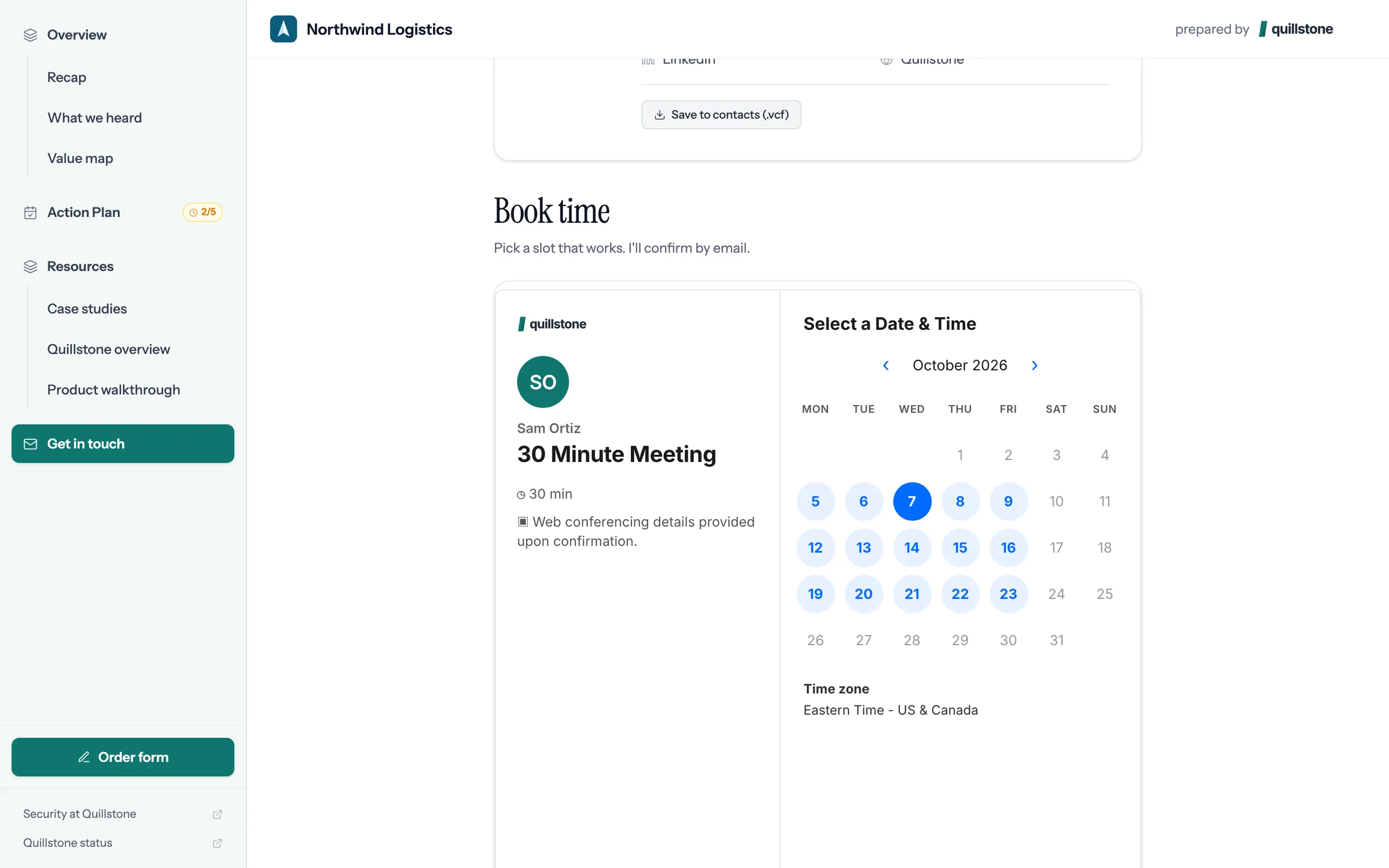
Step 8 of 8 Book the next call Sam's calendar is in the room, so Dana books the next call without the email back and forth.
Build one from your Attio deal.
Connect Attio, pick a deal with a recorded call, and foyai drafts the room. You review it, then publish.
Building and sending rooms
foyai drafts each room from your calls. These show what you check, change, and send.
 Your first room
Sign in with Attio, set your colors and company context, and draft a room from a deal.
6 steps
Your first room
Sign in with Attio, set your colors and company context, and draft a room from a deal.
6 steps
-
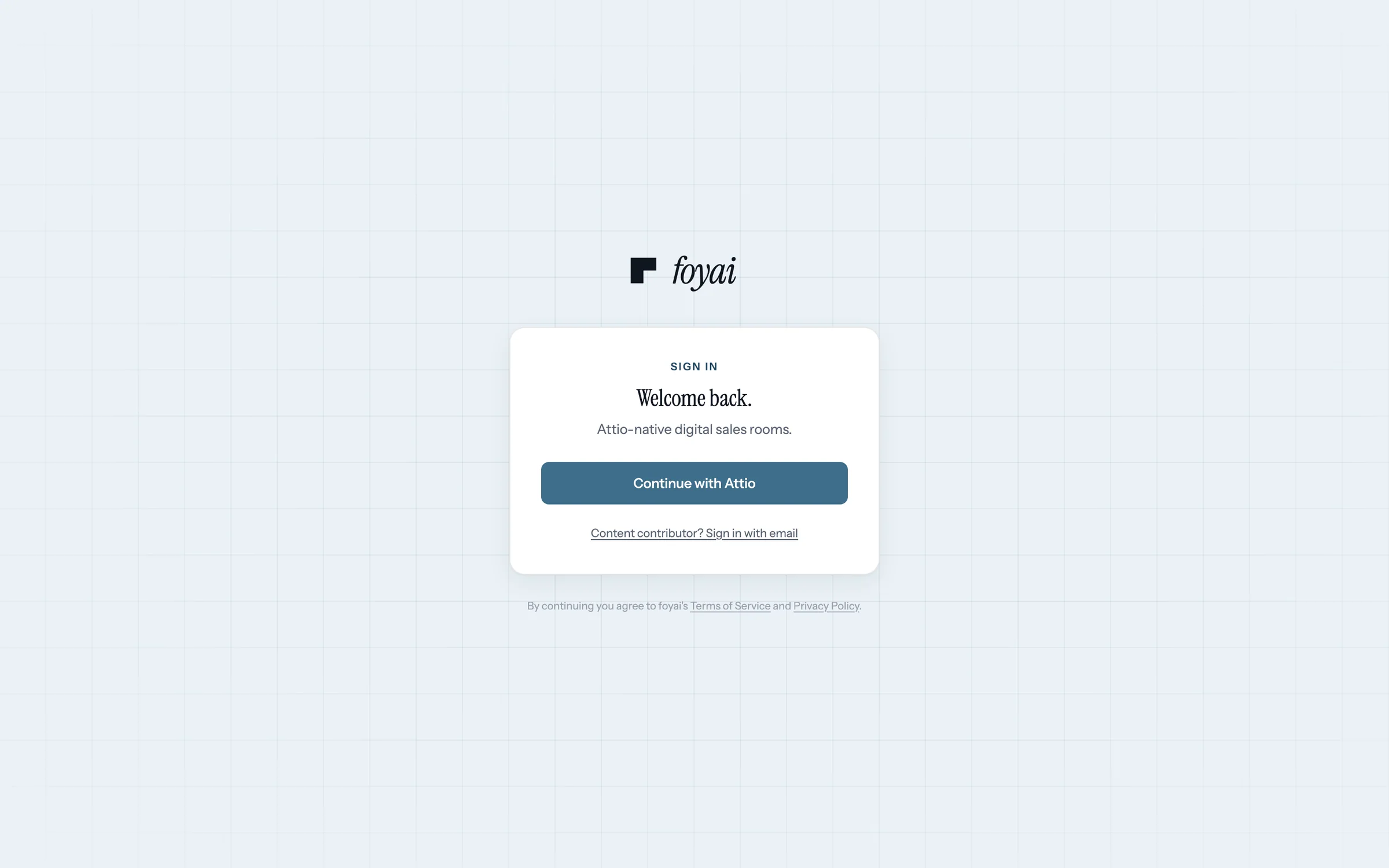
Step 1 of 6 Sign in with Attio foyai runs on your Attio workspace. Continue with Attio connects it, so your deals and calls come across.
-
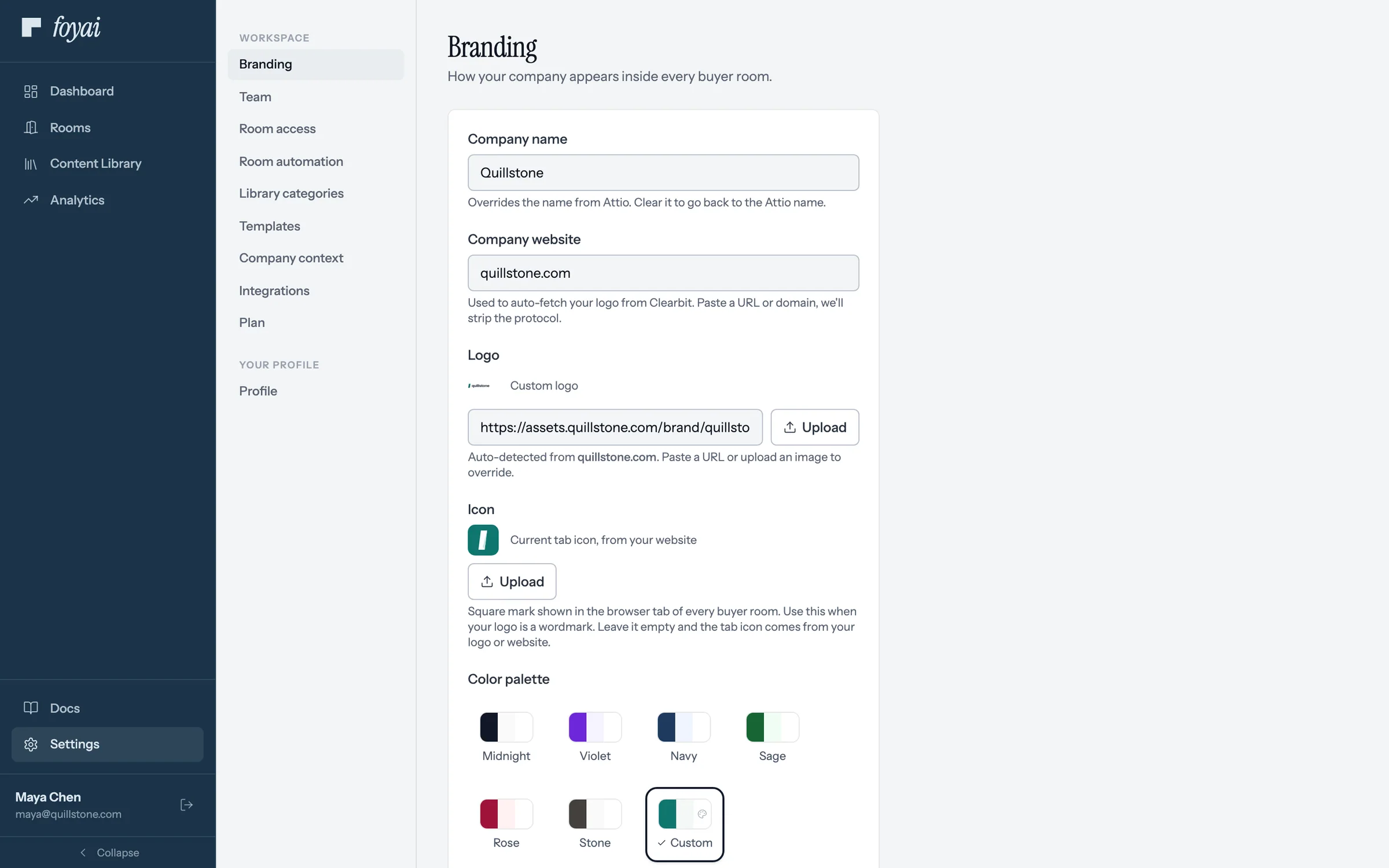
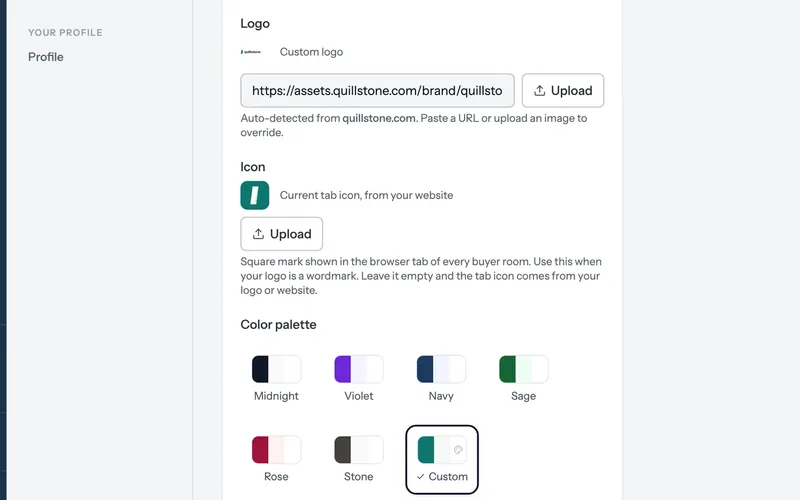
Step 2 of 6 Pick your colors Your name and logo come from Attio and your website. Choose a palette, and buyer rooms use it.
-
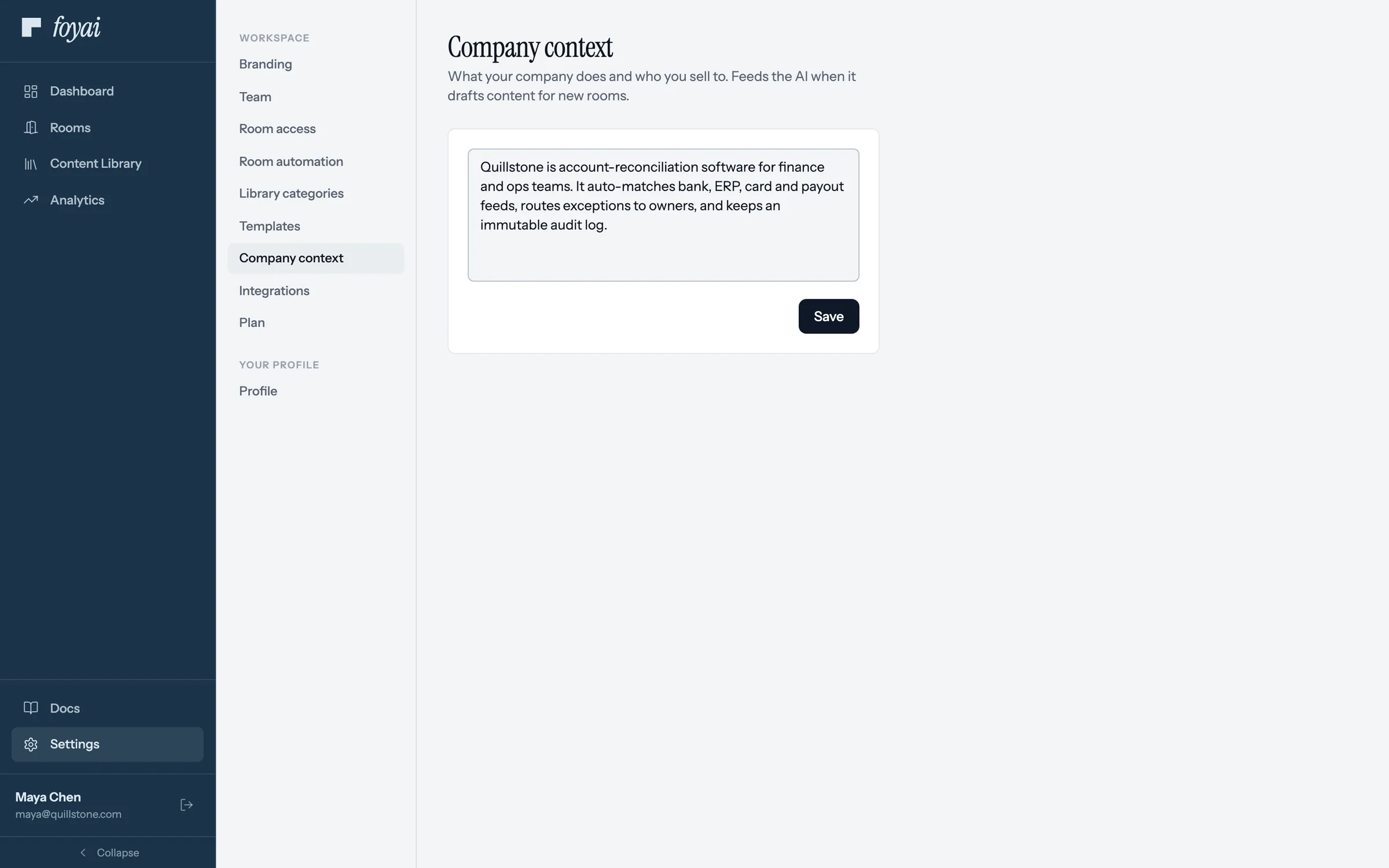
Step 3 of 6 Say what you sell A few lines on what your company does and who you sell to. foyai uses them when it drafts rooms.
-
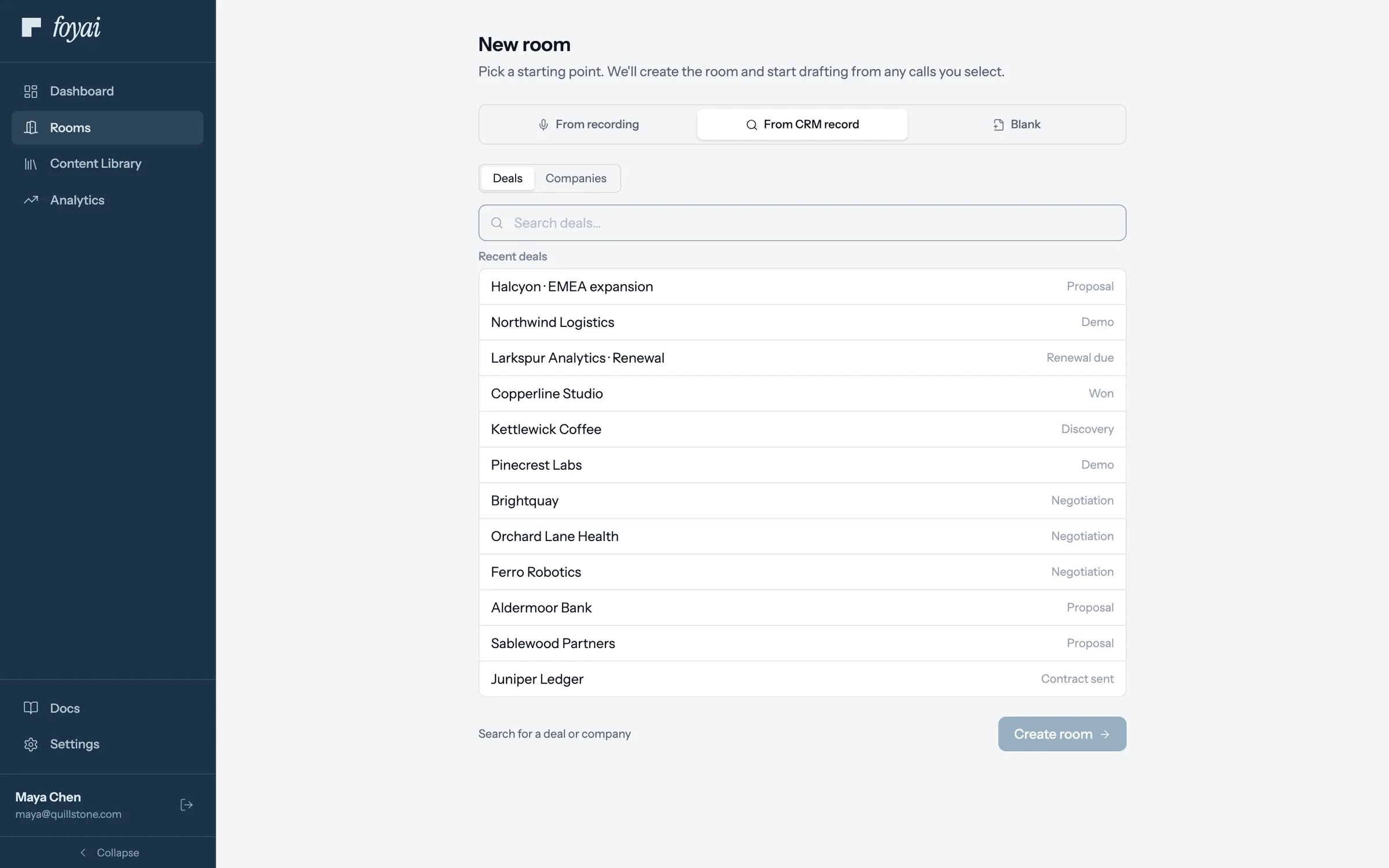
Step 4 of 6 Start from a deal Click New room and choose From CRM record. Pick a deal from Attio, and its recorded calls come along.
-
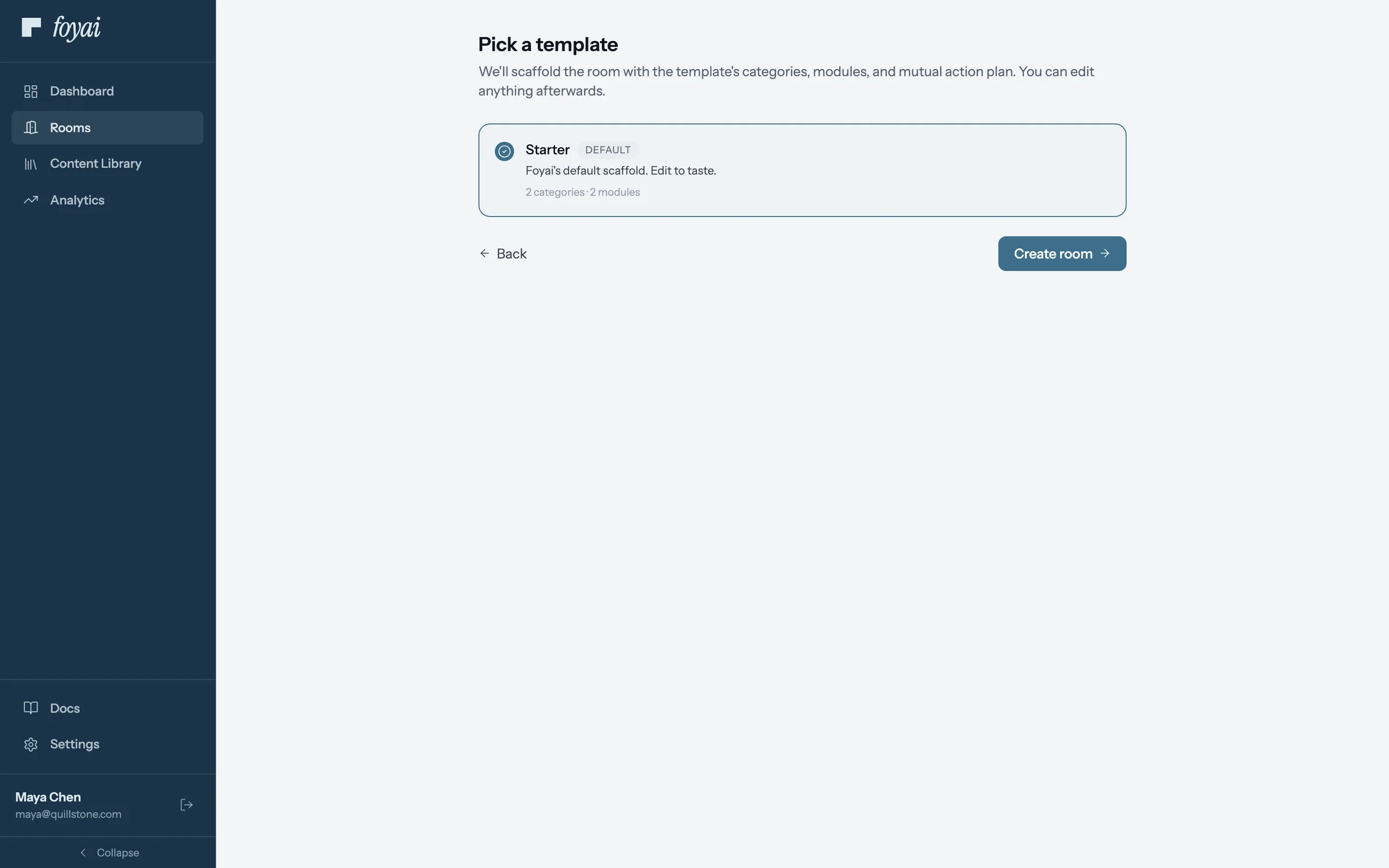
Step 5 of 6 Pick a template Every workspace starts with Starter. You can save your own later from any room you like.
-
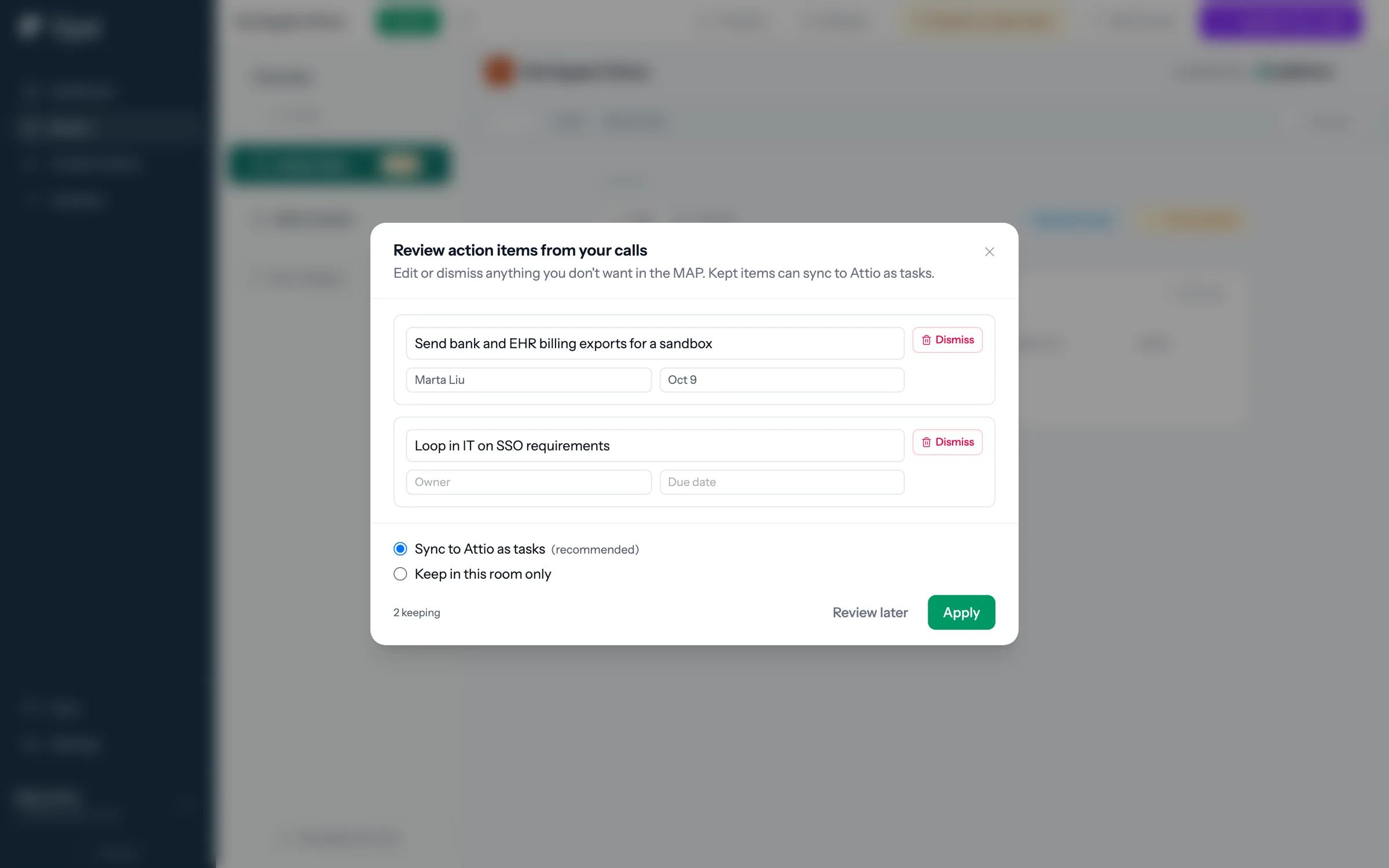
Step 6 of 6 Check the action items foyai drafts the room from the calls, then asks you to check the action items it heard before anything goes to Attio.
Draft your first room from an Attio deal.
Connect Attio, pick a deal with a recorded call, and check the draft before you publish it.
 Publish and share a room
Choose who can get in, copy the link, and see what a forwarded link shows.
7 steps
Publish and share a room
Choose who can get in, copy the link, and see what a forwarded link shows.
7 steps
-
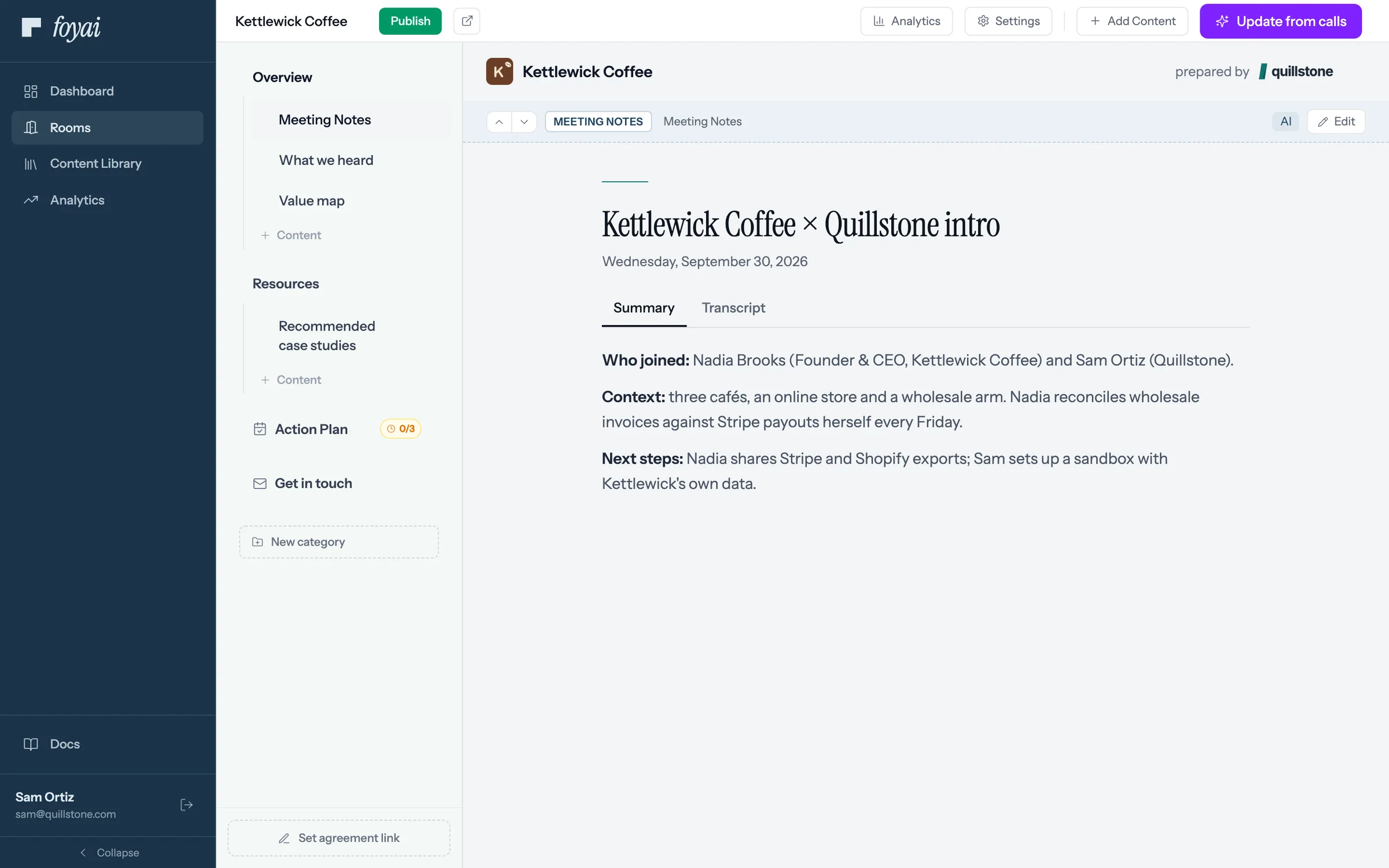
Step 1 of 7 Publish the draft Sam has checked the Kettlewick Coffee draft and clicks Publish.
-
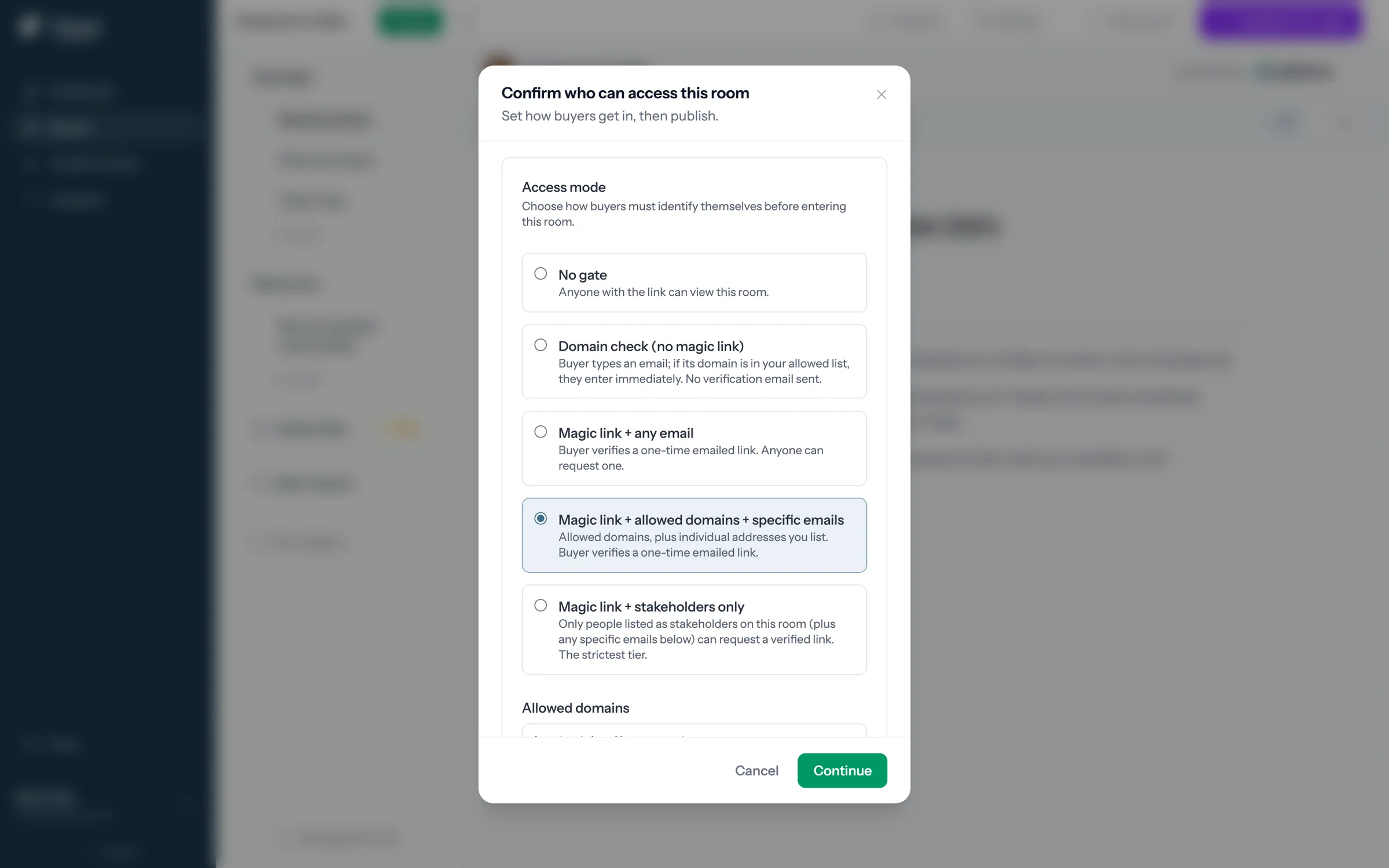
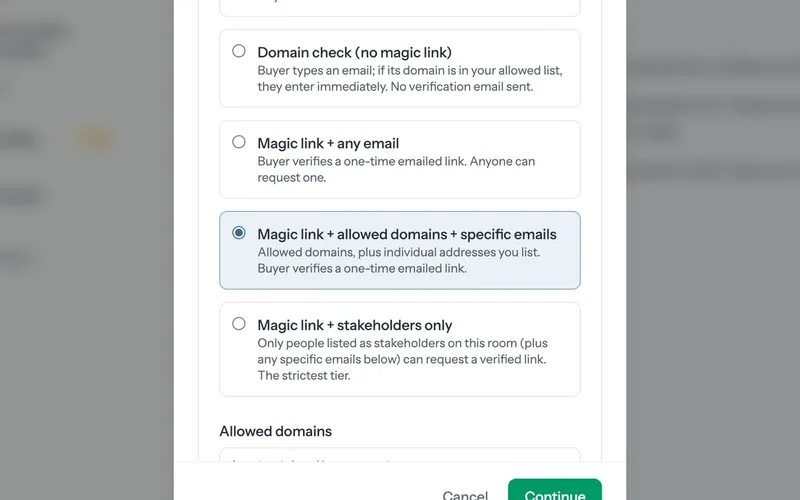
Step 2 of 7 Choose who gets in Each access mode sets how buyers prove who they are. Sam picks a one-time emailed link for allowed domains.
-
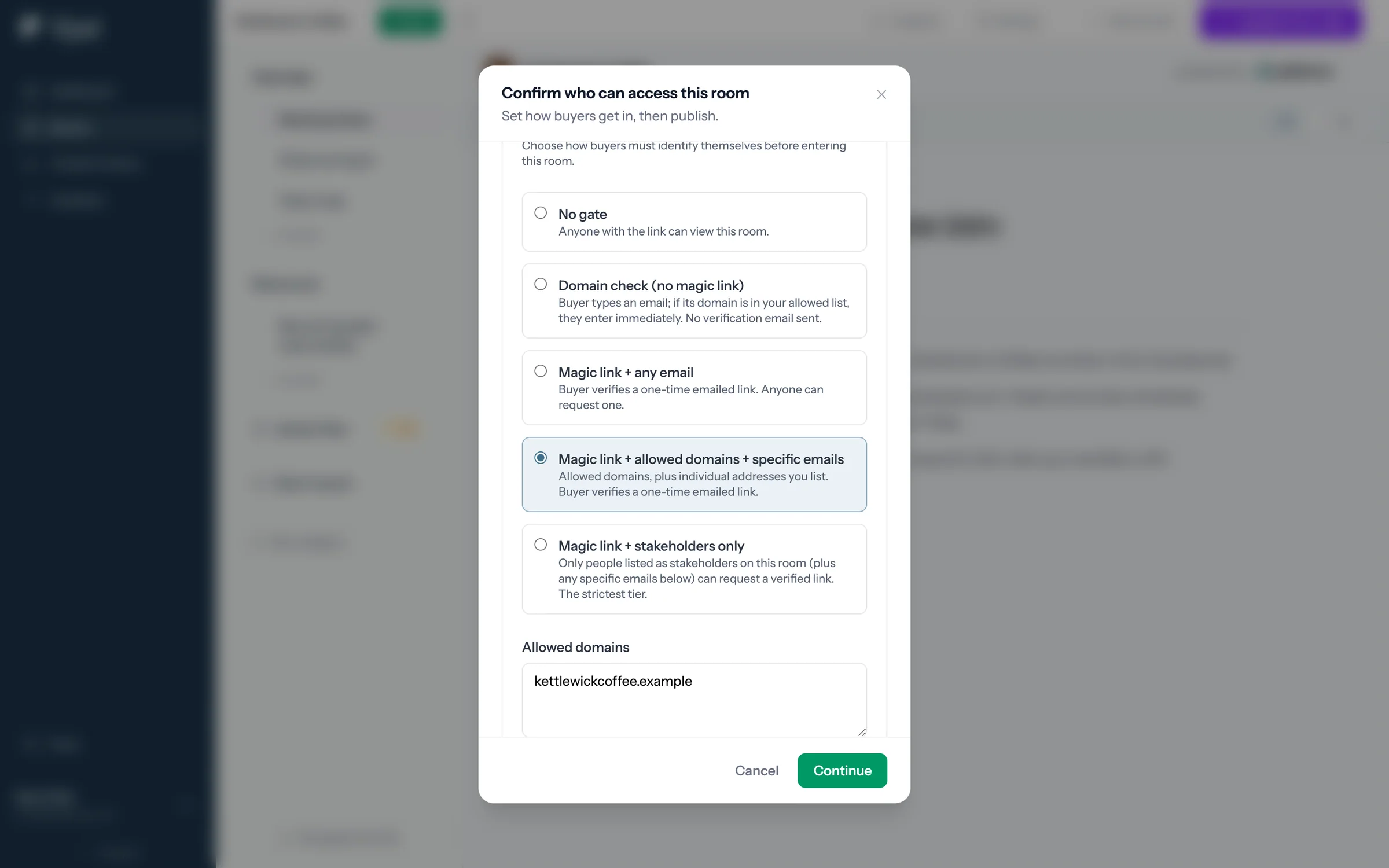
Step 3 of 7 The domain is filled in Allowed domains comes from the Kettlewick Coffee record in Attio. Sam can add more or change it.
-
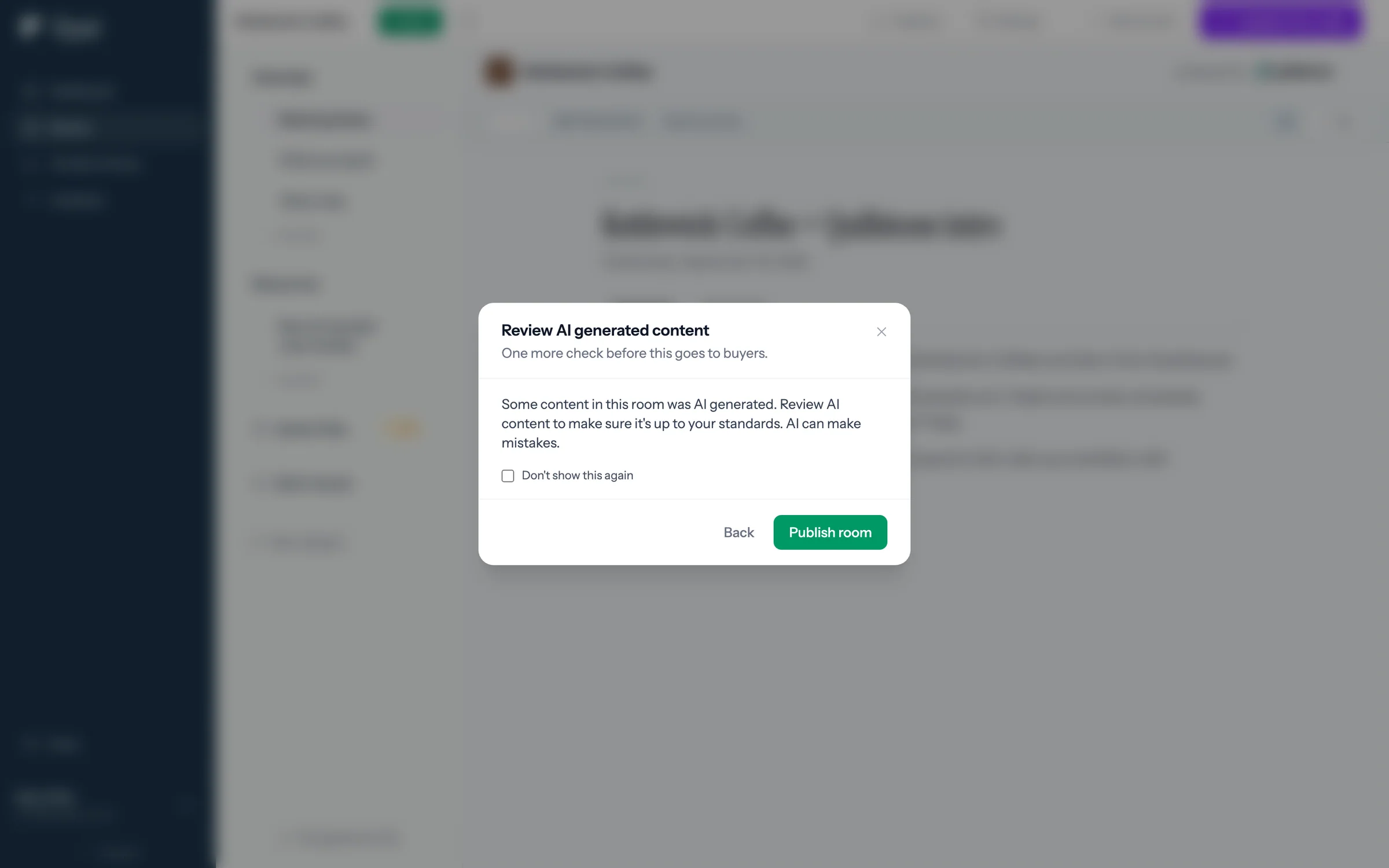
Step 4 of 7 Check the AI content A reminder to read what AI drafted before buyers see it. Then Publish room makes it live.
-
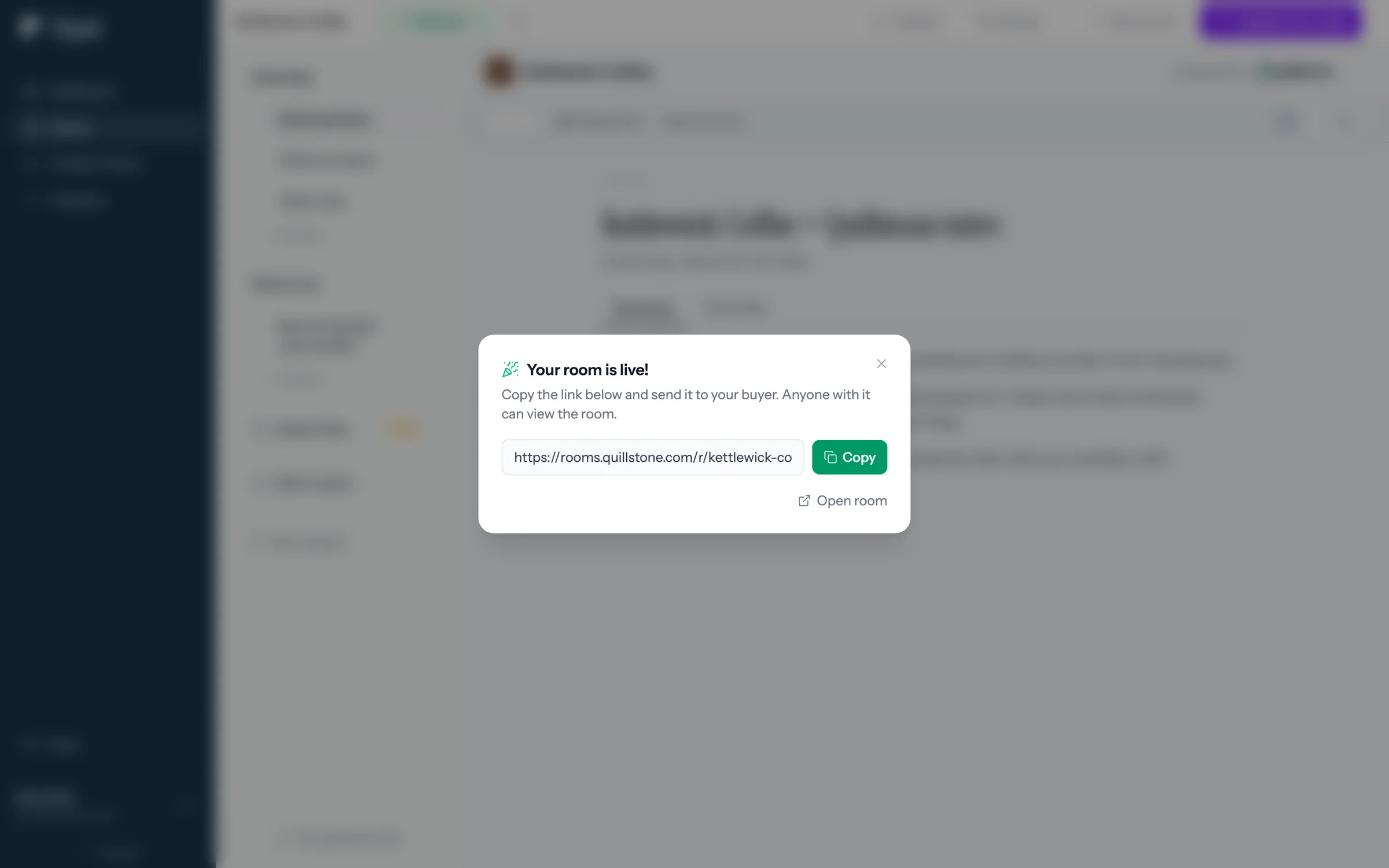
Step 5 of 7 Copy the link The room is live. Sam copies the link to send to Nadia at Kettlewick.
-
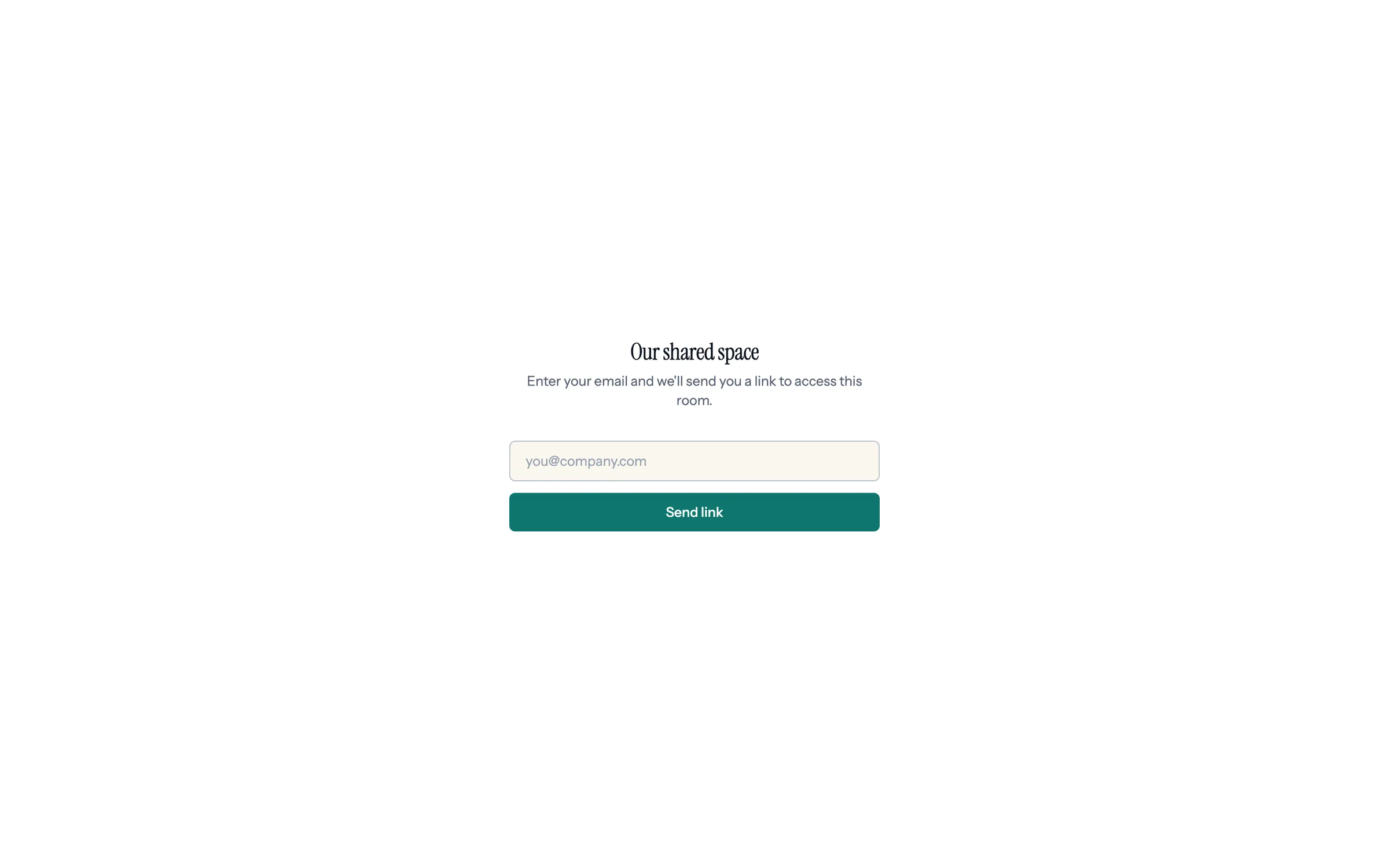
Step 6 of 7 If the link is forwarded Anyone opening it sees Our shared space, with no company names, so a forwarded link doesn't say who's talking to whom.
-
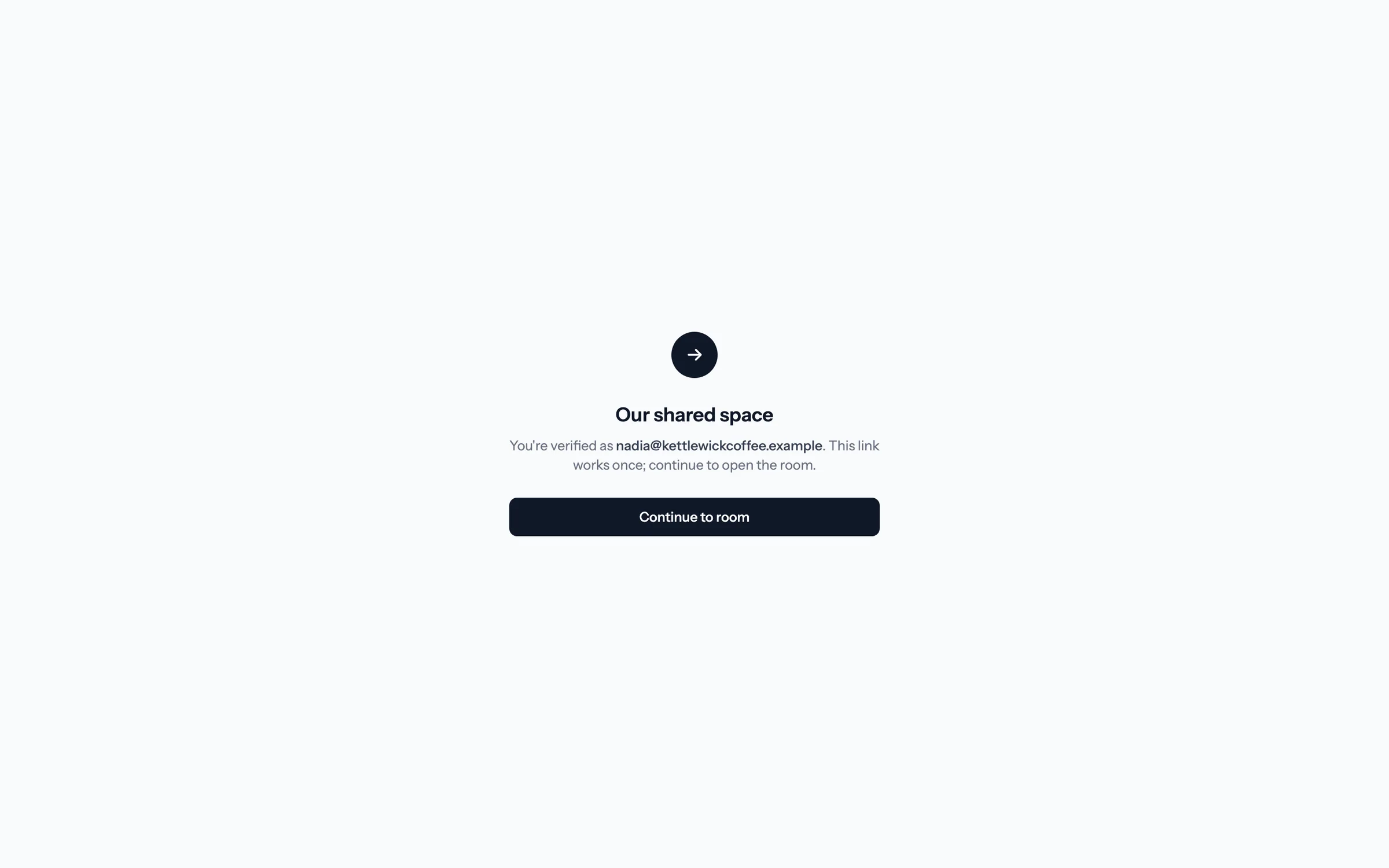
Step 7 of 7 The emailed link works once Nadia confirms on this screen. The link can't be used again, and it expires after 15 minutes.
Decide who gets into each room.
Set a default access mode in Settings, then tighten or open up any room before you publish it.
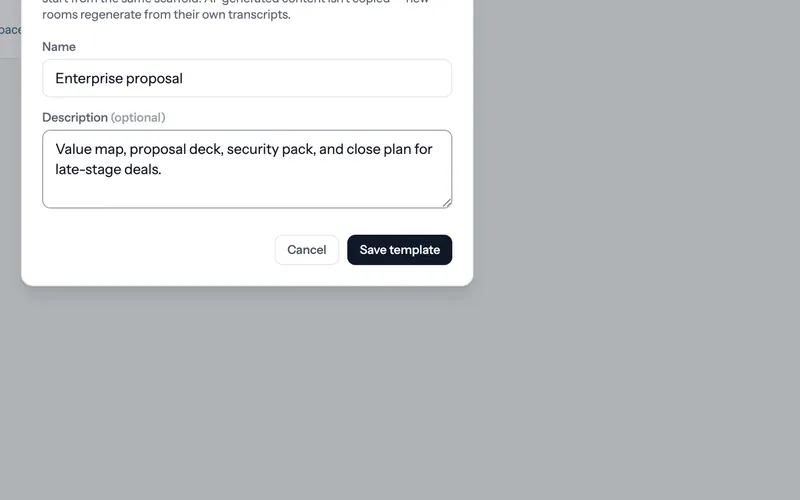 Save a room as a template
Turn a room that worked into the starting point for the next one.
4 steps
Save a room as a template
Turn a room that worked into the starting point for the next one.
4 steps
-
Step 1 of 4 Save a room you like When a room is worth repeating, open Room settings, then Template, and click Save as template.
-
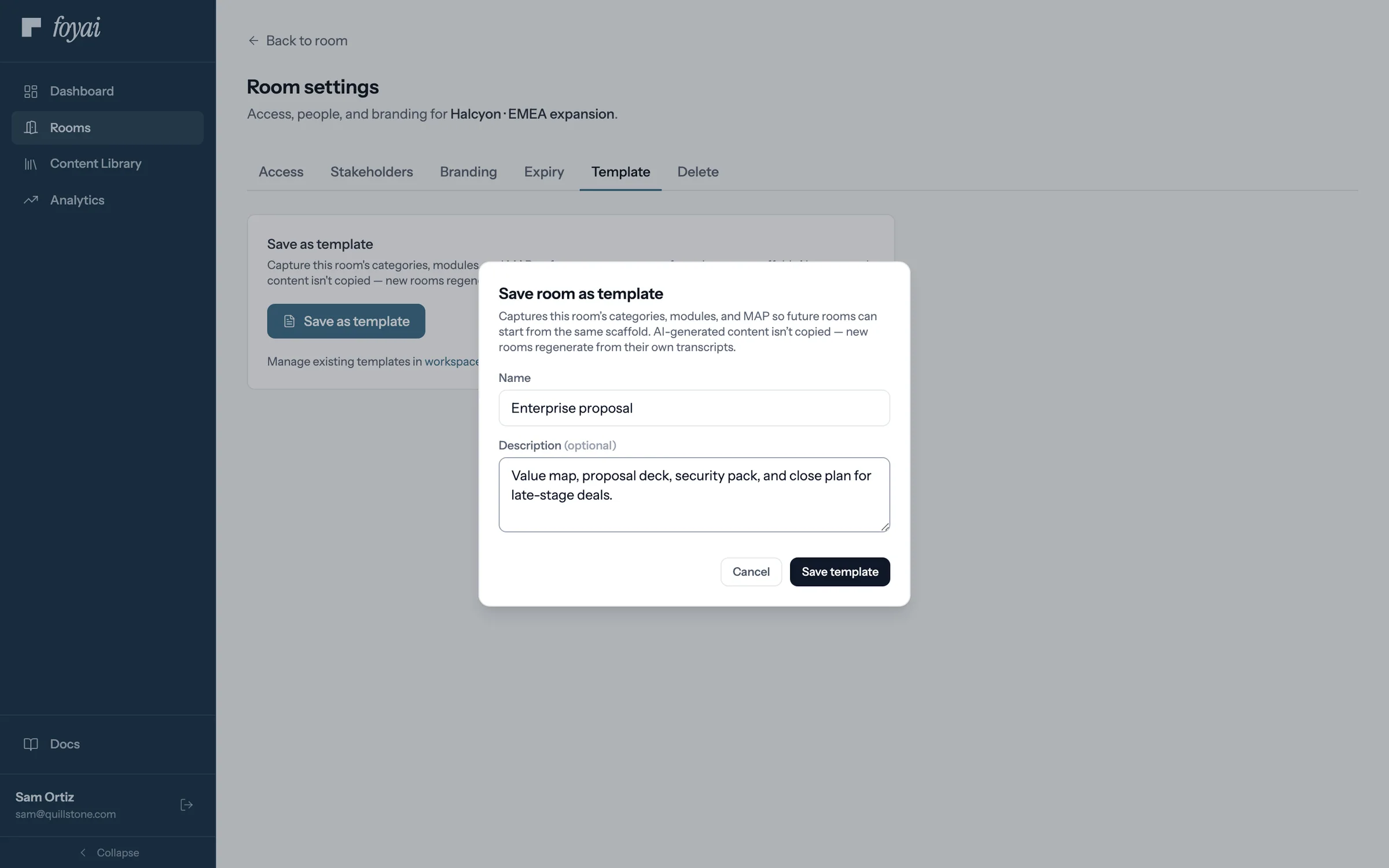
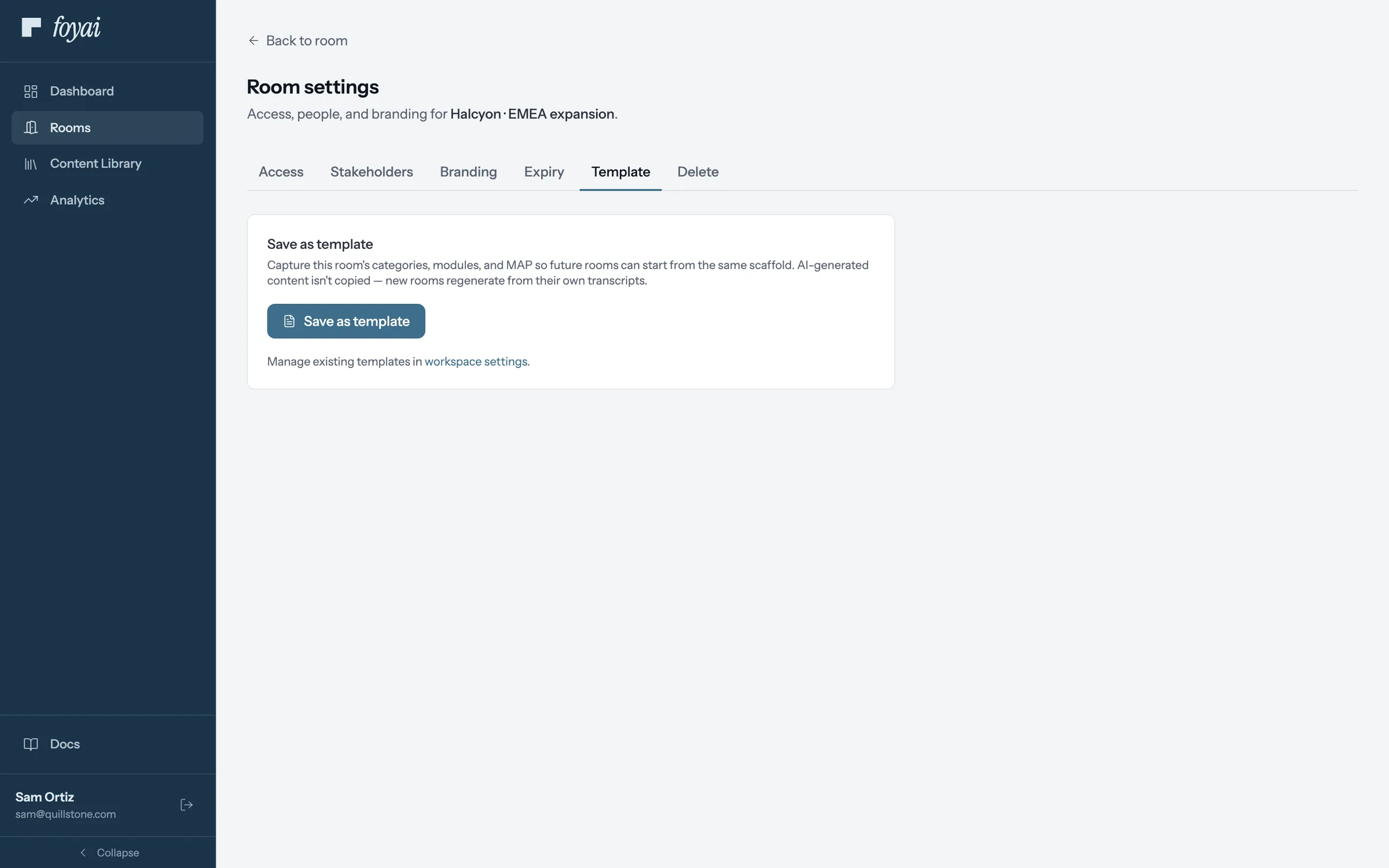
Step 2 of 4 Name it Sam calls it Enterprise proposal. It keeps the room's sections and the plan's phases, but not tasks or AI-written text.
-
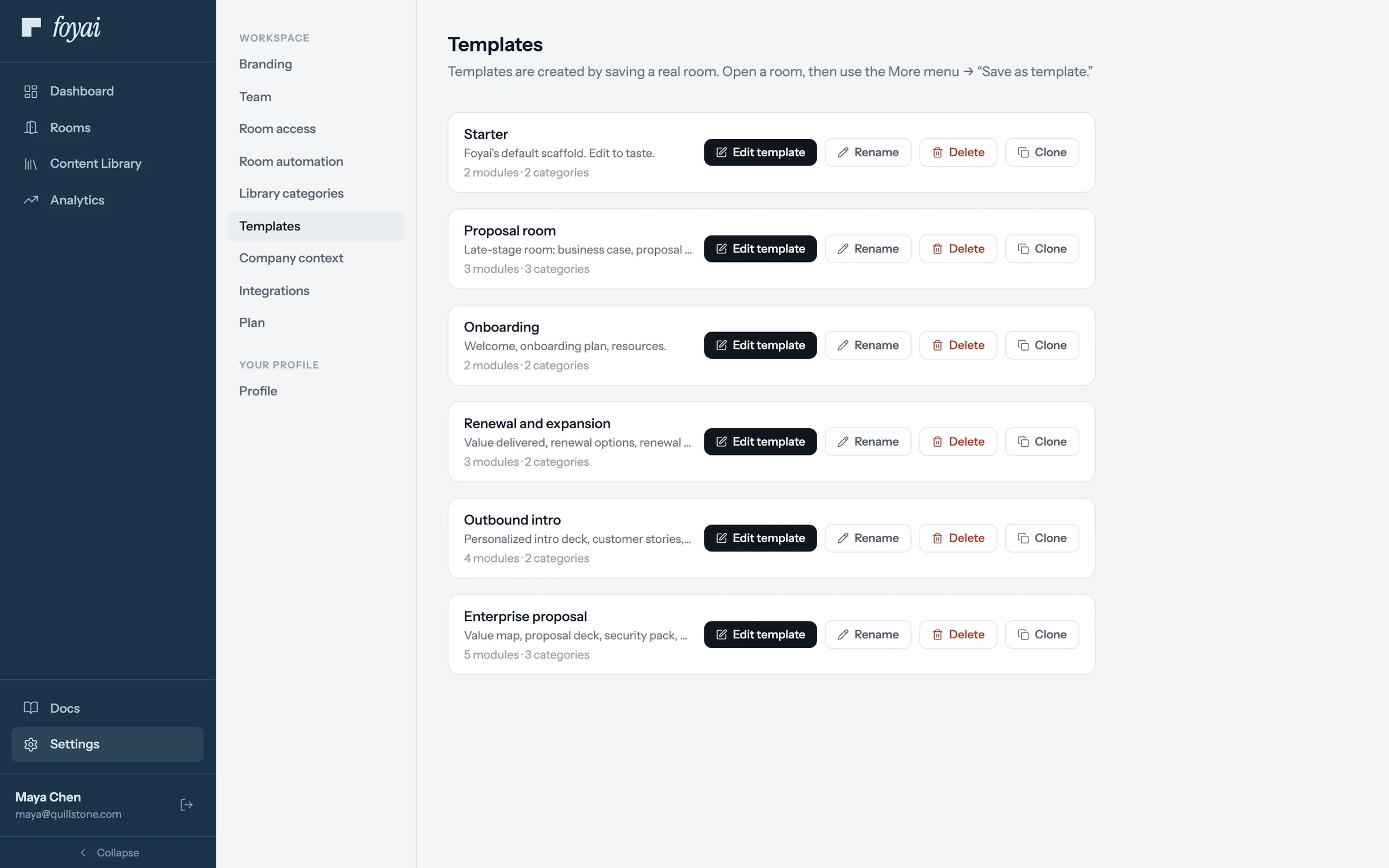
Step 3 of 4 In the workspace's templates It joins the other templates in Settings, where admins can edit, rename, or clone it.
-
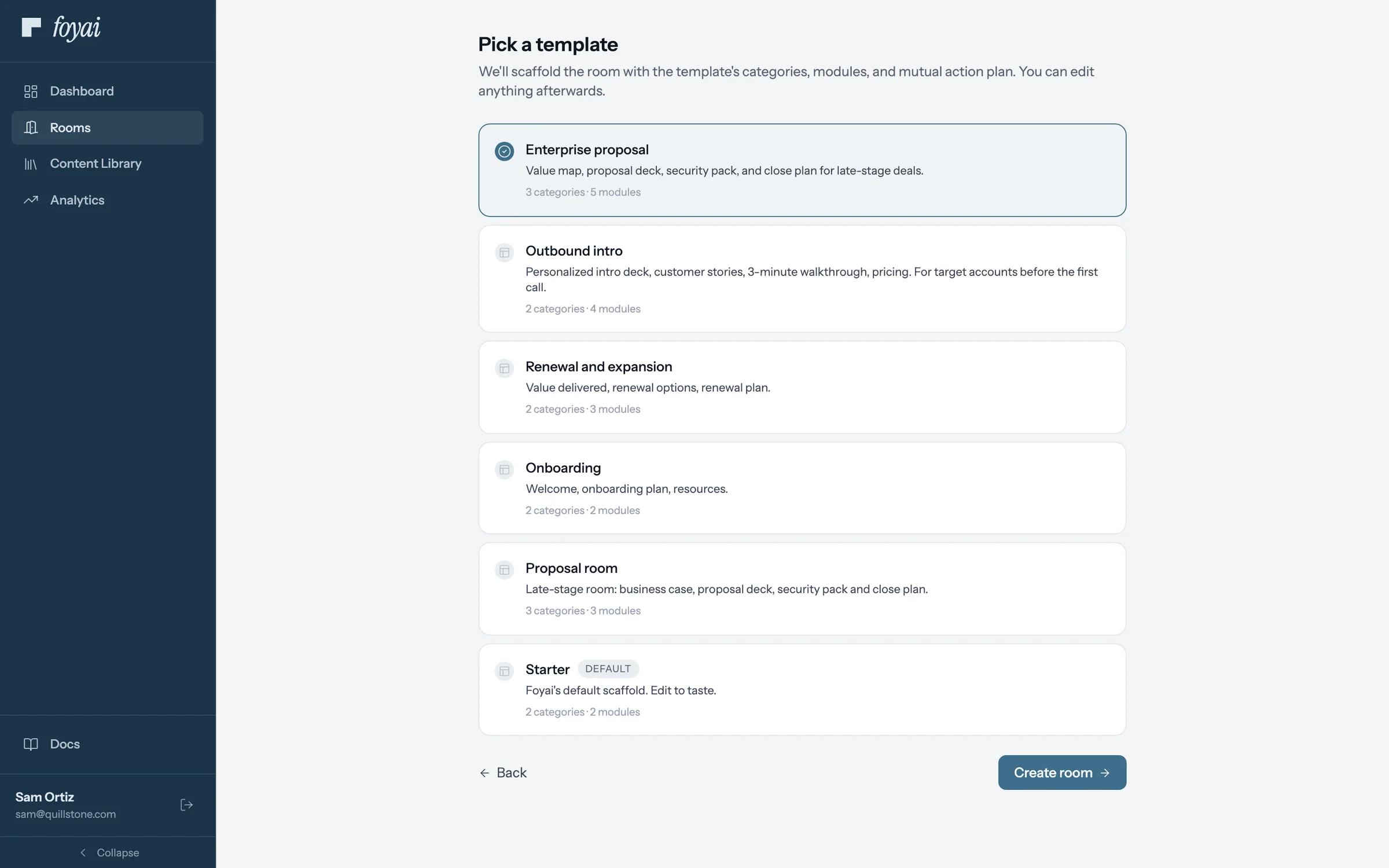
Step 4 of 4 Start the next room from it The next new room can start from Enterprise proposal, with its sections and plan phases already in place.
Reuse your best room for every deal like it.
Map the template to an Attio deal stage, and foyai drafts a room from it when a deal gets there.
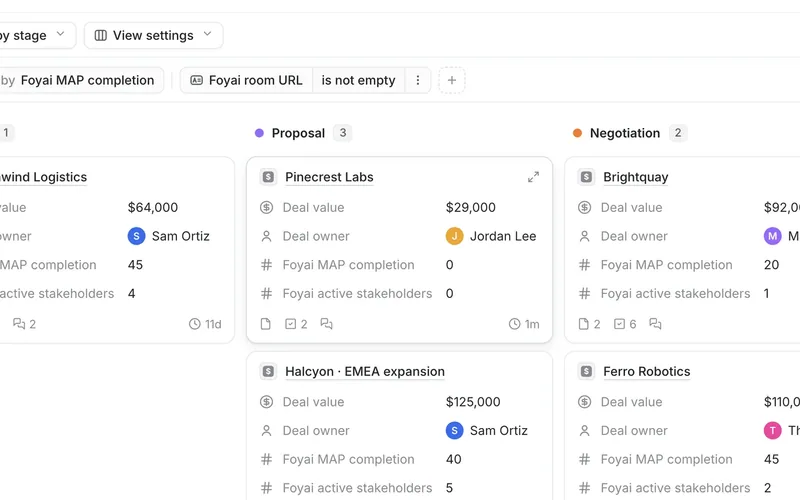 A draft when a deal changes stage
Map an Attio stage to a template, move a deal, and find a draft waiting for review.
5 steps
A draft when a deal changes stage
Map an Attio stage to a template, move a deal, and find a draft waiting for review.
5 steps
-
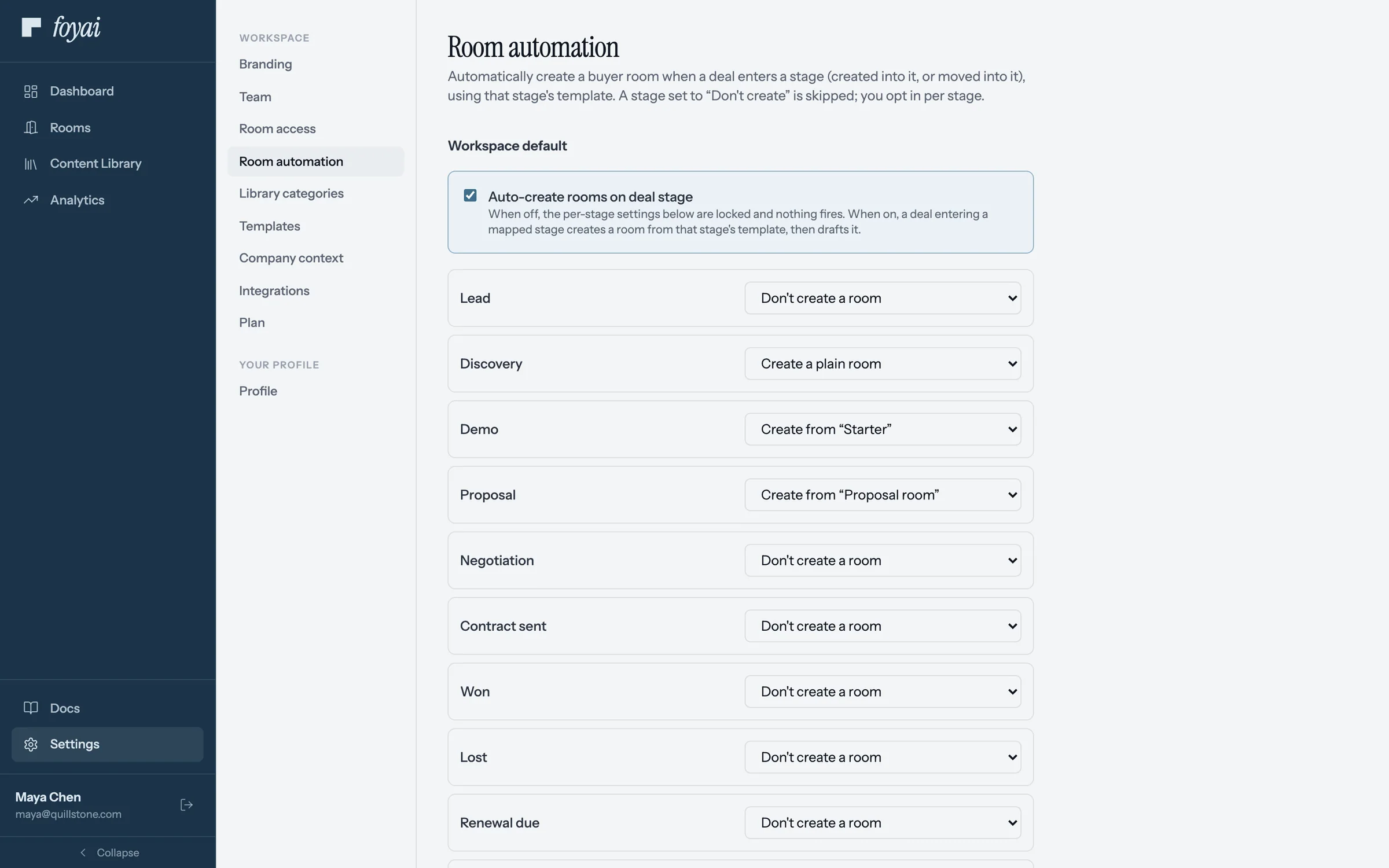
Step 1 of 5 Turn on auto-create In Settings, Room automation, Auto-create rooms on deal stage switches it on for the workspace.
-
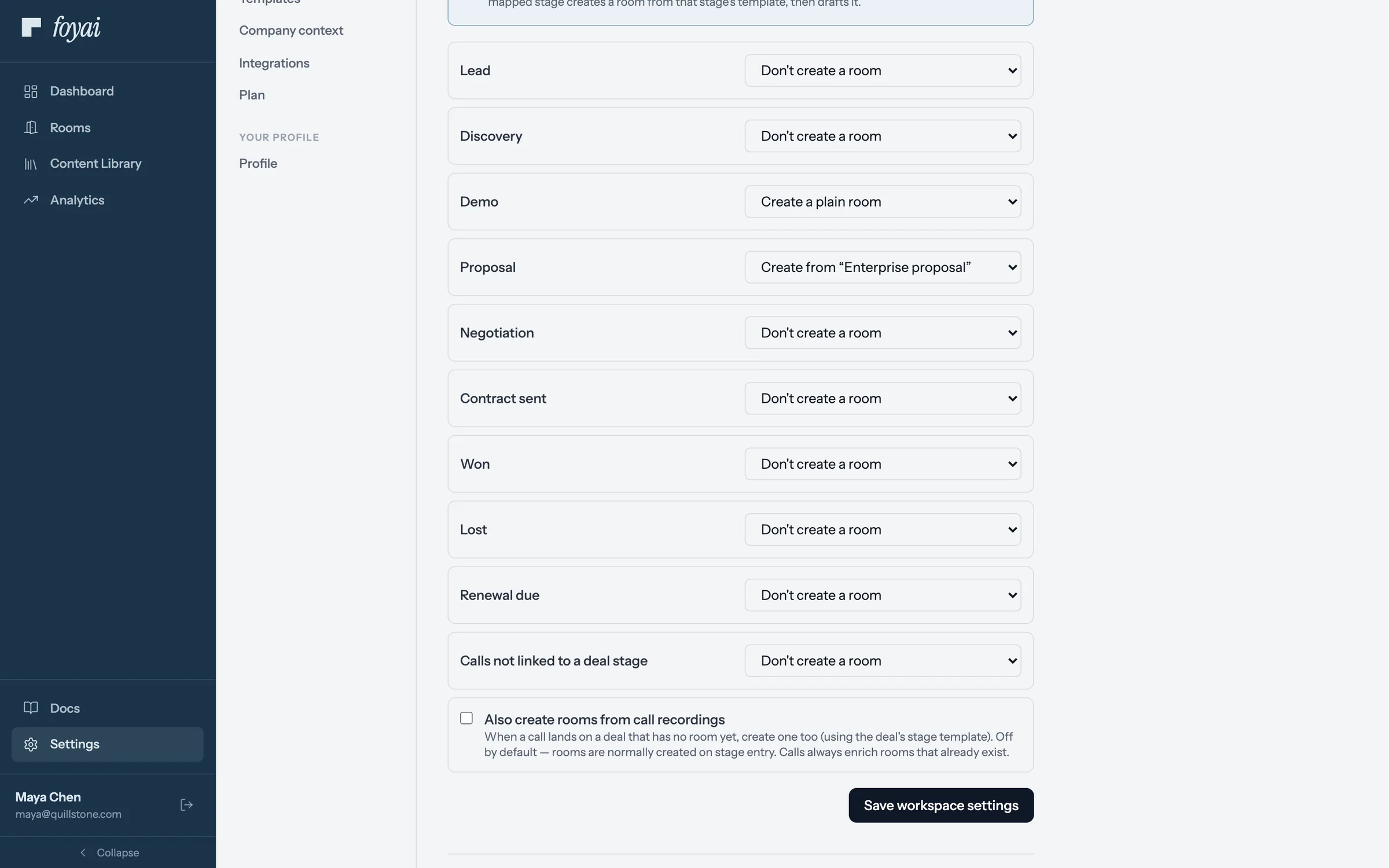
Step 2 of 5 Map a stage to a template Each Attio stage gets a choice. Maya sets Proposal to create rooms from the Enterprise proposal template.
-
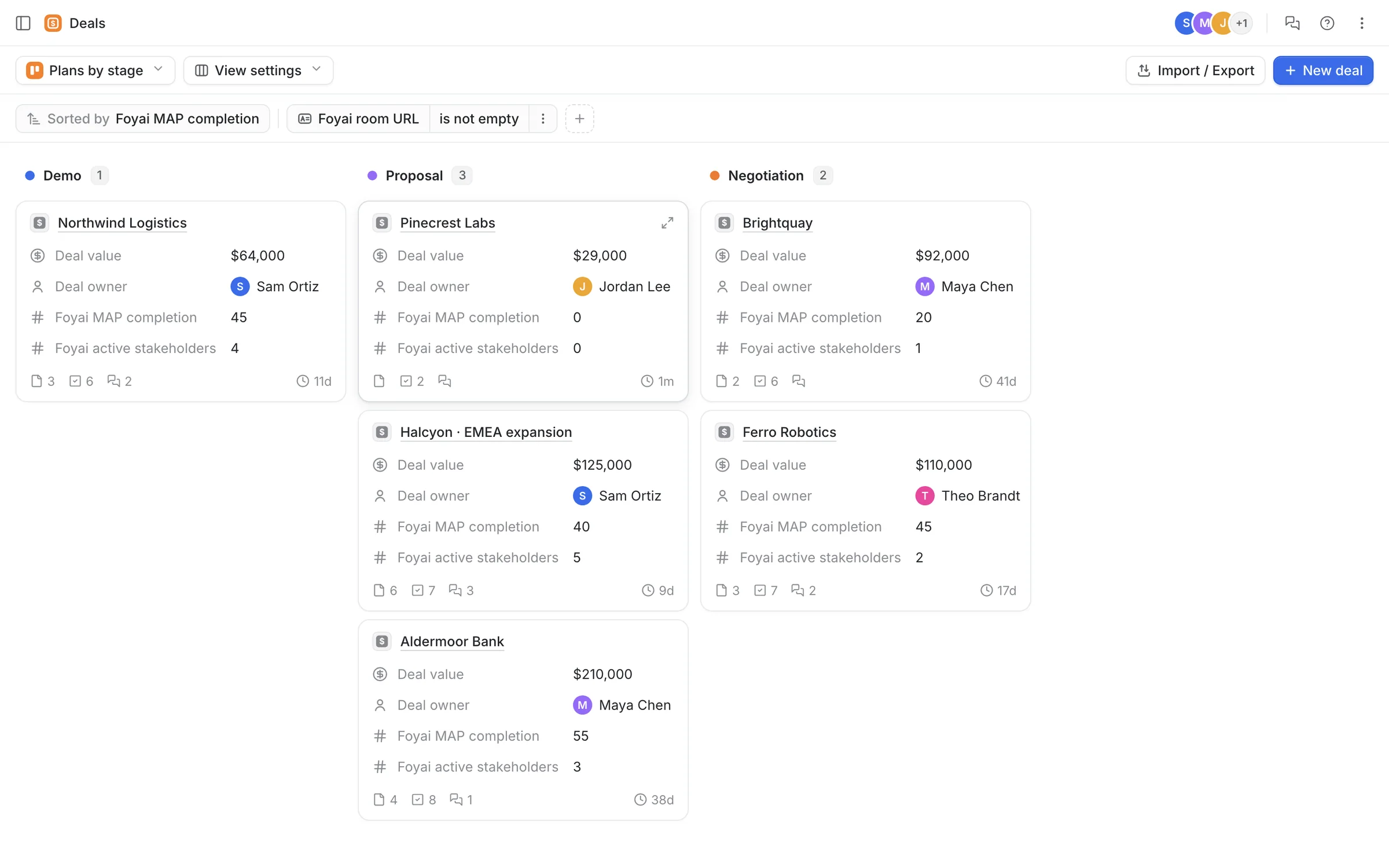
Step 3 of 5 A deal moves in Attio Jordan moves Pinecrest Labs from Demo to Proposal in Attio, like any other deal.
-
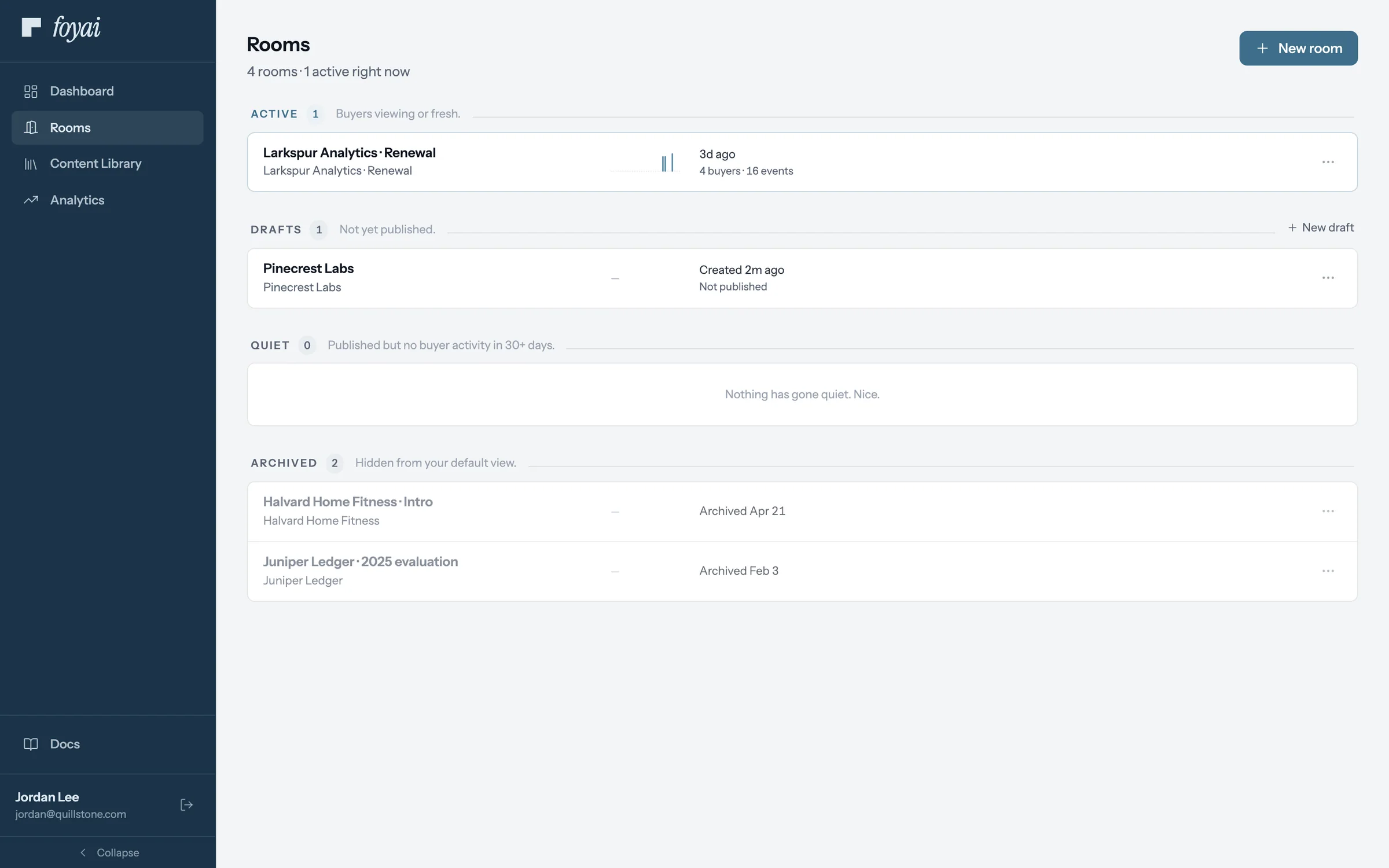
Step 4 of 5 A draft is waiting A Pinecrest Labs draft shows up in Jordan's rooms, built from the template. Nothing is published.
-
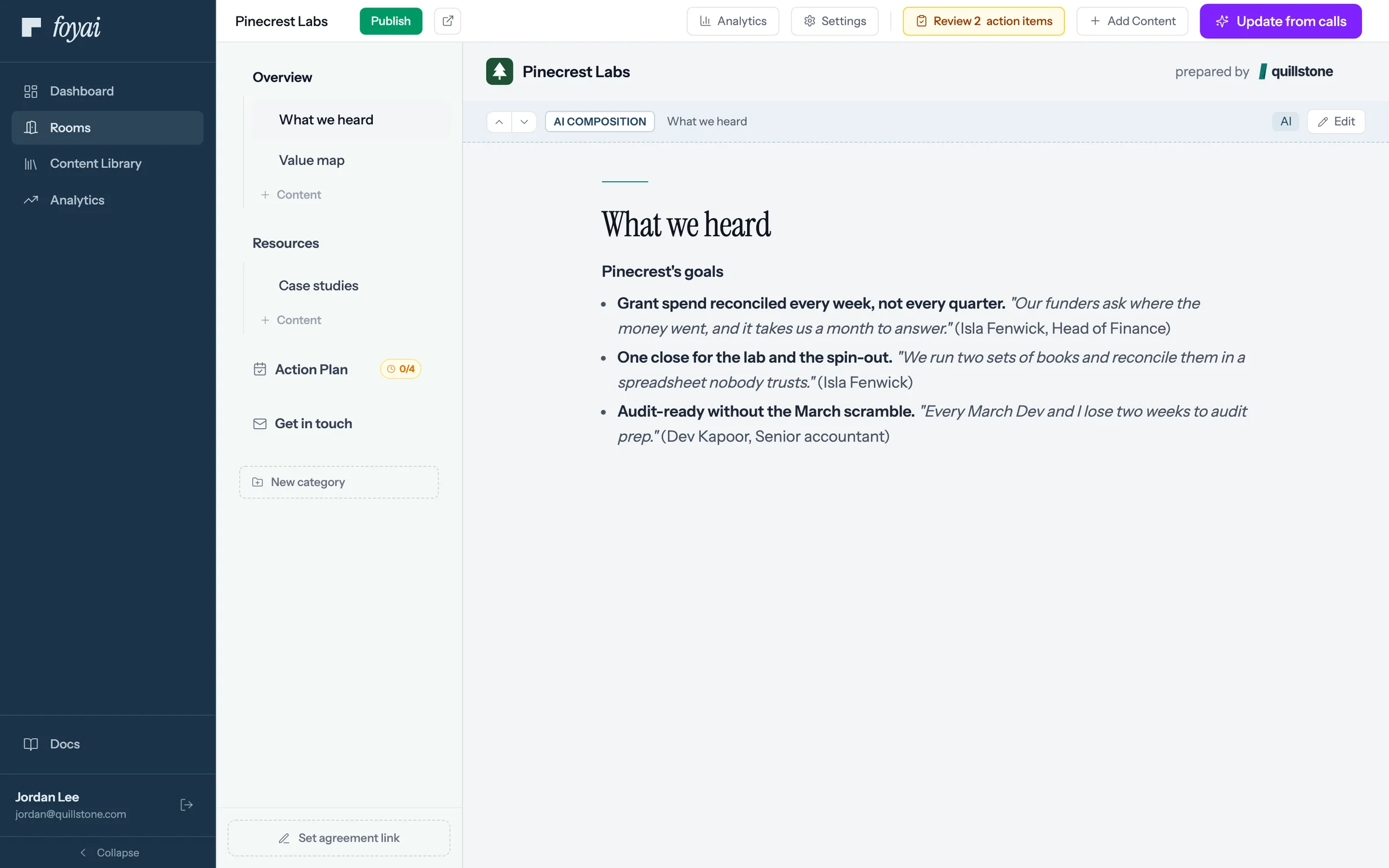
Step 5 of 5 Check it, then publish foyai drafted it from the deal's calls. Jordan reviews the 2 action items and the draft before publishing.
Get a draft room when a deal reaches the stage you pick.
Room automation is a paid feature with a monthly allowance. On Free, you create rooms by hand.
 Rooms for a whole renewal list
Select 12 renewal deals in Attio and create a draft room for each one.
7 steps
Rooms for a whole renewal list
Select 12 renewal deals in Attio and create a draft room for each one.
7 steps
-
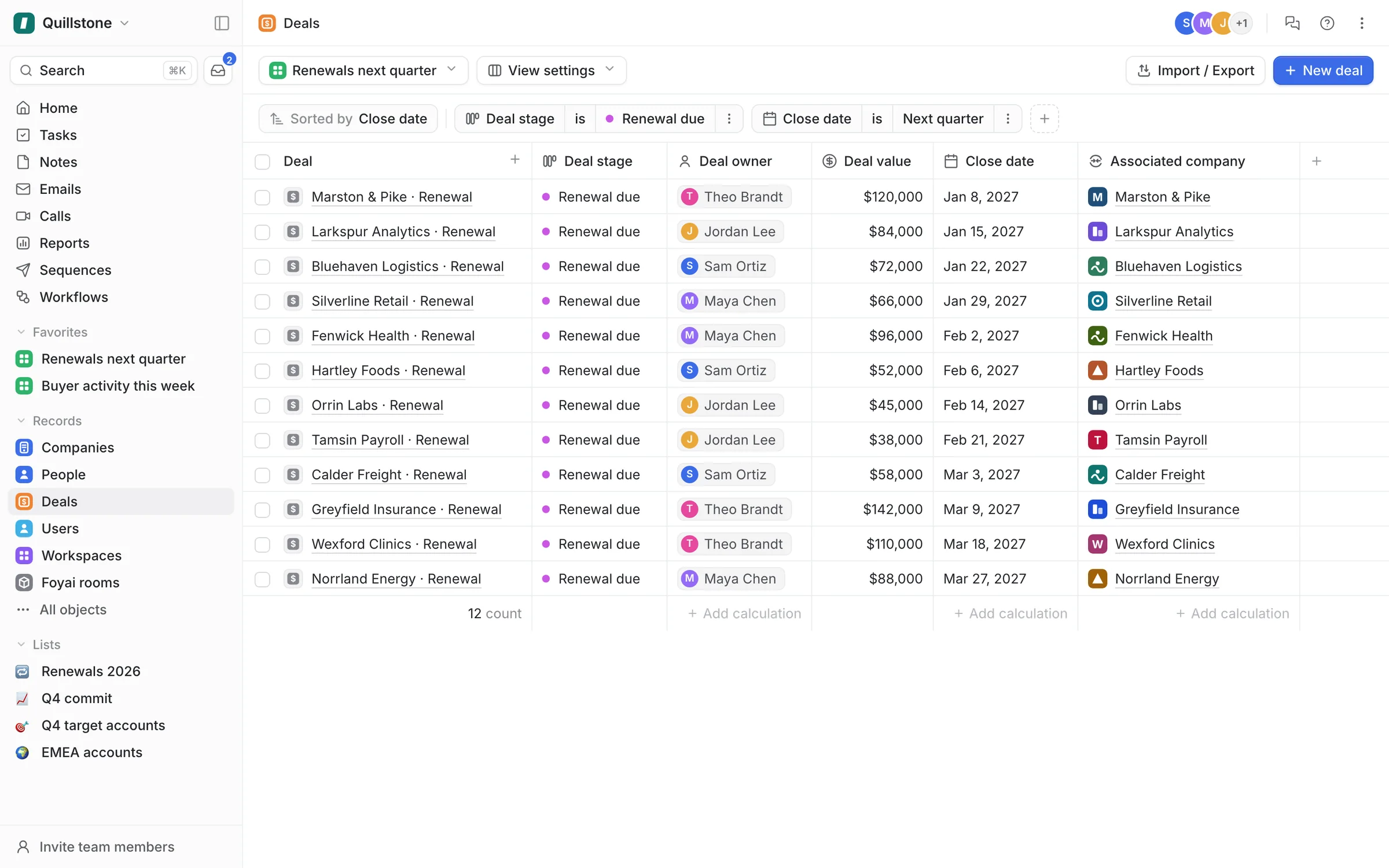
Step 1 of 7 Open next quarter's renewals Start from any Attio view. This one lists the 12 deals in Renewal due that close next quarter.
-
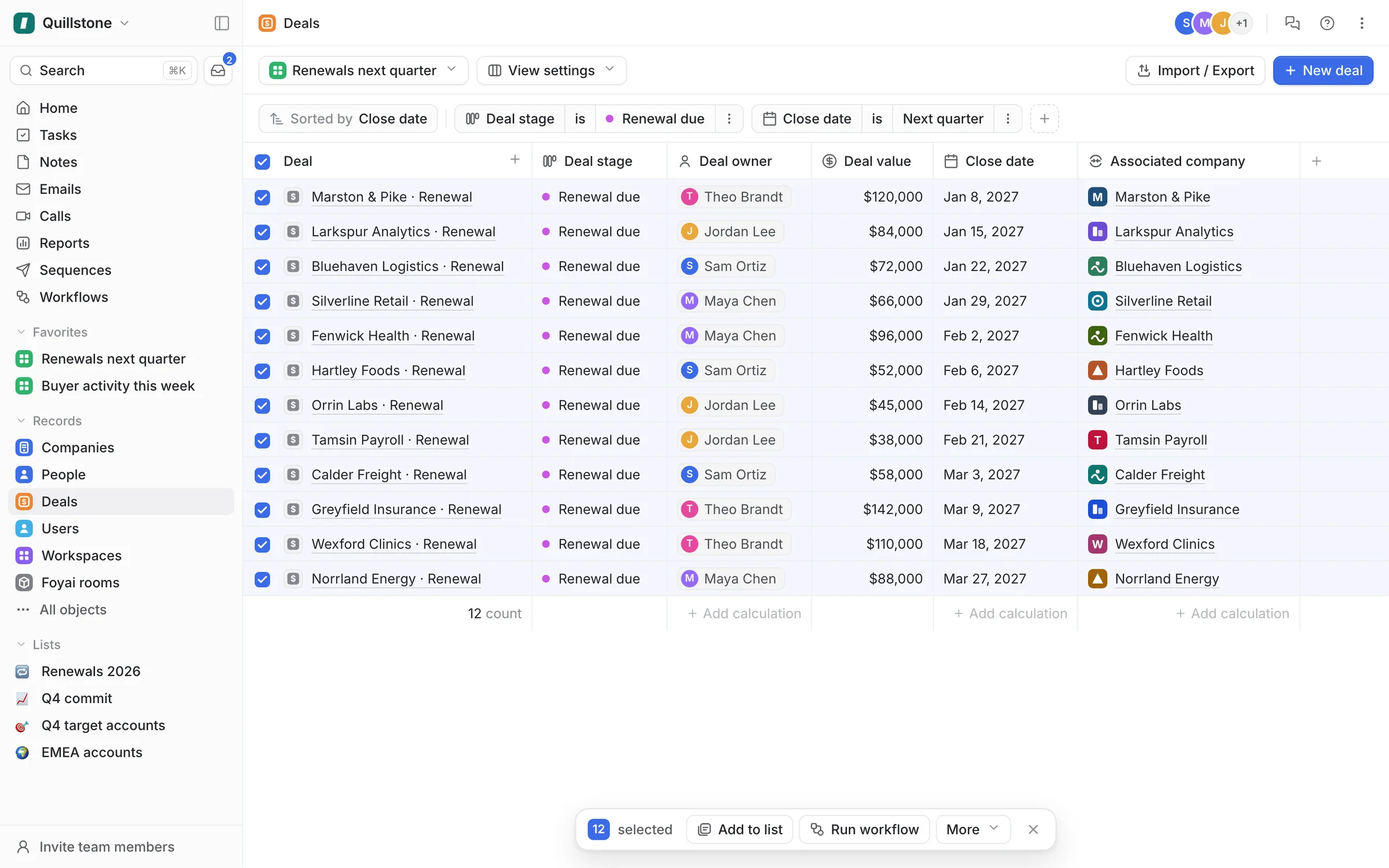
Step 2 of 7 Select all 12 deals Tick the header checkbox, and Attio selects every deal in the view.
-
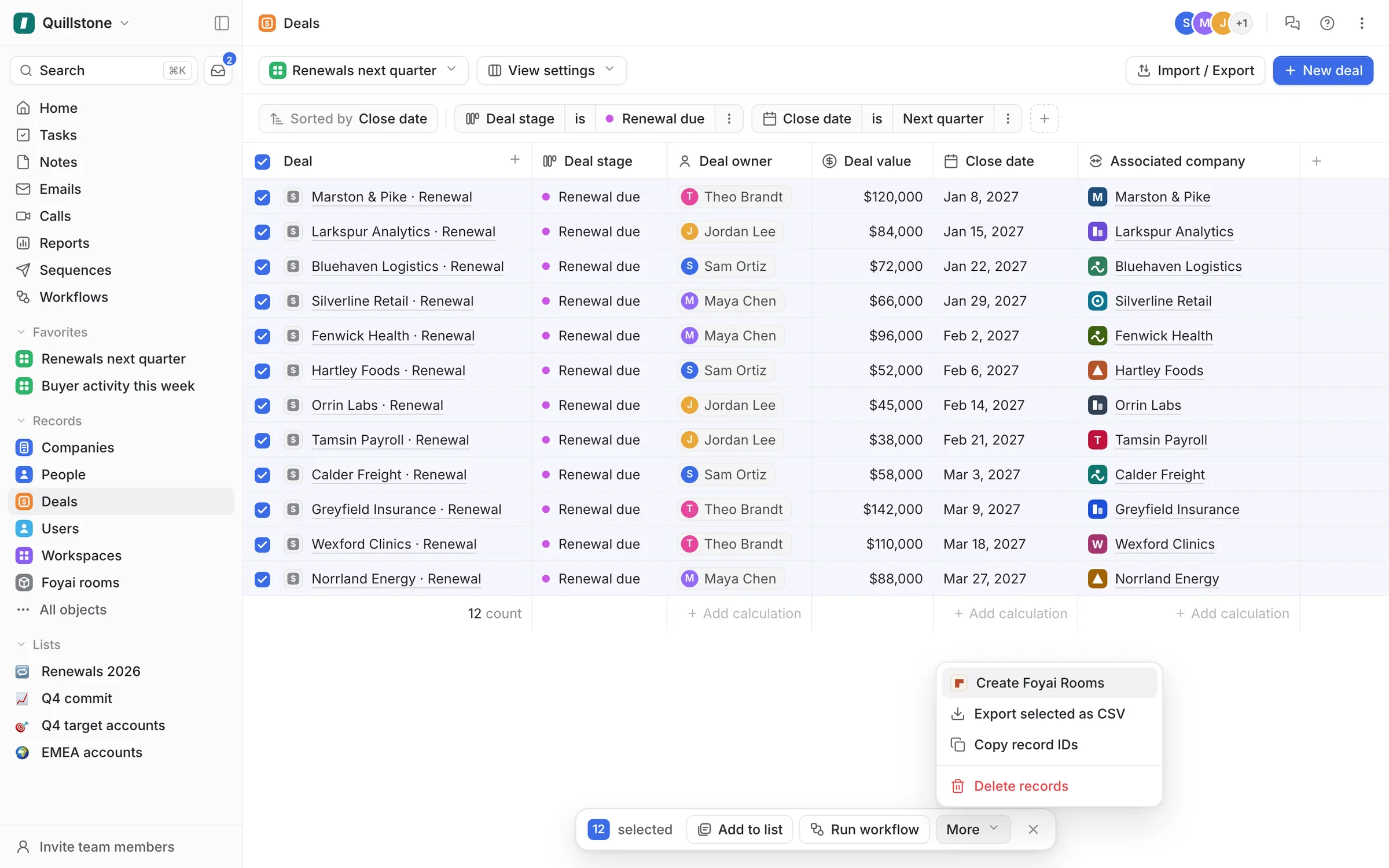
Step 3 of 7 Choose Create Foyai Rooms On the Platform plan, Create Foyai Rooms sits under More in Attio's bulk actions.
-
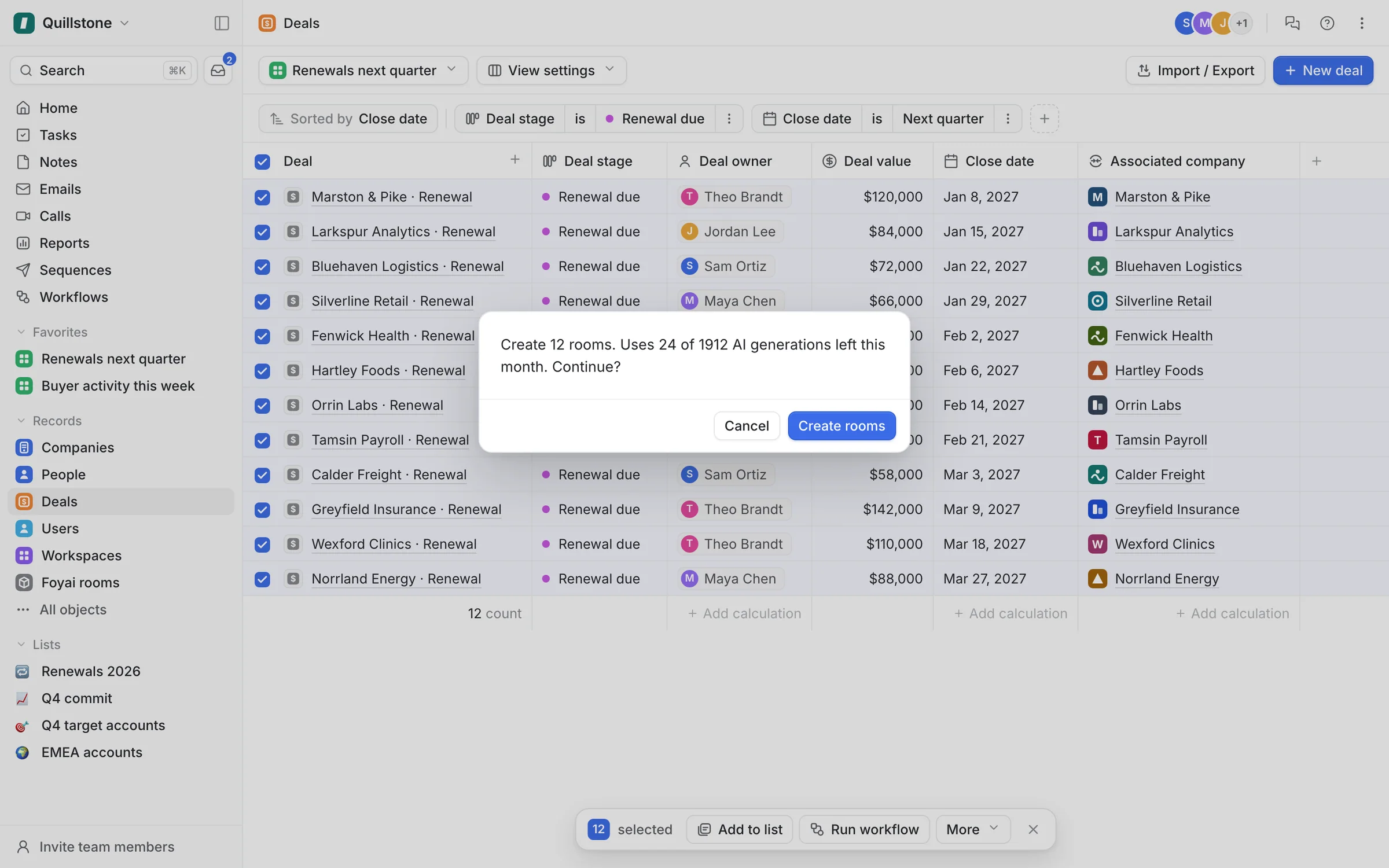
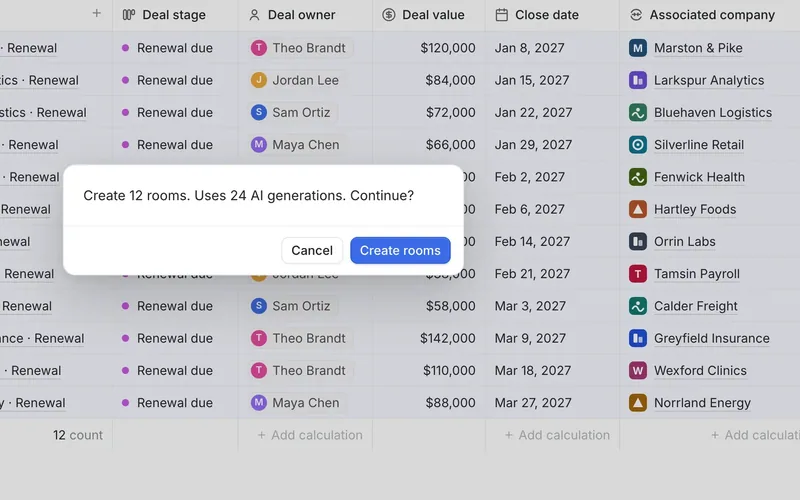
Step 4 of 7 Confirm the run Before anything starts, Attio shows the run's cost: 12 new rooms and 24 of this month's AI generations.
-
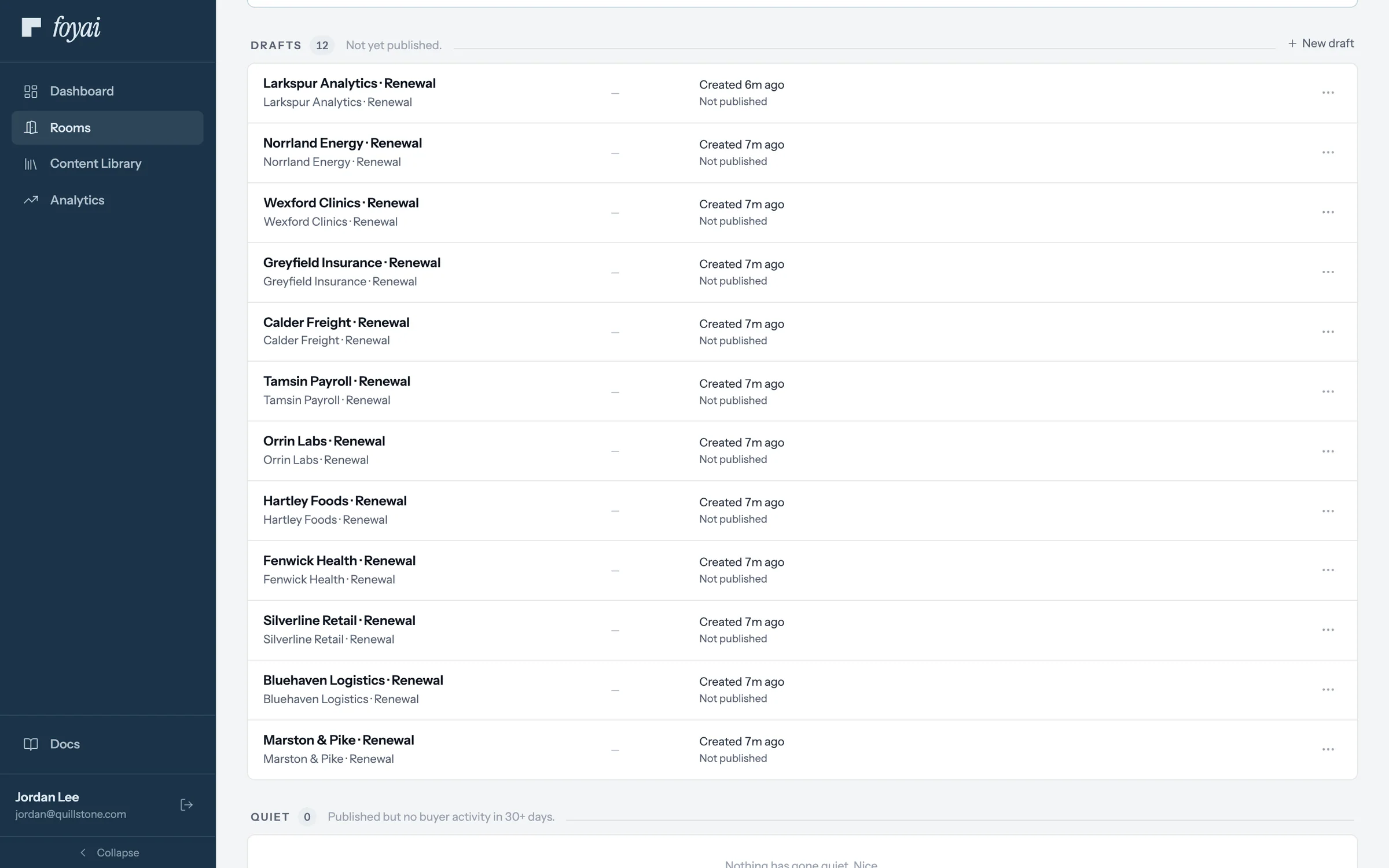
Step 5 of 7 Twelve drafts to review Each renewal now has a draft on the rooms board. Nothing reaches a customer until someone publishes it.
-
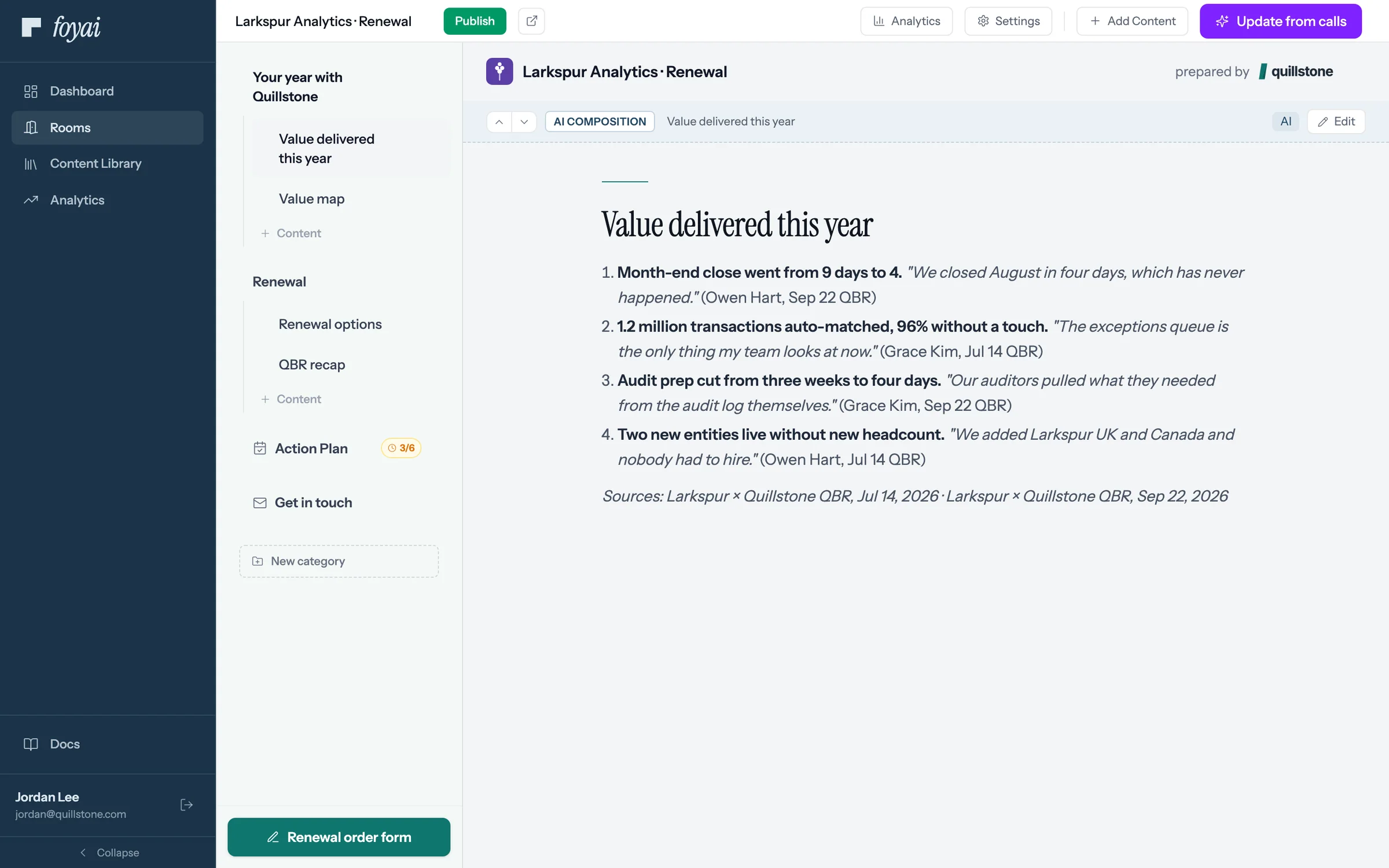
Step 6 of 7 Value delivered, drafted foyai drafted Larkspur's year from its July and September QBR calls, with quotes. Jordan checks them before publishing.
-
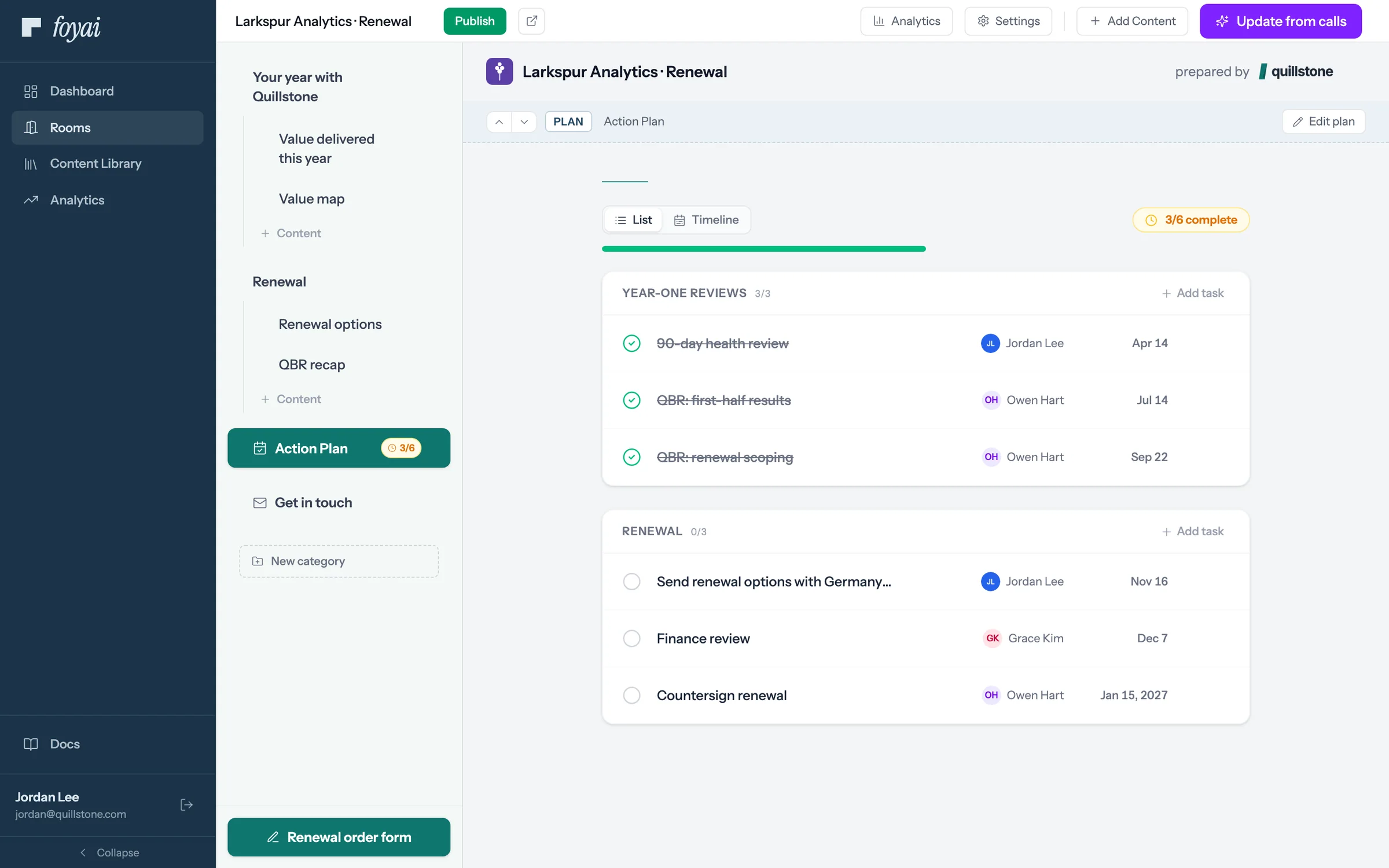
Step 7 of 7 The renewal plan The plan lays out the year's reviews and the steps to signature, with owners on both sides.
Draft rooms for your whole renewal list.
Bulk room creation from any Attio list is part of the Platform plan.
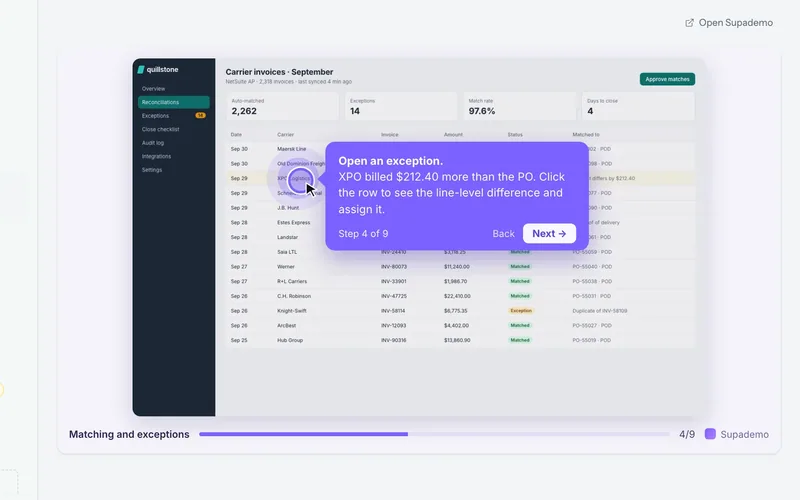 Add a Supademo to a room
Paste a share link, and the demo plays inside the room.
5 steps
Add a Supademo to a room
Paste a share link, and the demo plays inside the room.
5 steps
-
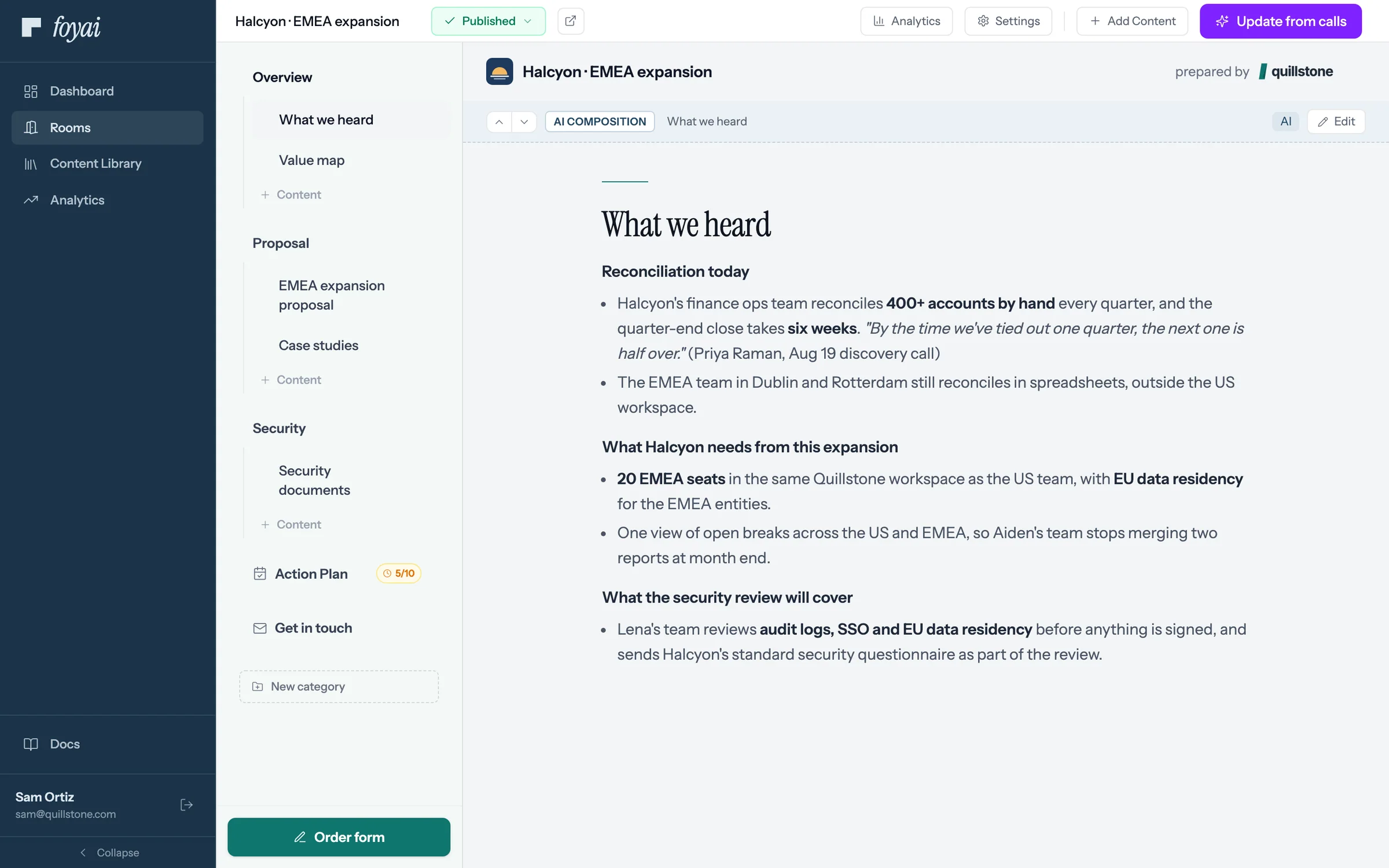
Step 1 of 5 Open Add Content In the Halcyon room's editor, Add Content lists every kind of page you can add.
-
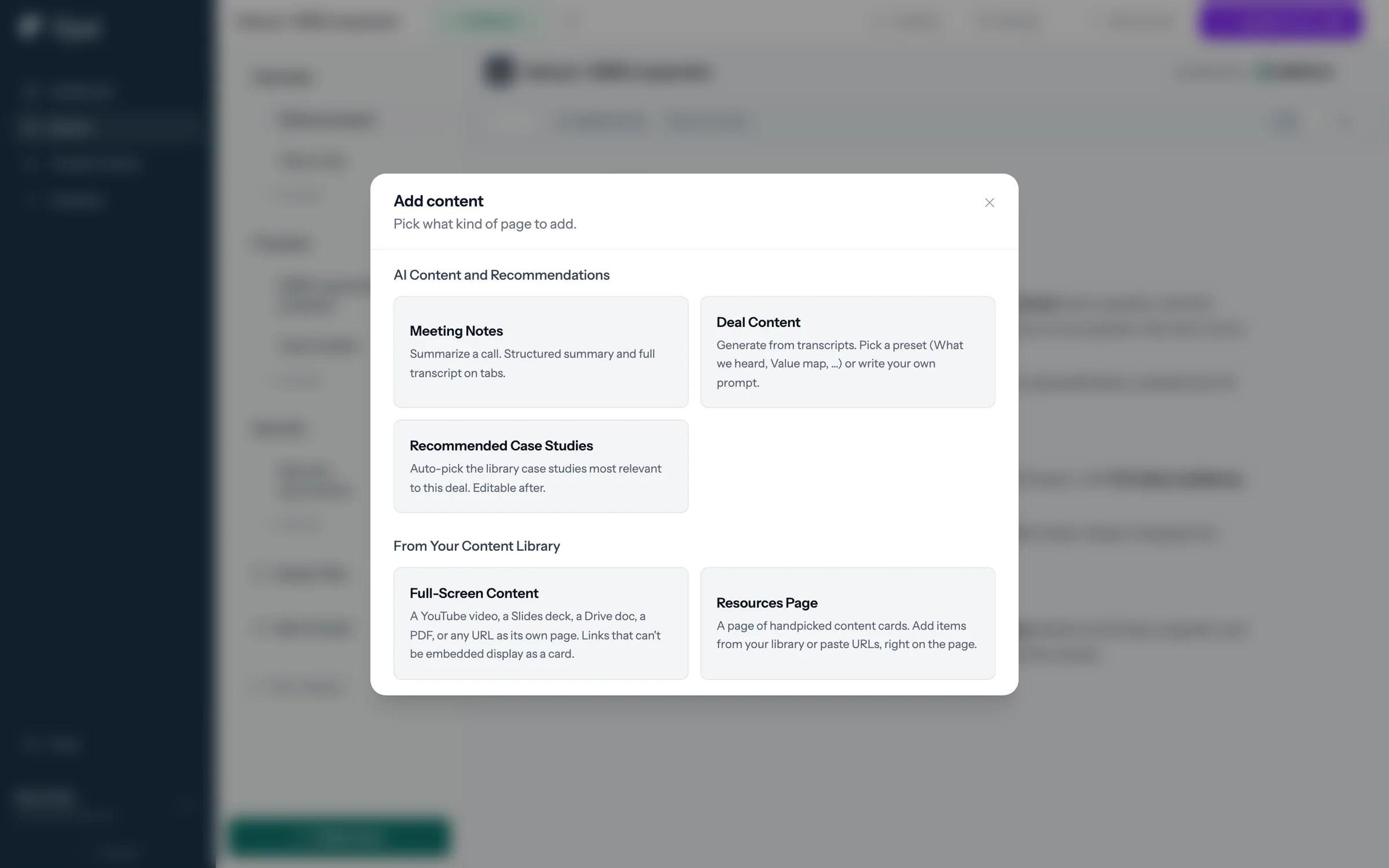
Step 2 of 5 Choose Full-Screen Content Full-Screen Content gives one link its own page in the room: a demo, video, deck, or doc.
-
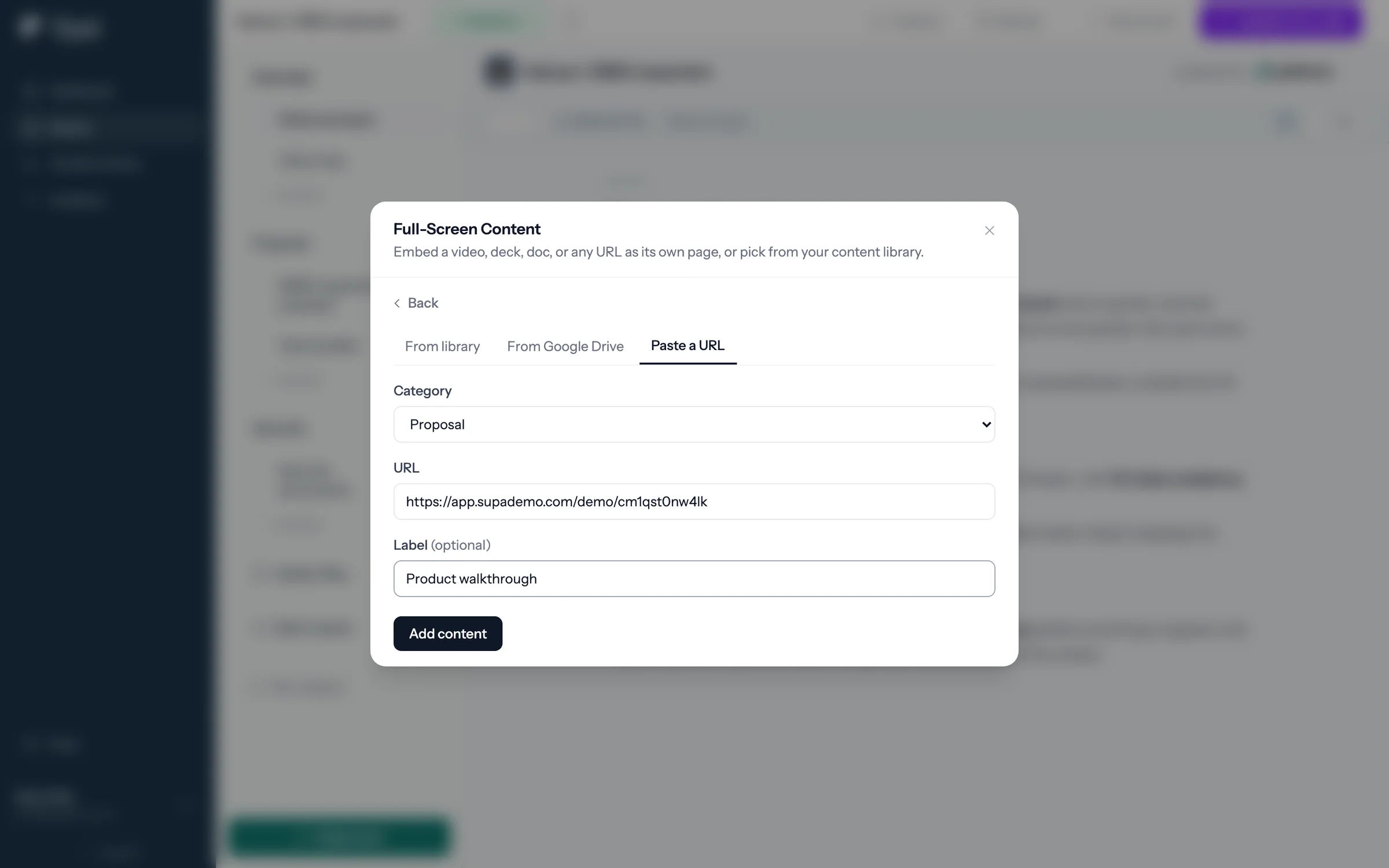
Step 3 of 5 Paste the share link Paste the Supademo share link, give the page a label, and click Add content.
-
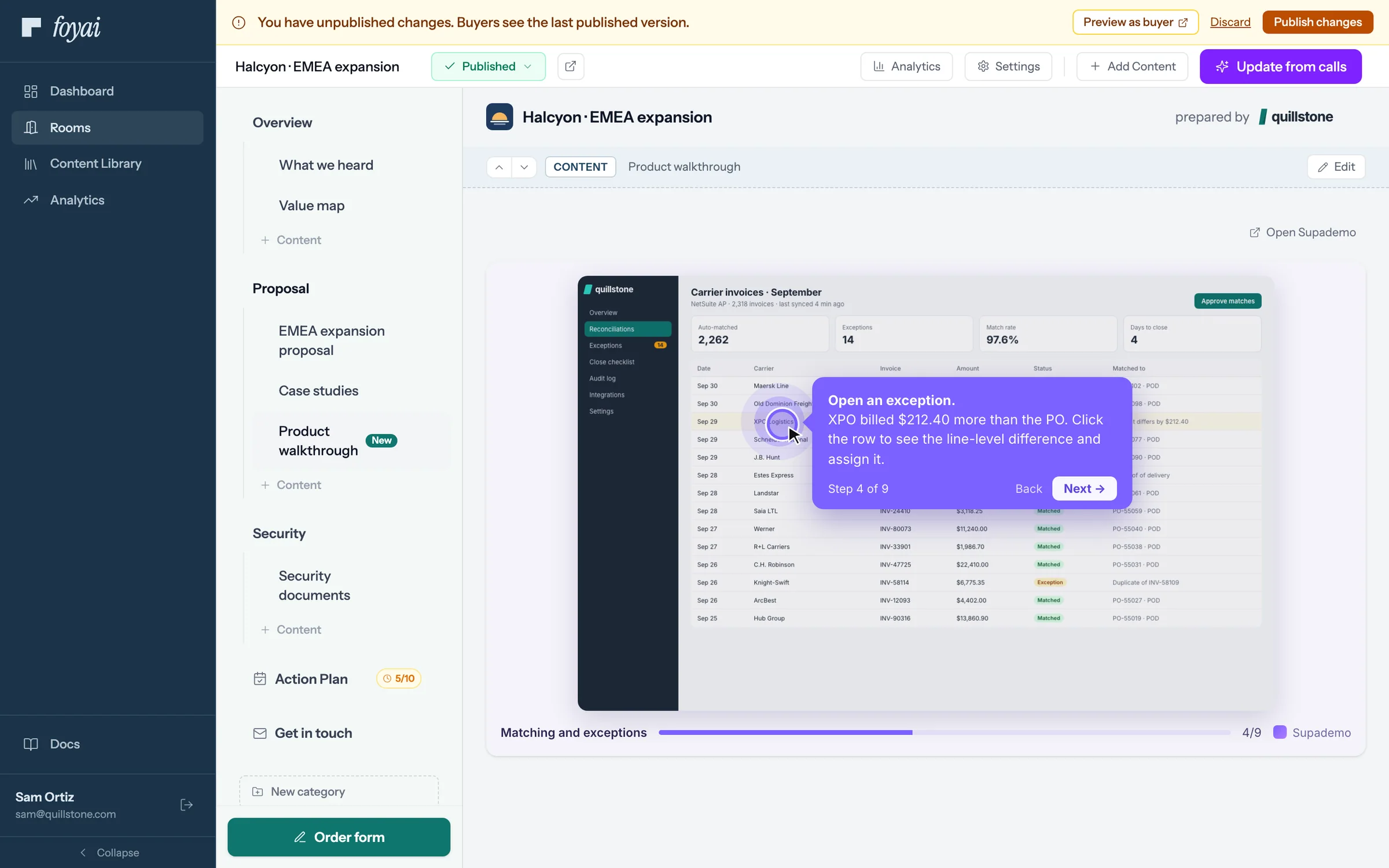
Step 4 of 5 Click through it first The demo plays inside the room, so you can click through it before any buyer sees it.
-
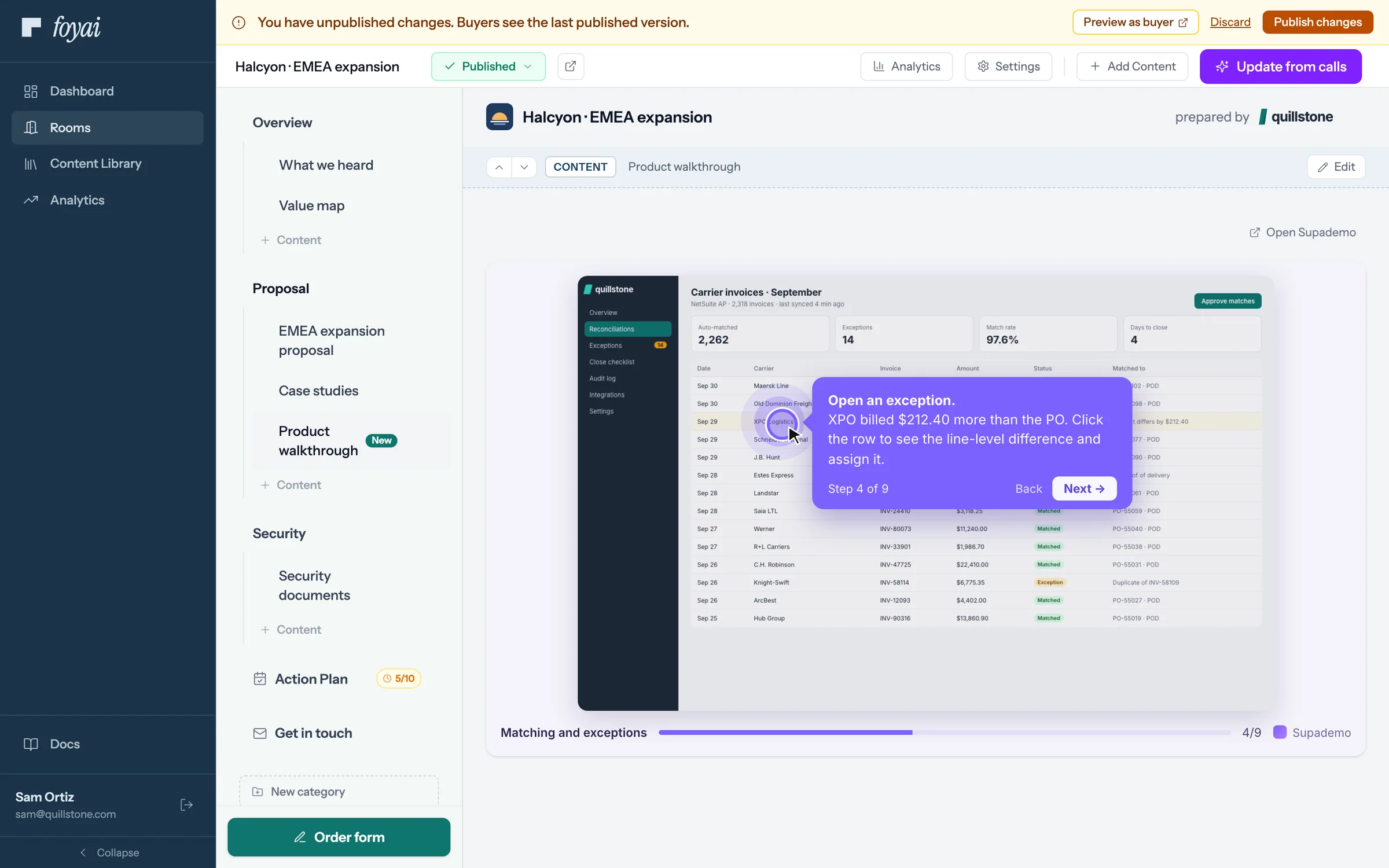
Step 5 of 5 Publish the change Buyers keep seeing the last published version until you click Publish changes.
Put your demos in every room.
Supademo, Storylane, Loom, Figma, YouTube, and Google Drive files play inside the room.
Following each deal
What buyers do in the room, as you see it in foyai, in Attio, and in Slack.
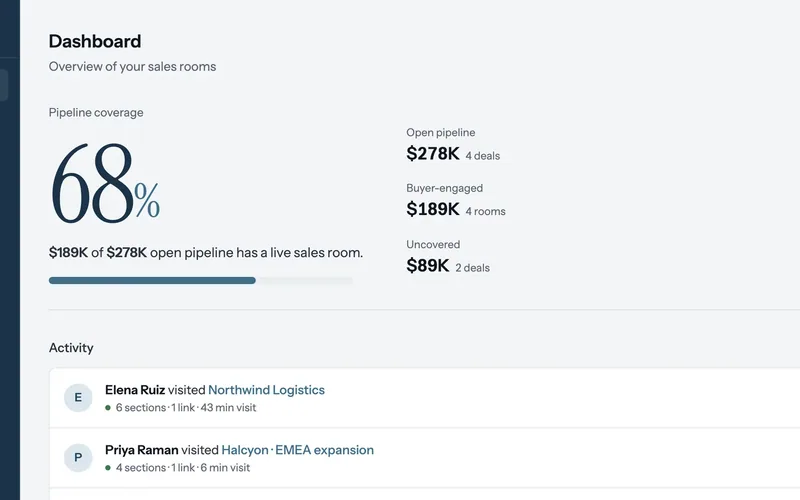 See who's engaging
Visitors by name, a newly forwarded stakeholder, time on each slide, and rooms that have gone quiet.
7 steps
See who's engaging
Visitors by name, a newly forwarded stakeholder, time on each slide, and rooms that have gone quiet.
7 steps
-
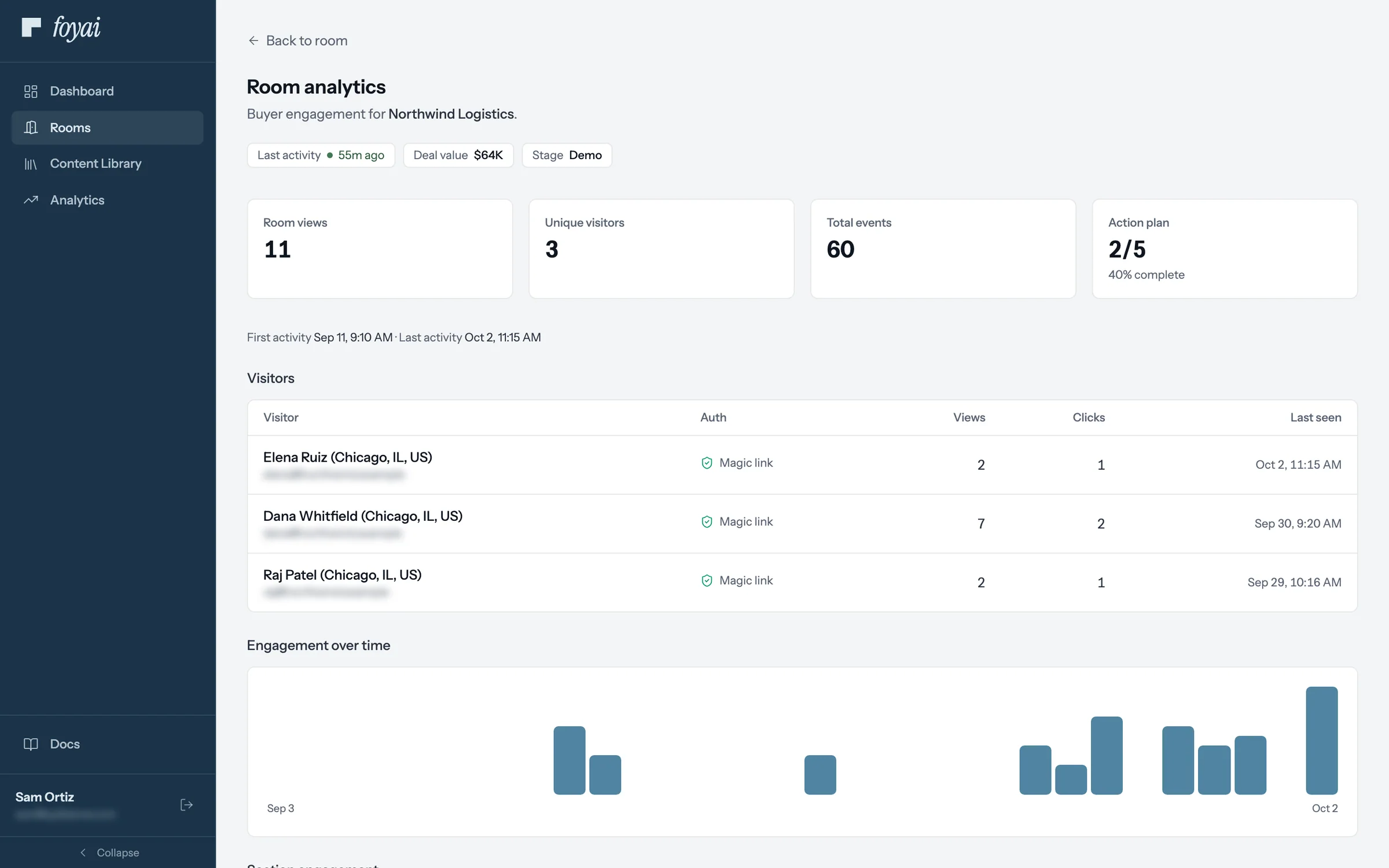
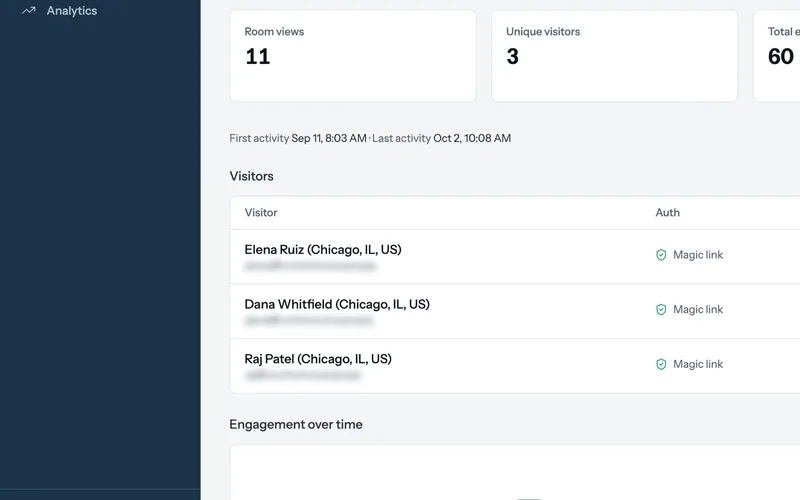
Step 1 of 7 Room analytics Sam opens the Northwind room's analytics: 11 room views from 3 visitors, and the plan at 2 of 5 steps.
-
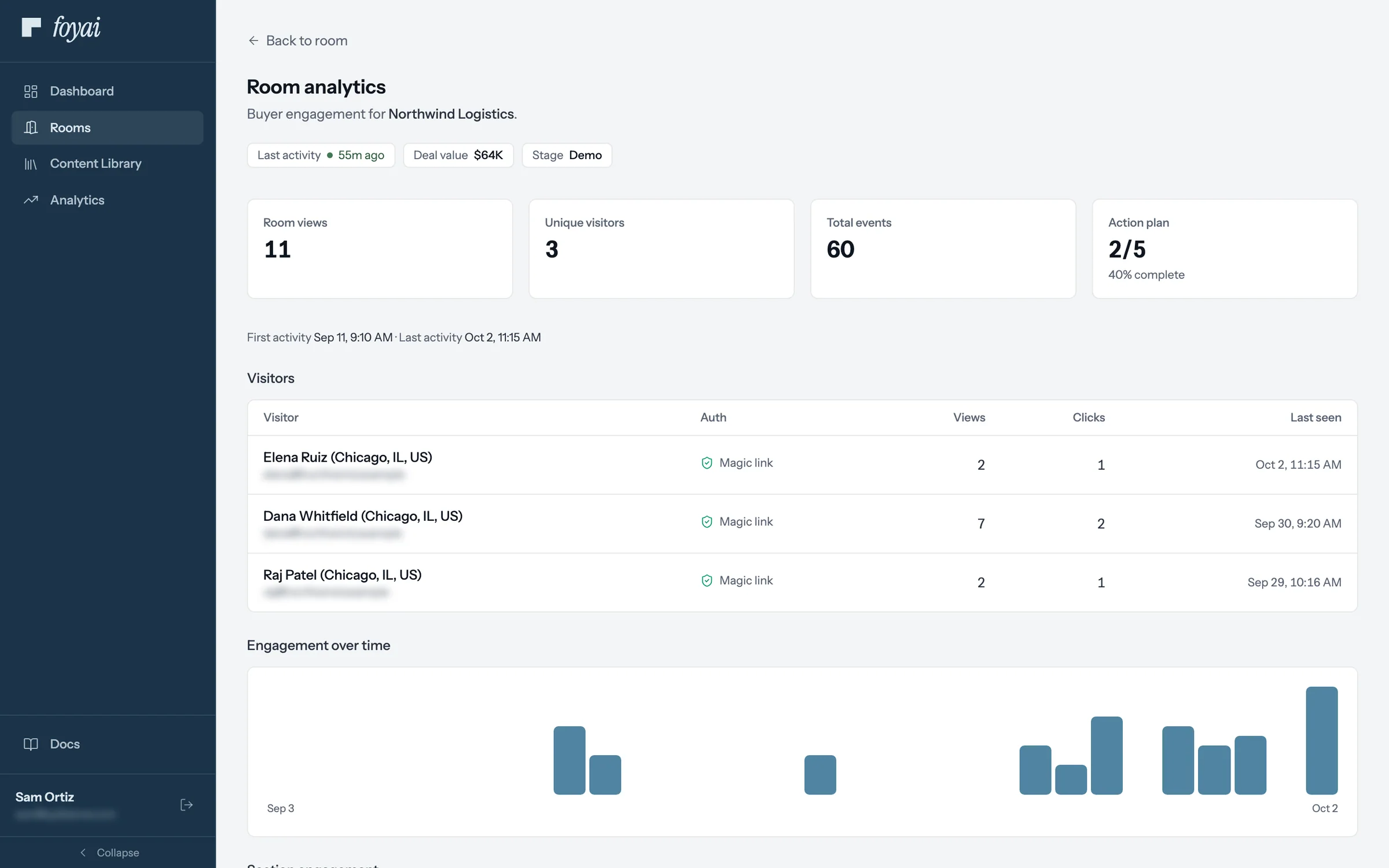
Step 2 of 7 Visitors by name Buyers who sign in with their email are listed by name, with their views, clicks, and when they were last there.
-
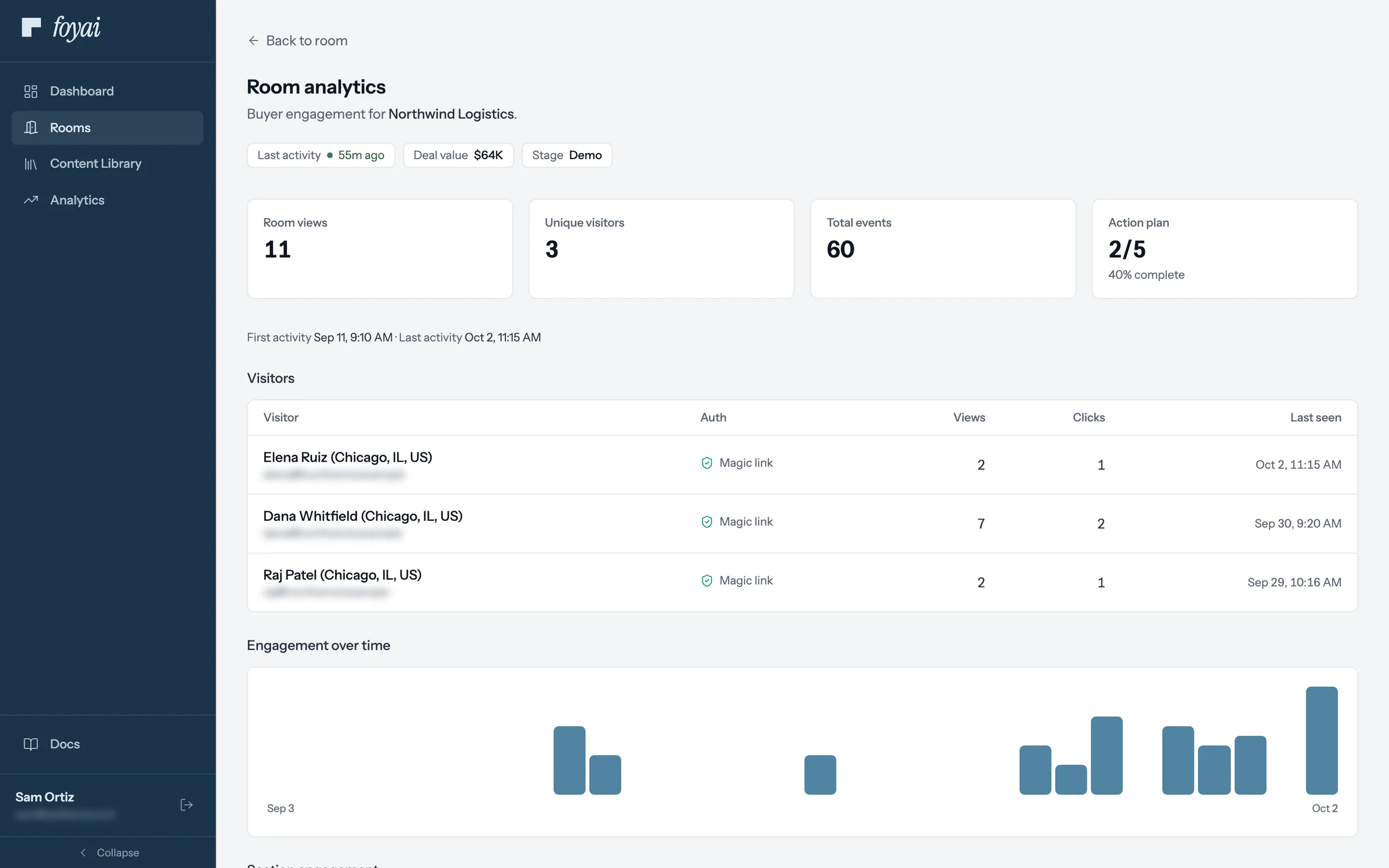
Step 3 of 7 A new name Elena Ruiz, Northwind's controller, opened the room for the first time this morning after Dana forwarded the link.
-
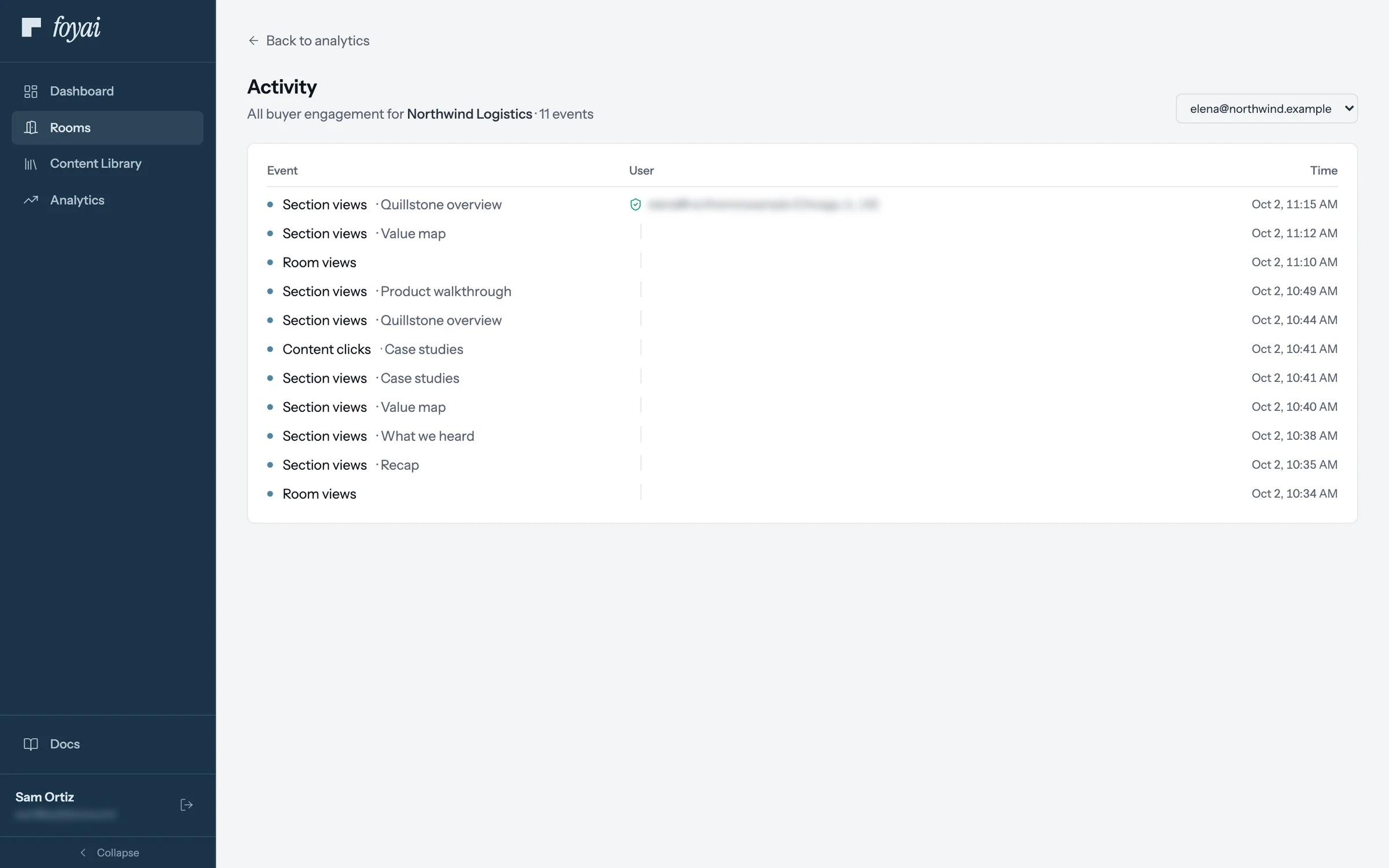
Step 4 of 7 What Elena looked at Click a visitor to see each section and link they opened, in order, with the time.
-
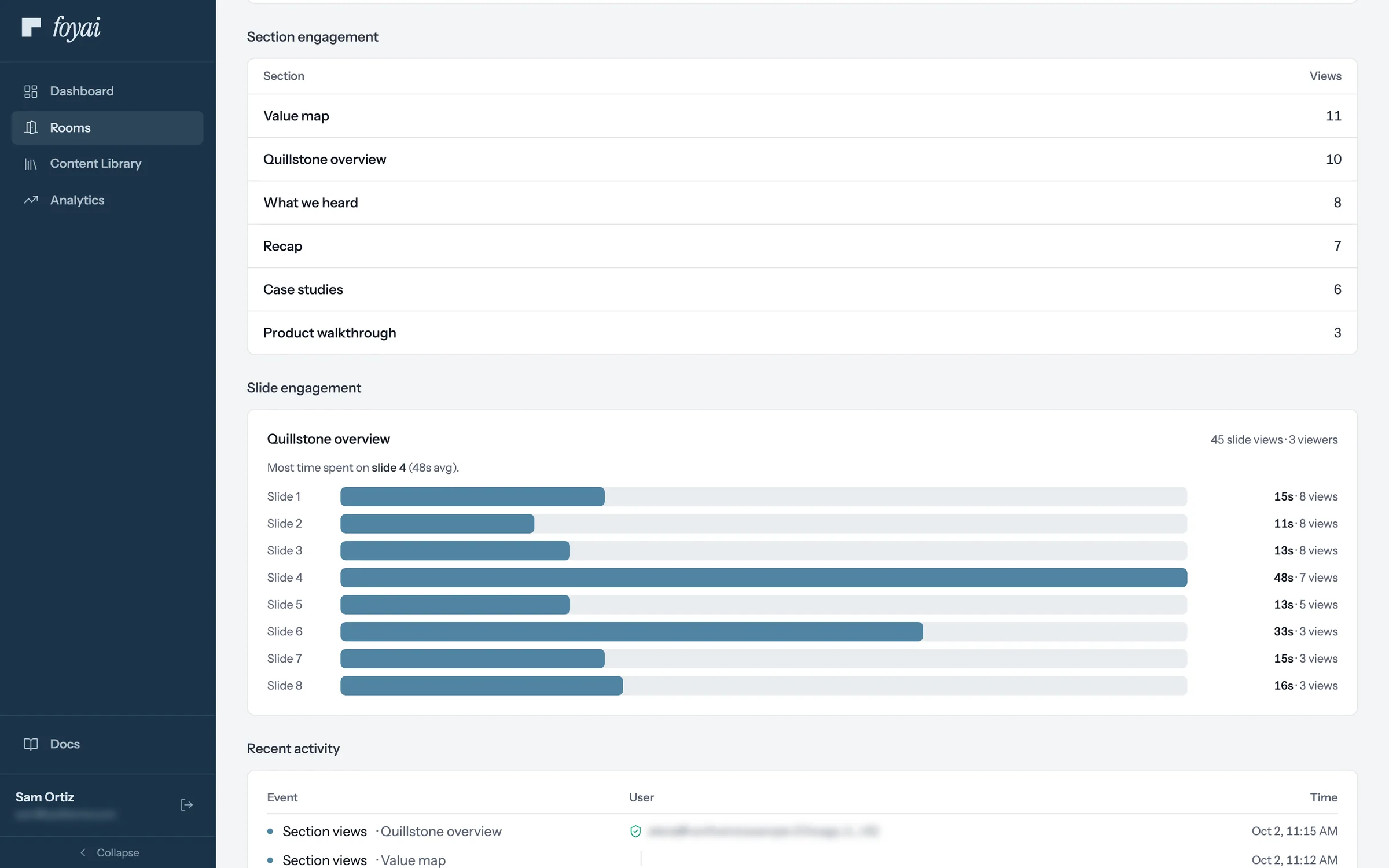
Step 5 of 7 Time on each slide For the deck, each slide shows its views and average time. Slide 4 held people longest, at 48 seconds.
-
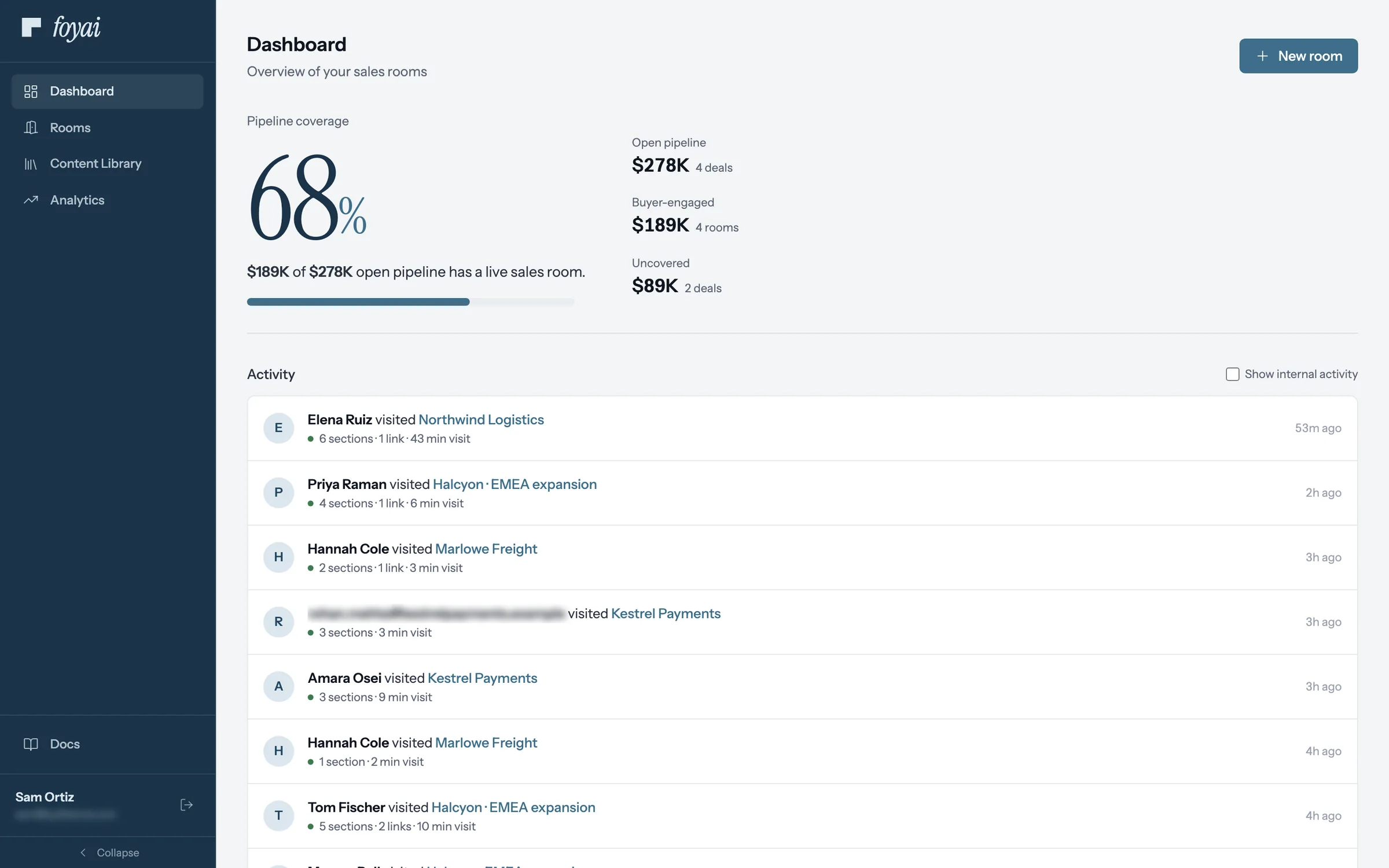
Step 6 of 7 Across all your rooms The Dashboard's activity feed lists visits to all of Sam's rooms: who came, what they opened, and for how long.
-
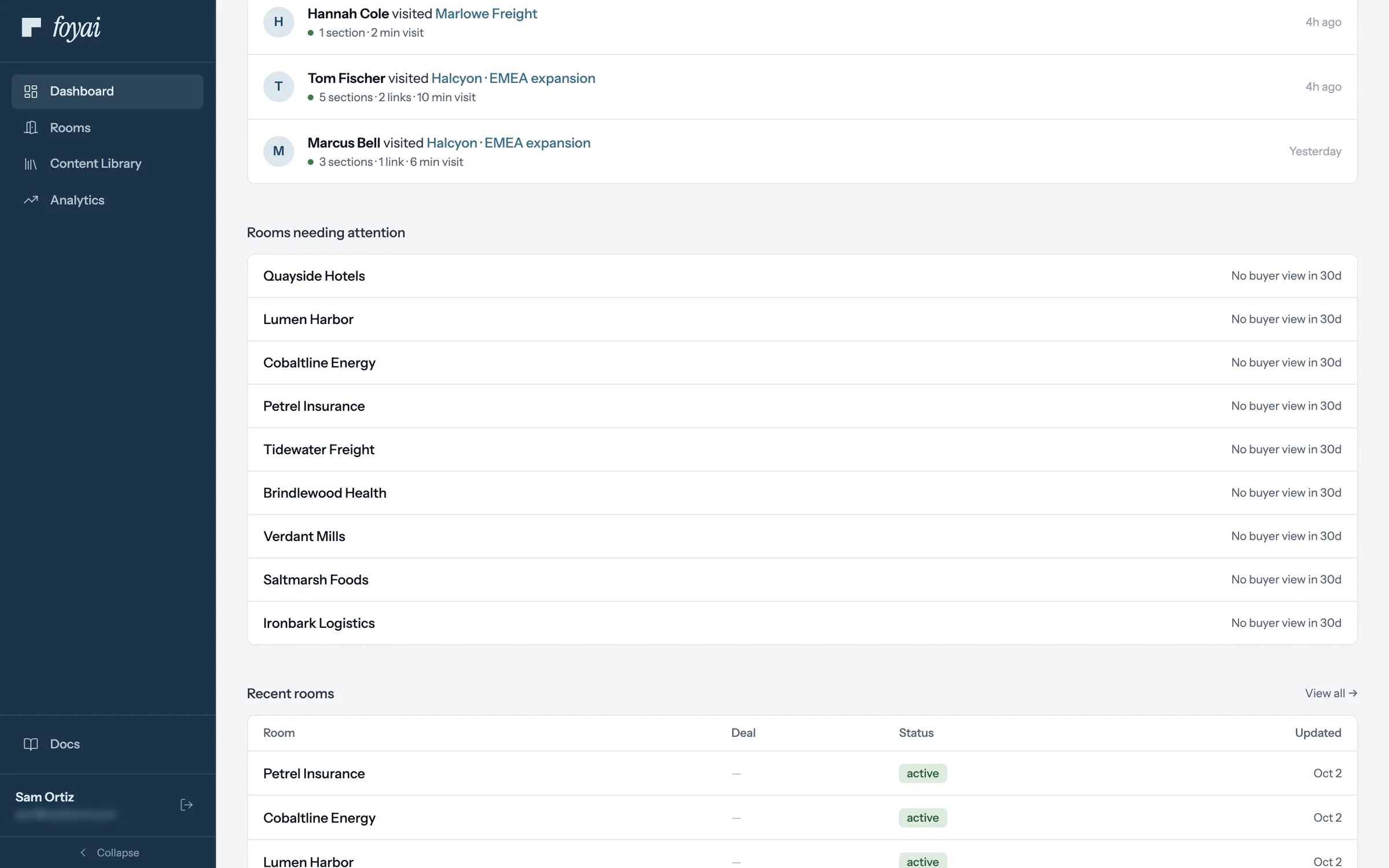
Step 7 of 7 Rooms needing attention Published rooms with no buyer view in 30 days are listed here, like Tidewater Freight.
See who opens each room, and what they look at.
Connect Attio and publish a room. Visitors who sign in with their email show up by name.
 Spot a new stakeholder
Find the person your champion forwarded the room to, then see the visit on the Attio deal.
6 steps
Spot a new stakeholder
Find the person your champion forwarded the room to, then see the visit on the Attio deal.
6 steps
-
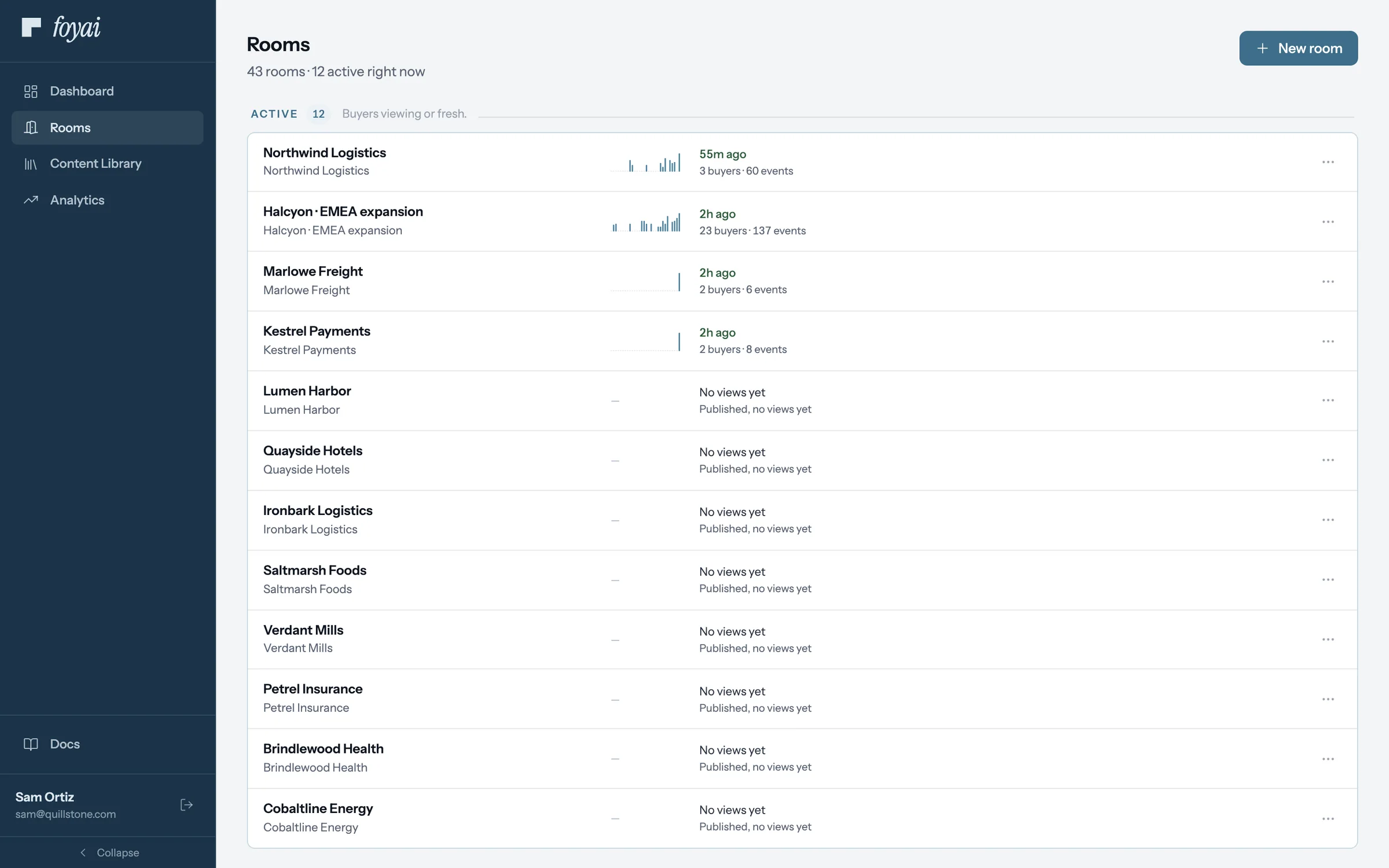
Step 1 of 6 Your rooms board Northwind Logistics leads the Active lane, with its last buyer visit and how many people viewed it.
-
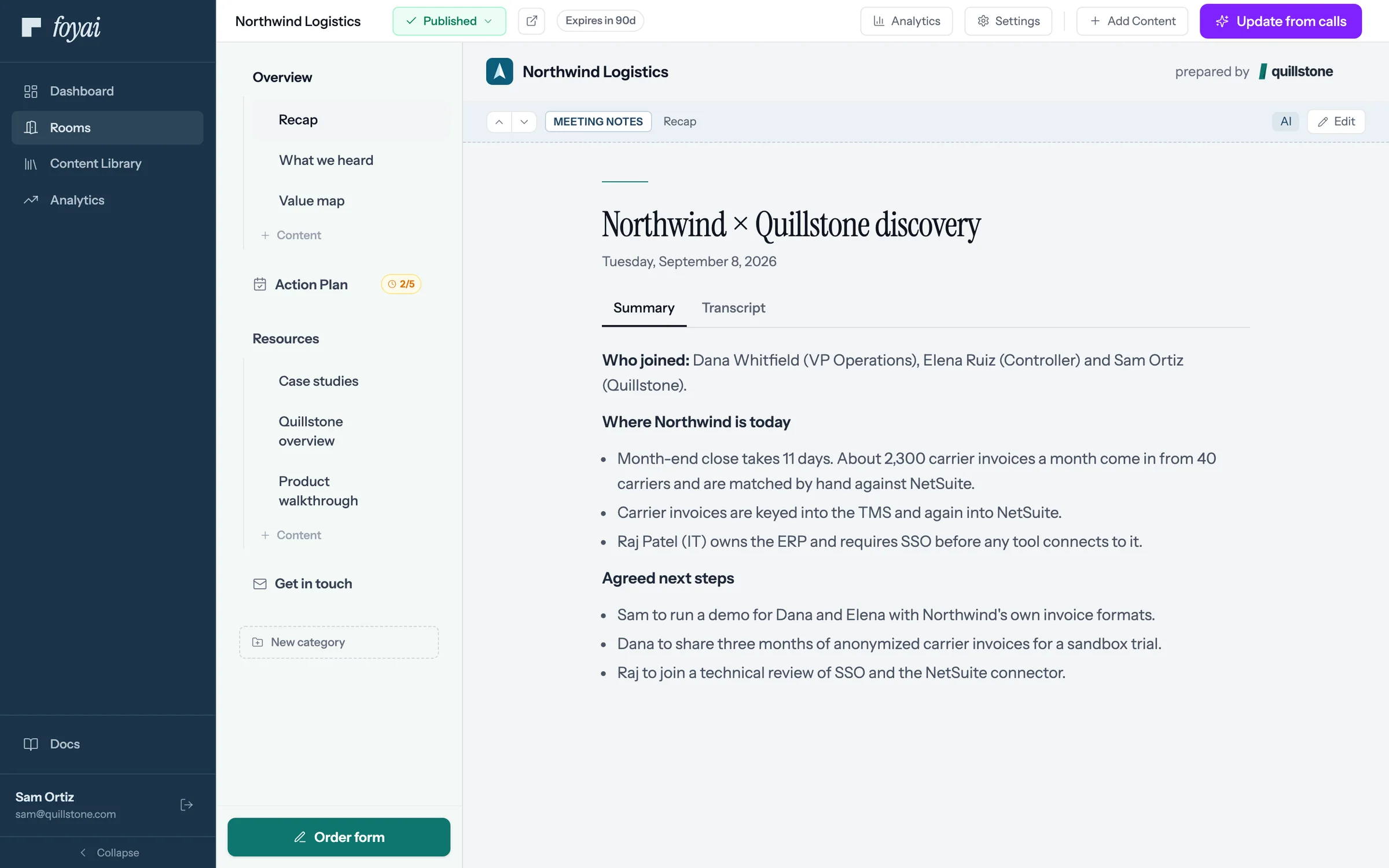
Step 2 of 6 Open Analytics From the room, Analytics shows who opened it, when, and which sections and slides they read.
-
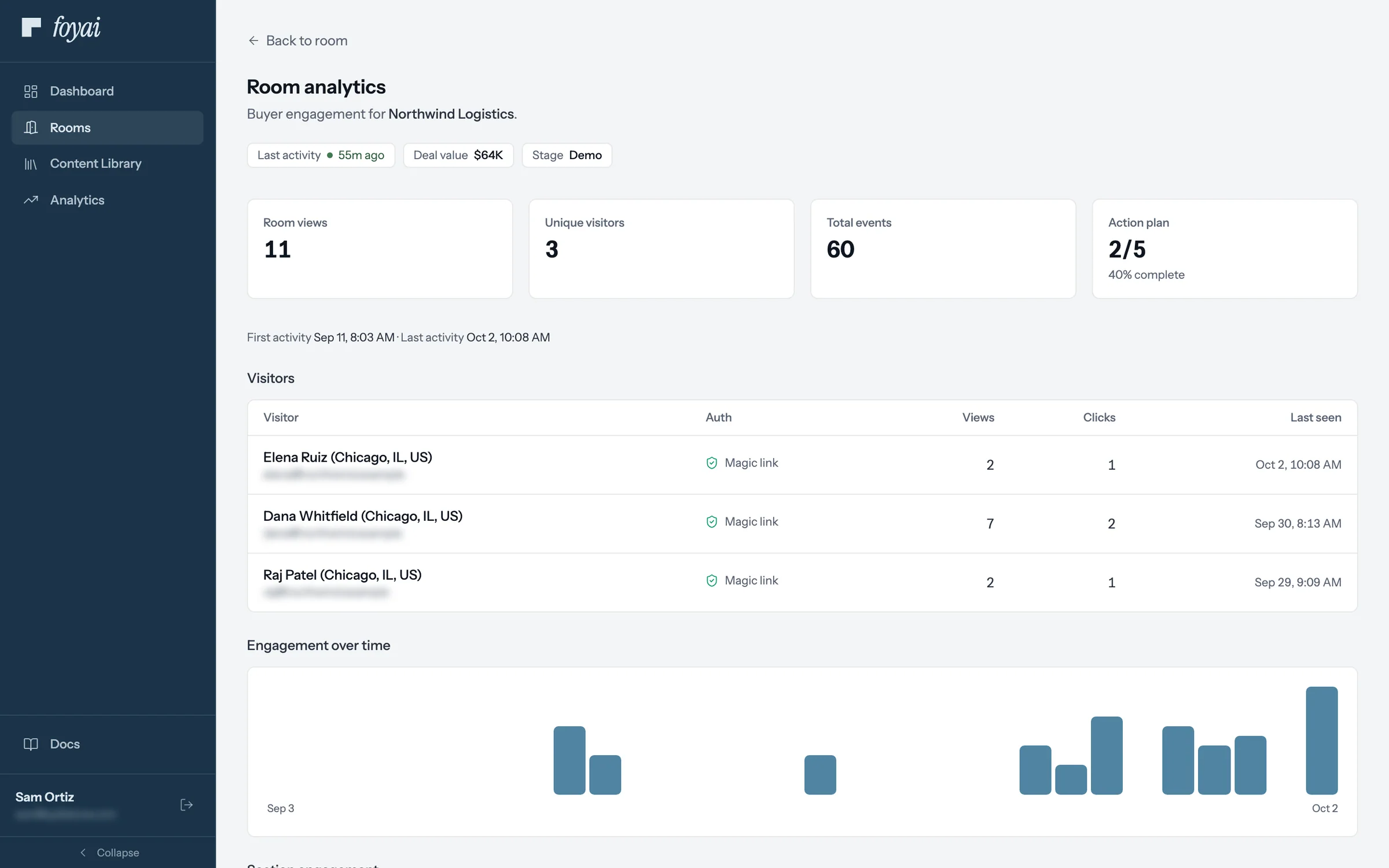
Step 3 of 6 A new name Elena Ruiz, Northwind's controller, opened the room for the first time an hour ago, from a link Dana forwarded.
-
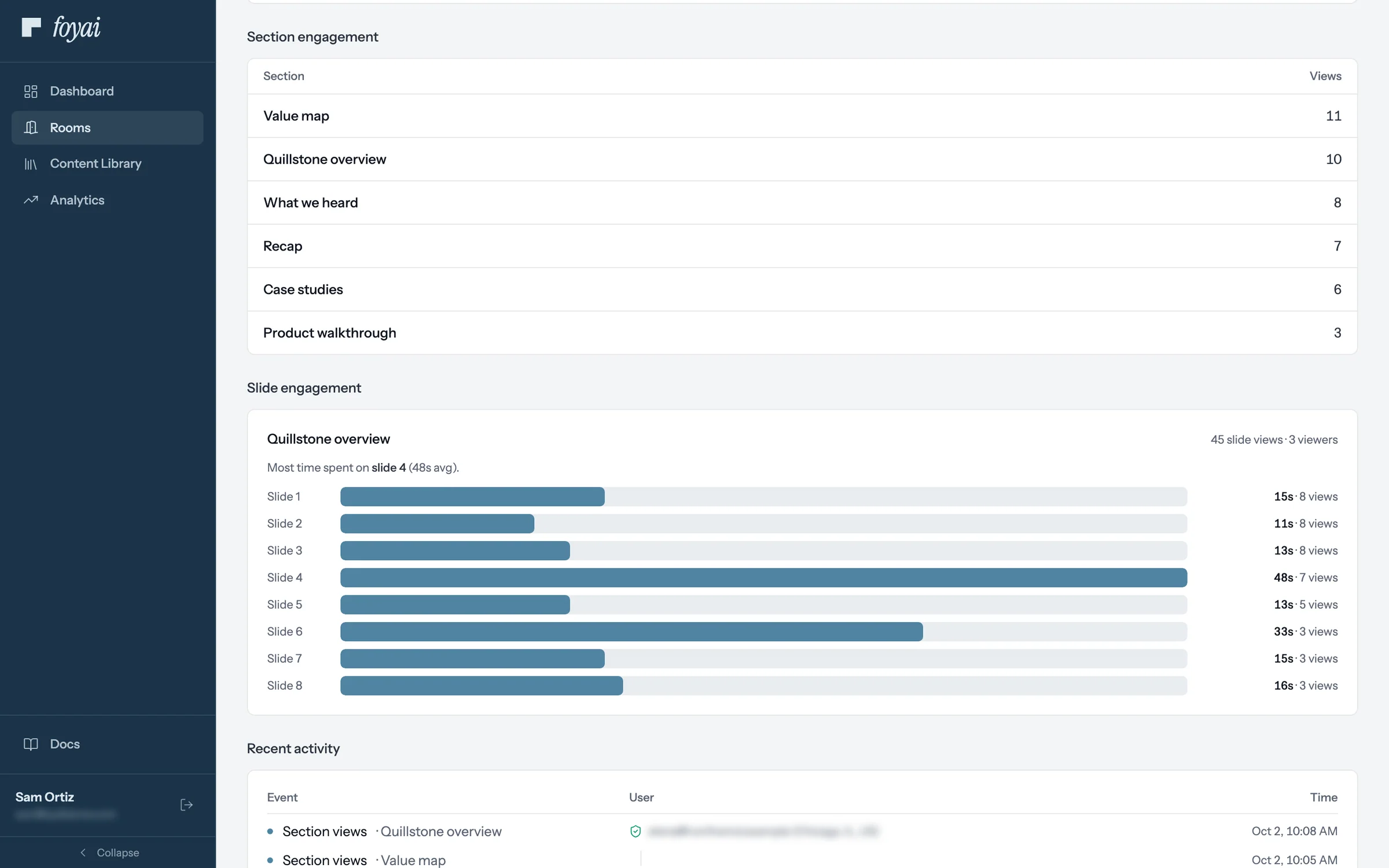
Step 4 of 6 Time on each slide Section views and time per slide, across everyone who opened the room, show what held their attention.
-
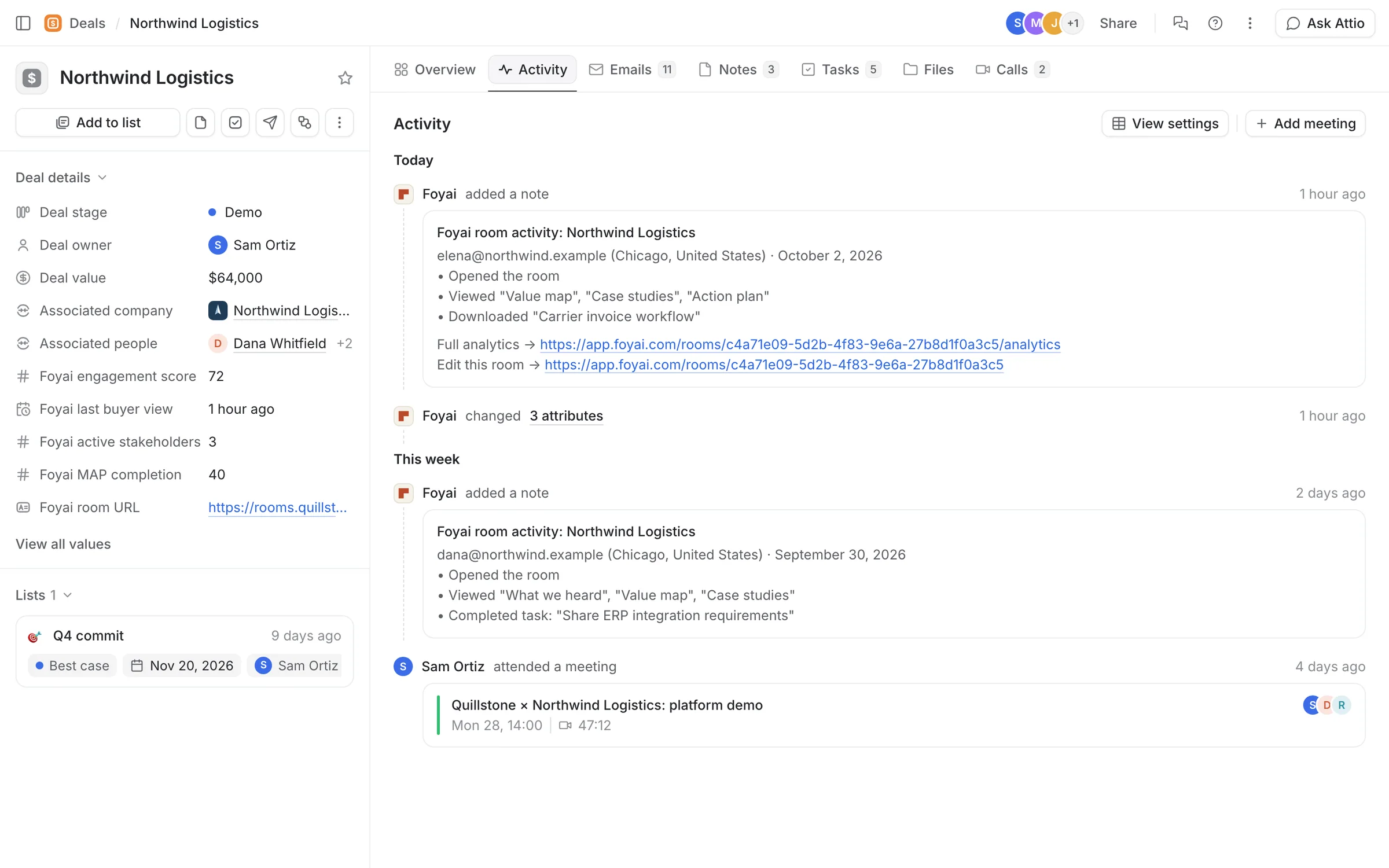
Step 5 of 6 Back in Attio foyai writes an engagement score, the last buyer view, and plan completion to the Northwind deal.
-
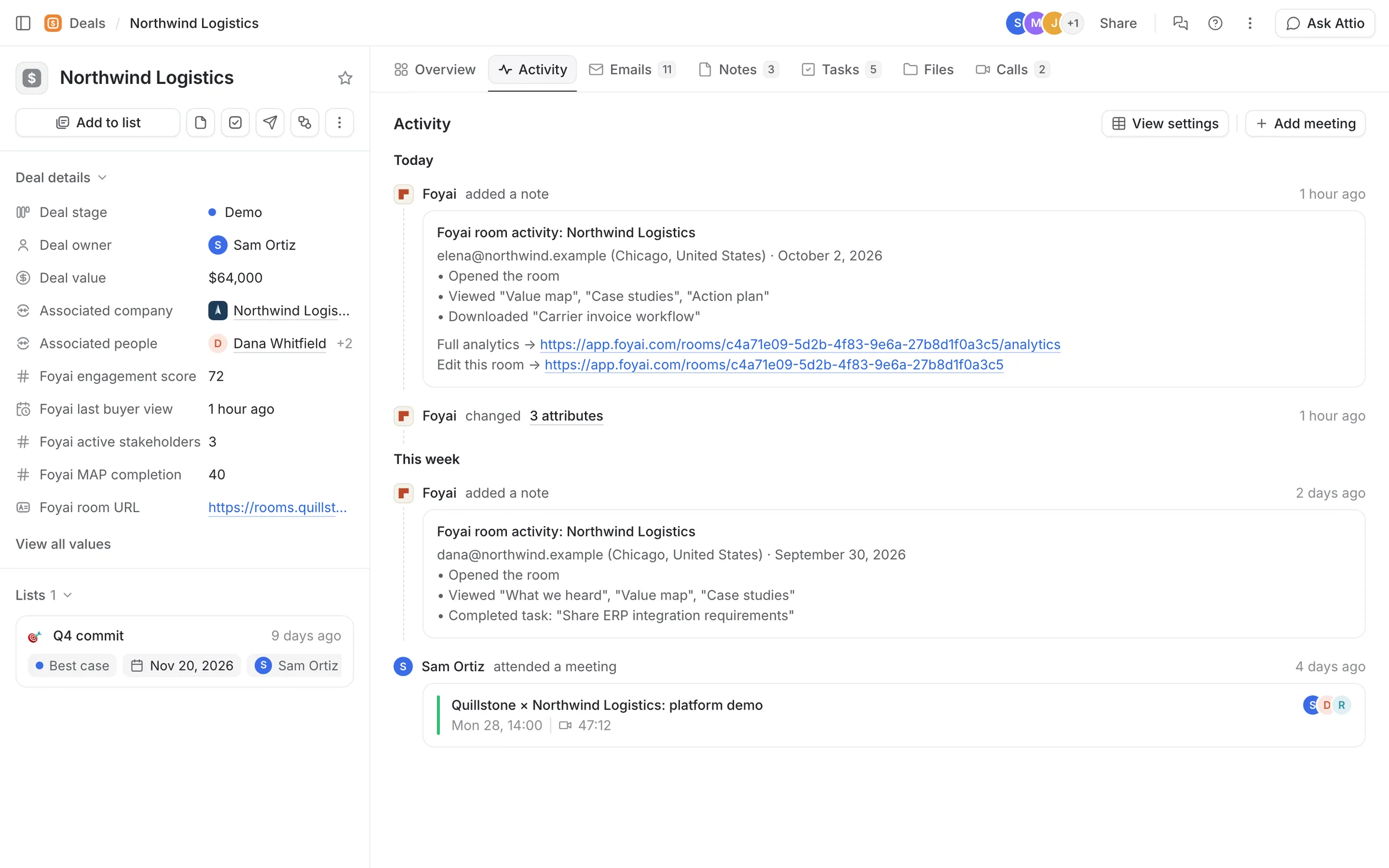
Step 6 of 6 Each visit becomes a note When someone opens the room, foyai adds a note to the deal with what they viewed and downloaded.
See who opens your next room.
Connect Attio, and foyai drafts a room when a deal reaches the stage you pick. You review and publish it.
 A shared plan, synced to Attio
Action items from your calls become room steps and Attio tasks. When the buyer ticks one off, both update.
7 steps
A shared plan, synced to Attio
Action items from your calls become room steps and Attio tasks. When the buyer ticks one off, both update.
7 steps
-
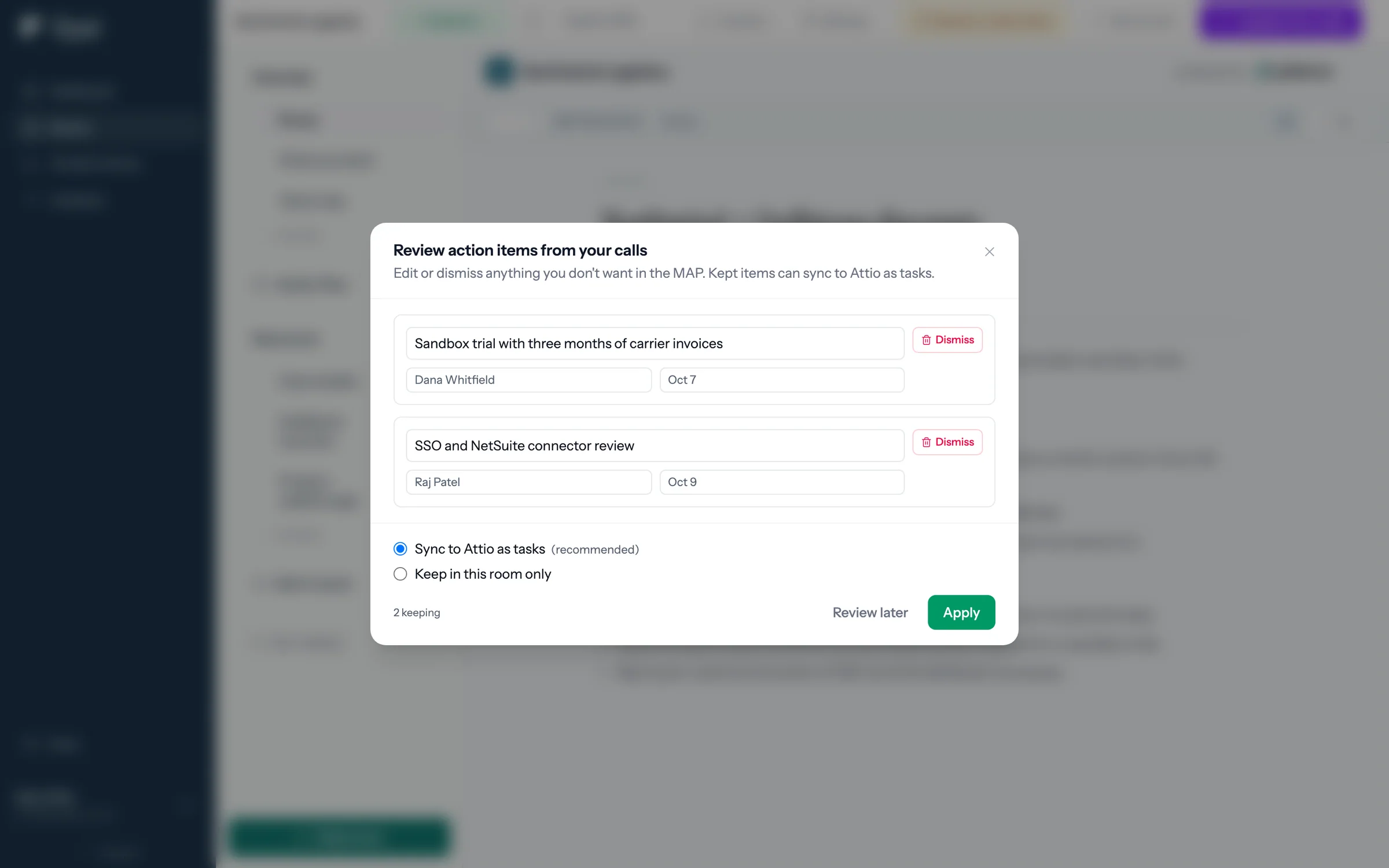
Step 1 of 7 Check what foyai heard After drafting, foyai lists the action items from the calls. Sam keeps both, with Sync to Attio as tasks on, and clicks Apply.
-
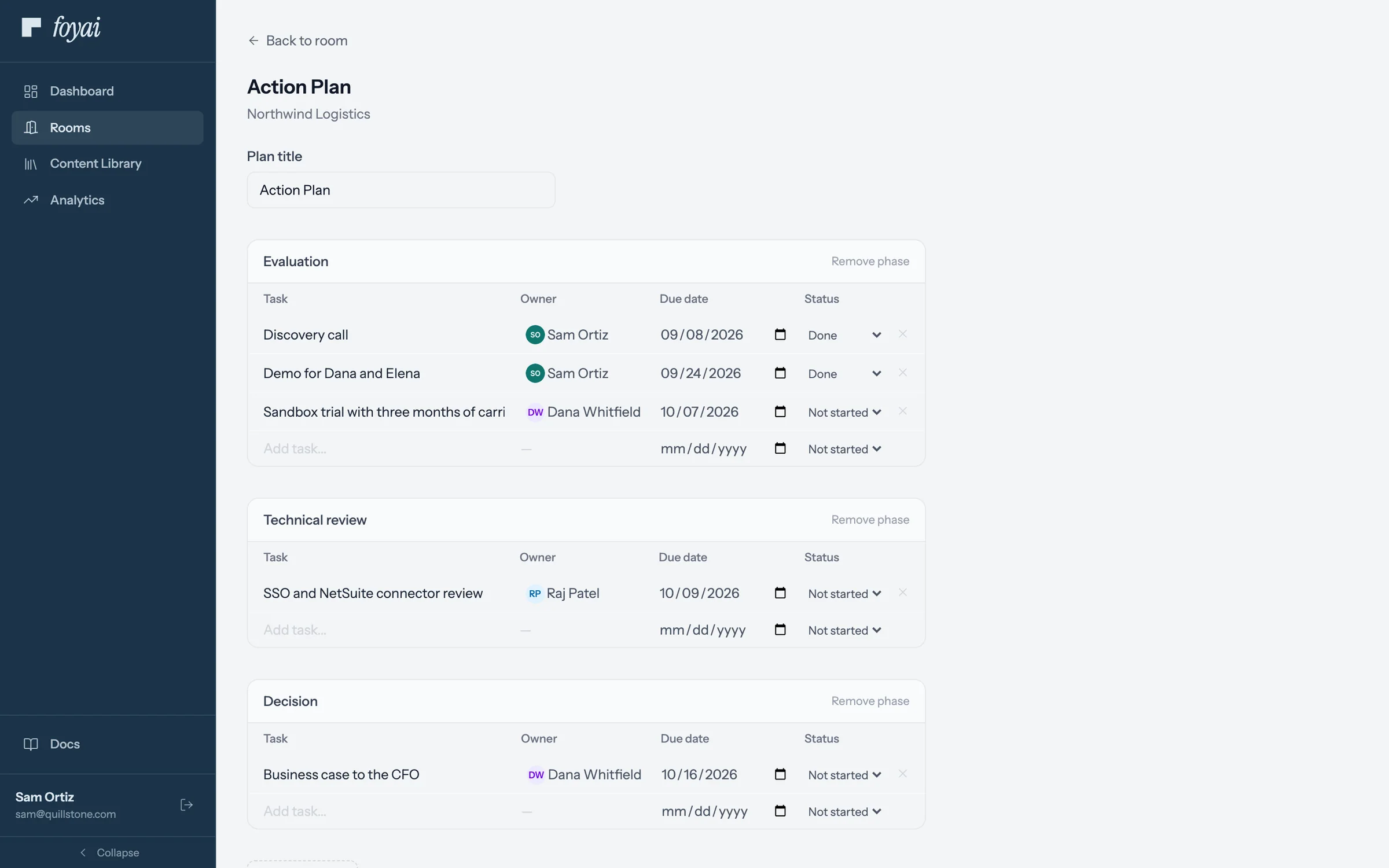
Step 2 of 7 Now a step in the plan The sandbox trial joins Northwind's action plan, owned by Dana and due October 7.
-
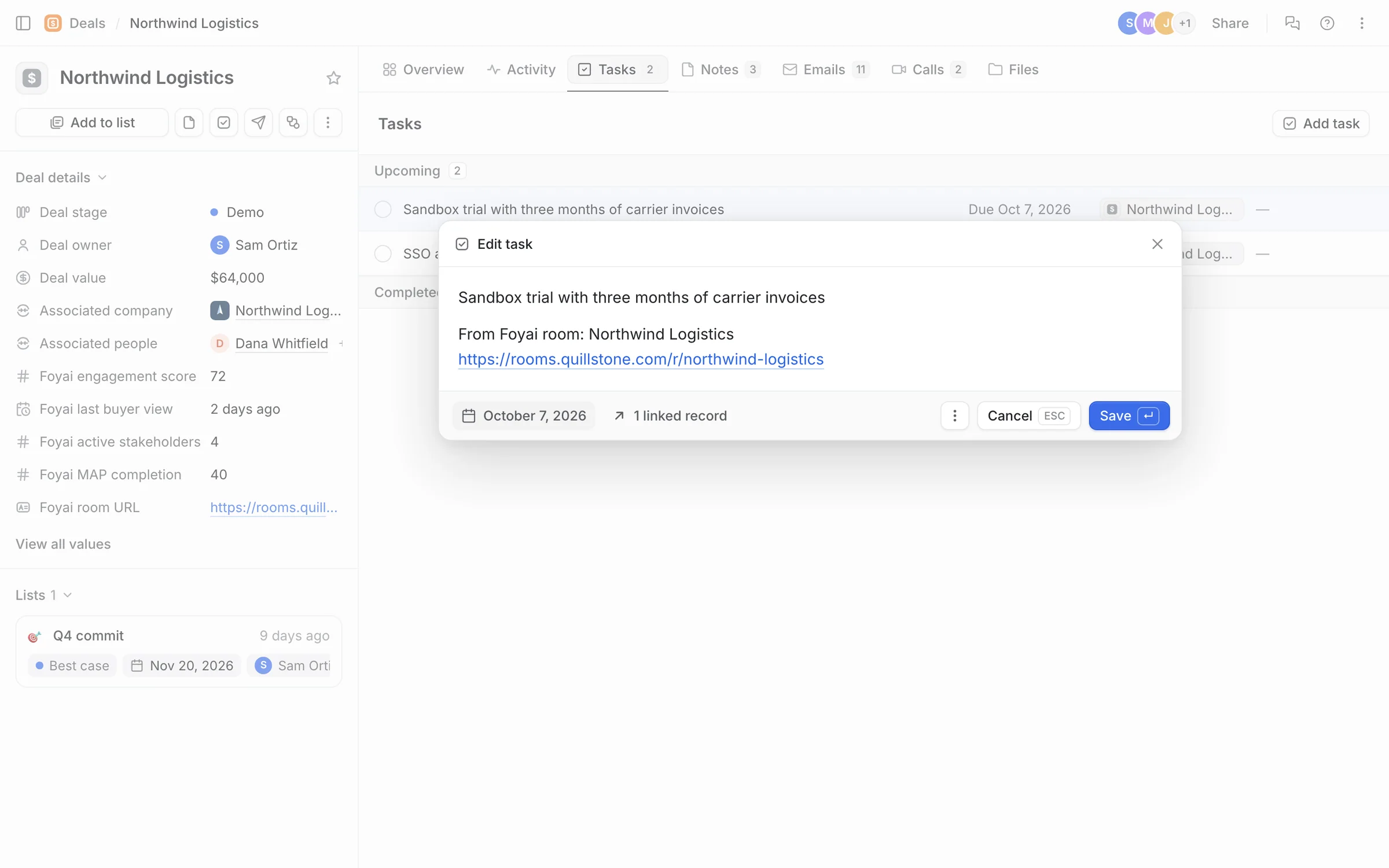
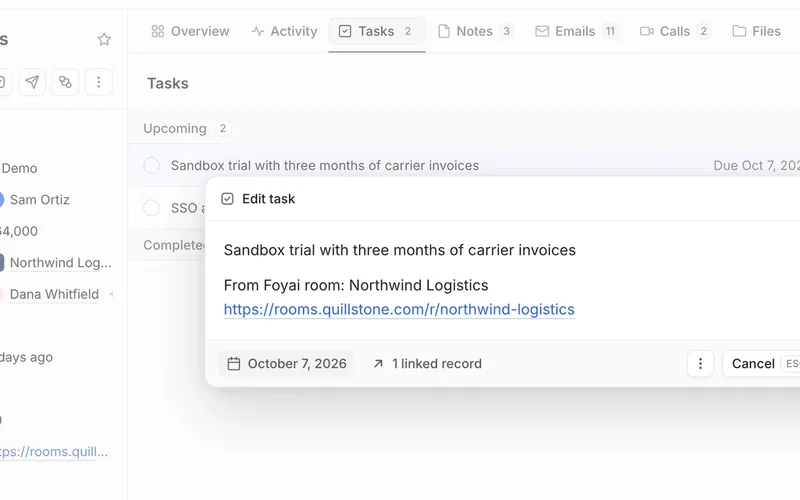
Step 3 of 7 And a task in Attio foyai adds the same step to the Northwind deal as an Attio task, with a link back to the room.
-
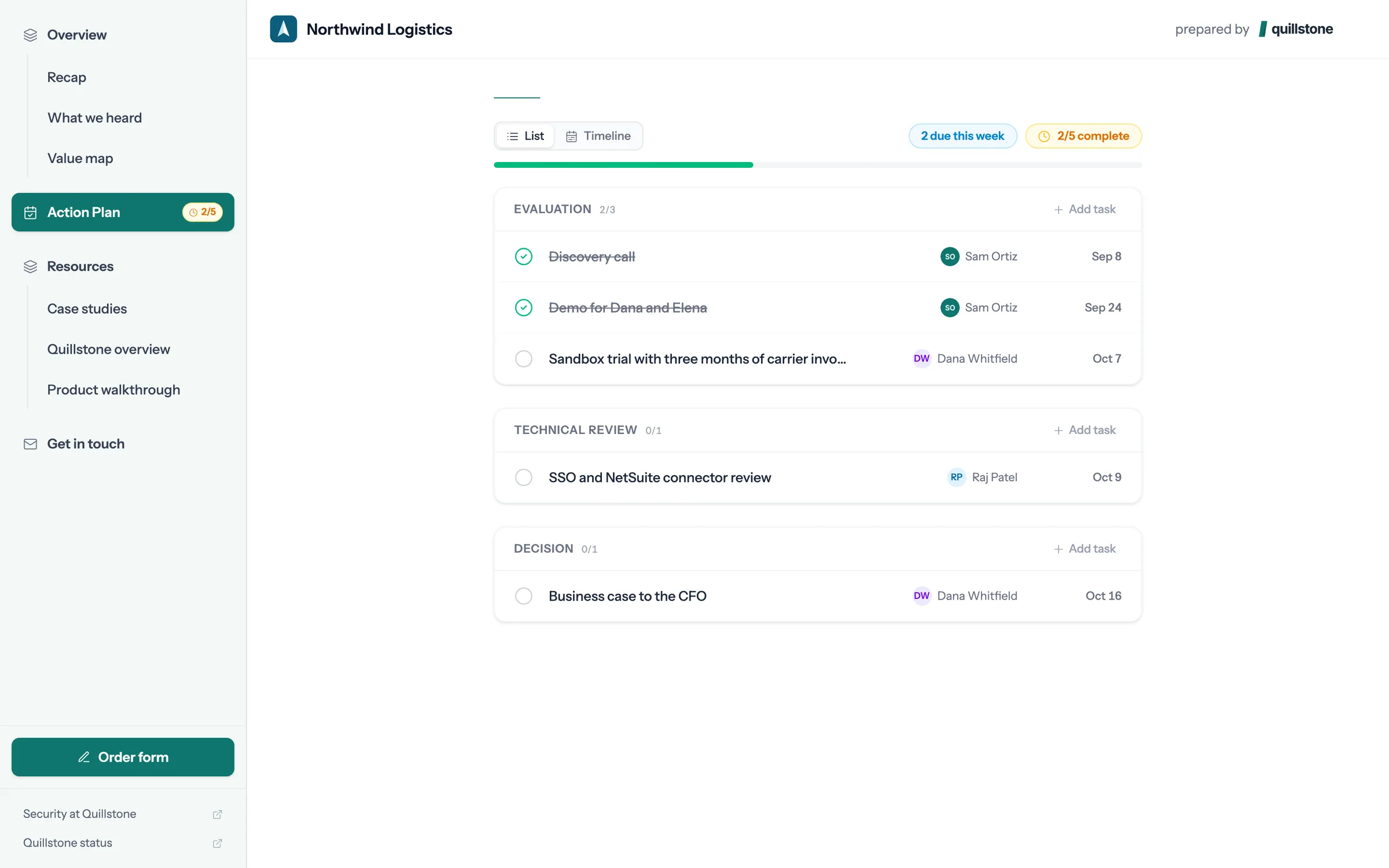
Step 4 of 7 Dana ticks it off When Northwind finishes the trial, Dana marks the step done in the room.
-
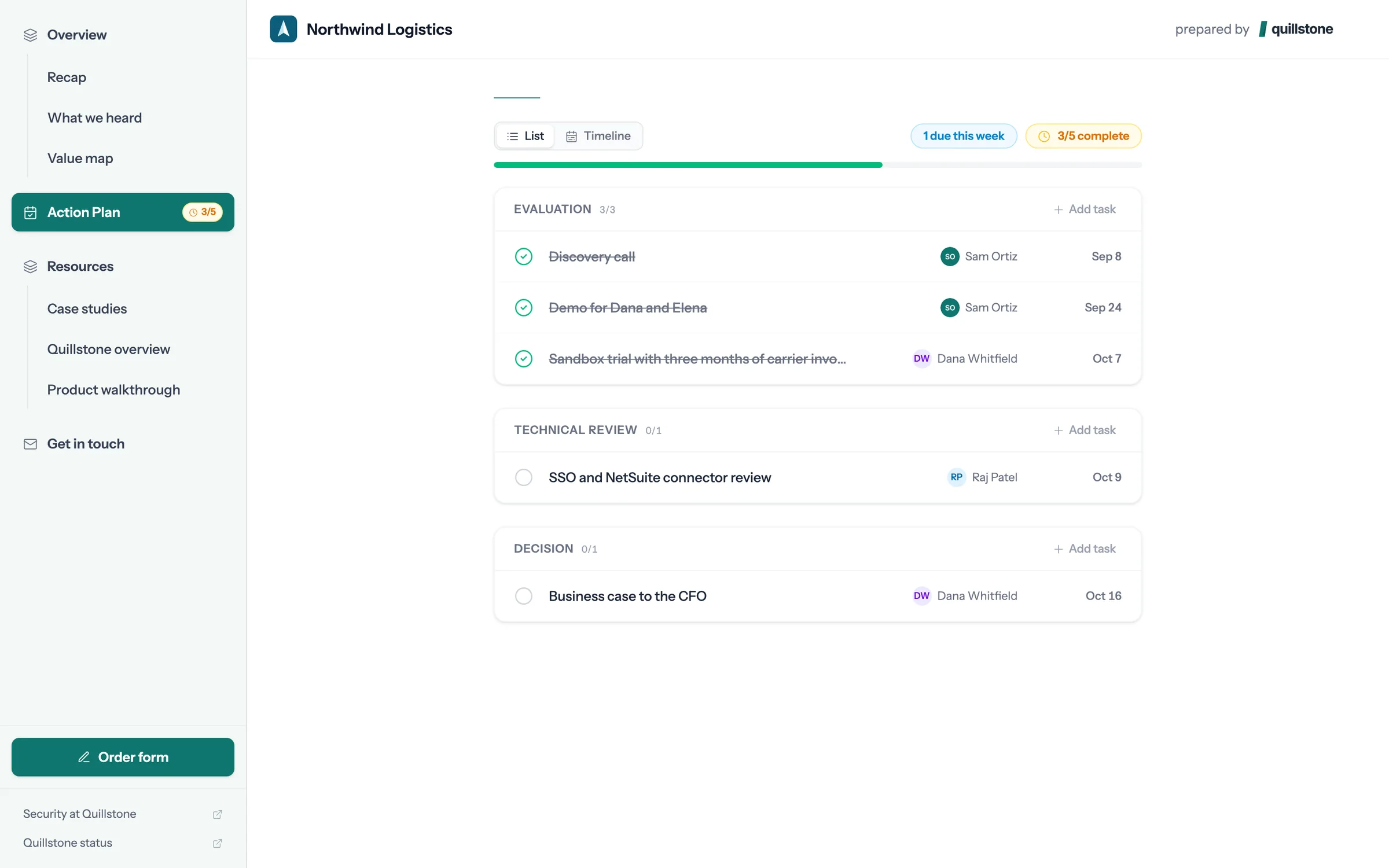
Step 5 of 7 The plan moves The step shows as done for both sides, and the plan reads 3 of 5 complete.
-
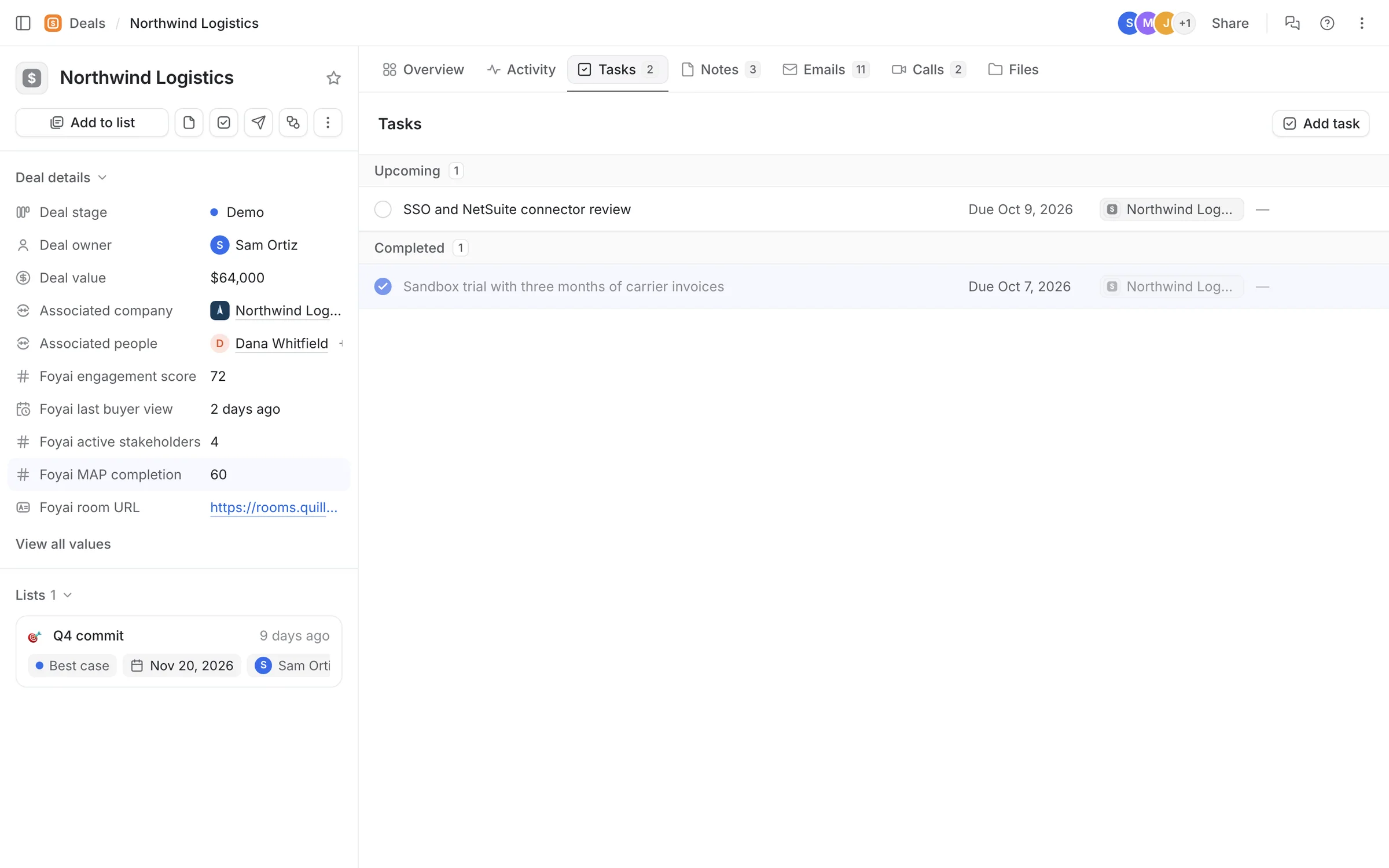
Step 6 of 7 Attio updates too On the deal, the task is now complete and Foyai MAP completion has gone from 40 to 60.
-
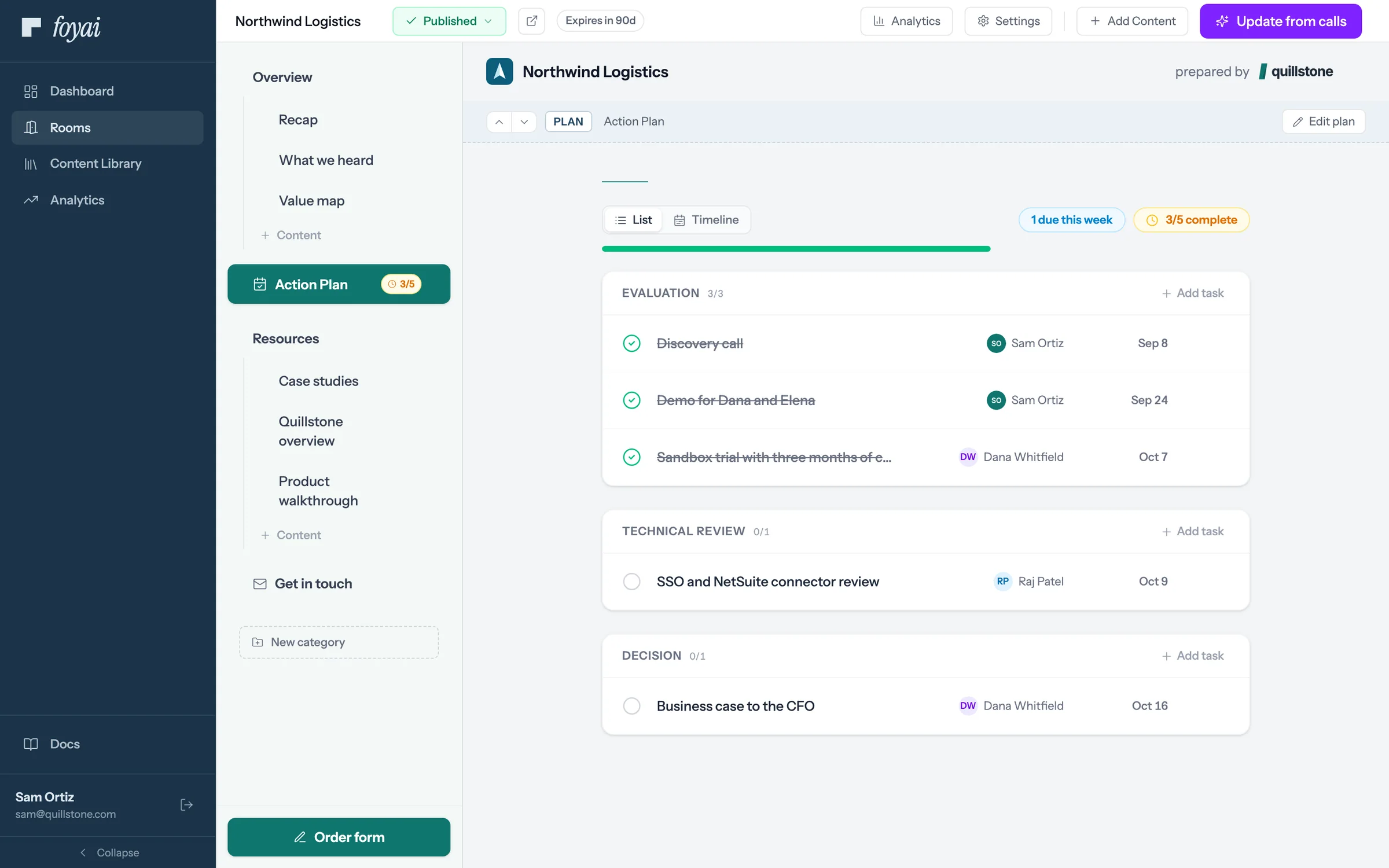
Step 7 of 7 Sam sees the same plan Sam's view of the room shows the same tick, without anyone sending an update.
Keep one plan with your buyer, and keep Attio current.
Action items from your calls become steps in the room and tasks in Attio once you've checked them.
 Slack alerts
A message when a buyer opens a room or finishes a step, and buttons to take a lost deal's room offline.
8 steps
Slack alerts
A message when a buyer opens a room or finishes a step, and buttons to take a lost deal's room offline.
8 steps
-
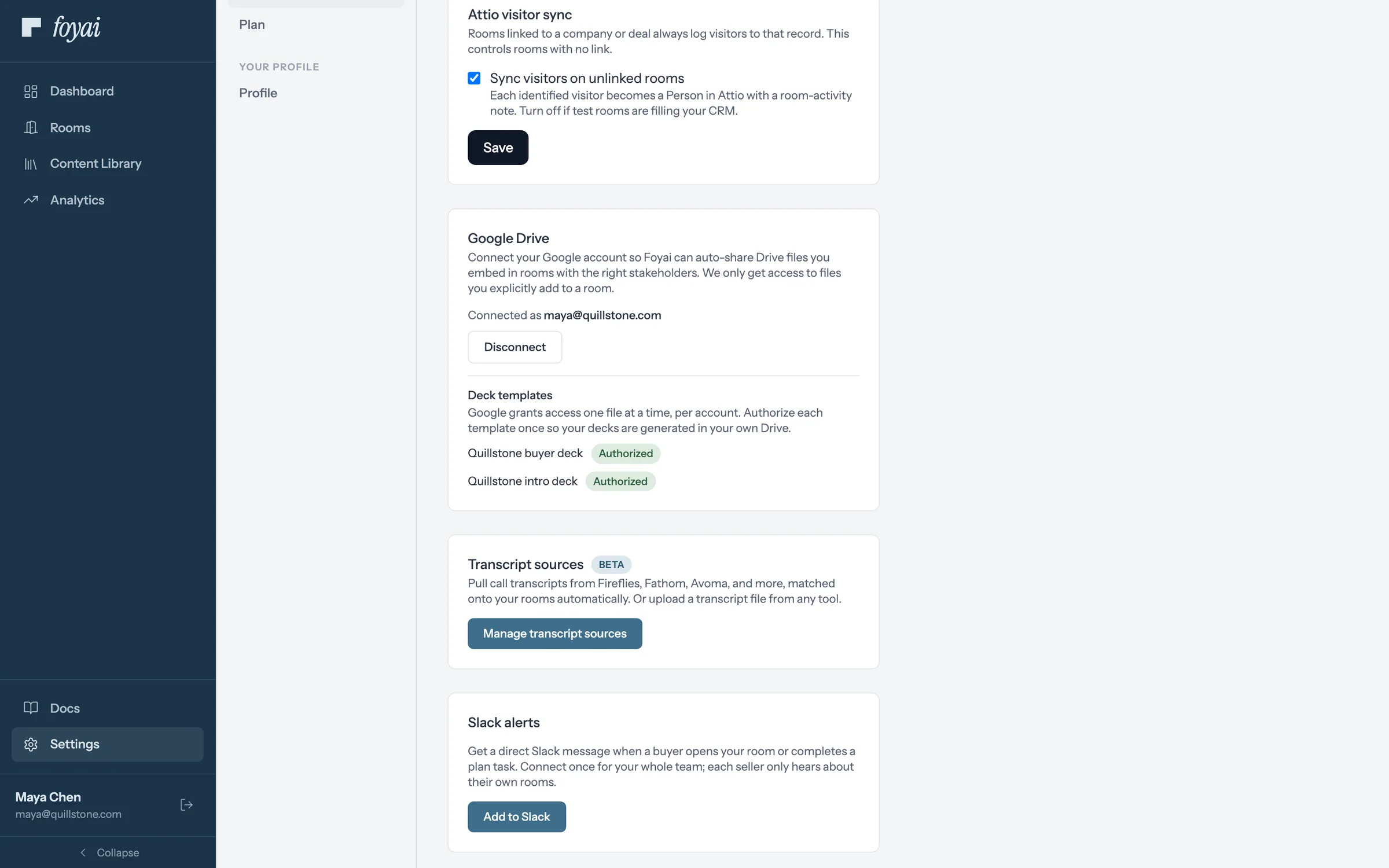
Step 1 of 8 Add to Slack Maya, the admin, clicks Add to Slack in Settings. One connection covers the whole team.
-
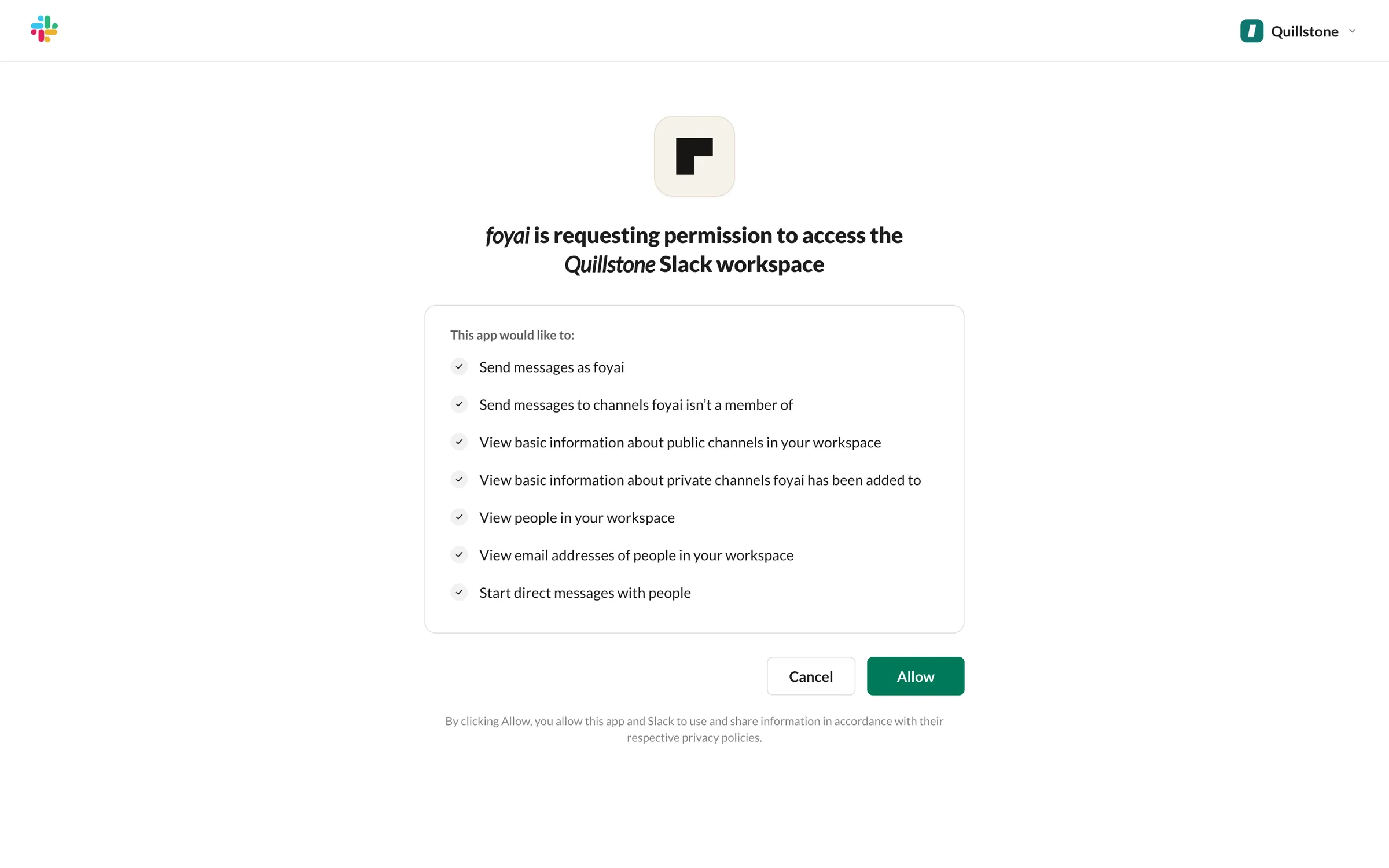
Step 2 of 8 Allow foyai Slack asks Maya to confirm the workspace and what foyai can do, like send messages and find teammates by email.
-
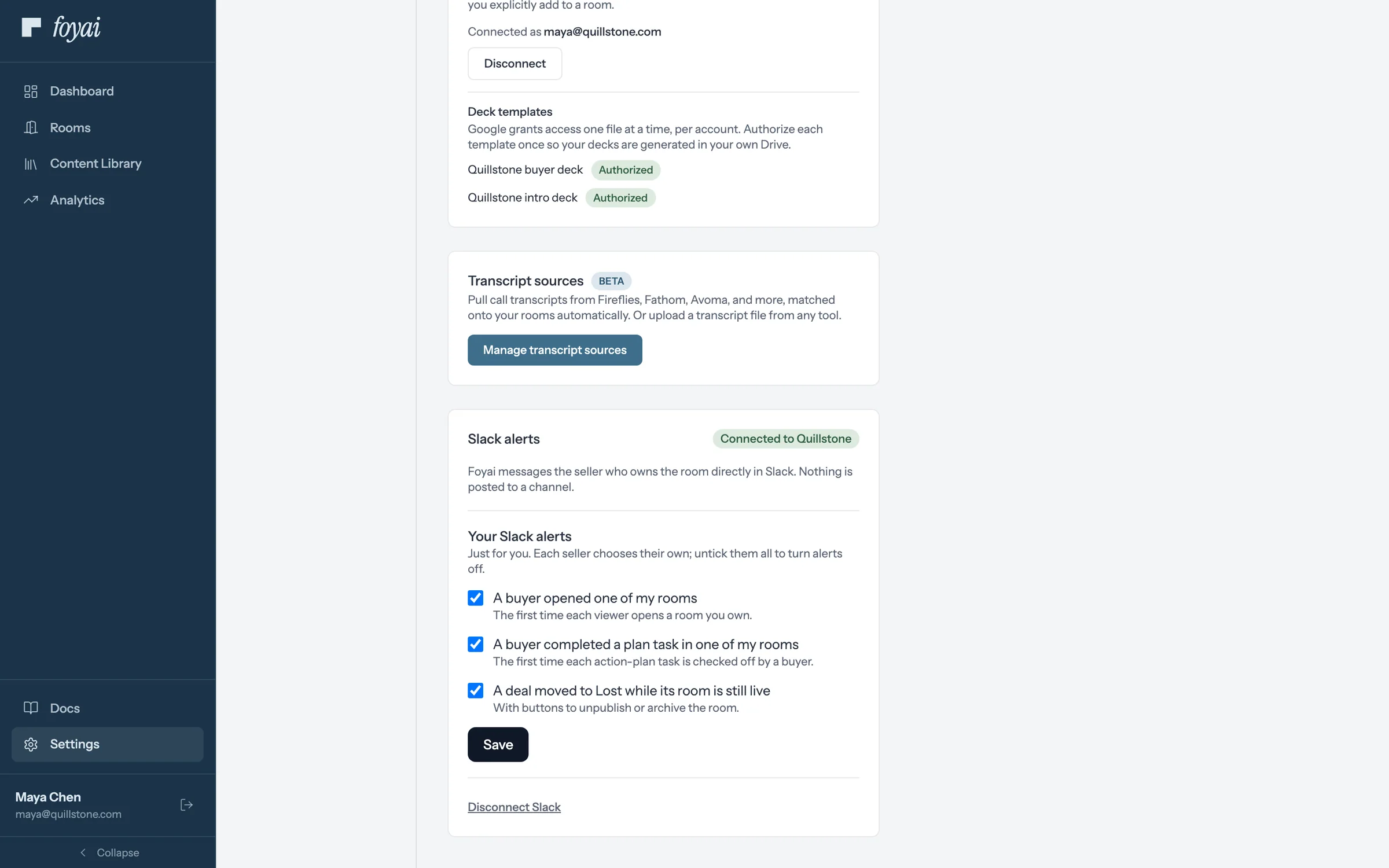
Step 3 of 8 Three alerts, all on The card now reads Connected to Quillstone. Each alert goes to the seller who owns the room, as a direct message.
-
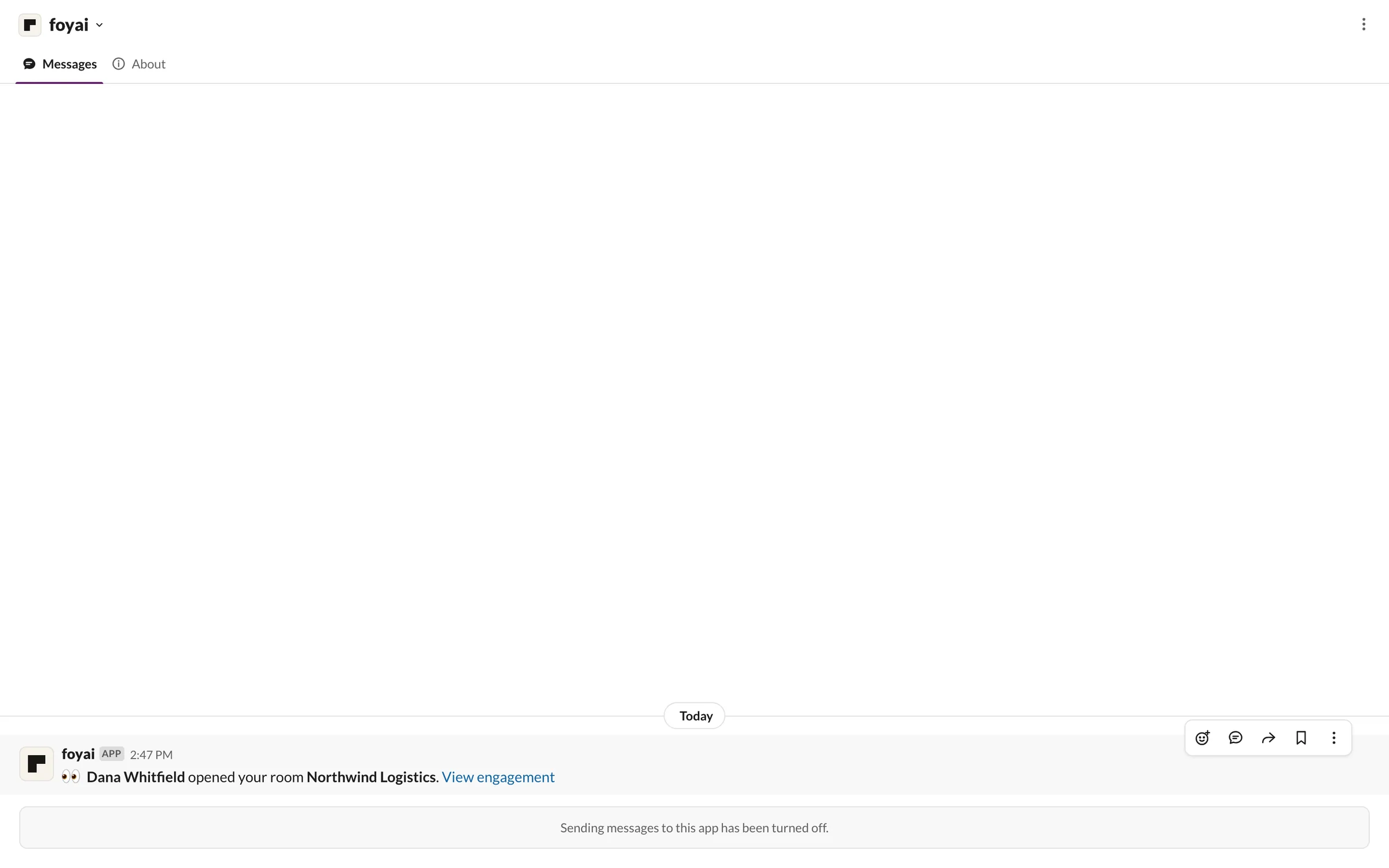
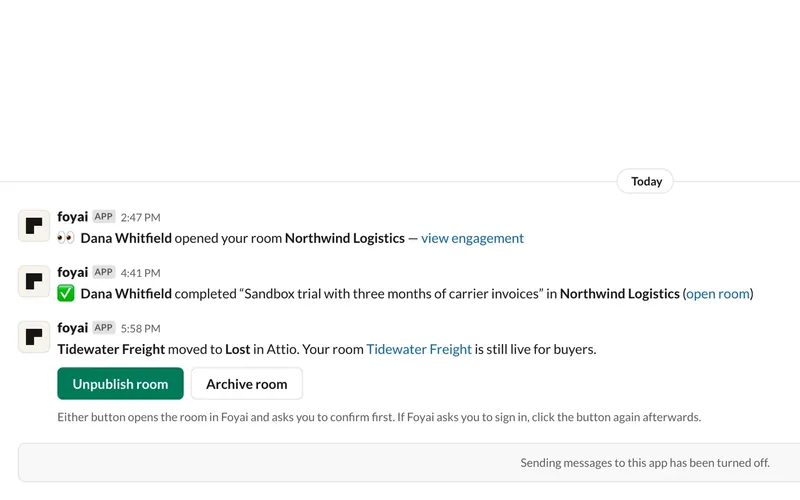
Step 4 of 8 A buyer opens the room The first time Dana opens Northwind Logistics, Sam gets a message with a link to the room's engagement.
-
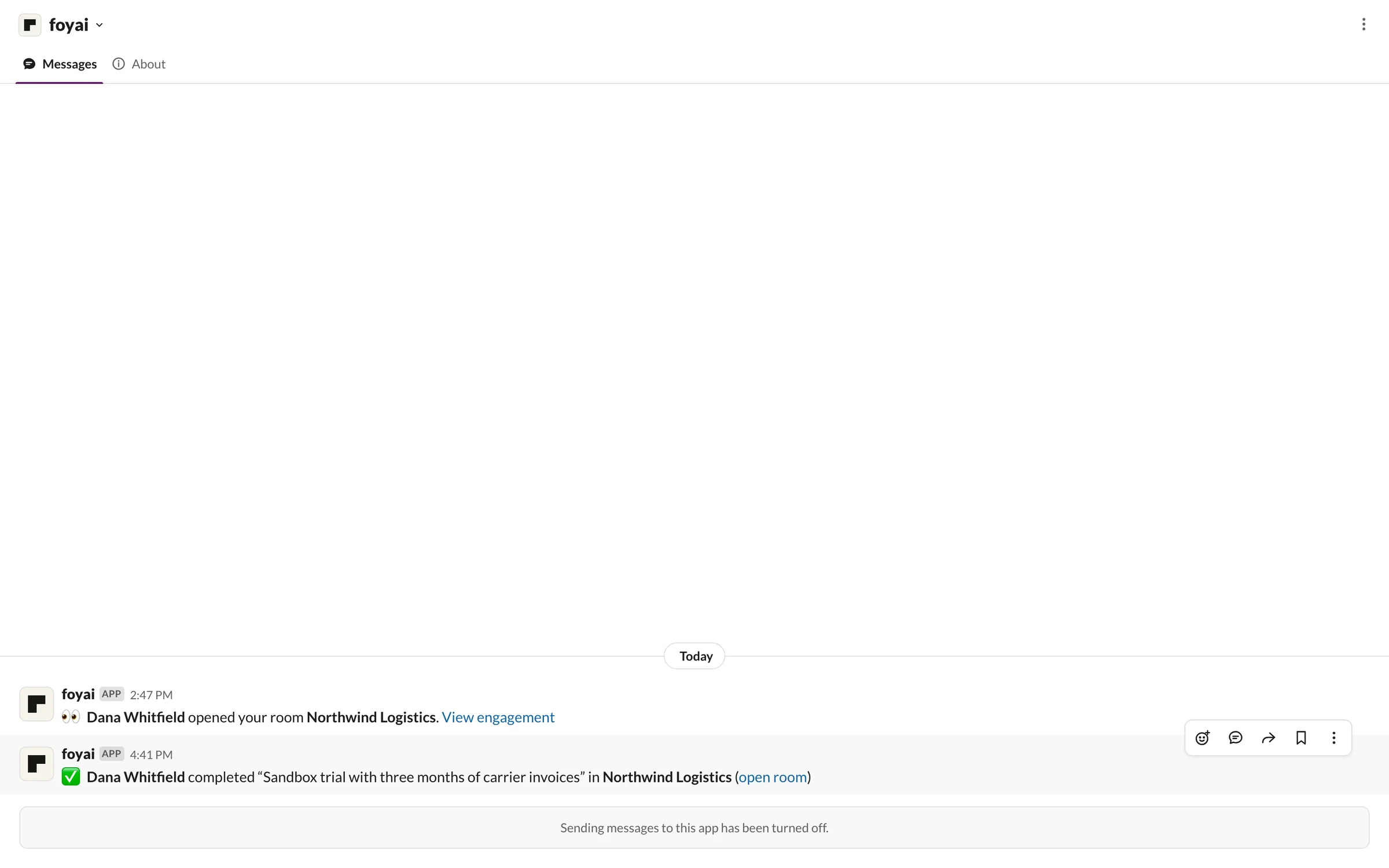
Step 5 of 8 A step gets ticked off Later, Dana completes the sandbox trial step, and Sam hears which step, in which room.
-
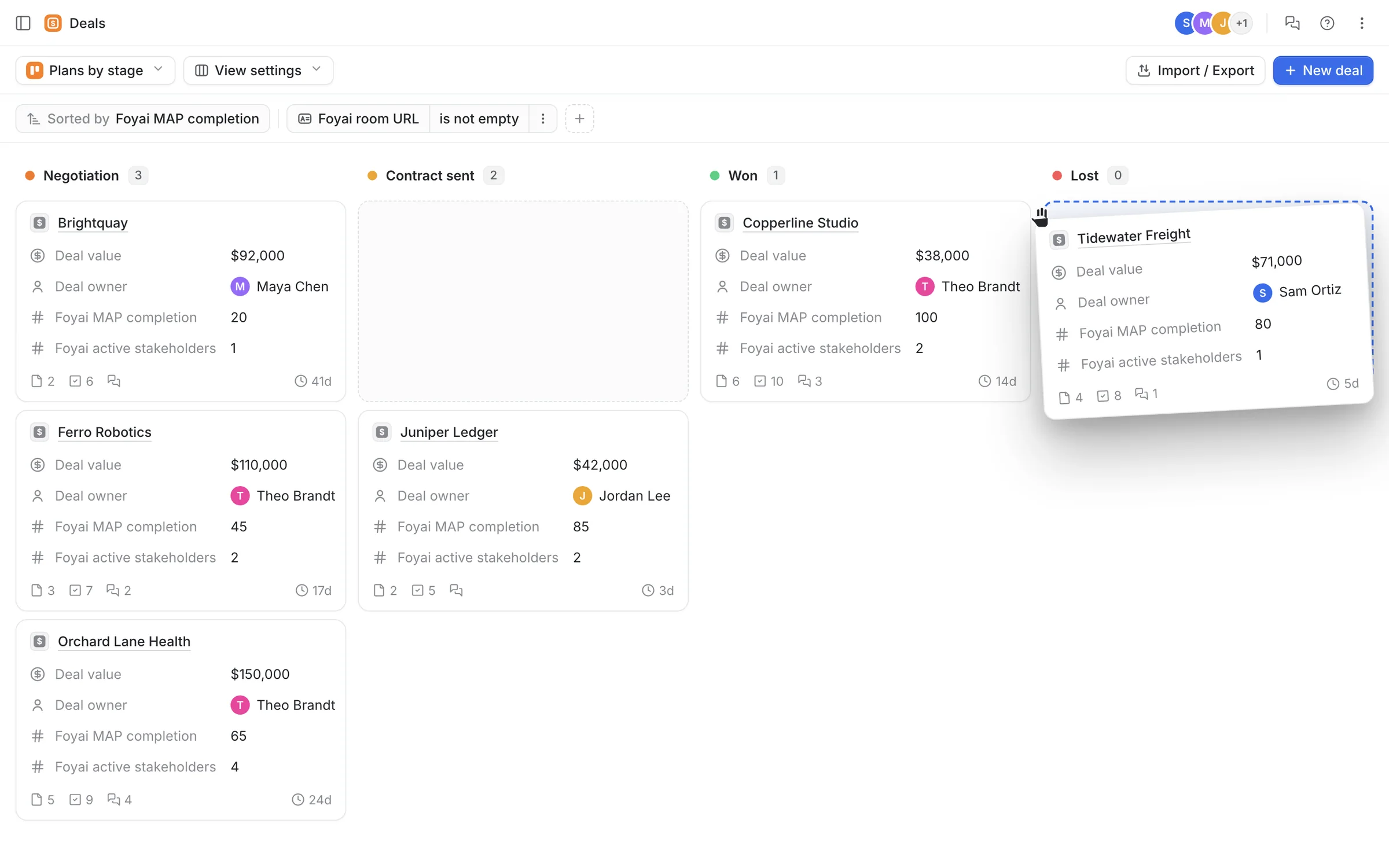
Step 6 of 8 The deal is lost in Attio Sam drags Tidewater Freight to Lost on the Attio deals board while its room is still live.
-
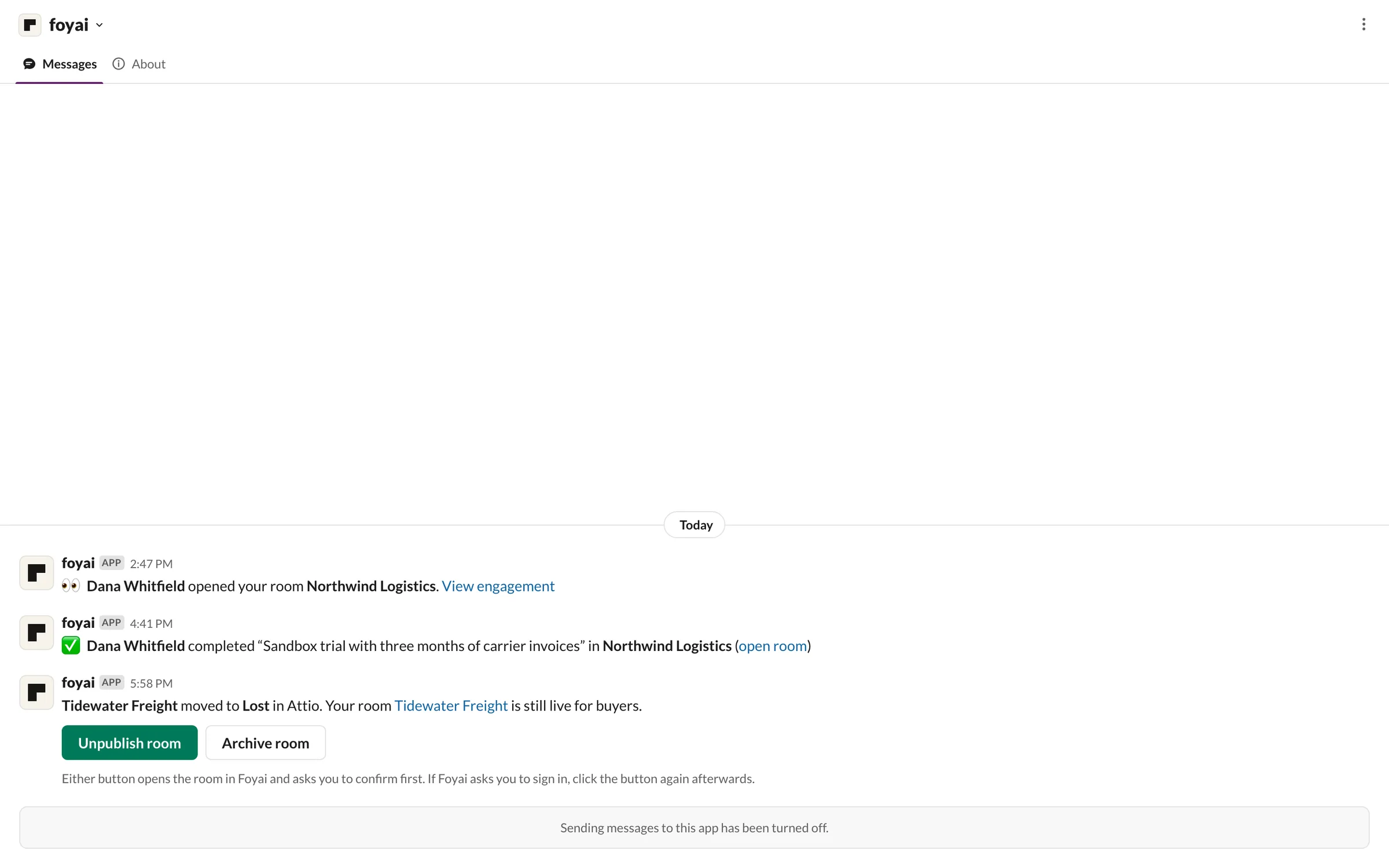
Step 7 of 8 Take the room offline foyai tells Sam the deal is lost and the room is still live, with Unpublish room and Archive room buttons.
-
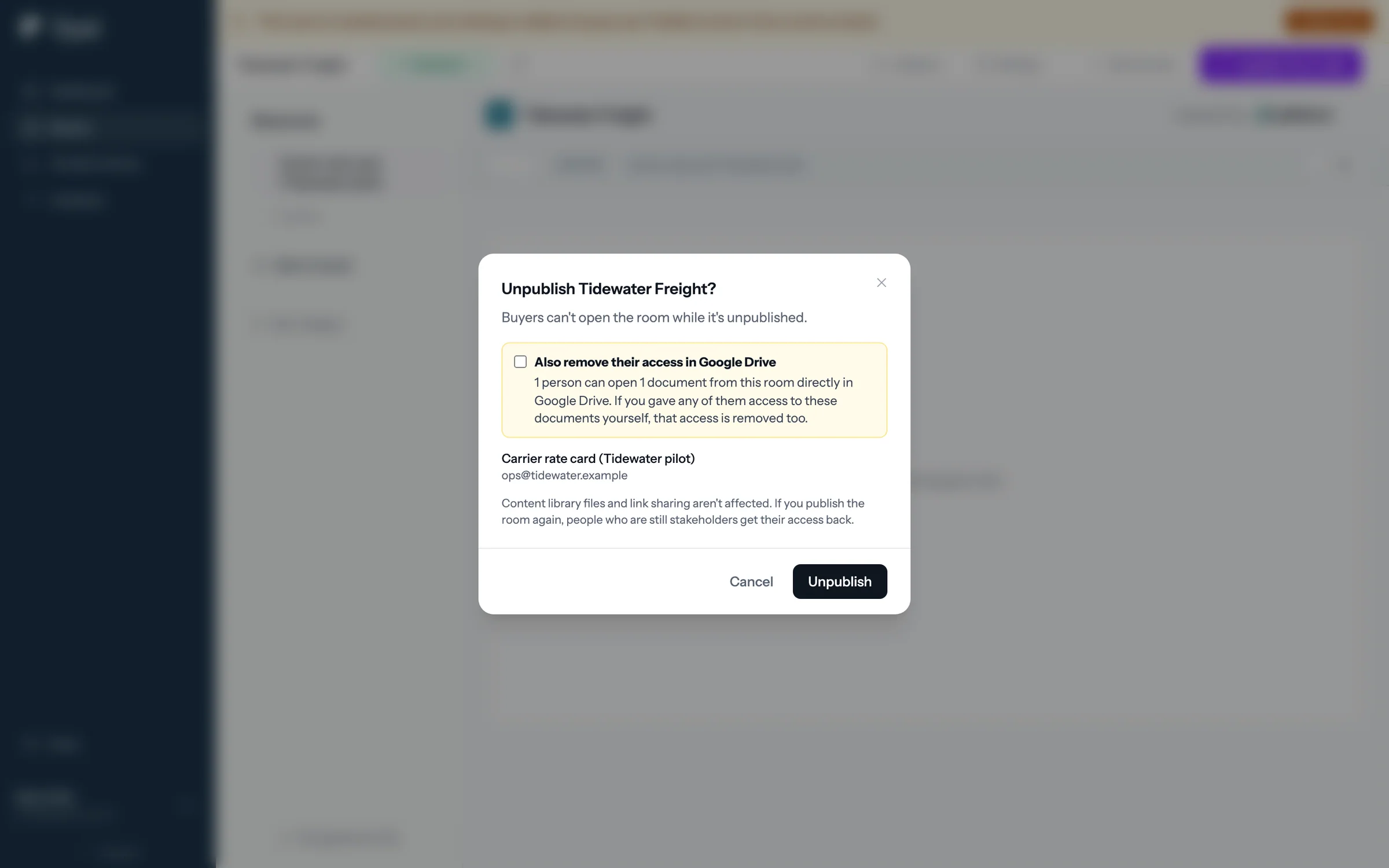
Step 8 of 8 Confirm in foyai Either button opens the room and asks first, including whether to remove buyers' Google Drive access too.
Hear about buyer activity where you already work.
Slack alerts come with Pro and Platform, including the Pro trial.
 Your rooms inside Attio
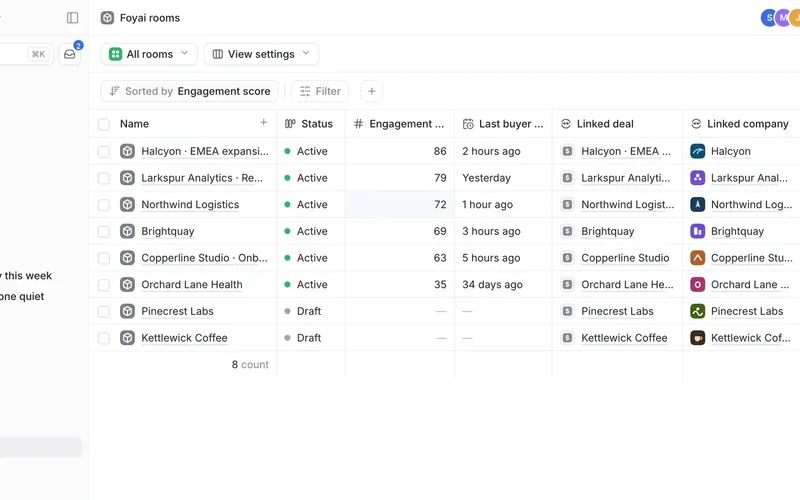
The Foyai rooms object, the Foyai fields on each deal, and a note for every buyer visit.
5 steps
Your rooms inside Attio
The Foyai rooms object, the Foyai fields on each deal, and a note for every buyer visit.
5 steps
-
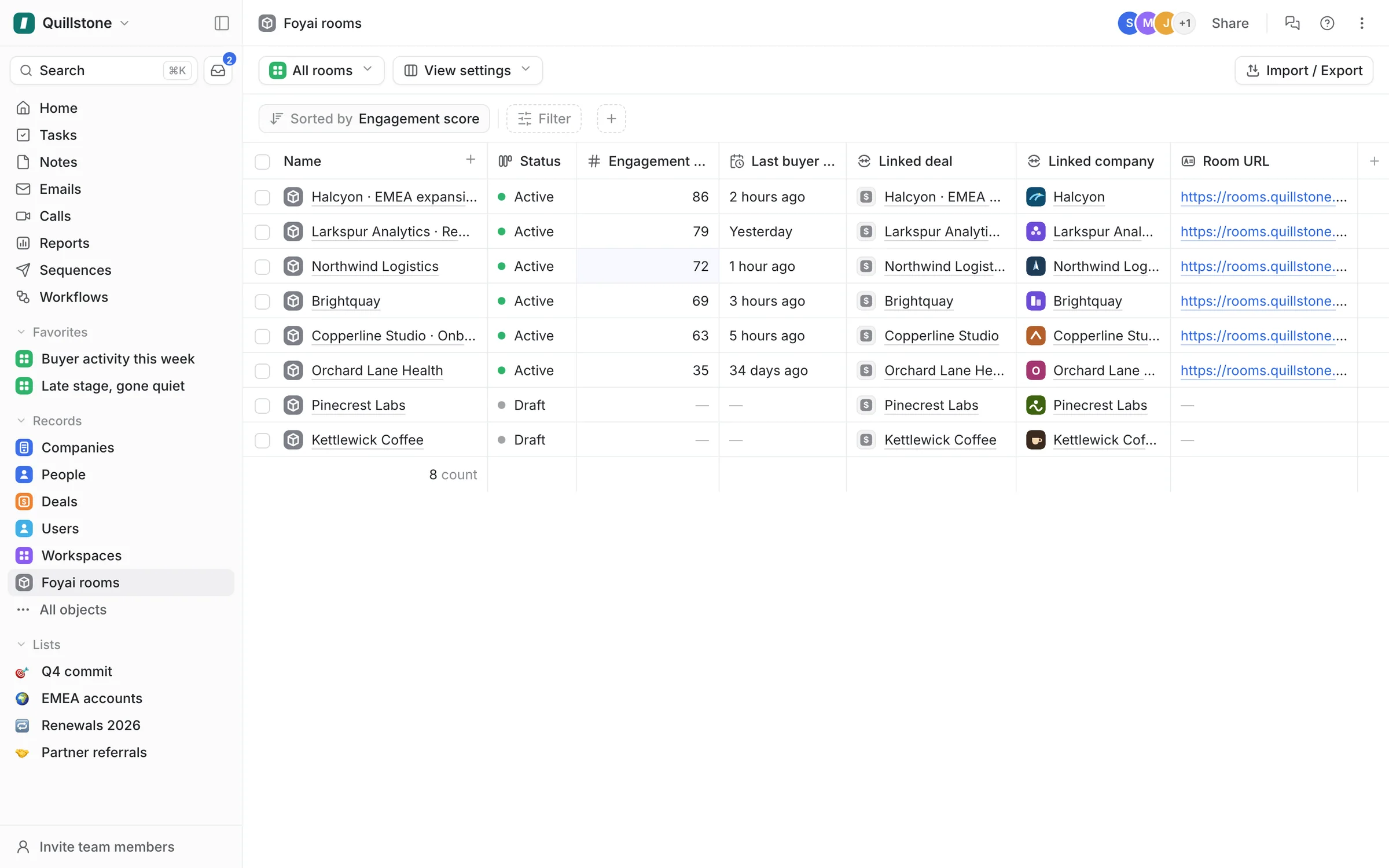
Step 1 of 5 Your rooms, in Attio foyai adds a Foyai rooms object to Attio, so the team can see every room without leaving the CRM.
-
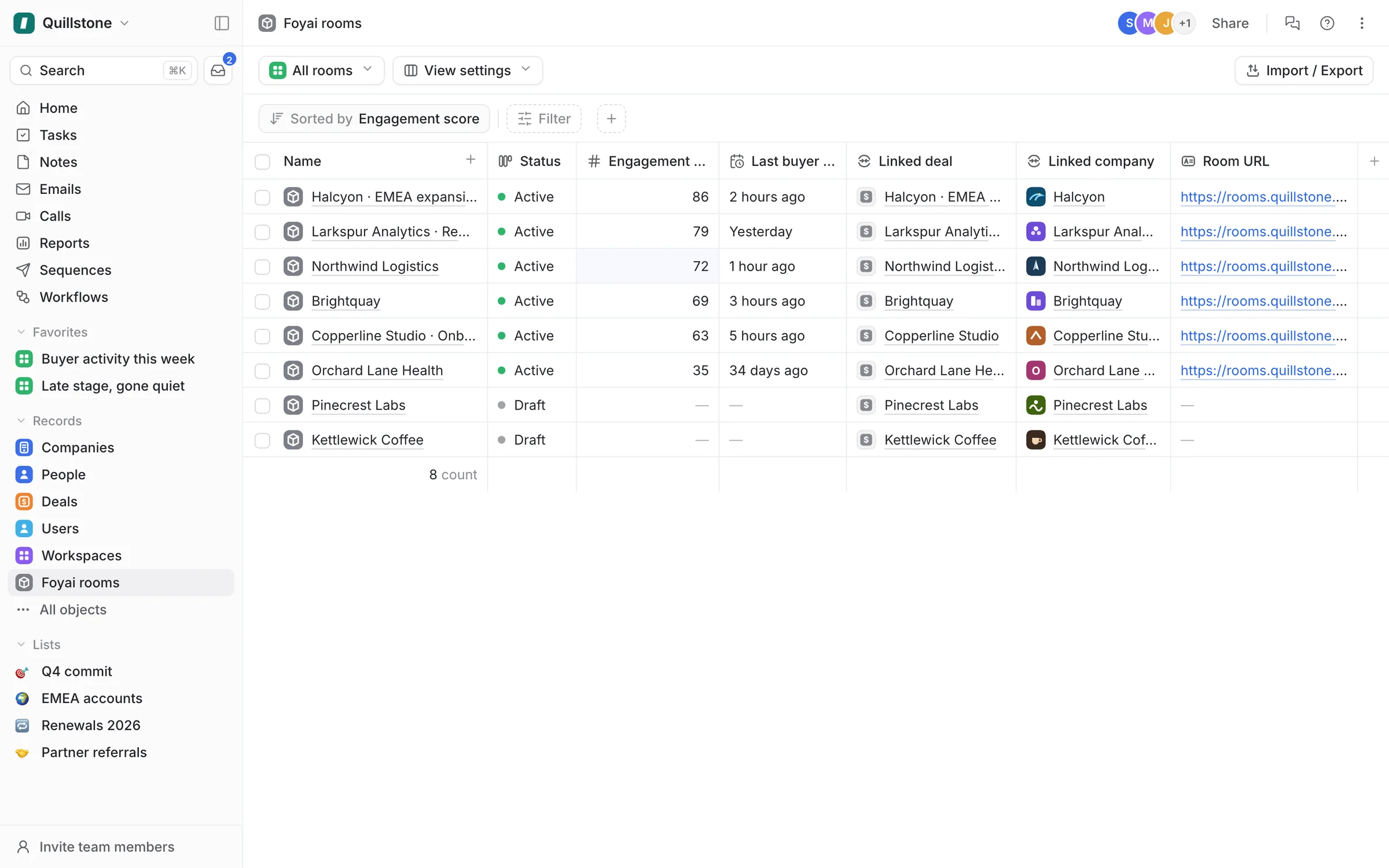
Step 2 of 5 Sort by engagement Each room has its status, engagement score, last buyer view, and linked deal, so you can sort and filter it like any Attio table.
-
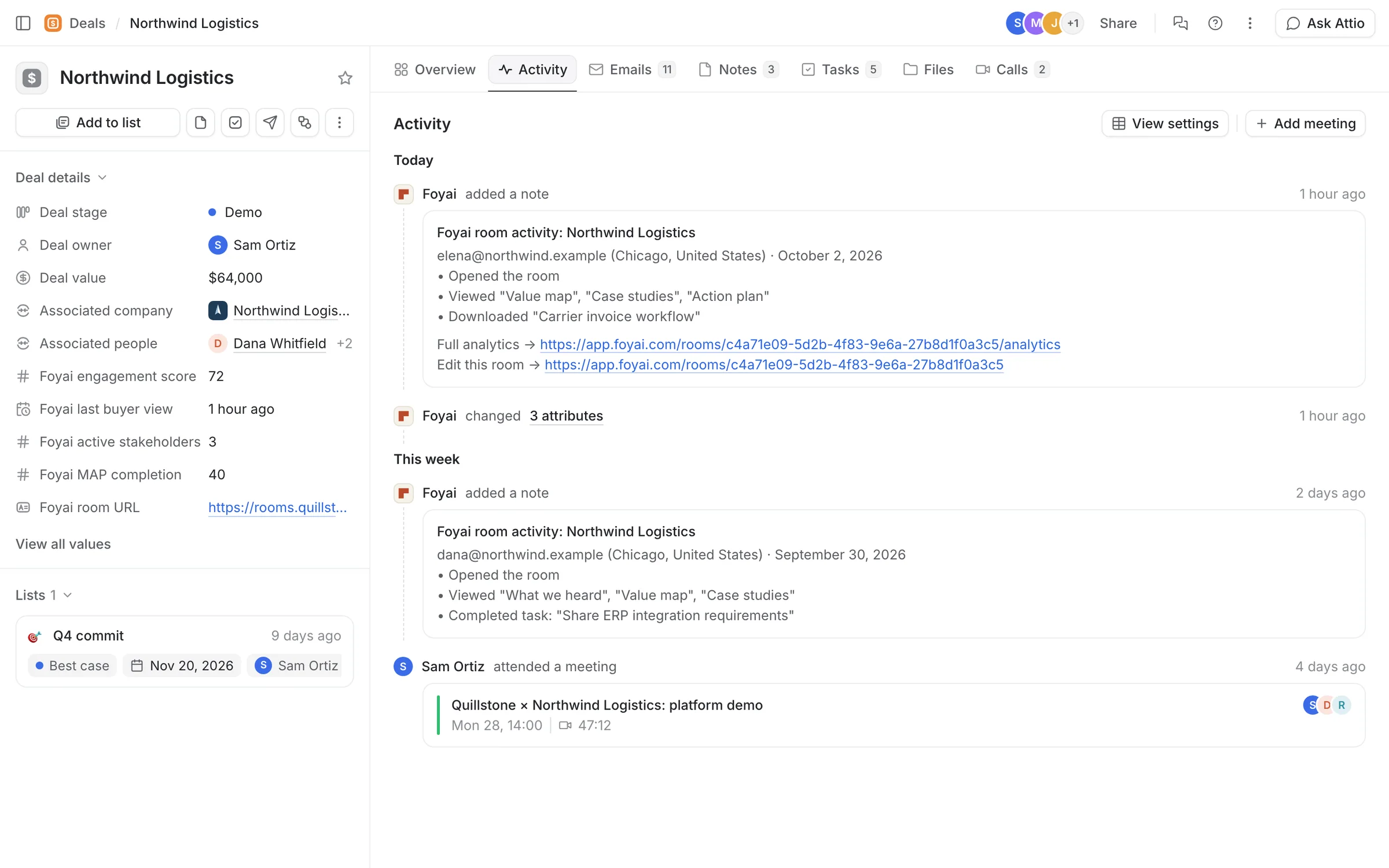
Step 3 of 5 Fields on the deal Deals get Foyai fields too: engagement score, last buyer view, active stakeholders, MAP completion, and the room's link.
-
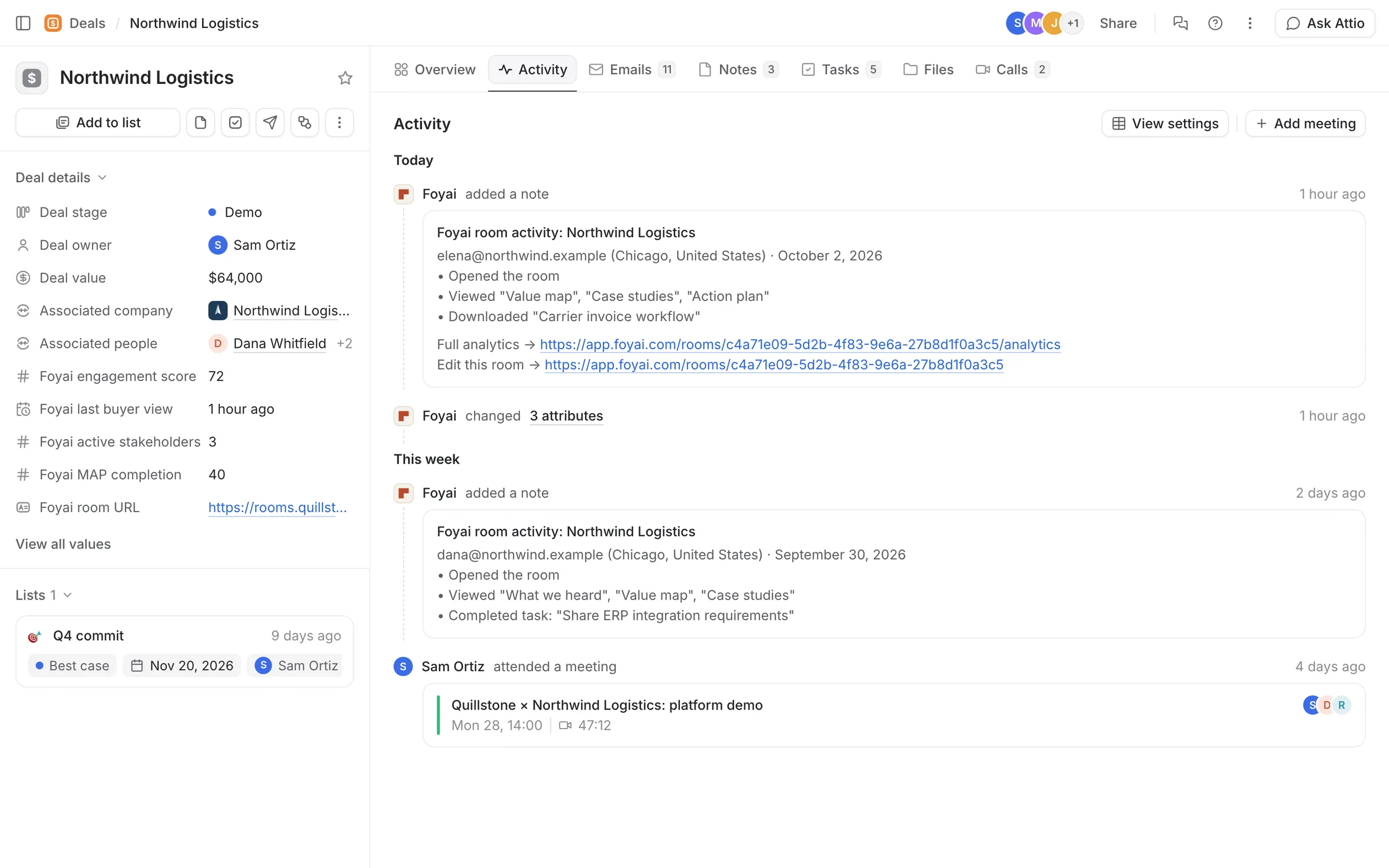
Step 4 of 5 A note for each visit Each buyer visit adds a Foyai room activity note to the deal: who it was, and what they opened and downloaded.
-
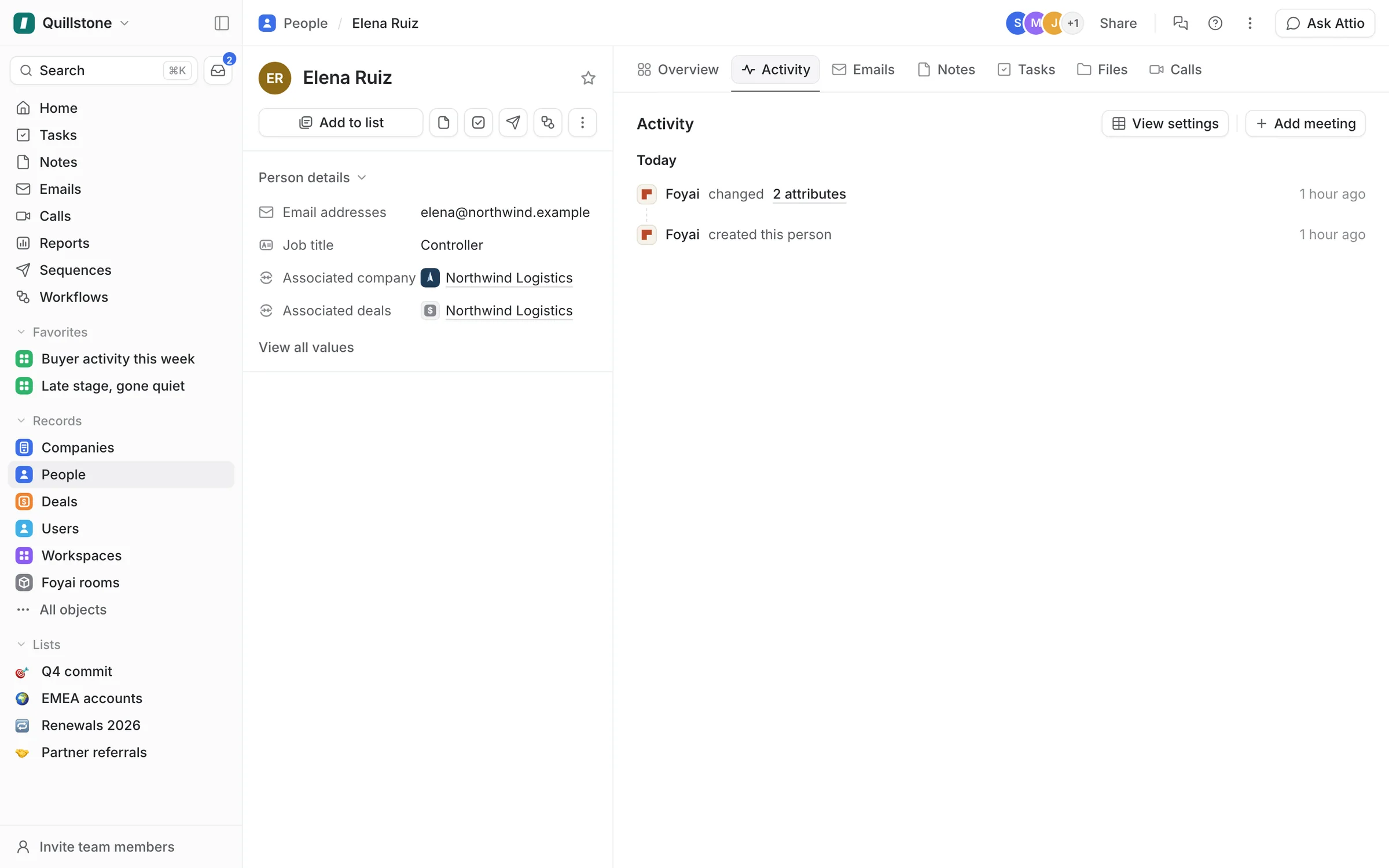
Step 5 of 5 Visitors become People Elena signed in with a Northwind email, so foyai added Elena as a Person, linked to the Northwind company and deal.
See every room from inside Attio.
Connect Attio, and foyai sets up the Foyai rooms object and the deal fields for you.