+
+
Give any Attio deal a buyer room drafted from its calls.
foyai is a digital sales room built for Attio. Sign in with Attio and any deal can get a private buyer room drafted from its calls. Start one yourself from the deal page in Attio, or have foyai create the draft when the deal reaches a stage you choose. You review and publish it. What buyers do in the room, from who viewed it to which plan steps are done, comes back to the deal as fields you can sort, filter and report on.
Updated
foyai works from the same Attio deal record your team already uses.
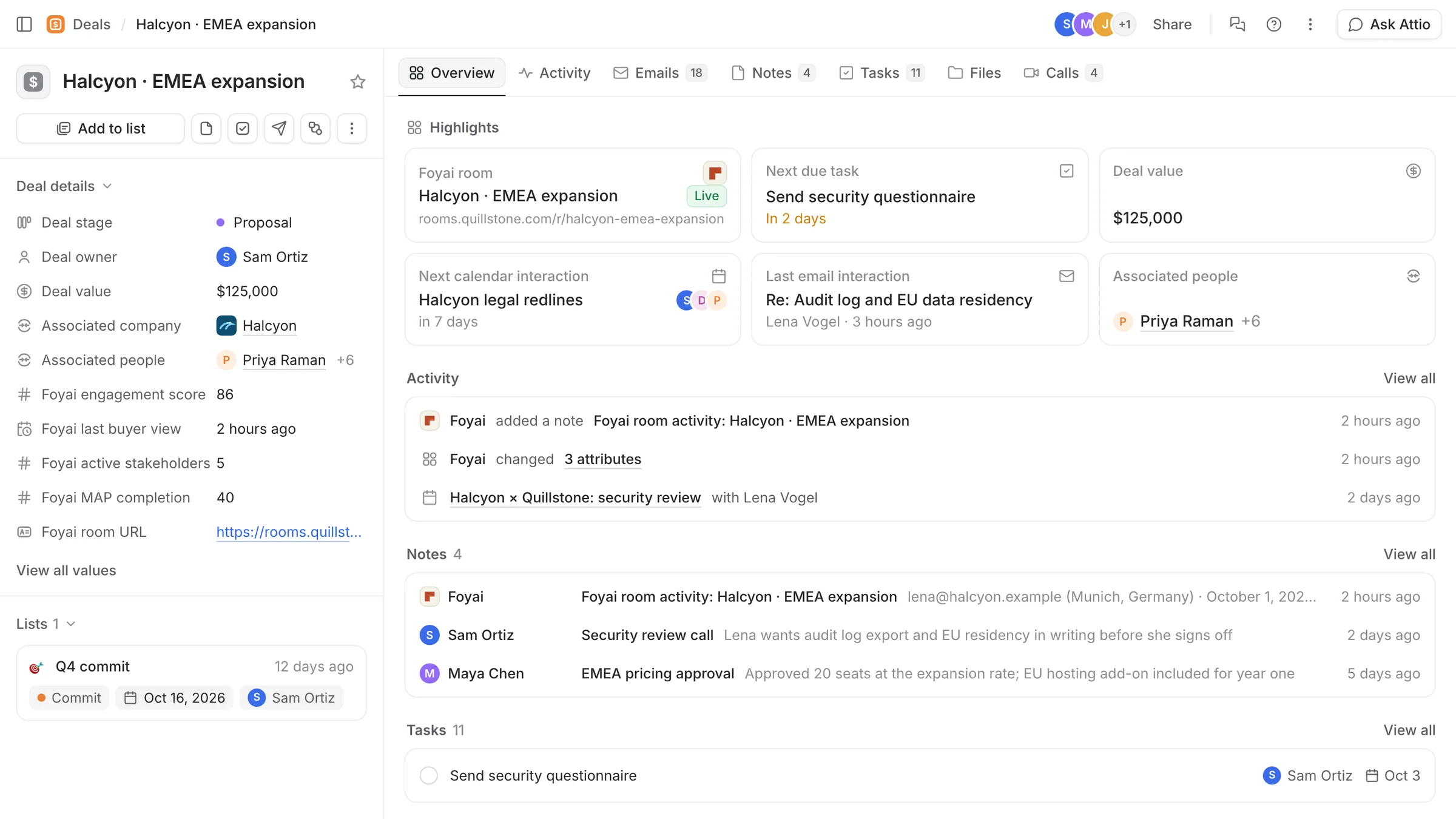
foyai reads the deal, its calls and its stakeholders from Attio to prepare a room draft. Once the rep publishes it, what buyers do is written back onto the same deal record, so managers can review the pipeline with buyer activity next to each deal.
Want the bigger picture first? Why foyai is built only for Attio.
- Drafts at the stages you choose. Map a deal stage to a template, and a deal that reaches it gets a drafted room waiting for review.
- Reps stay in Attio. Create a room or redraft it from the latest calls without leaving the deal or company page.
- Engagement sits on the deal. Score, last buyer view, active stakeholders and plan completion, ready for views and reports.
- Plans you can work from Attio. Send a plan step to Attio as a task. Complete it there and the room updates.
- Optional buyer contacts. Buyers who identify themselves in a room are added to Attio as People, unless you switch this off.
What you'll see on the deal record.
Connecting adds these fields and records, and buyer visits fill them in as rooms are used. Nothing you already track in Attio is overwritten.
An admin connects Attio once and the whole team can create rooms.
Attio call recordings work from the start. These three steps take you from sign-in to your first room.
Sign in with Attio
Go to app.foyai.com and choose Sign in with Attio. An Attio workspace admin approves the connection for the whole workspace. Your deals, companies and call recordings are available straight away.
Add the app from Attio's app store
Install foyai from attio.com/apps/foyai. It adds the Create Foyai Room and Generate Foyai Draft from Calls actions and a "Foyai room" widget to your deal and company pages. No setup.
Create your first room
From a deal in Attio, run Create Foyai Room, pick a template, and foyai drafts the room from that deal's calls. Review it, then publish. Select several deals or companies to create rooms in bulk.
Need the details for IT or RevOps? Read the Attio setup guide and the integrations docs.
Choose which deal stages create a room draft.
For each Attio deal stage, choose: no room, a plain room, or a room from one of your templates. When a deal is created in a mapped stage or moves into one, foyai creates the room and drafts it from the deal's calls.
Nothing publishes on its own. The draft waits for the seller to review. Each deal gets at most one automatic room, and each automatic room uses one AI generation. You can also have a room created when a new call recording is added to a deal (for calls less than 48 hours old).
Stage and template names are examples. Your stages come from Attio; templates are rooms you've saved.
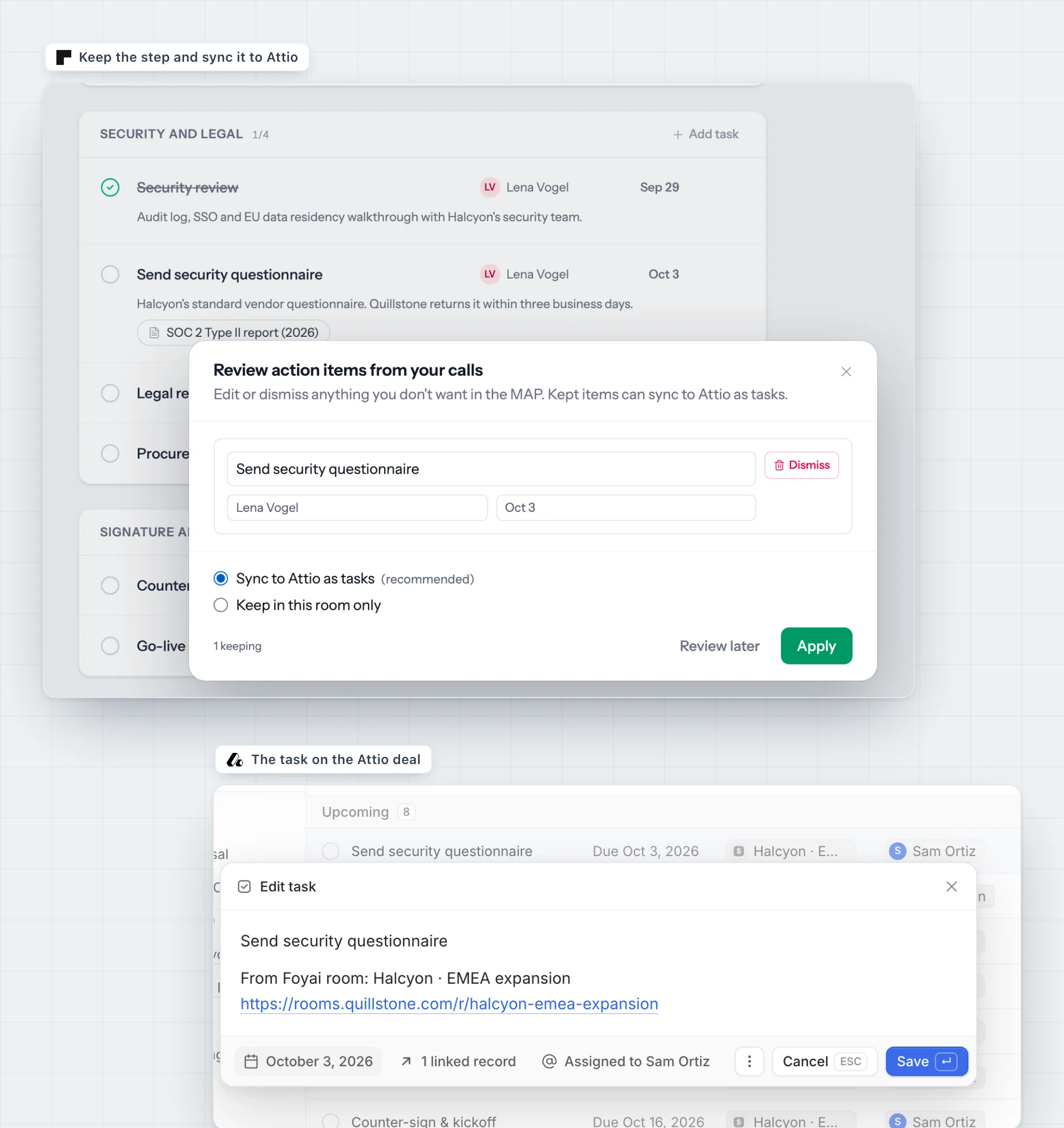
Plan steps become Attio tasks.
Every room has an action plan with steps for both sides. Steps you add become Attio tasks on the deal, with the room link attached, and steps suggested from your calls sync once you keep them. When a teammate completes it in Attio, the room shows it done; due dates and completion stay in step both ways.
The deal carries the plan's completion as a percentage, so a pipeline review shows how much of each deal's plan is done. Tasks you create directly in Attio stay in Attio and aren't pulled into the room.