Click through a real room the way your buyer would.
This is a working foyai room for Northwind Logistics. foyai drafted it from the deal's recorded calls, and the seller edited and published it, the same way your buyers would get one. It has a business case, an action plan, matching case studies, and a deck. Look around as the buyer, then see what the seller gets back in Attio.
-
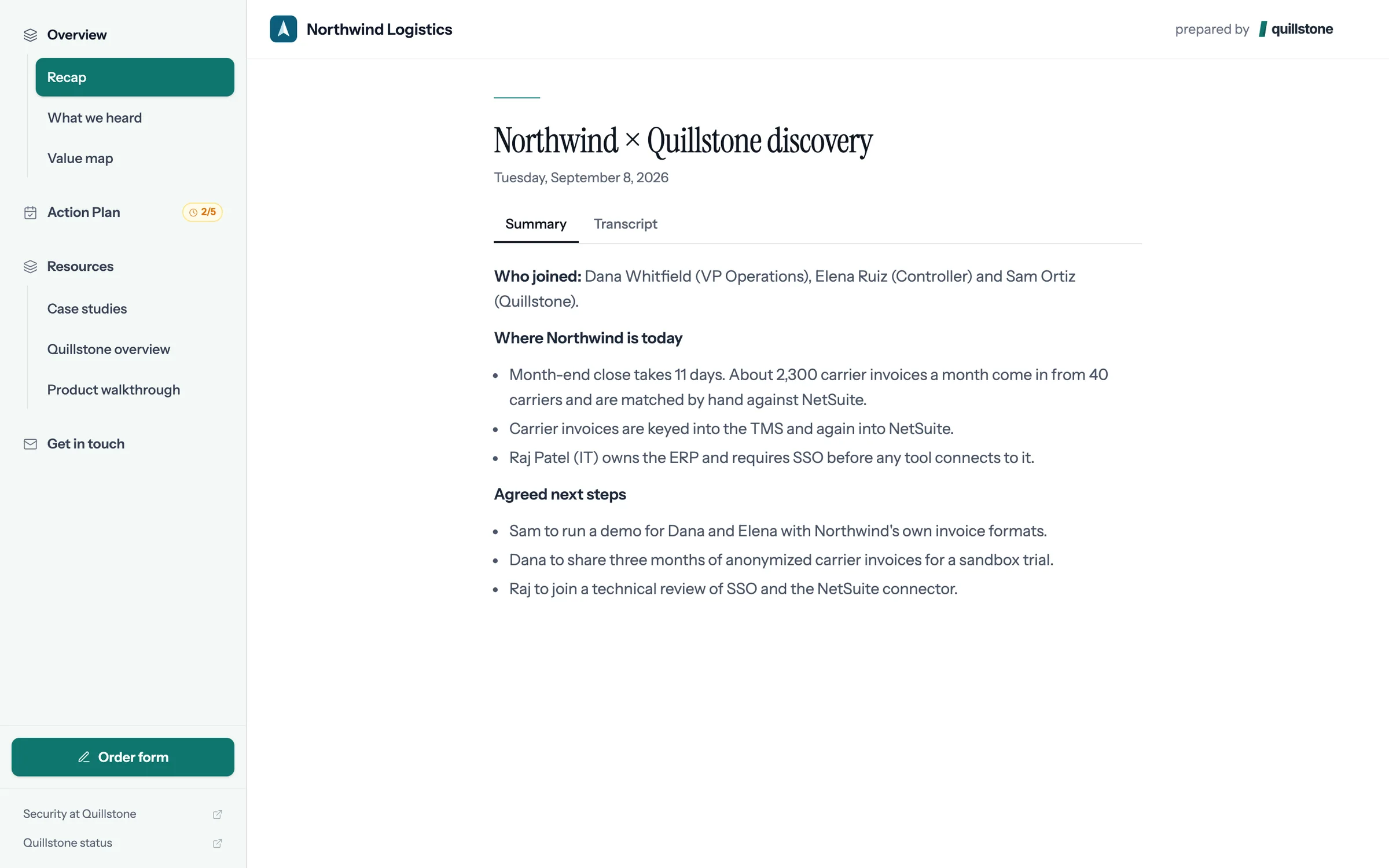
Step 1 of 8 Dana opens the room One link, with no account to create. Dana lands on a room made for Northwind Logistics.
-
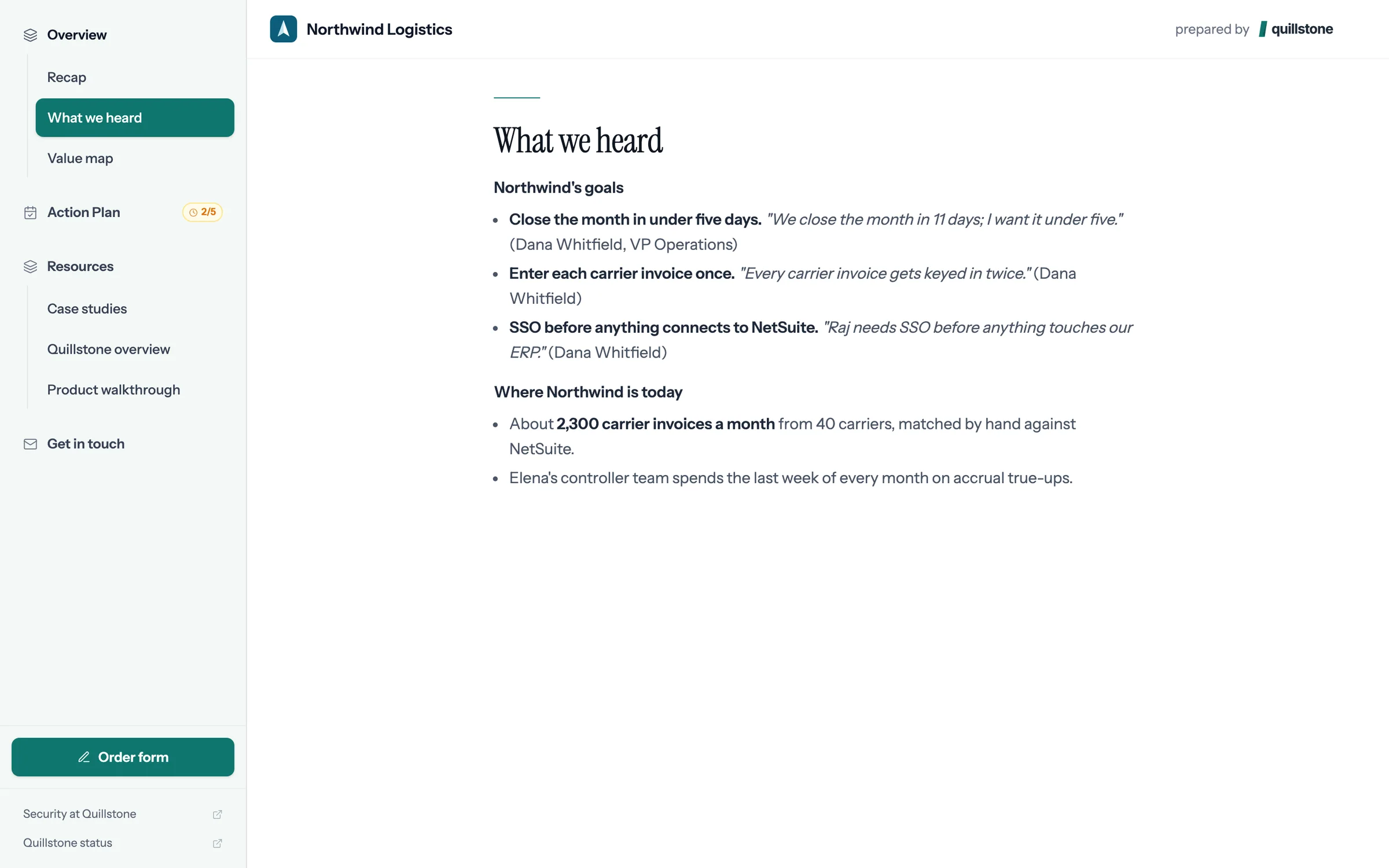
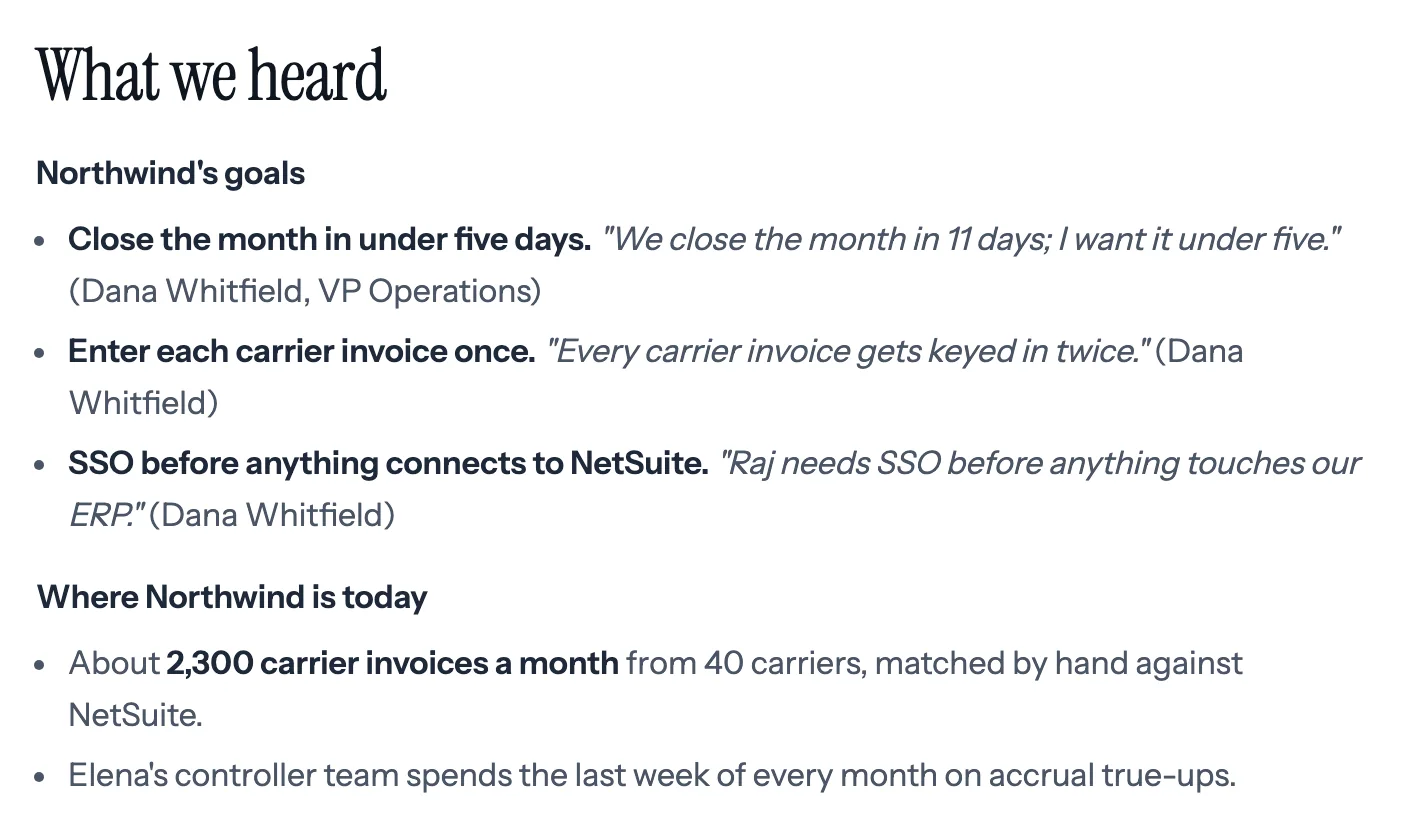
Step 2 of 8 What we heard Northwind's goals in Dana's own words, quoted from the discovery call, so anyone she forwards it to has the context.
-
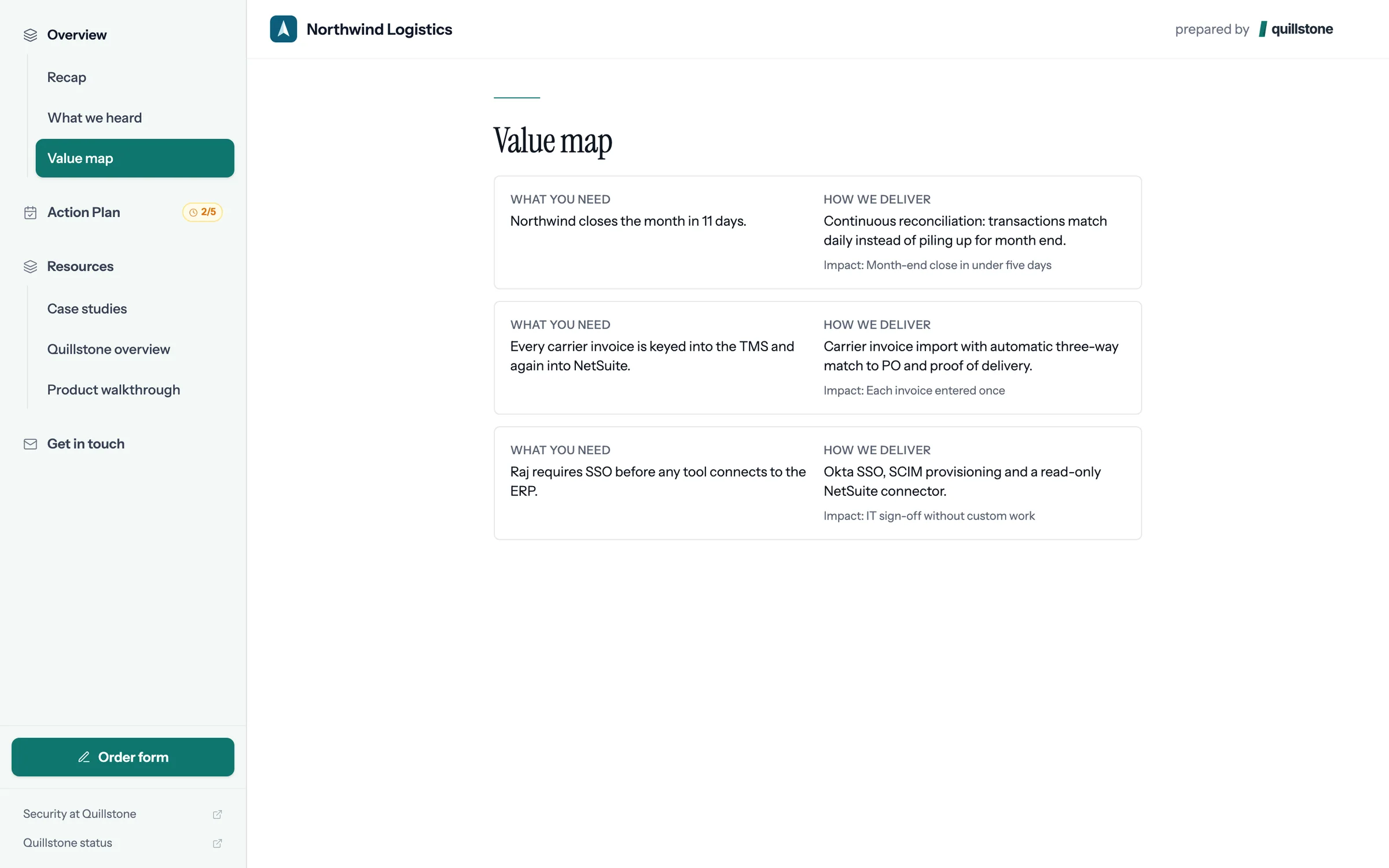
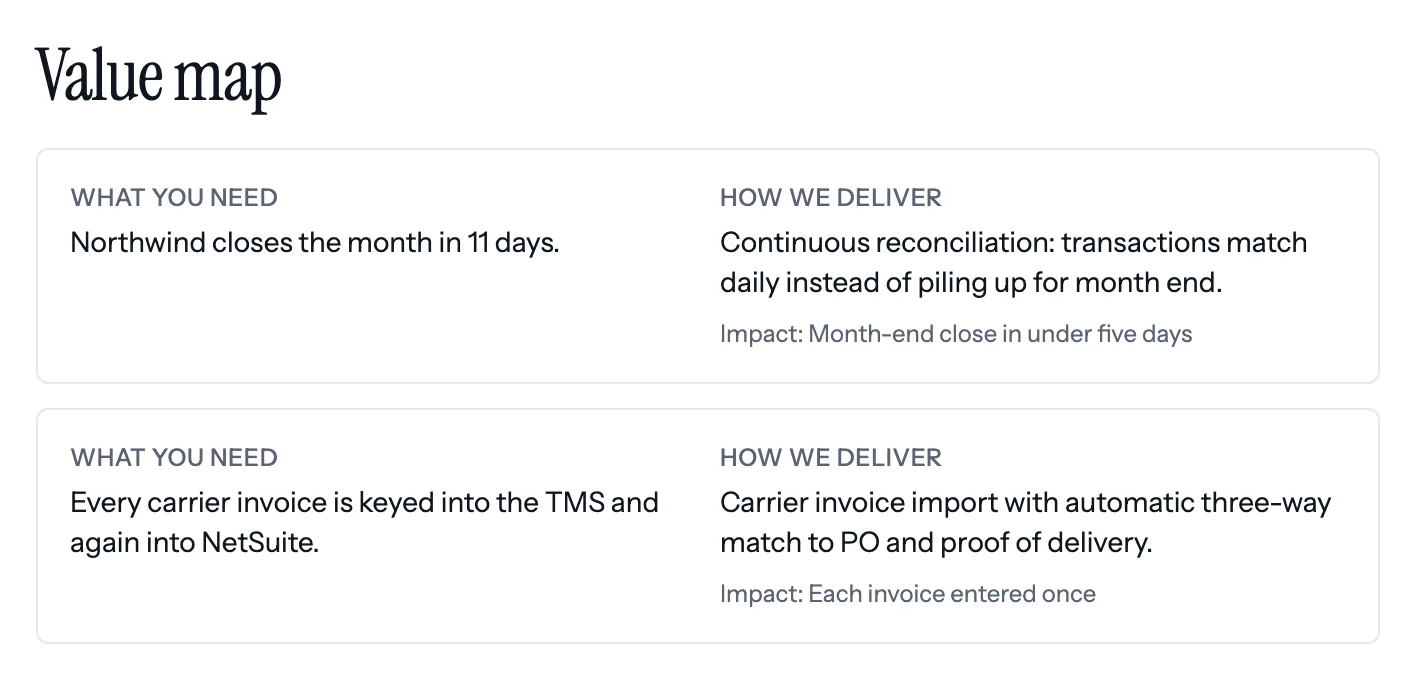
Step 3 of 8 The value map Each problem Northwind described sits beside what Quillstone will change and the result to expect.
-
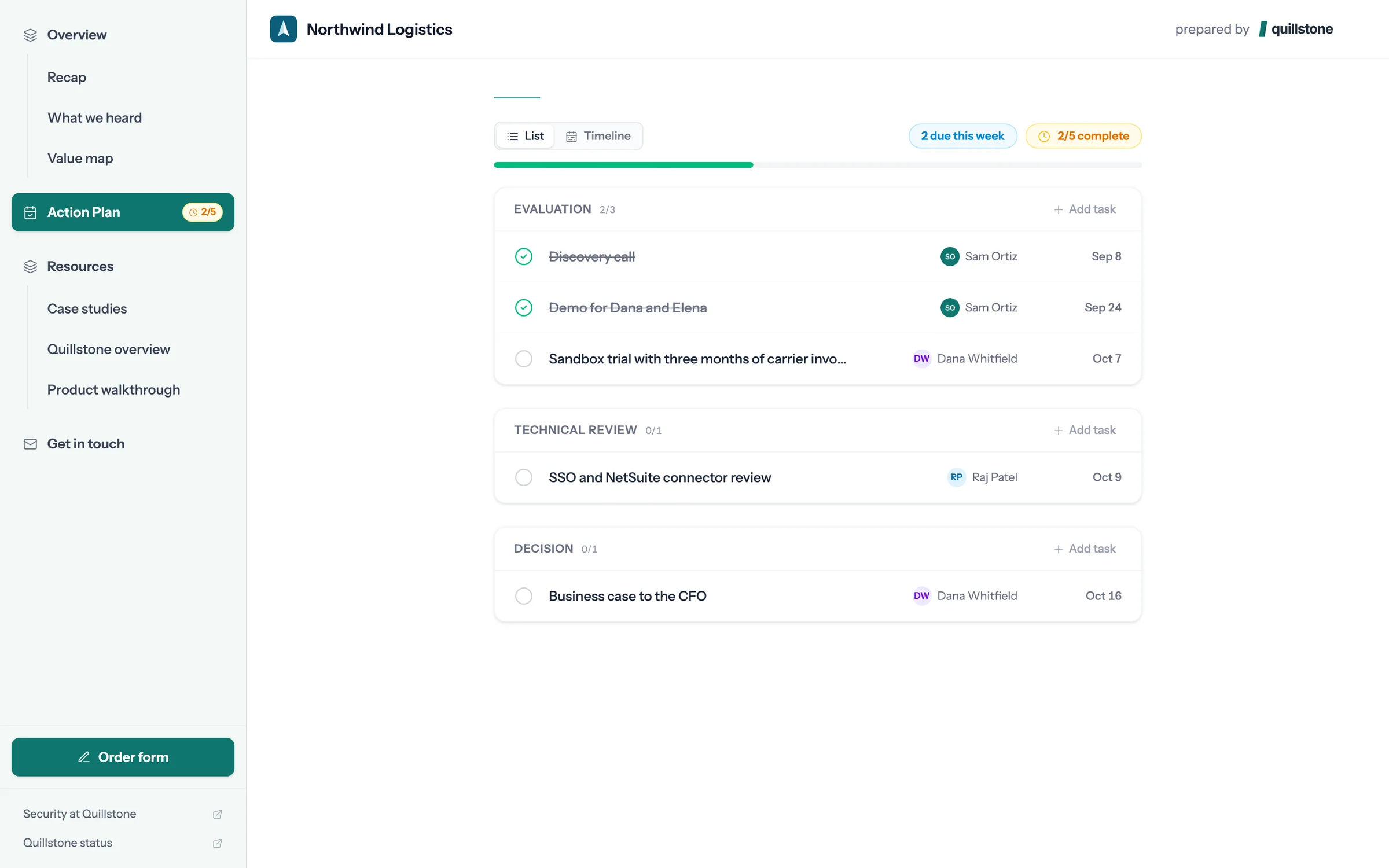
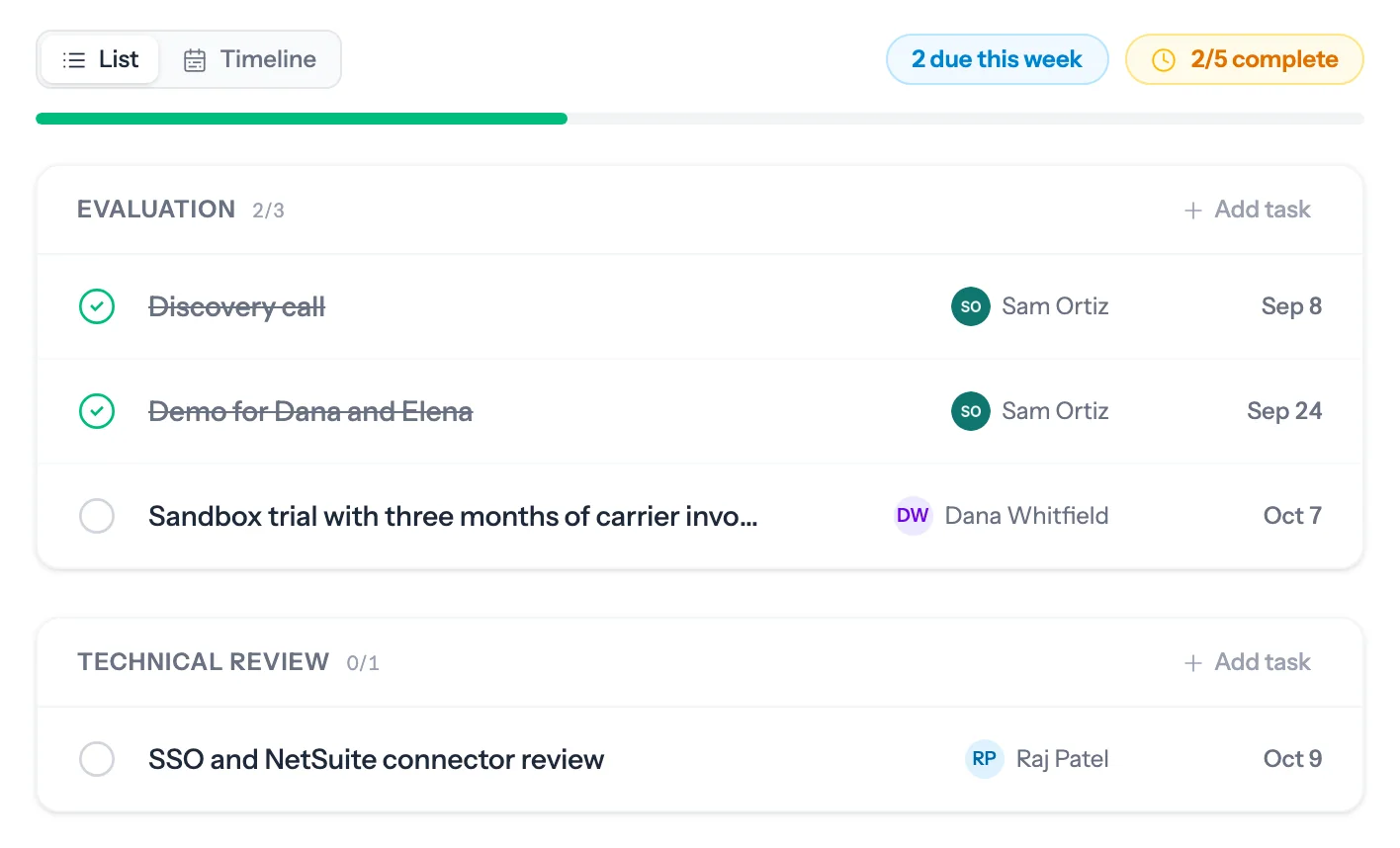
Step 4 of 8 The action plan Dated steps for both sides, through to signature. Dana owns the sandbox trial, so she ticks it off herself.
-
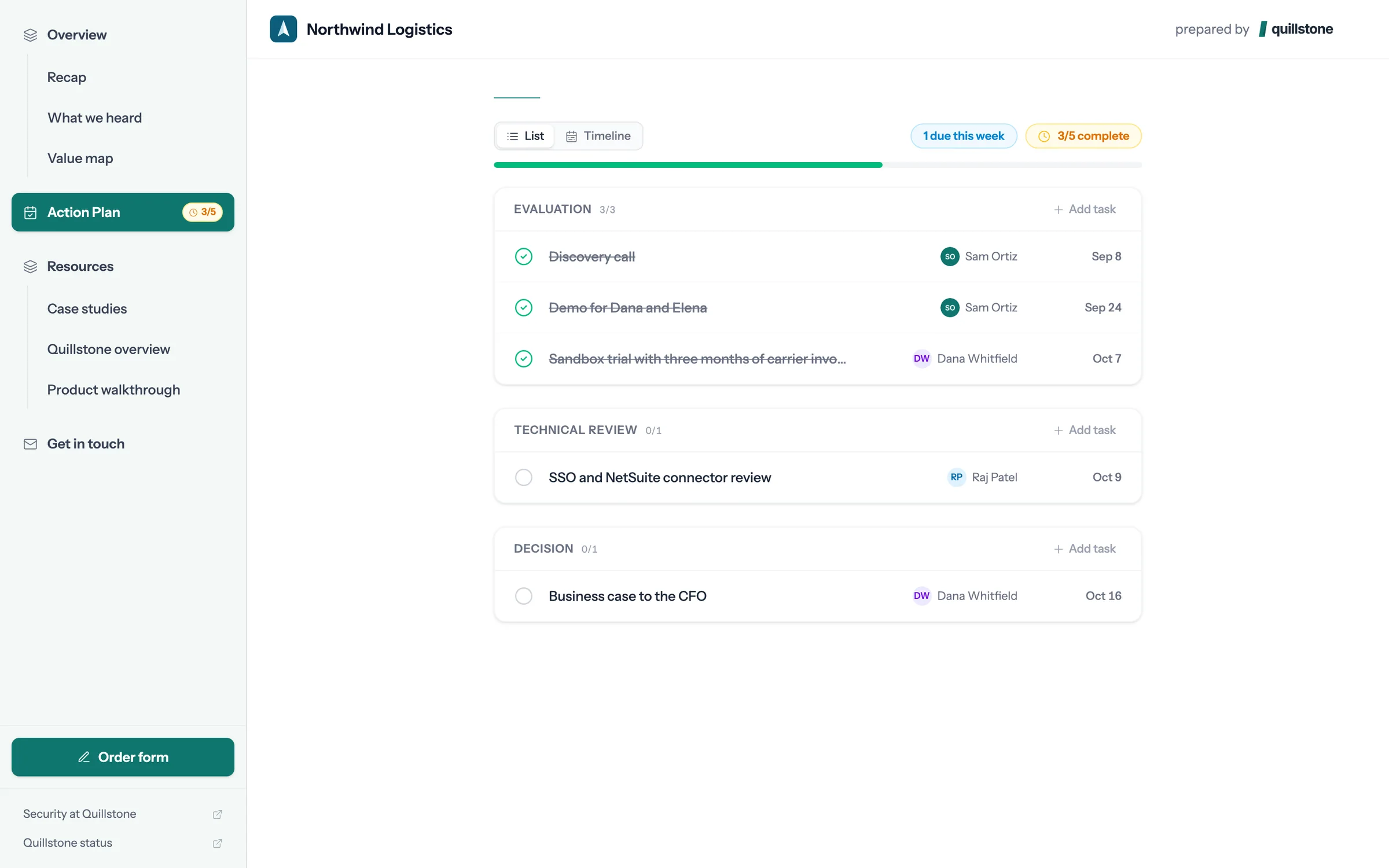
Step 5 of 8 Done, and the seller sees it The plan's progress moves, Sam gets a Slack message, and plan completion updates on the Attio deal.
-
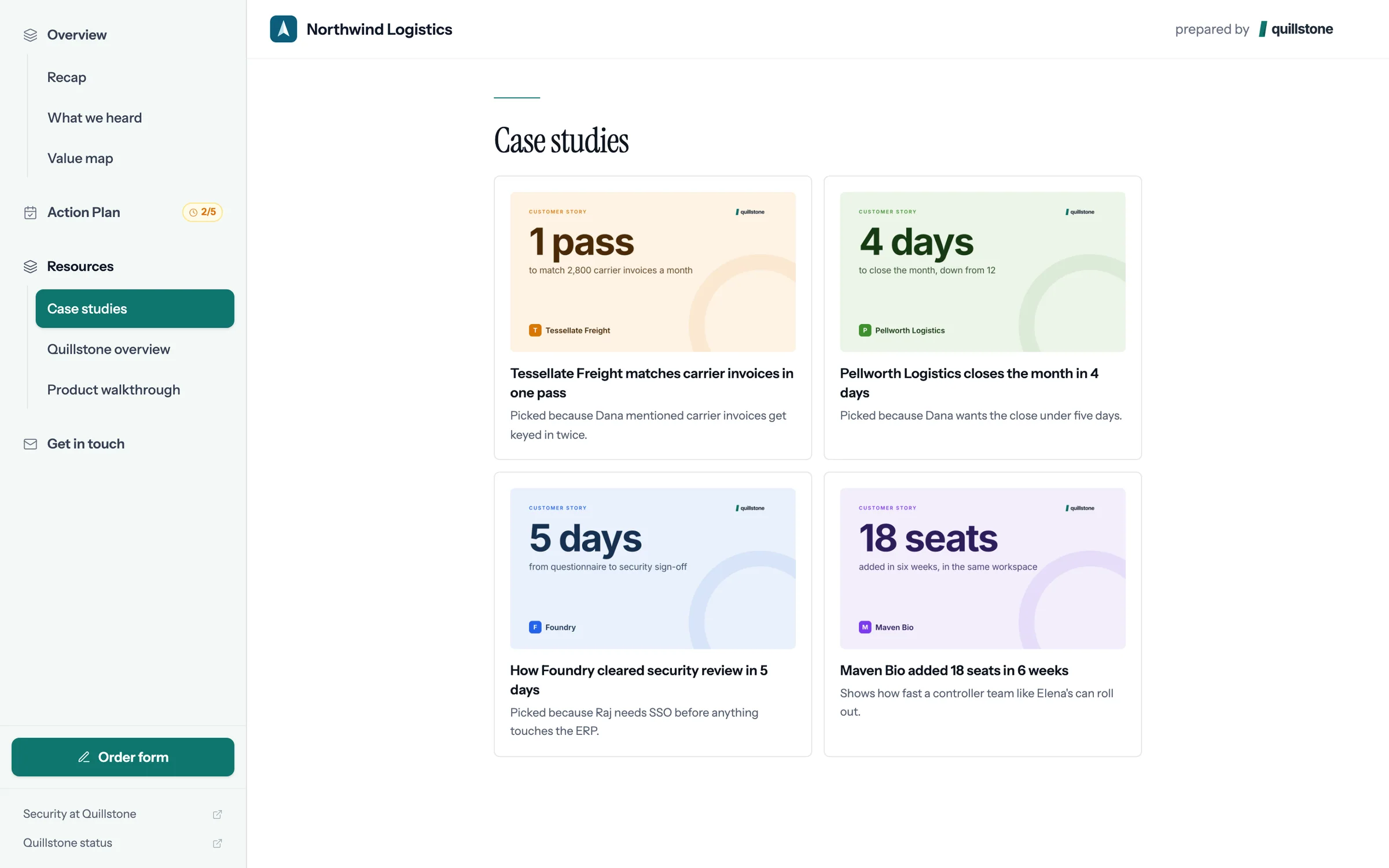
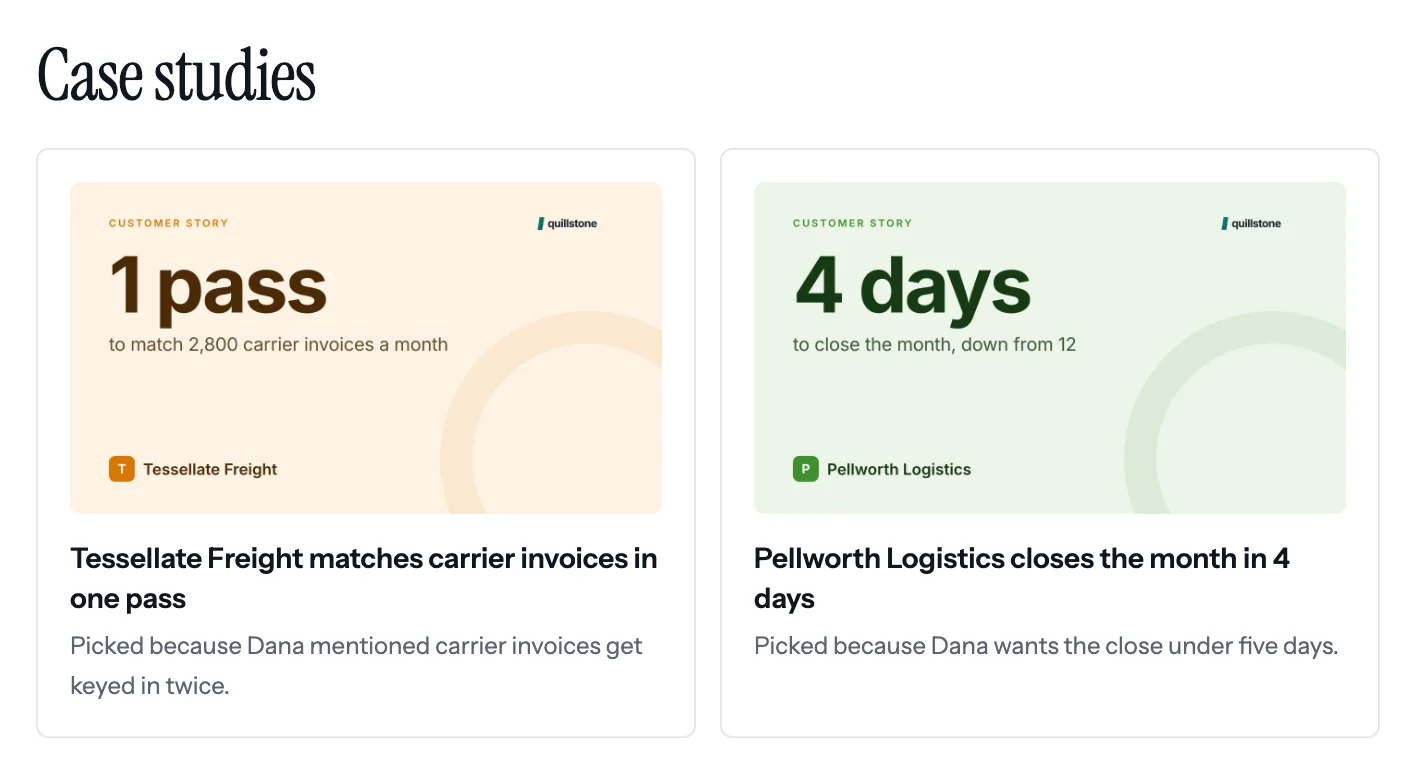
Step 6 of 8 Case studies picked for Northwind Each one says why it was chosen, citing what Dana said on the call.
-
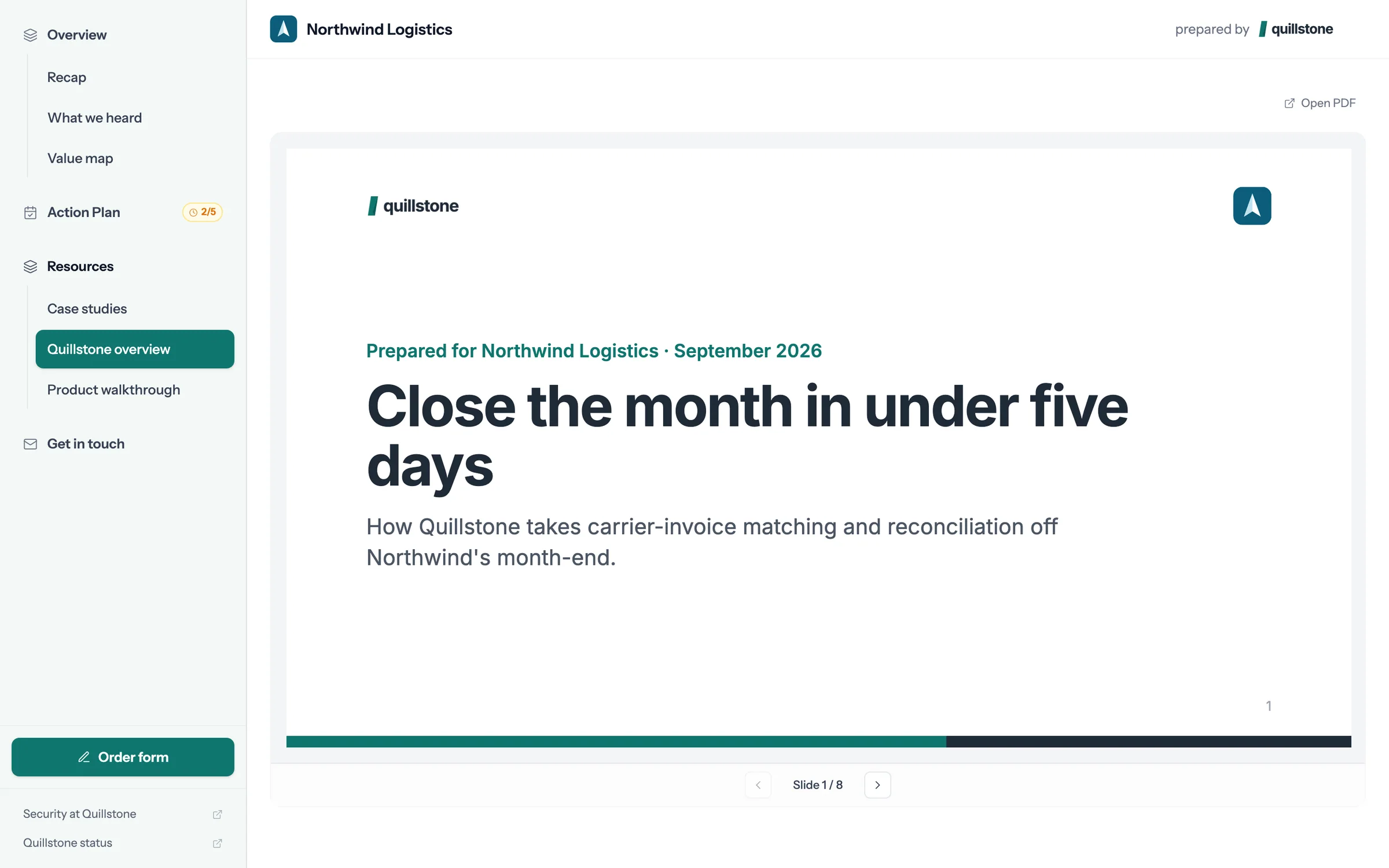
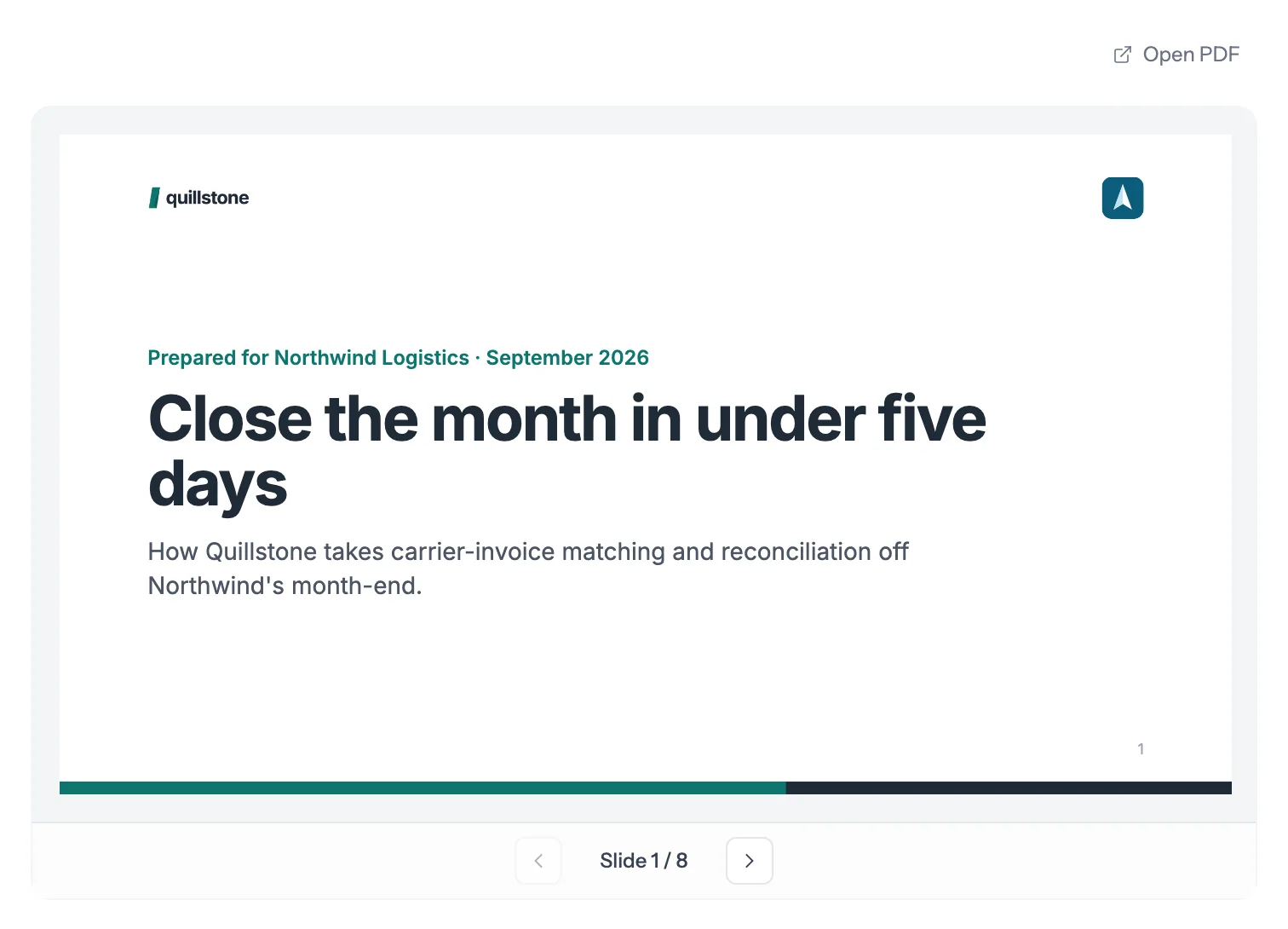
Step 7 of 8 The deck, slide by slide The deck opens inside the room, with nothing to download, and Sam can see which slides held attention.
-
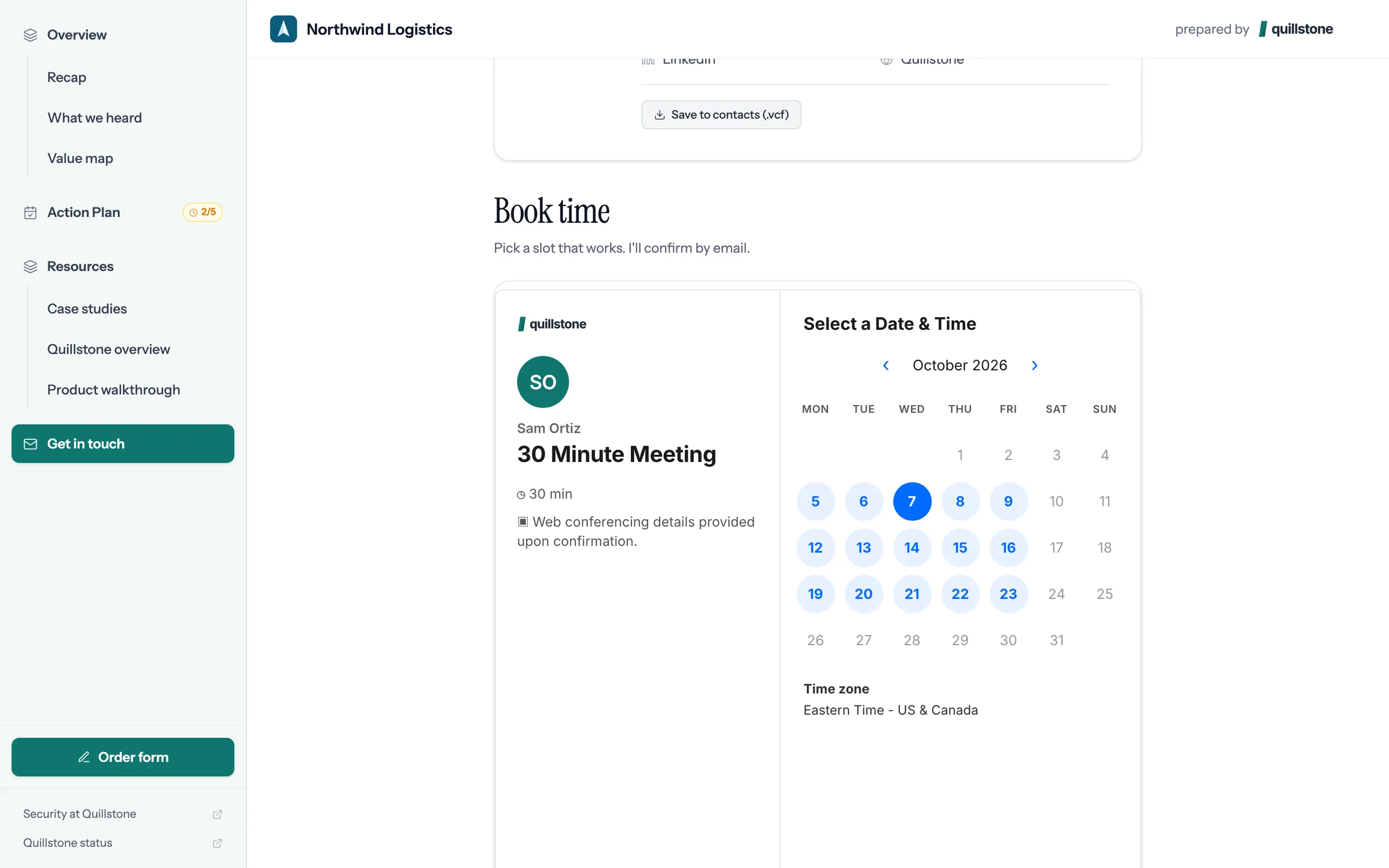
Step 8 of 8 Book the next call Sam's calendar is in the room, so Dana books the next call without the email back and forth.
Build one from your Attio deal.
Connect Attio, pick a deal with a recorded call, and foyai drafts the room. You review it, then publish.
What each person on the buying committee finds in the room.
The seller picked the deal, foyai drafted the room from its calls, and the seller edited it before publishing.
What we heard
The buyer's goals and problems, in their own words, drafted from the discovery call. It's the first section a forwarded stakeholder sees.
Value map
How each problem maps to what you'll change for them, which gives the champion a business case to share internally.
Action plan
Dated steps for both sides, from today to signature. The buyer ticks off their own steps, and you see which ones are done.
Case studies picked for this buyer
Up to four from your library, each with a one-line reason it matches what they said on the call.
Decks, demos, and documents
Slides, interactive demos, videos, and documents open inside the room, without a download.
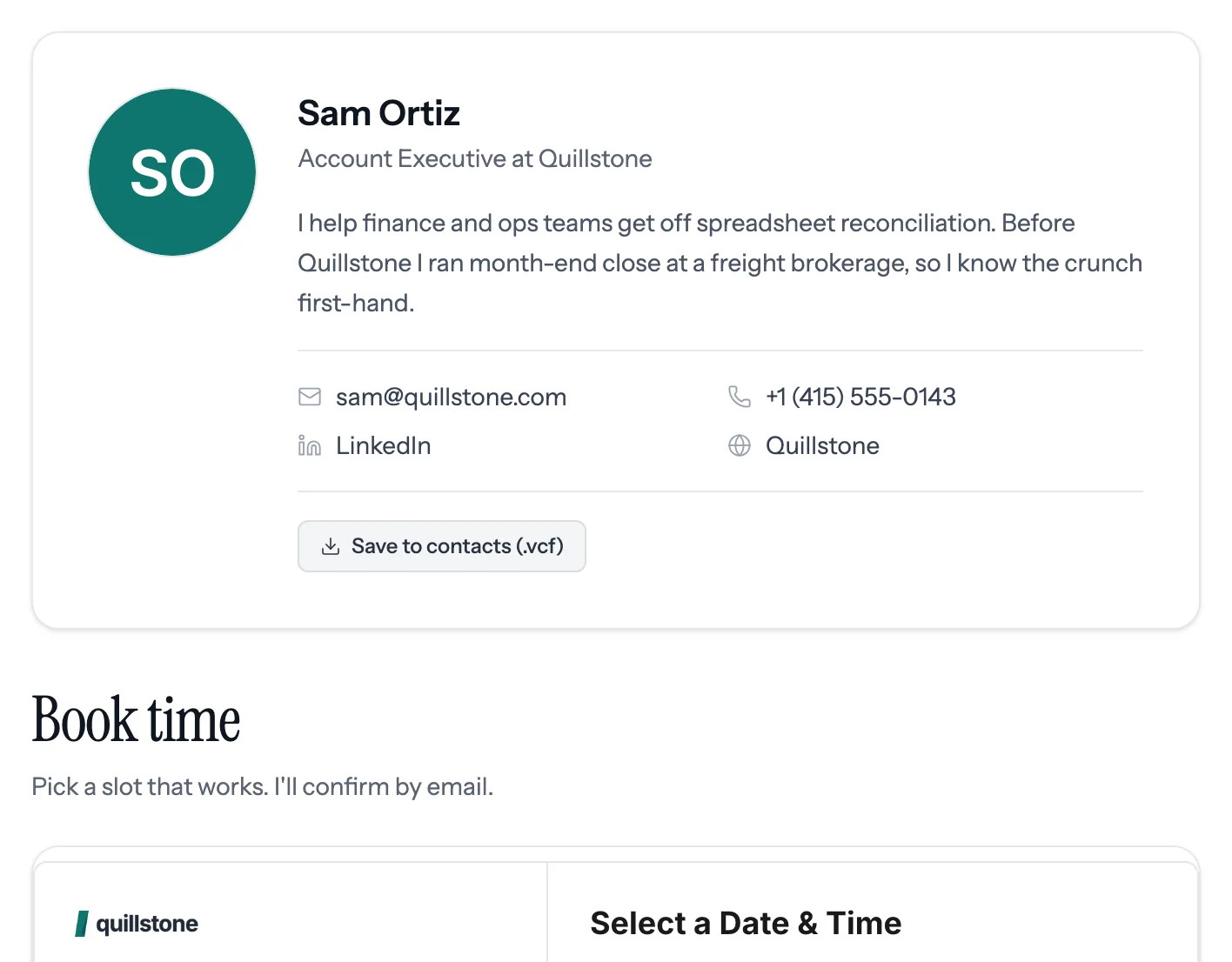
Your contact details and the contract link
Your contact card, a booking calendar, and a pinned link to the contract when it's time.
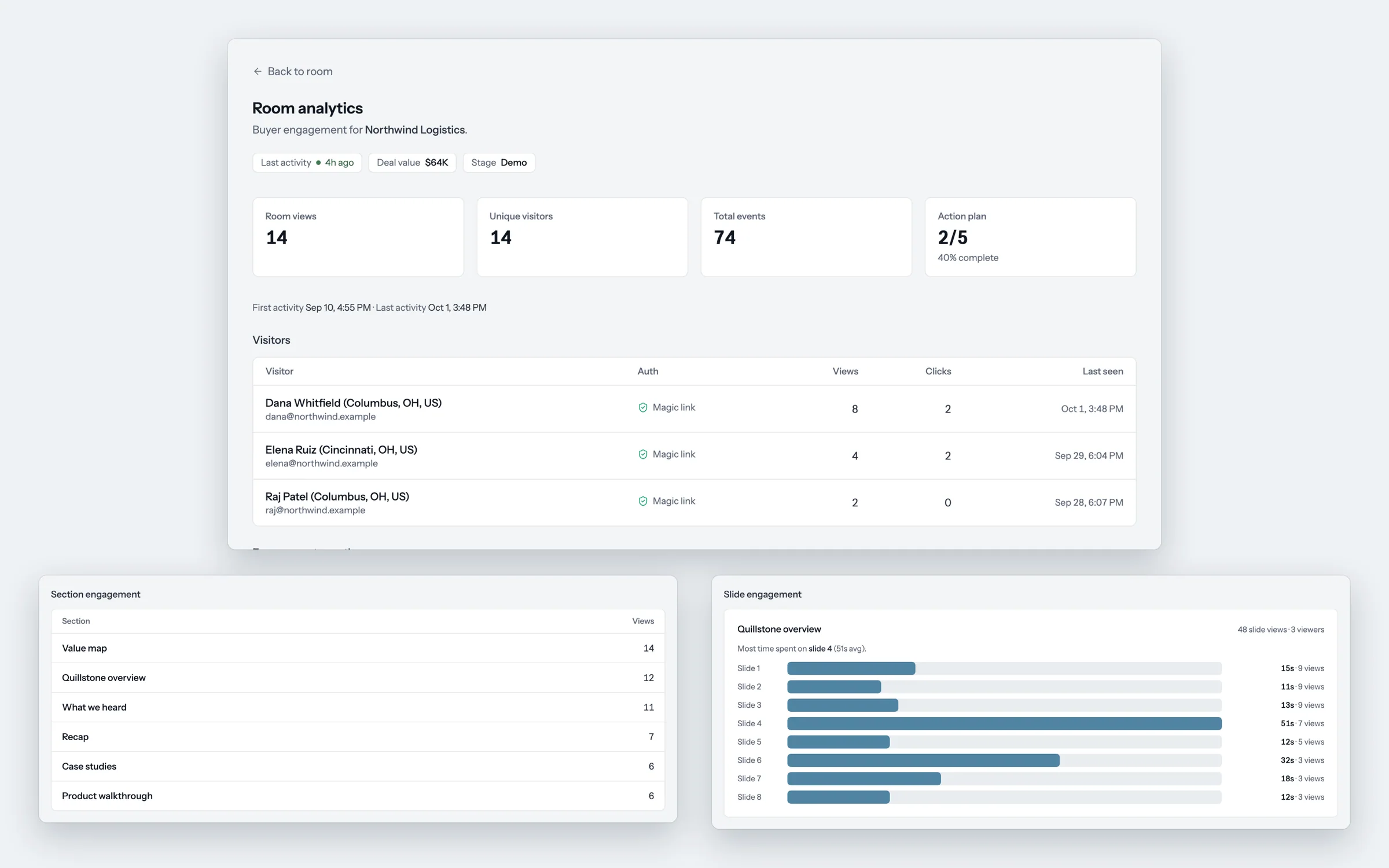
What the buyer does in the room shows up on the Attio deal.
foyai records each visit and writes it to the deal in Attio, where you already review your pipeline.
- Opens the room from a link
- Forwards it to the CFO
- Views the value map twice
- Ticks off "security review booked"
- Who viewed, and for how long
- Which sections and slides
- New stakeholders as they appear
- A Slack message on the first view
- An engagement score from 0 to 100
- When a buyer last viewed
- How much of the action plan is complete
- A note for every visit, plus new contacts
Sort your Attio pipeline by recent buyer activity.
Deals with recent room visits rise to the top of the Attio views you already use, and deals with no visits are easy to spot. Build this view in Attio.
Four steps from an Attio deal to a published room.
It's on the Attio record. Or map a deal stage to a room template, and foyai drafts a room when a deal reaches that stage.
From the recordings in Attio or your call recorder: what the buyer said, the value map, suggested next steps, and the case studies that fit.
Change anything. Add slides, a demo or a PDF. Limit access to verified emails at the buyer's company if you want to.
On foyai's rooms domain or your own, like deals.yourcompany.com. Buyers don't need an account.


Draft a room from your own Attio deal on the free plan.