What buyers do in the room shows up on the Attio deal.
Buyer engagement in foyai is the record of what people do in a published room: who opened it, which sections and slides they viewed and for how long, who it was forwarded to, and which plan steps they ticked off. It appears in the room's analytics, on the Attio deal as fields and a note, and in a Slack message to the room's owner if they chose that alert. Your own team's visits are left out.
Updated
One buyer visit shows up in three places.
A fictional visit: Amara Osei, CFO at Kestrel Payments, opens the room for the first time and spends 6 minutes on the deck. This is where it shows up.
- Verified her email with a magic link
- Opened the room for the first time
- Viewed the Quillstone intro deck for 6 min
- Opened Pricing and Security
 In Attio · Kestrel Payments deal
- Foyai engagement score
- 5268
- Foyai last buyer view
- Today, 10:48
 In Slack · a message to the room's owner
What you see for each thing a buyer does.
How much you see about each person depends on the room's access. A verified email shows exactly who opened it; an open link shows anonymous visitors, tracked the same way across visits. Room access modes
| In the room | What you see |
|---|---|
| Someone opens the room | A room view, and the visitor by name and email when the room asks for one, with how they got in and when they were last there. |
| They open a section | Which sections each visitor viewed. |
| They flip through a deck | Views, viewers and average time on each slide. |
| They click, download or play | Content clicks, PDF downloads, video plays and form submits. |
| They forward the link | A new name in the visitor list, when the room asks for an email. These are often stakeholders you haven't met. |
| They tick off a plan step | The step marked done for both teams, and counted in the plan's progress. |
Not counted: your own team's visits, such as a signed-in preview or a teammate who verified with their work address, and the automatic link previews that email and chat apps make. How analytics count activity
A 0 to 100 score built from the last 30 days of buyer activity.
The score is written to the Attio deal and to the room's own record in Attio, next to the last buyer view, the number of stakeholders and the plan's completion. Your team's visits are left out, and the fields update about a minute after buyer activity.
Each visit also adds a Foyai room activity note to the deal, listing what the visitor opened. Sort and filter on these fields like any Attio field. Attio recipes has ready-made views for recent buyer activity, quiet deals and plan completion.
Choose which Slack messages you get about your rooms.
Each seller ticks the alerts they want. Messages go straight to the room's owner, not to a channel, so you only hear about your own rooms. A repeat visit from the same person doesn't send another message.
Slack alerts are on Pro and Platform, including the Pro trial. Set up Slack alerts
Rooms with no buyer visits in 30 days move to the Quiet lane.
The Rooms page groups rooms into Active, Draft, Quiet and Archived. A published room with no buyer activity in 30 days goes to Quiet, and the Dashboard lists it under Rooms needing attention, so you can follow up or archive it.
In Attio, the last buyer view on each deal gives you the same list across your pipeline. Find quiet deals in Attio
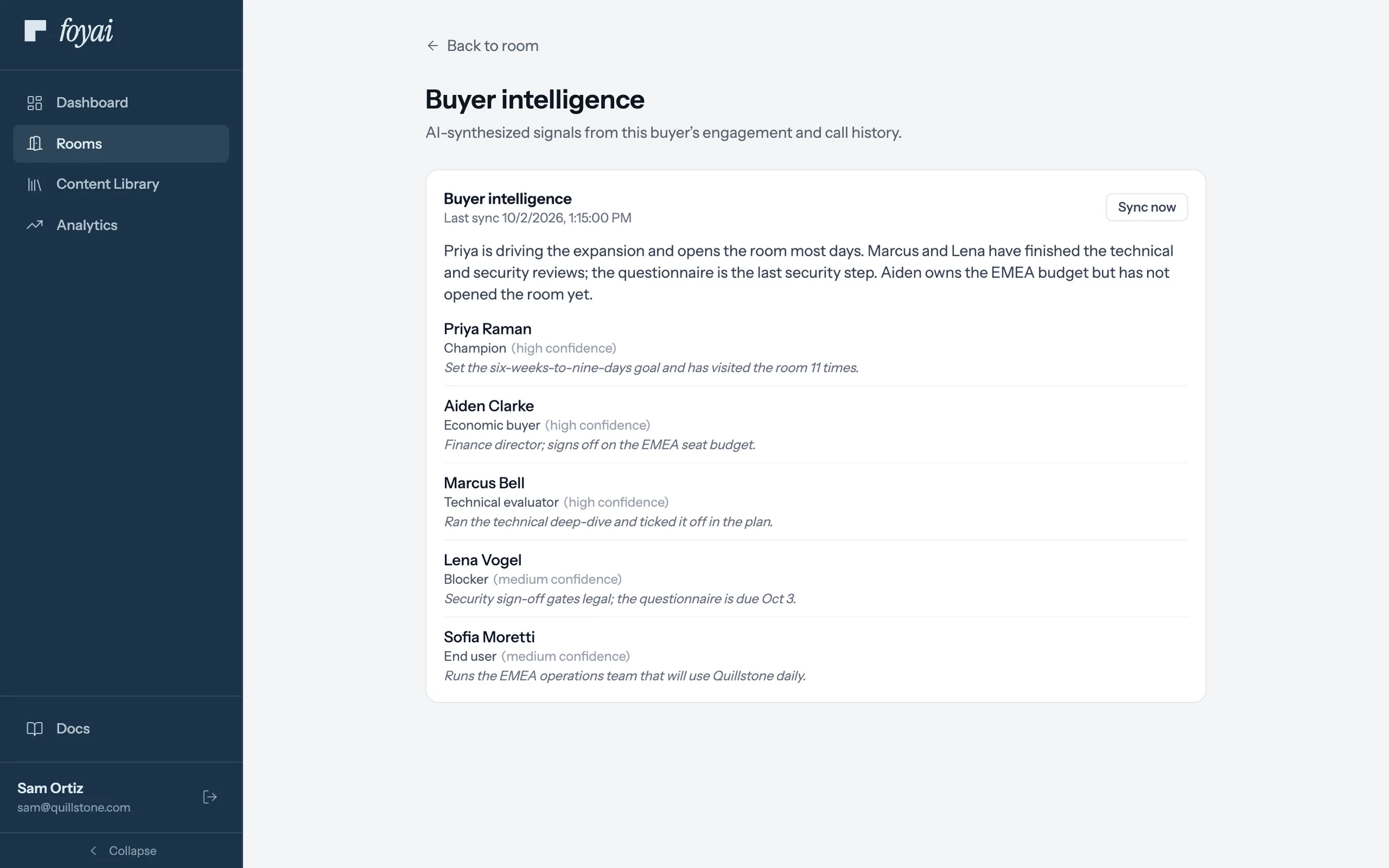
See who is on the buyer's side and the role each person seems to play.
From your calls, foyai lists the stakeholders and suggests a role for each, such as champion, decision maker, economic buyer, technical evaluator or end user, with a low, medium or high confidence label and a short summary of the buying committee.
These are inferences from what was said, so check them against what you know. New calls can suggest changes, which you accept or dismiss, and you can choose to sync the room's intelligence to Attio as a note.