Room automation
Stop creating rooms by hand. Automation creates a buyer room the moment a deal enters a stage you've mapped, using that stage's template, and drafts it from the deal's calls.
Where to find it: Settings → Room automation. Requires Attio connected (that's where your deal stages come from). Every seller can open this page; only an admin can change the workspace default below. A seller who isn't an admin sees a read-only summary of it instead, and sets their own personal override underneath it.
Plan gating: automatic room creation is a paid feature with a monthly allowance that depends on your plan; Free is manual-only. See Plans and billing.
Workspace default
The master toggle is Auto-create rooms on deal stage. When it's off, nothing fires. When it's on:
- Every Attio deal stage gets a row with a choice: Don't create a room (the default), Create a plain room, or Create from a template you've saved.
- A deal entering a mapped stage (created into it, or moved into it) gets a room built from that stage's template, then drafted from its calls.
- Stages set to "Don't create" are simply skipped; you opt in stage by stage.
A second toggle, Also create rooms from call recordings, covers the other direction: when a finished call lands on a deal that has no room yet, create one (using the deal's stage template). It's off by default, because rooms normally come from stage entry; calls always enrich rooms that already exist either way. There's also a row for calls not linked to any deal stage.
Each CRM record gets at most one auto-created room, so automation never floods a deal; you can always create additional rooms for the same record by hand.
Your stage mapping does double duty: the Foyai app for Attio reads it too. Its Create Foyai Room action preselects the mapped template for the deal's stage (a Company uses its primary deal's stage), and its bulk action applies that template outright. This is a suggestion, not automation, so it works even when the master toggle is off. See Integrations.
-
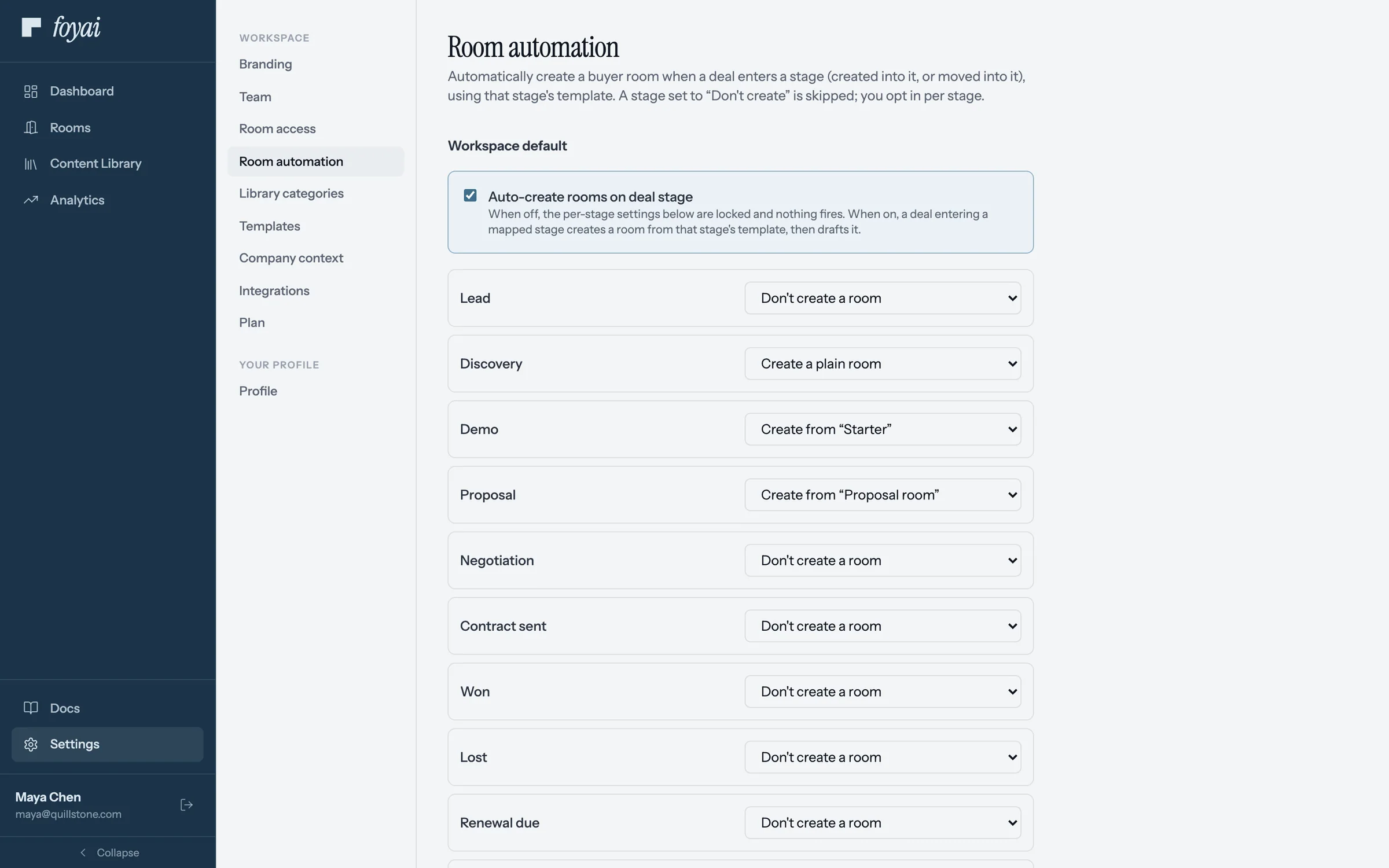
Step 1 of 5 Turn on auto-create In Settings, Room automation, Auto-create rooms on deal stage switches it on for the workspace.
-
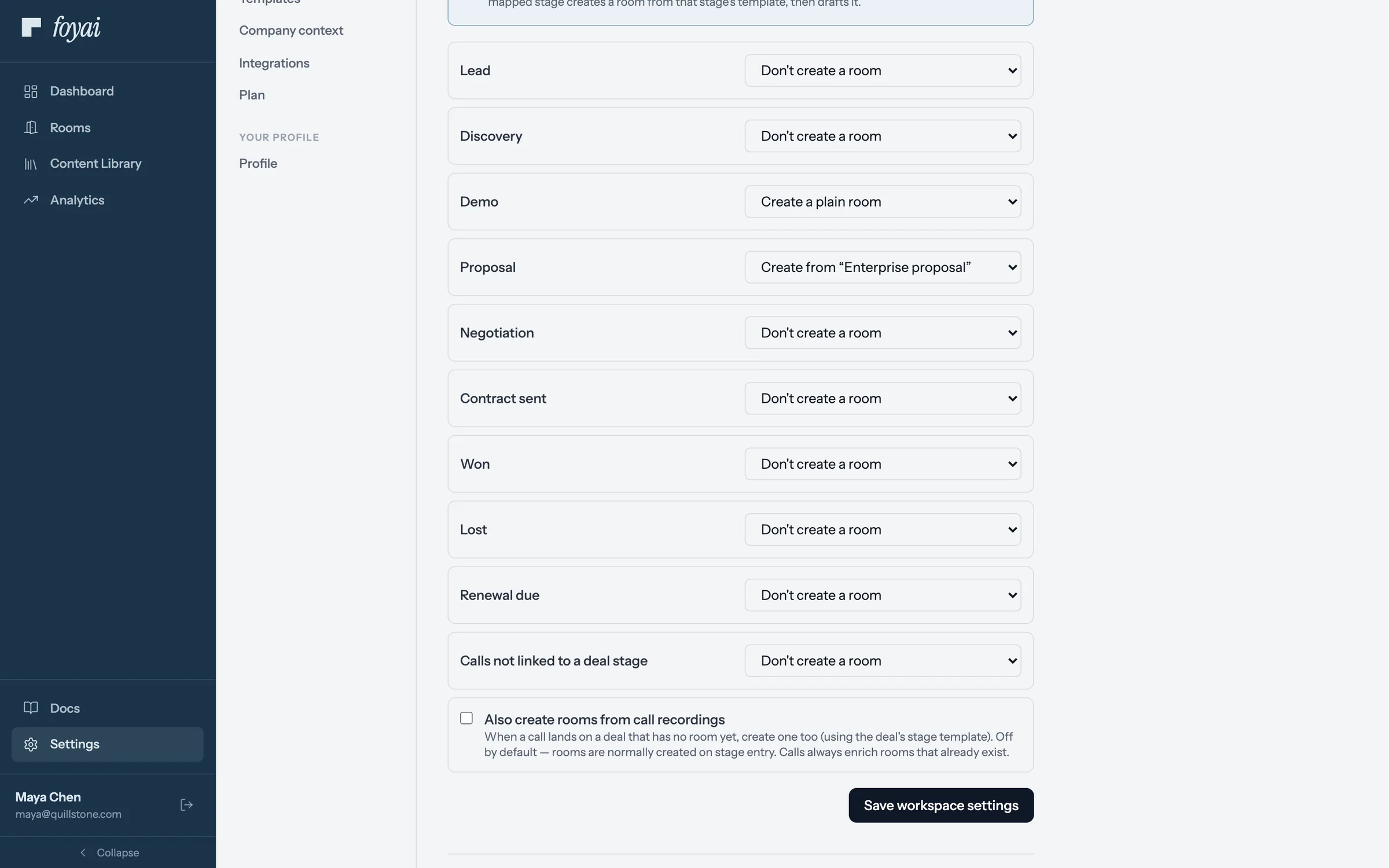
Step 2 of 5 Map a stage to a template Each Attio stage gets a choice. Maya sets Proposal to create rooms from the Enterprise proposal template.
-
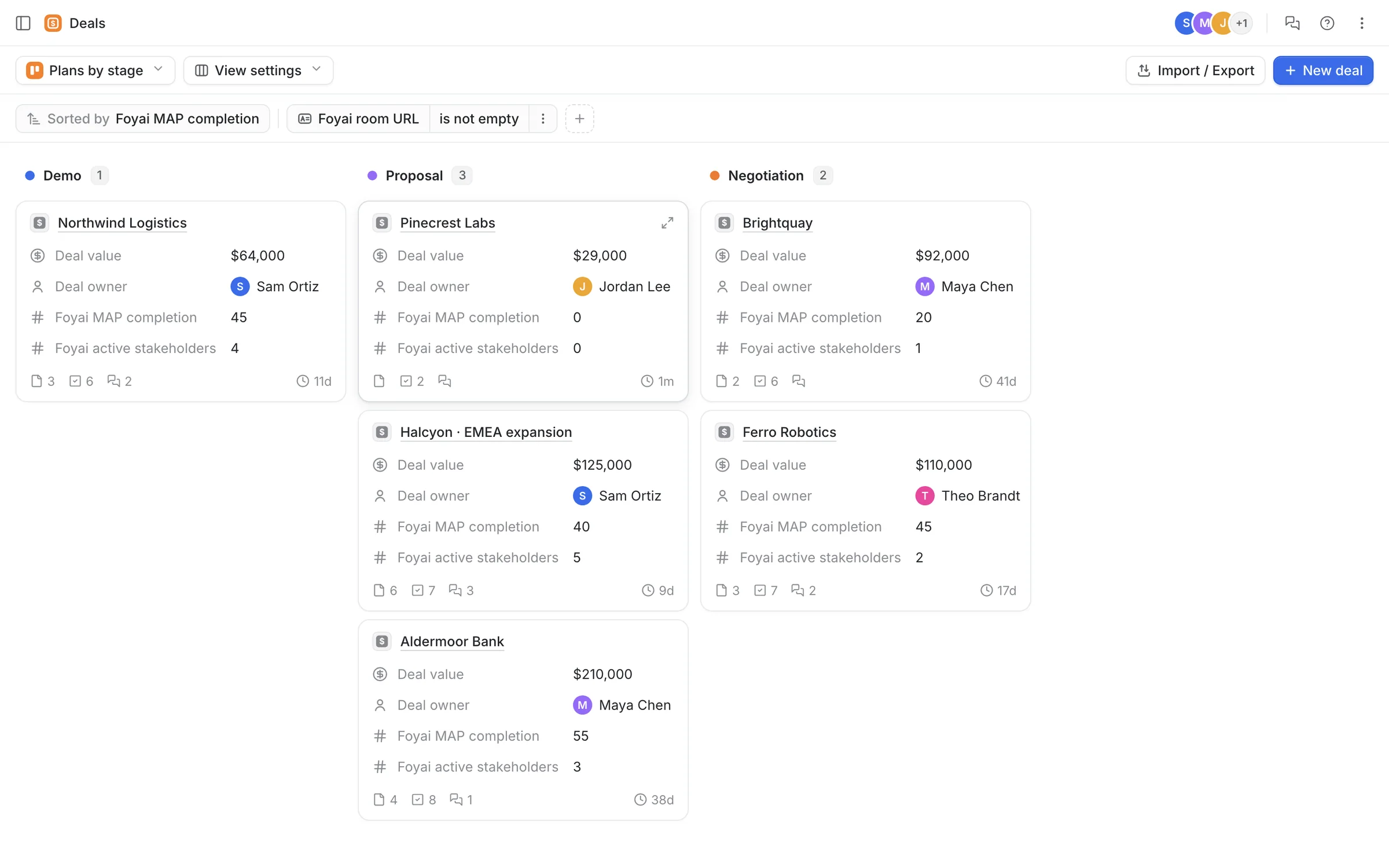
Step 3 of 5 A deal moves in Attio Jordan moves Pinecrest Labs from Demo to Proposal in Attio, like any other deal.
-
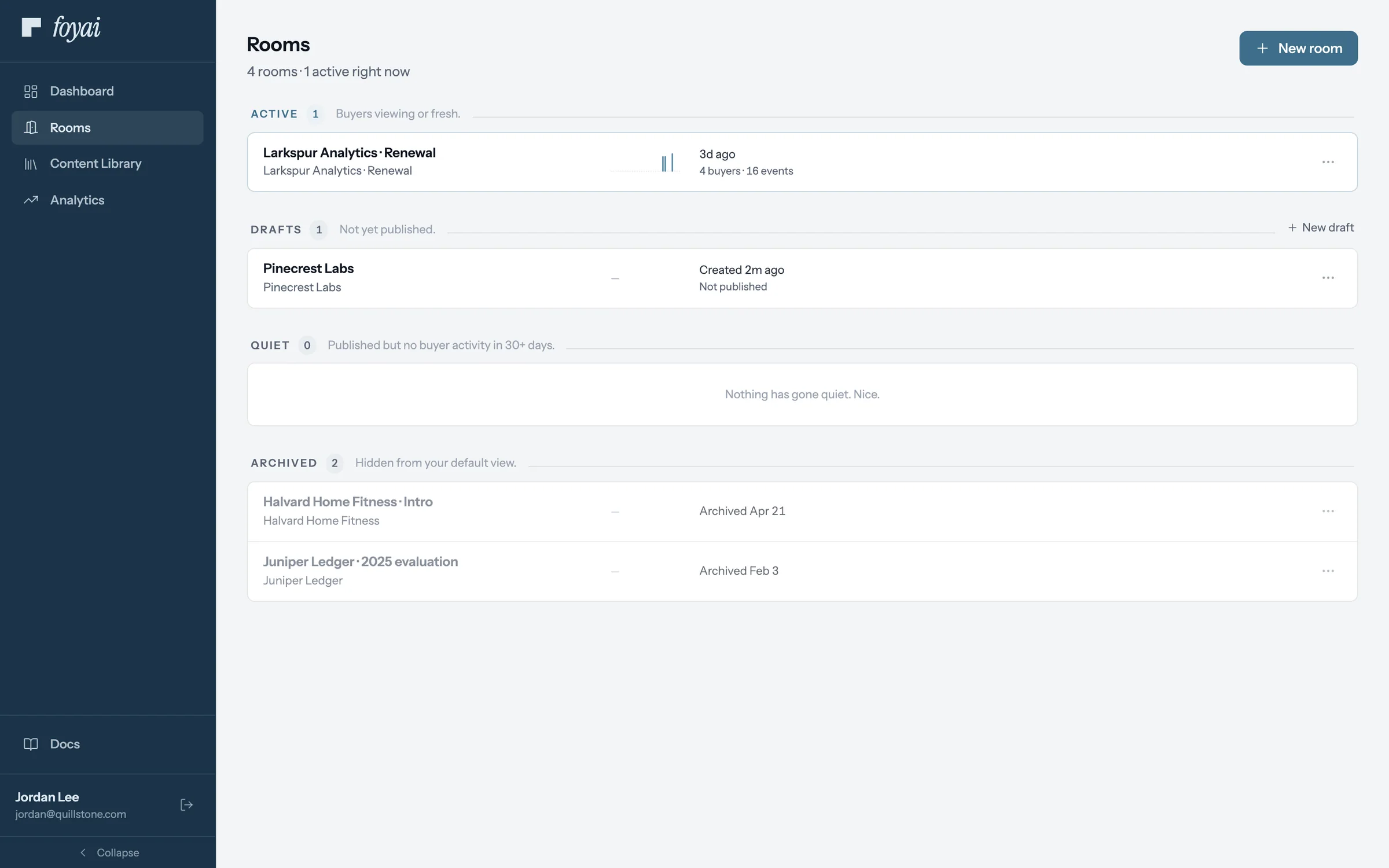
Step 4 of 5 A draft is waiting A Pinecrest Labs draft shows up in Jordan's rooms, built from the template. Nothing is published.
-
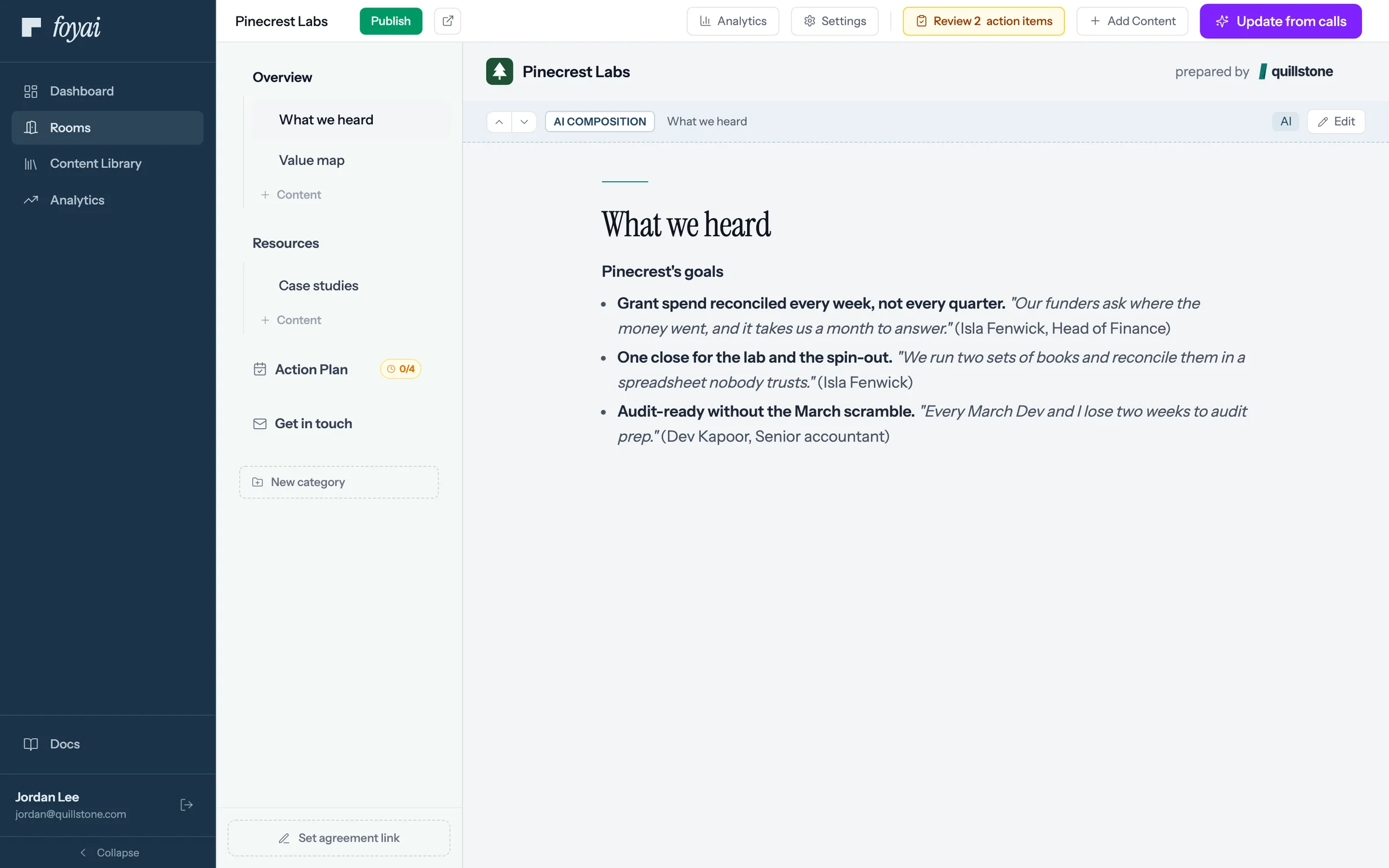
Step 5 of 5 Check it, then publish foyai drafted it from the deal's calls. Jordan reviews the 2 action items and the draft before publishing.
Get a draft room when a deal reaches the stage you pick.
Room automation is a paid feature with a monthly allowance. On Free, you create rooms by hand.
Your personal override
Below the workspace settings, each seller, admin or not, can override the call-recording behavior for their own calls only: turn on Override workspace settings for my calls and set your own per-stage choices. Set every stage to "Don't create" to opt your calls out entirely. Stage-entry automation always follows the workspace settings; the override only applies to rooms created from call recordings, and only when that toggle is on above.
What an auto-created room looks like
Exactly like one you'd make yourself: a draft, built from the stage's template, drafted from the deal's calls, with extracted action items waiting for review. Nothing publishes automatically; a human always reviews and publishes. Auto-created rooms surface on the Dashboard like any other draft.
Troubleshooting
Nothing is being created. Check the master toggle is on, the target stage isn't set to "Don't create a room", and your plan has auto-creation (Free doesn't). If the deal already has an auto-created room, a second one won't be created.
The page says "Connect Attio to load your deal stages." Automation configures against your Attio deal stages, so the Attio connection must be healthy. Run Re-sync in Settings → Integrations (details in the Integrations guide).
Rooms are created from calls I didn't want. Use the personal override to opt your own calls out, or turn off "Also create rooms from call recordings" for the whole workspace.
Questions? Email support@foyai.com, or use the in-app chat.