Templates
A template is a room you liked enough to reuse. Foyai has no separate template builder; you design a real room once, save it, and every future room can start from that scaffold.
Where to find it: Settings → Templates.
Creating a template
- Open a room whose structure is worth repeating.
- Open the room's Settings, go to the Template tab, and click Save as template.
- Name it. The template captures the room's modules, categories (navigation), and action plan structure.
Deal-specific things (the buyer's name, stakeholders, analytics) stay behind; the scaffold comes along.
-
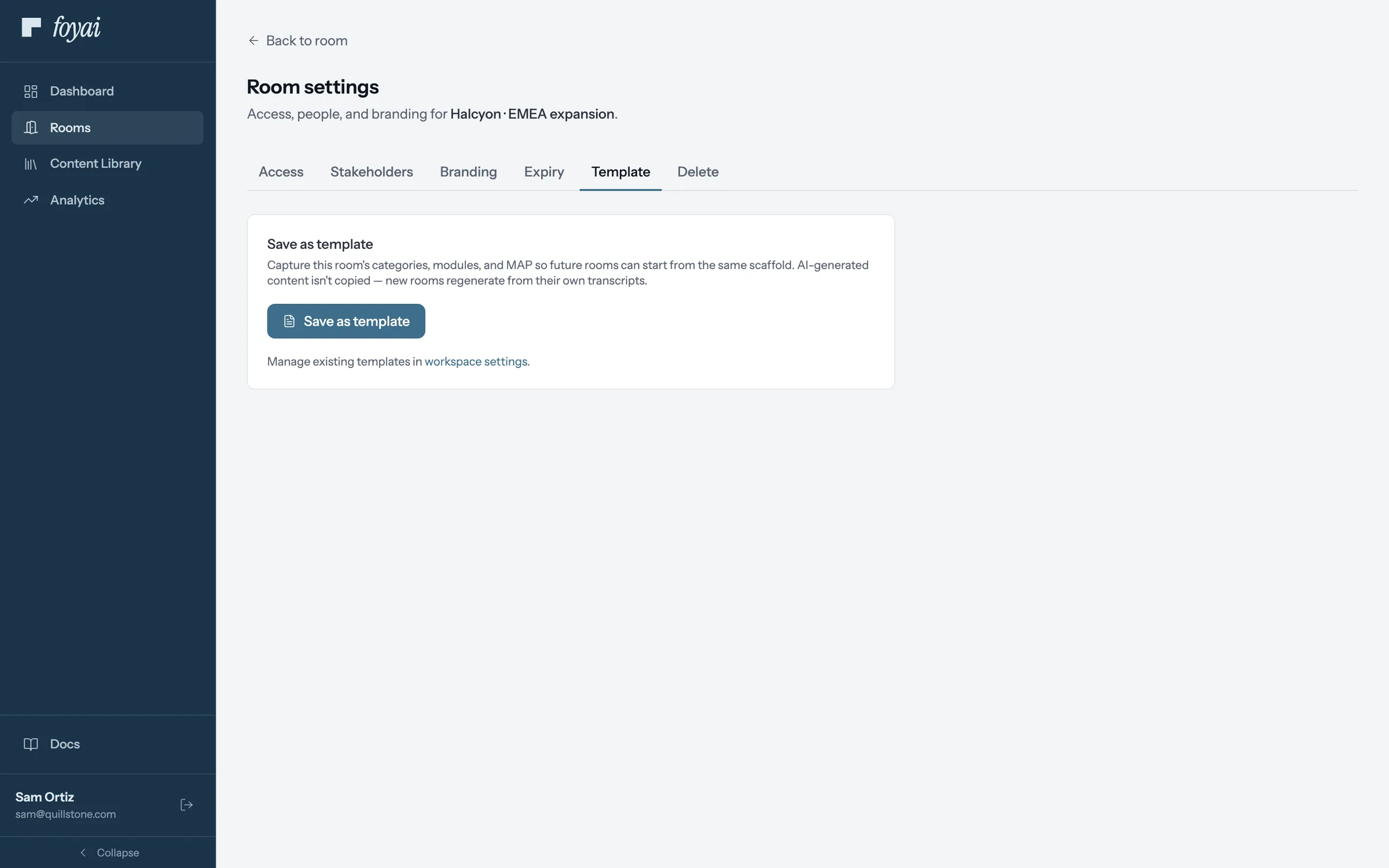
Step 1 of 4 Save a room you like When a room is worth repeating, open Room settings, then Template, and click Save as template.
-
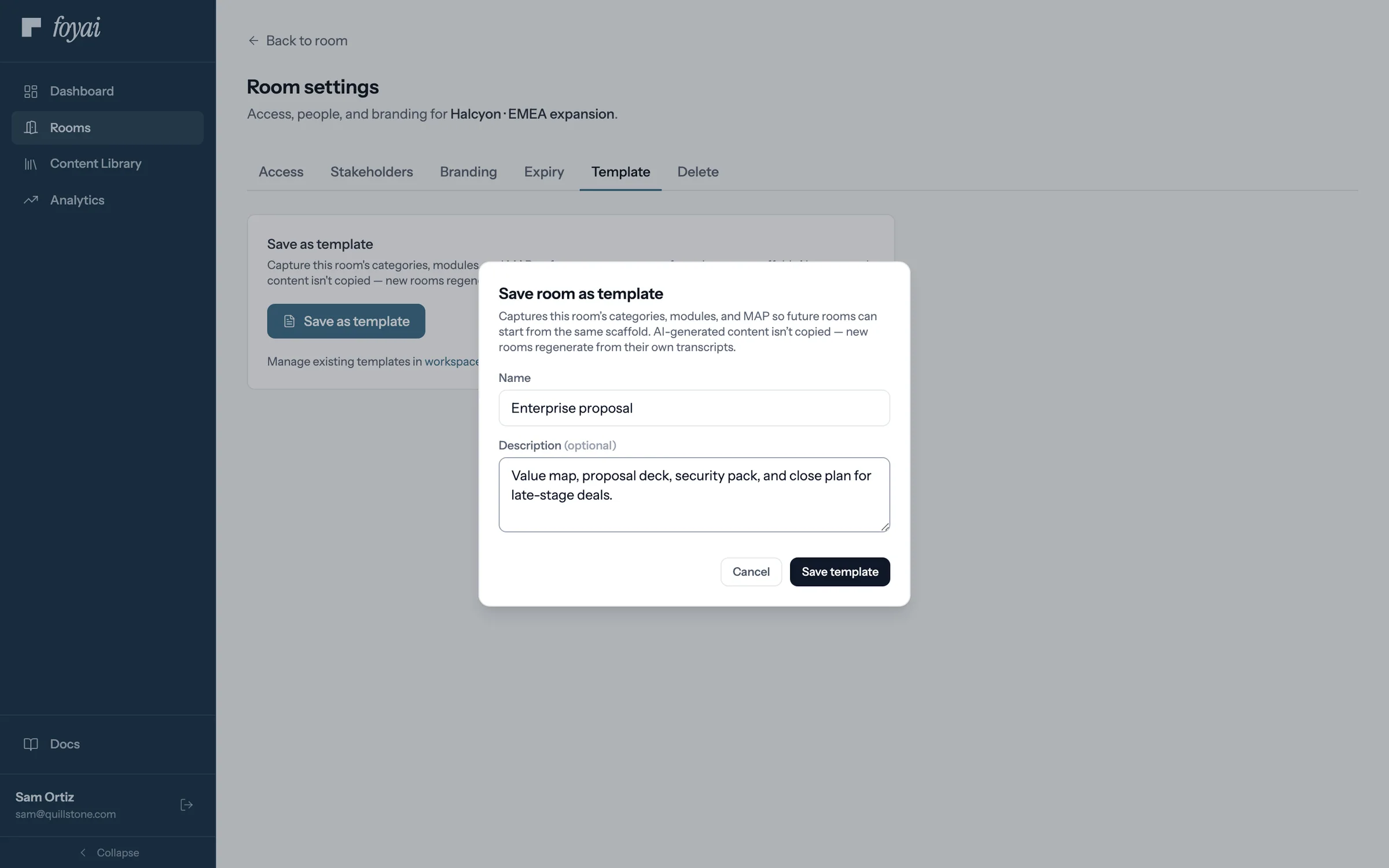
Step 2 of 4 Name it Sam calls it Enterprise proposal. It keeps the room's sections and the plan's phases, but not tasks or AI-written text.
-
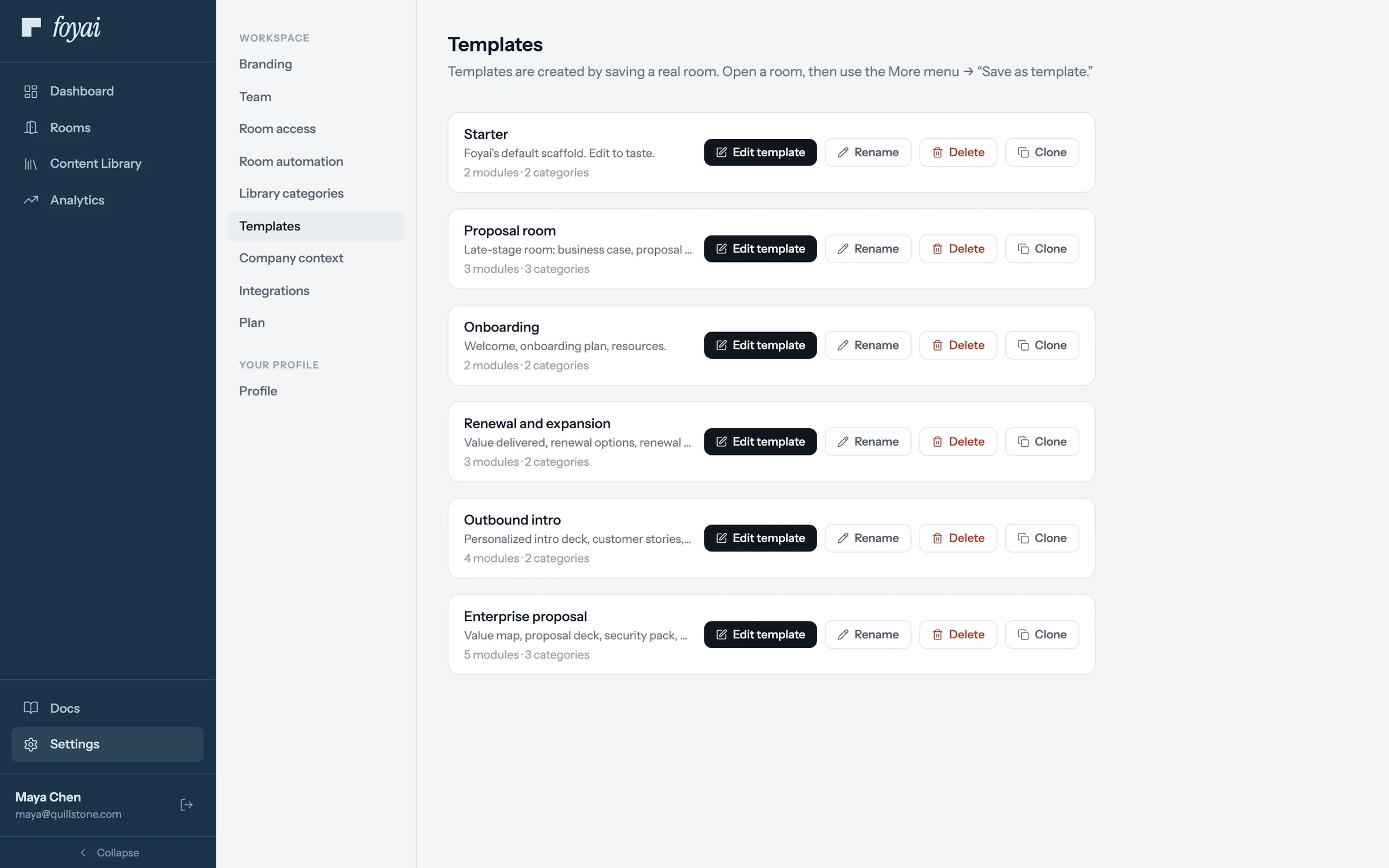
Step 3 of 4 In the workspace's templates It joins the other templates in Settings, where admins can edit, rename, or clone it.
-
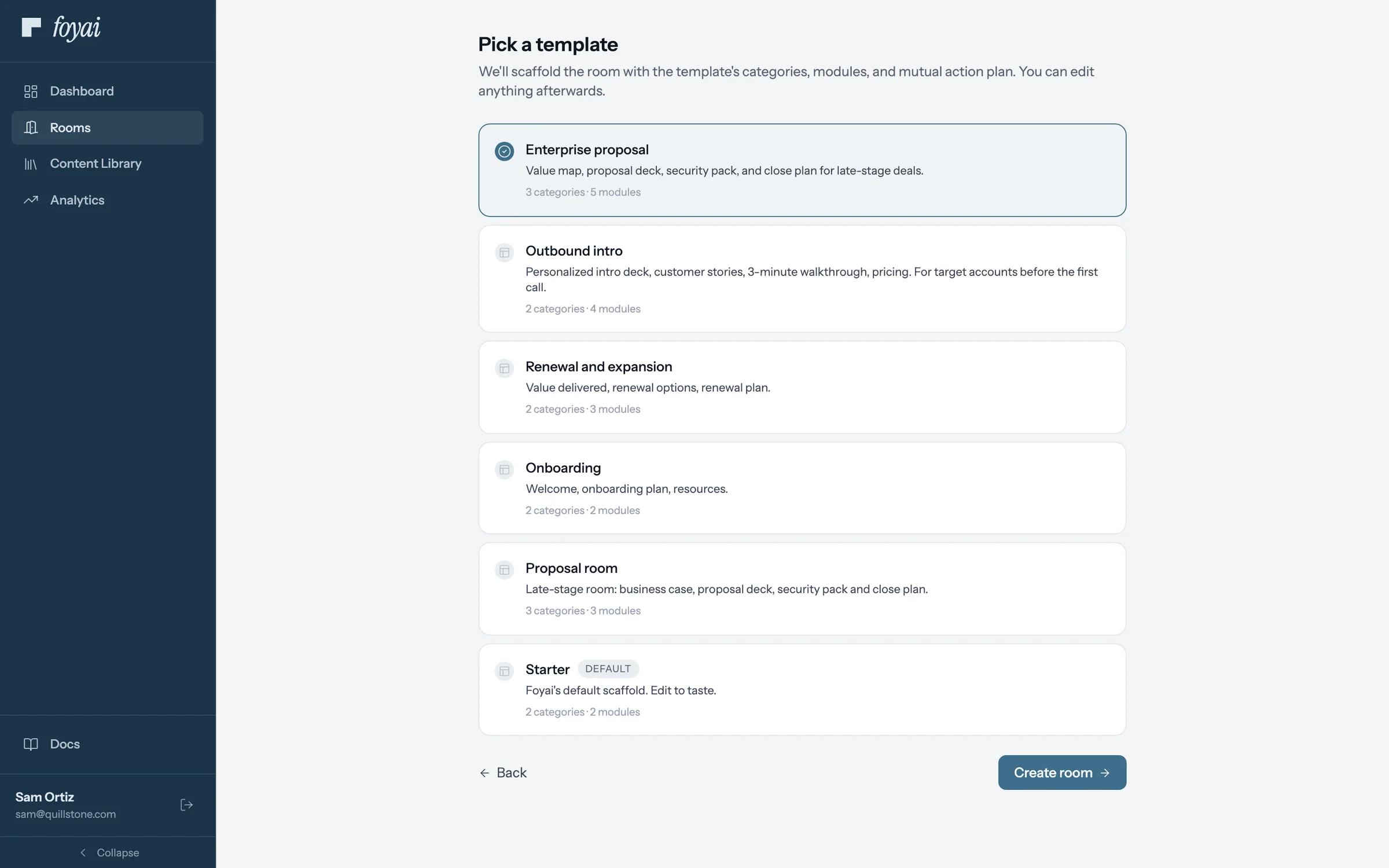
Step 4 of 4 Start the next room from it The next new room can start from Enterprise proposal, with its sections and plan phases already in place.
Reuse your best room for every deal like it.
Map the template to an Attio deal stage, and foyai drafts a room from it when a deal gets there.
Using templates
- New room wizard: every new room passes a template step. Workspaces with no templates yet get a built-in Starter automatically.
- Room automation: each deal stage can be mapped to a template, so auto-created rooms come out in the right shape for that stage. An early-stage template might lead with discovery content and a light action plan; a procurement-stage template with security docs and signature steps.
- Foyai app for Attio: the Create Foyai Room action shows the same template picker, preselected with the template your stage mapping suggests for that deal; the bulk action applies the mapped template without asking. See Integrations.
Managing templates
The Templates page lists each template with its module and category counts. You can:
- Rename or edit the description
- Clone one (creates "{name} (copy)") to iterate on a variation without touching the original
To change what a template contains, the pattern is the same as creating one: build a room the way you want it and save it as a new template.
Troubleshooting
I edited a room I'd saved as a template, but the template didn't change. Templates are snapshots taken at save time, not live links to the room. Save the room as a template again to capture the new structure.
The Templates page is empty. Templates only come from saved rooms. Open your best room and use "Save as template"; the empty state links you to Rooms for exactly this.
Questions? Email support@foyai.com, or use the in-app chat.